Your Friend code Monopoly GO is located in the section “Friends” in the app, located at the bottom right. Once you're there, tap “Add Friends” : tone coded appears at the top of the screen.
It lets you’invite other players to play with you, even without going through Facebook.
Here's how recover your code, the to share and Add friends on Monopoly GO. For more information, you can also check out our guides on the Monopoly GO bank and on Monopoly GO gold cards.
How do I retrieve my friend code on Monopoly GO?
If you're just starting out with the game, you might not know yet how to add friends on Monopoly GO, and that's perfectly normal.
The friend codes were added in october 2024, so many players are still unaware of this feature. The game is available on Android and iOS, developped by Scopely.
There are two ways to add friends:
- the friend code (I'll tell you about it here); ;
- the Monopoly GO invitation link.
The friend code is one way to invite other players without going through Facebook. Here's how to download it in just a few steps so you can send it to anyone, anywhere.
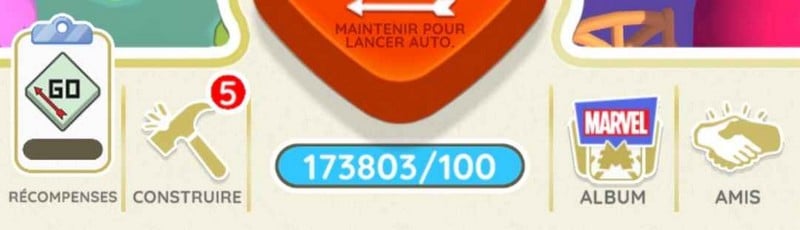
- Step 1 : Open the app Monopoly GO and tap the section “Friends”, in the lower right corner of the screen:
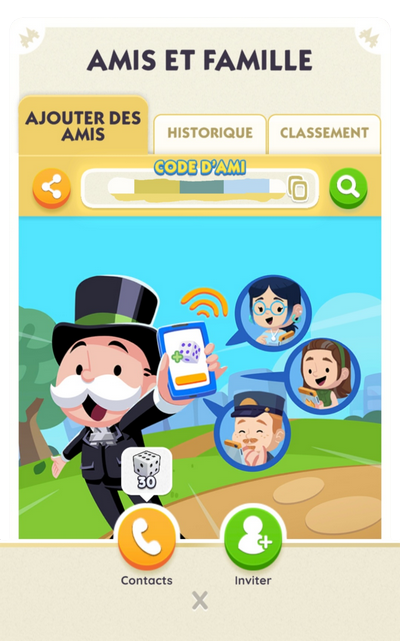
- 2nd step : Go to the section “Add Friends”. Tone friend code does not appear immediately when you open the “Friends” section: it appears at the top of the screen once you open that tab.
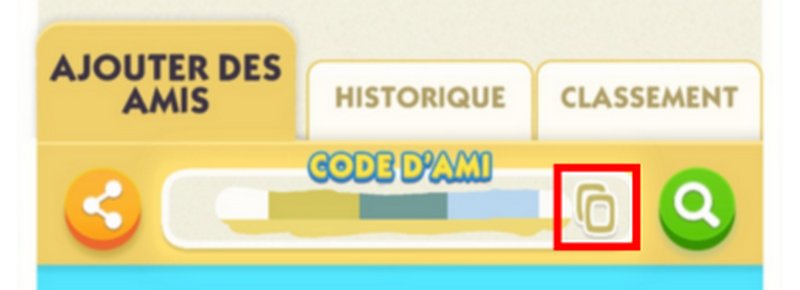
- Step 3 : Copy your friend code by tapping the button, then share it wherever you want:
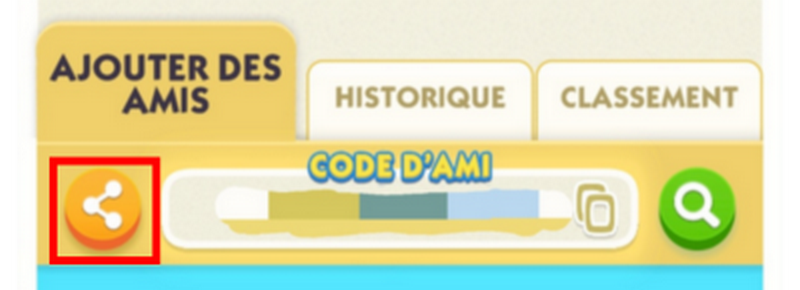
- You can also press the orange “Share” button” to send it directly to the social networks or a messaging app (Facebook, Discord, Messages, etc.):
Now you know how to get your invitation code Monopoly and share it on the social networks or via private message.
How do I add a friend with my friend code?
To add friends on Monopoly GO Using a code, here are the steps to follow. You can also connect your account Facebook Where Google to find existing friends, but the code is still the easiest way.
- Step 1 : opens the section “Friends”, in the lower right corner, then go to “Add Friends” :
- 2nd step : press the green “Search” logo” :

- Step 3 : between the friend code your friend's, then press “Search” :
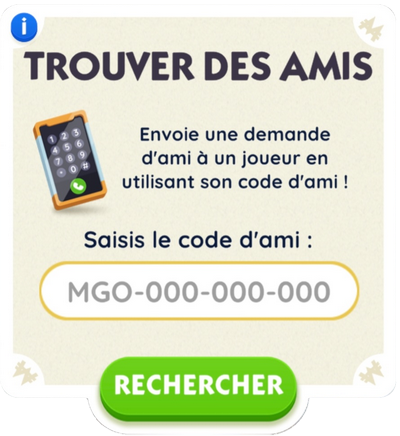
Once you've completed this step, you've successfully sent a friend request to that person. Now you just have to wait for them to accept your invitation.
How do I change my Monopoly GO friend code?
You may need to change your friend code on Monopoly GO. For example, because too many people know it, or simply because you want to change it up.
Know that it's possible, but not on your own. You have to contact Monopoly GO support, there is no option to make changes in the game interface.
Here is a sample message you can send to support:
“Hello, I play Monopoly GO and I’d like to change my friend code. It’s available to too many people, and I keep getting invitations from people I don’t want as friends. Could you please change my code?”
Support will usually get back to you fairly quickly to confirm that your code has been updated.
What is the purpose of the Monopoly GO friend code?
the friend code, just like the invitation link, allows you to’add friends on Monopoly GO without going through Facebook. Having friends allows you to:
- Attend certain events together, as the’Partner event ;
- Making card swapping with the players you add; ;
- Increase your friends bar to unlock awards and exclusive items (such as a game piece).
Be aware of an important distinction. You can fill your friends list by adding existing players (via Facebook, your contacts, or an invitation link), whether or not they've played before. However, the Referral Rewards (from free throws (among other things) are only unlocked if the invited friend is a new player Who has never played Monopoly GO.
Once you've shared your code, watch this video to learn how to optimize your invitations and unlock all the rewards on the progress bar:
Explanatory video in French by Alucare, ideal complement to the page. View video (you can use YouTube's automatic translation)

We have also set up a server Discord dedicated to Monopoly GO, with rooms where you can do your card swapping.
Feel free to check it out to find what you're looking for:
Trade your cards using the Discord
How do I delete a friend on Monopoly GO?
You may have players on your friends list that you want to remove—for example, because they're destroying your monuments. To remove a friend on Monopoly GO, the steps are quick:
- Go to the section “Friends”, at the bottom right; ;
- Open the section “Rankings” ;
- Select the friend you want to remove; ;
- Press the red “Delete” button”, then confirm with the green button.
For a detailed, illustrated version, here is the complete tutorial:
How do I delete a friend on Monopoly Go?
See also:









 English
Friendcodes add me:
MGO796ZLA9LJ
MGO955E9G9M5
MGO939SE8NYH
Kode saya MGO882T53UXD invite please?