Do you want to Office 365 cheaper ? Depending on your budget, you have three main options:
- the subscription sharing
- The free alternatives (Office on line
- LibreOffice
- Google Docs)
- L'Purchase of a permanent license paid once
Here are the advantages and limitations of each solution.
| Solution | Price guide | Who is it for? | Limit or risk |
|---|---|---|---|
| Third-Party Subscription Sharing (GamsGo, Coosub, Sharesub) | about 2 to 4 €/month | Small budget, comfortable with moderate risk | Temporary account suspensions are possible |
| 100 Free % Solutions (Office online, Google, LibreOffice) | 0 € | Basic or occasional use of Word, Excel, and PowerPoint | Online only (web version) or limited compatibility with Microsoft files |
| Perpetual License (one-time purchase) | Varies by retailer | Those who want to own Office for Life, no subscription required | Risk of Scams Involving Keys Sold at Unreasonably Low Prices |
| Official Microsoft Offers (Microsoft 365 Personal or Family) | about 69.99/year (Staff) and 109 €/year (Family) | Individual user or group of family members (up to 6) | No cost-sharing if you're on your own; trust is required if shared with family |
| Microsoft Education Offer | 0 € or reduced rate | Students and Teachers | For eligible institutions only |
1. Pay less for Office 365 with subscription sharing
the subscription sharing works like carpooling. Several users who don't know each other join the same Microsoft subscription via a subscription-sharing platform.
Everyone splits the cost while still having access to all the apps: Word, Excel, PowerPoint and Outlook. The result: you pay two to four times cheaper than a standard subscription.
a) Coosub
Coosub is a subscription-sharing platform that lets you savings on various services, whose Microsoft Office 365. It gives priority to users of the the same region or the same country, and the payment is split among all members of the account.
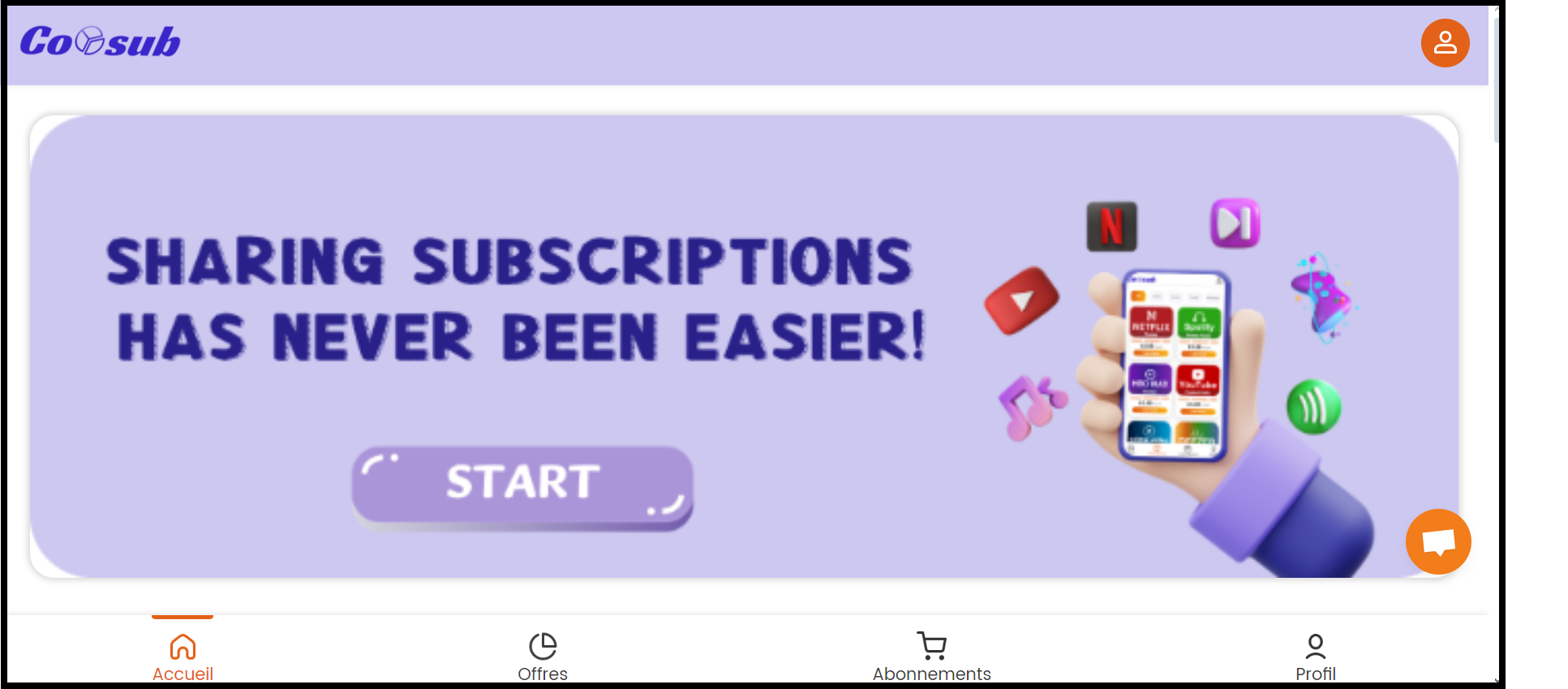
Here are the steps to get Microsoft Office 365 cheaper with Coosub :
- Visit the Coosub website to create an account.
Promo code : ALU1
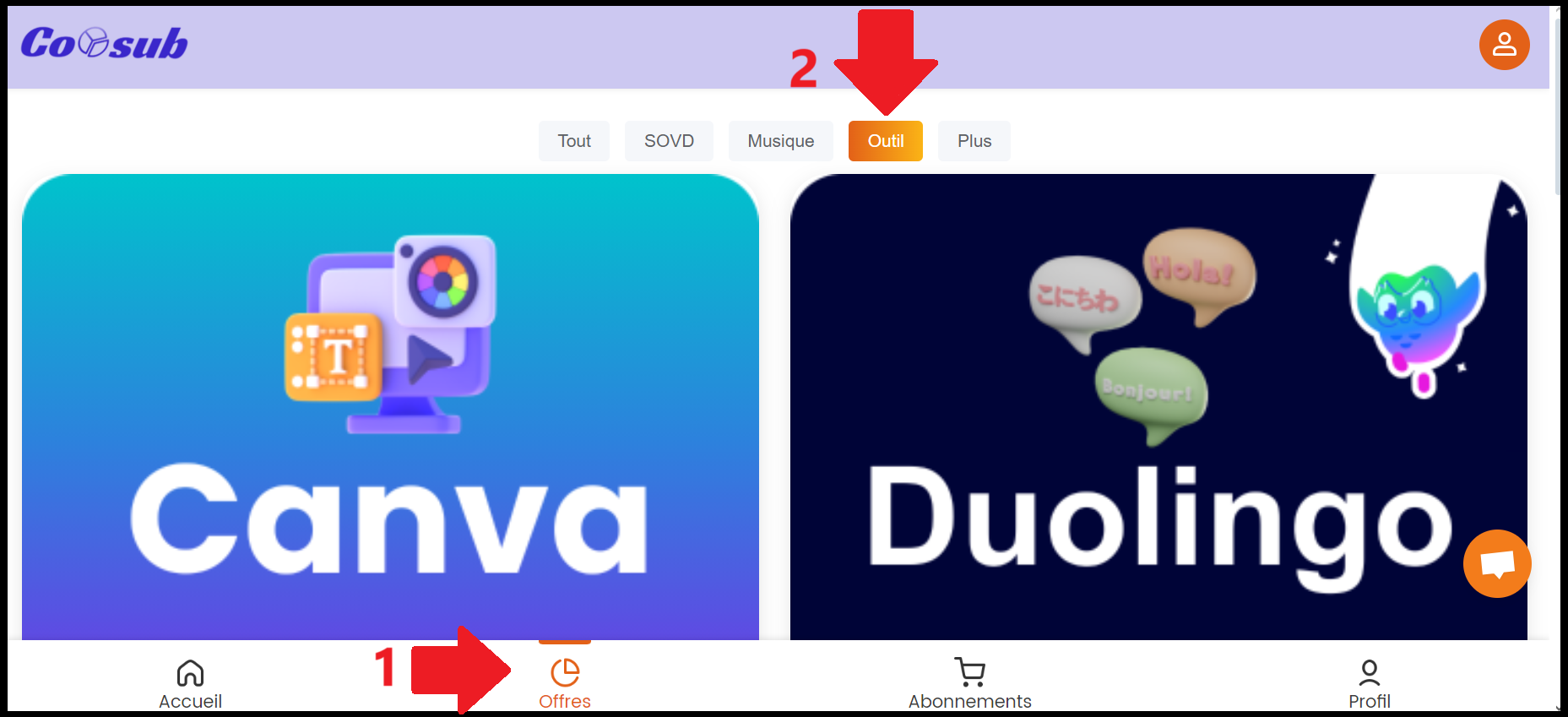
- Click on «Offers» to learn about the available services.
- Use the «Tool» filter» to find «Office 365».
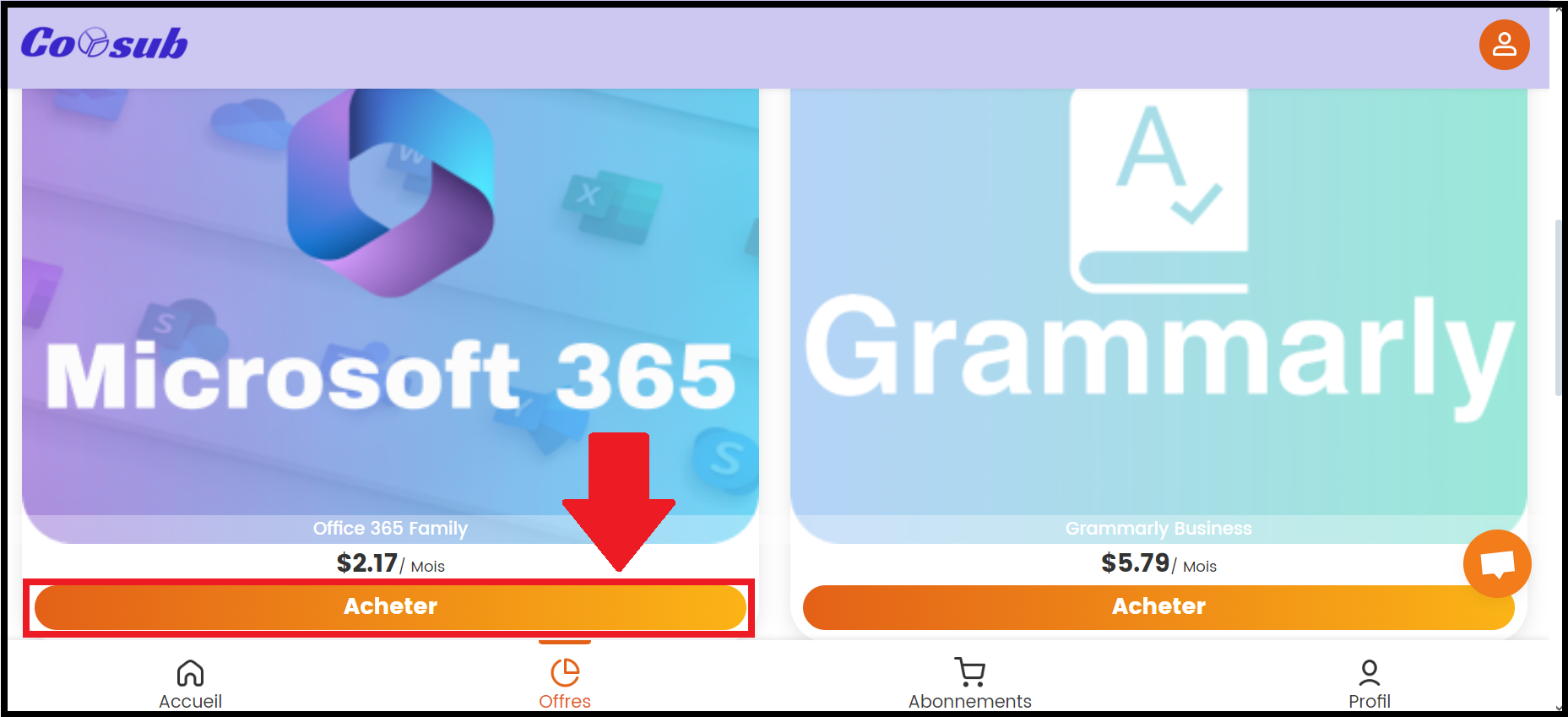
- Click «Buy» to view the details of the offer.
- Choose the plan (3, 6, 12, or 24 months), then choose the payment method that works best for you.
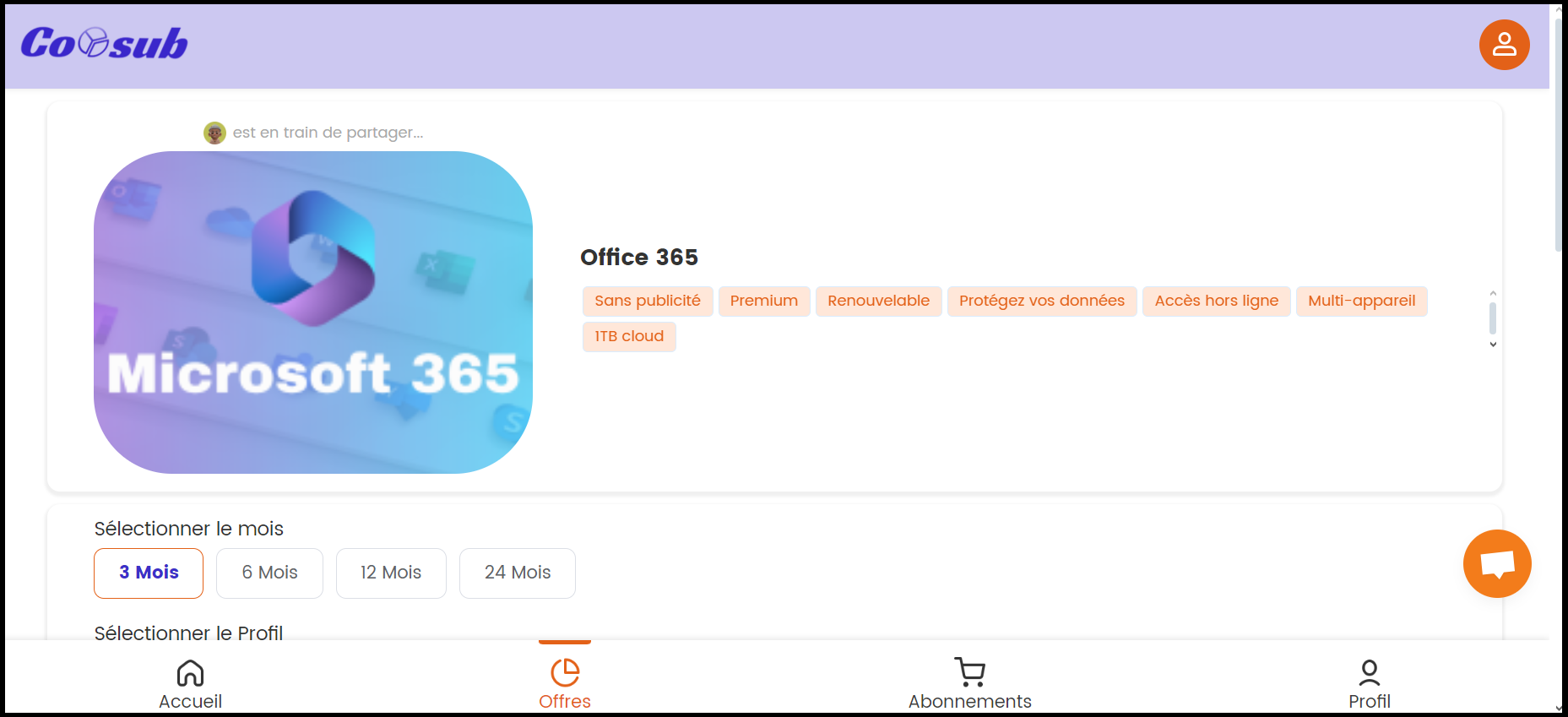
- Once payment has been made, enjoy Microsoft Office 365 at discounted price.
b) GamsGo
With GamsGo, you'll sign up for a subscription Microsoft 365 for a bit less than 4 €/month.
You get to enjoy all the features of the package Office 365 With a private subscription: you invite your own Office account within the family group.
The site also helps you save money on other services, such as Netflix Where Paramount+.
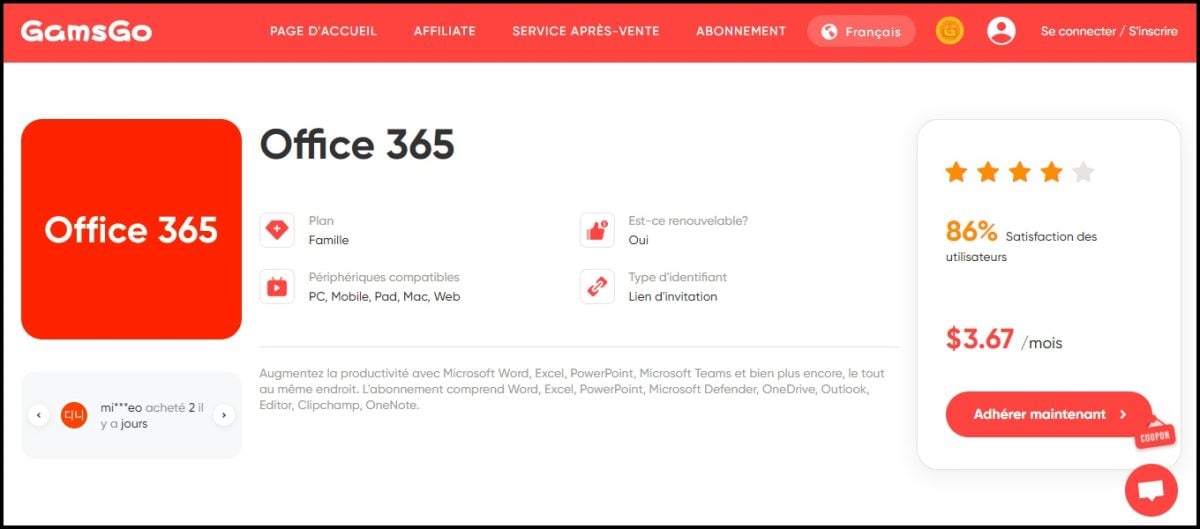
Here's how to get Office 365 at a discounted price with GamsGo :
- Register at on the GamsGo website.
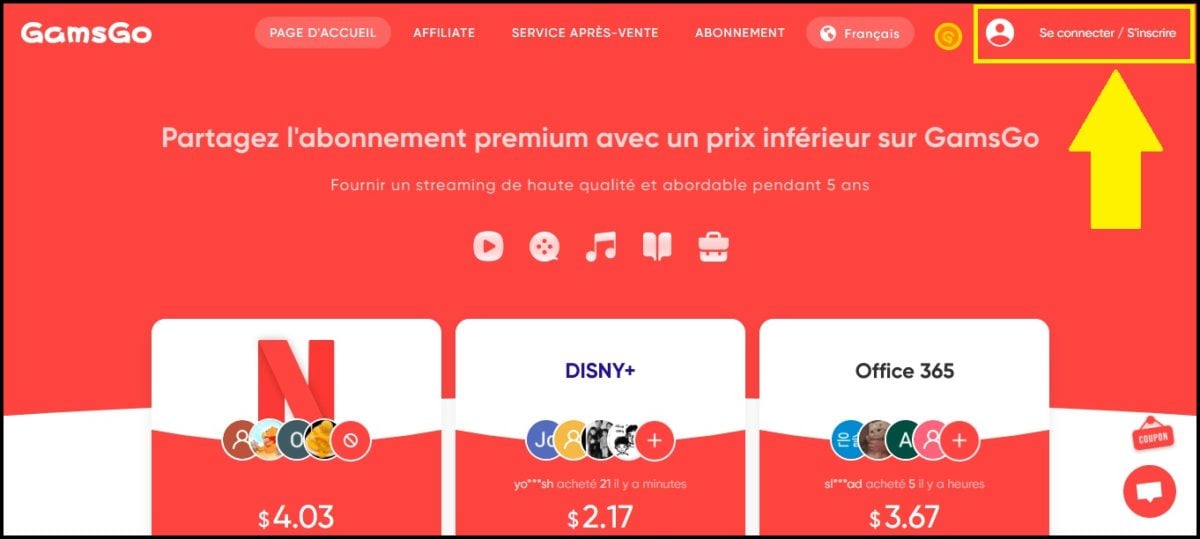
- On the home page, select Office 365, then click "Buy Now.

- Choose your subscription plan (3 or 6 months). To learn all about how it works, check out our reviews of GamsGo.
- Activates the automatic renewal to save even more 1 euro additional.
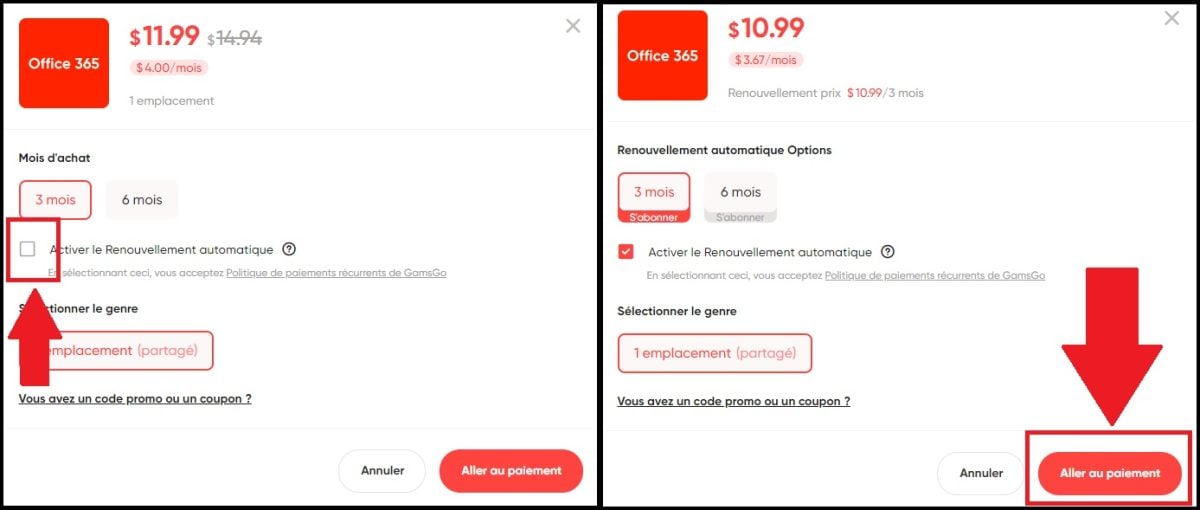
- Click on "Go to payment and choose your payment method.
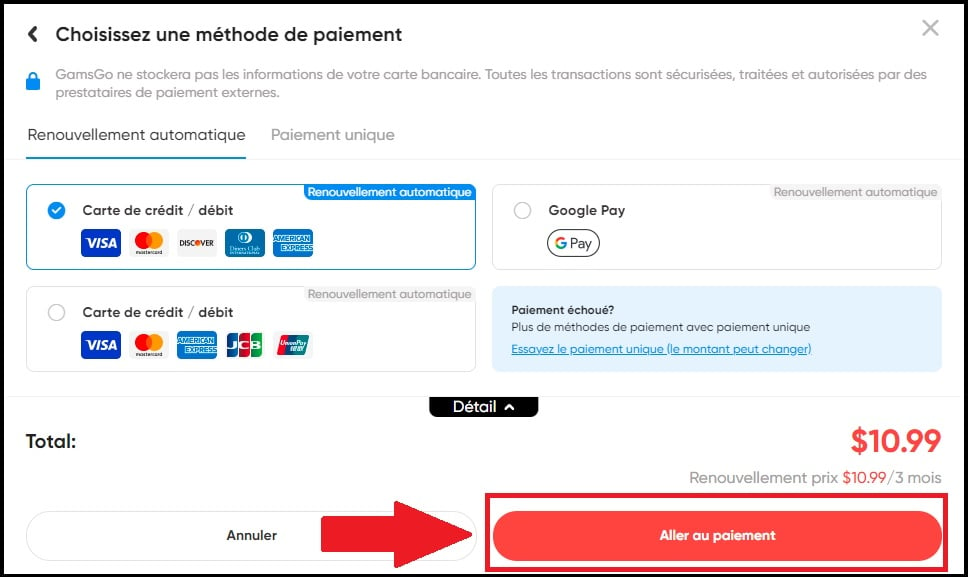
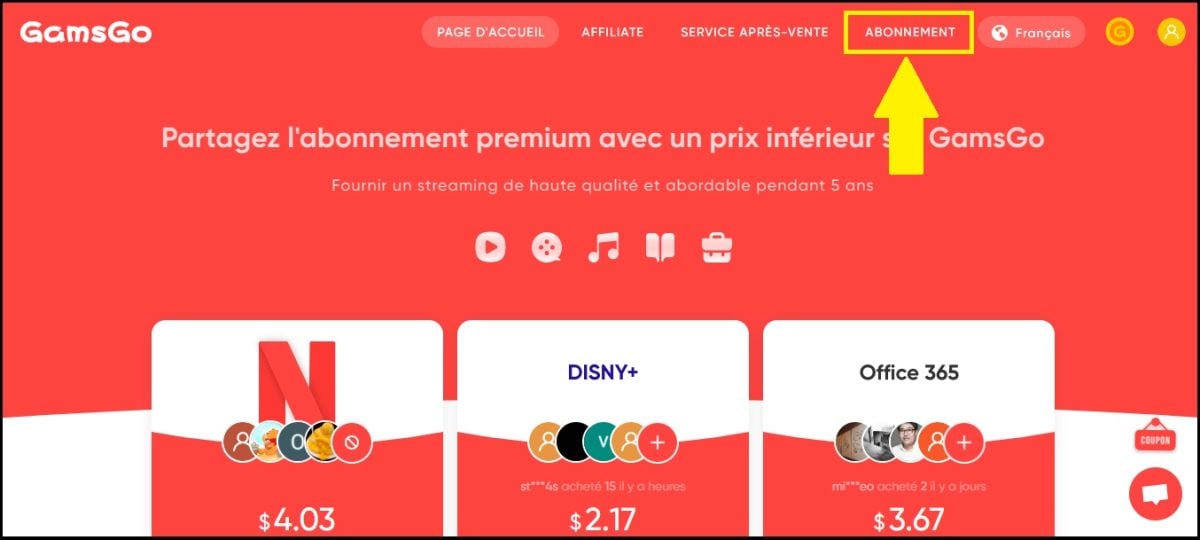
- Once the transaction is complete, go to «Subscription» : GamsGo asks you to provide the’Email from your Office account to complete the setup.
2. Switch to the free 100 % solutions
If your budget is 0 €, you have two main options: use the Microsoft's official lightweight version, or switch to competitors that are completely free.
The free version of Microsoft 365 Online
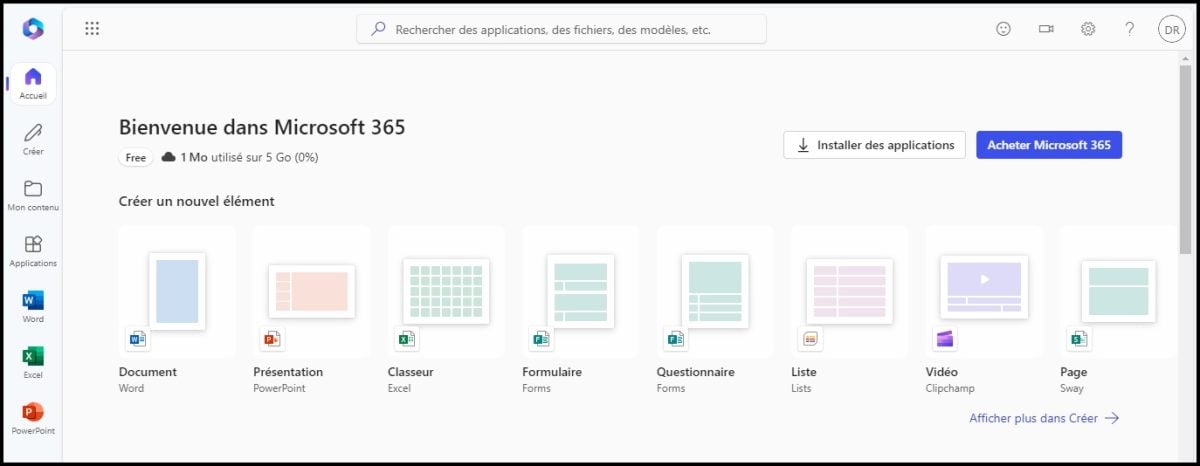
Microsoft offers a free version of its office suite online, accessible from any browser at PC, Mac, or tablet. It provides access to the basic features of Word, Excel, PowerPoint and Clipchamp, as well as to 5 GB of cloud storage OneDrive.
The main limitation: You can't install the software on your PC or Mac. Everything happens in the browser, with no offline access.
Here's how to activate free access:
- Go to the page Free Microsoft 365 Online and open an account.

- Fill in your e-mail address and create a password.

- Once the information has been validated, you'll be taken directly to the free version of Microsoft 365.
Free (and compatible) alternatives
Do you want some full-featured software packages to install on your computer, or more flexibility? Three free suites stand out for their excellent compatibility with Microsoft file formats (.docx, .xlsx, etc.).
- Google Docs Editors : Entirely online and collaborative. All you need is a Google account free to use Google Docs (Word), Google Sheets (Excel) and Google Slides (PowerPoint). Available on PC, Mac, or tablet.
- LibreOffice : a sequel 100 %—open-source and free, available for download and installation on Windows and Mac. It includes Writer (Word), Calc (Excel), Impress (PowerPoint), plus drawing and database tools. An active community of developers keeps it constantly up to date.

- WPS Office : a free suite with an interface heavily inspired by Microsoft's. It handles files perfectly Word, Excel, and PowerPoint. The transition is very easy if you're used to Office. Available on PC Windows and Mac.

3. Purchase licenses through third-party resellers
The idea is simple: you pay only once and the software is yours to keep, with no annual renewal required. It's the perfect option if you want to Own your own office suite rather than renting it through a subscription. You can then download the apps directly from your Microsoft account at Windows or Mac PC.
Be careful, however, with keys sold to abnormally low prices. A license key for €10 to €15 is almost always illegitimate. It's better to choose an established retailer rather than chase after what seems to be the best deal.
To ensure a reliable purchase, there are two levels of trust:
- The safest option: the Microsoft Store, Amazon (sold and shipped by Amazon), Cdiscount through official retailers or major computer stores. You pay a little more, but the The license is guaranteed, including key handover, professional installation, and Comprehensive support from Microsoft.
- The gray market (Godeal24, KeysFan, Keysoff(…): These sites resell volume or OEM keys, sometimes for between 10 and 20 €. It often works, but it's a gray area In accordance with Microsoft's terms and conditions, with no actual warranty and the risk of deactivation. Intended only for those who accept this risk.
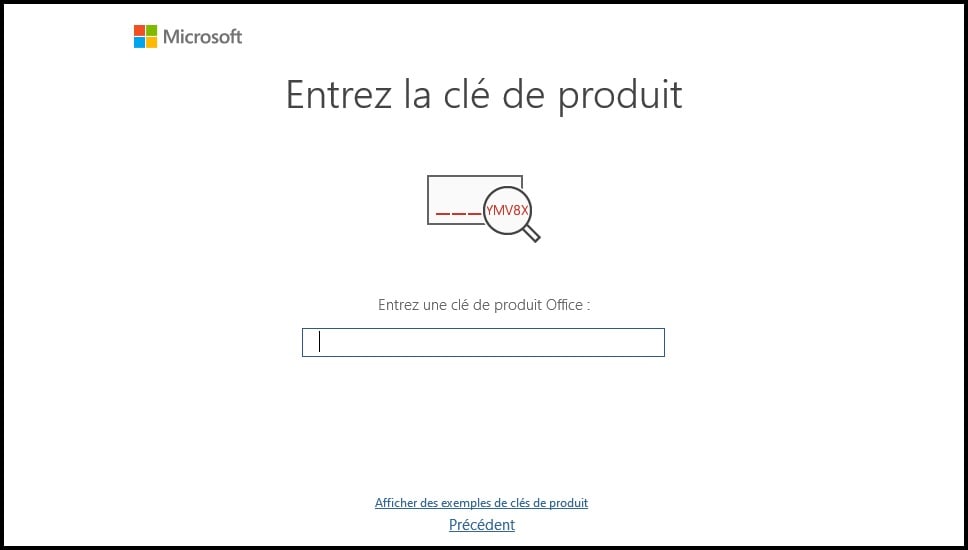
How to verify that a key is authentic ? A genuine license activates without any issues on your Microsoft account, remains valid after updates, and comes from a seller who displays legal information clear. A key that crashes upon activation or deactivates a few days later indicates a dubious origin.
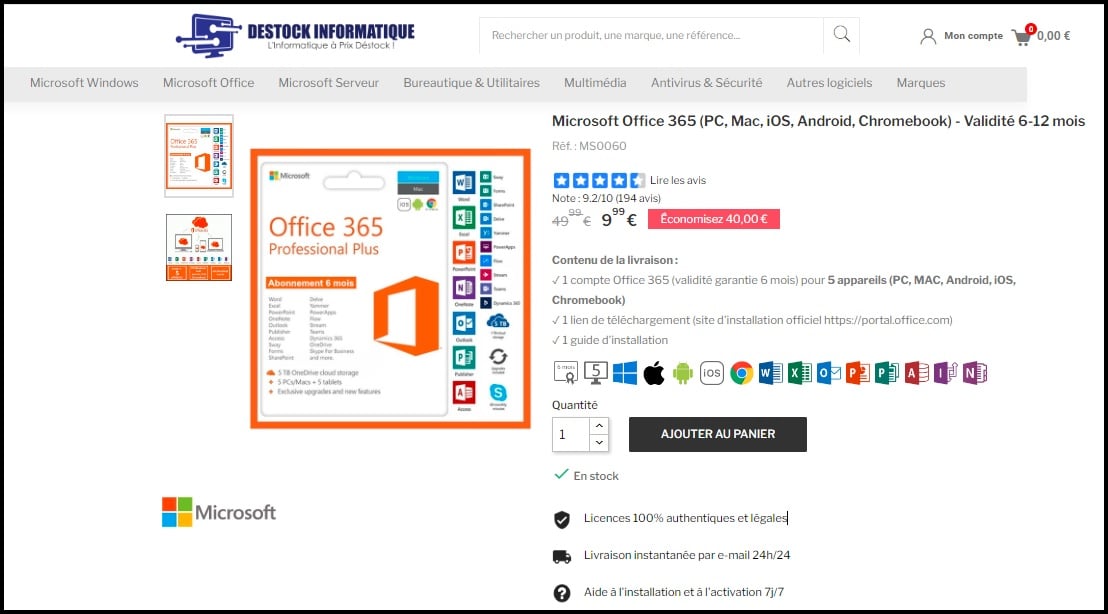
In Europe, the resale of true perpetual licenses used is legal (ruling UsedSoft, CJUE (2012). This is true of retailers such as Destock Informatique. However, this legality does not apply to MAK keys sold at a bargain price of €10.
Keep in mind the Limitations of the perpetual license : no major feature updates, no cloud storage OneDrive included (unlike the subscription), and installation is generally limited to a single computer (PC Windows or Mac).
4. Subscribe to official Microsoft offers
Would you prefer to deal directly with Microsoft without going through a middleman? In that case, the choice comes down to either an individual plan or a shared plan with your loved ones.
Microsoft 365 Personal: The Individual Plan
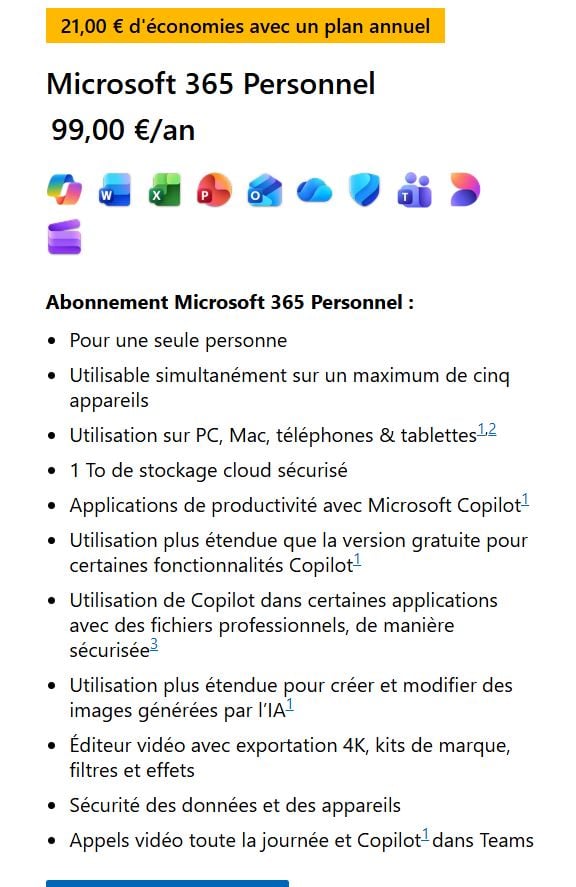
This is the standard plan for a single user, at about 10 €/month. It provides access to Word, Excel, PowerPoint, and Outlook, as well as to 1 TB of OneDrive cloud storage. You can install the apps on your PC Windows or your Mac, and enjoy the Comprehensive support from Microsoft.
To save money, choose the’annual subscription rather than the monthly payment. The official rate is around 69.99/year, or nearly €15 earned over the course of the year. Amazon and some electronics stores sometimes offer annual subscription cards that are slightly cheaper than those on the official website: it’s always worth doing a quick price comparison before buying.
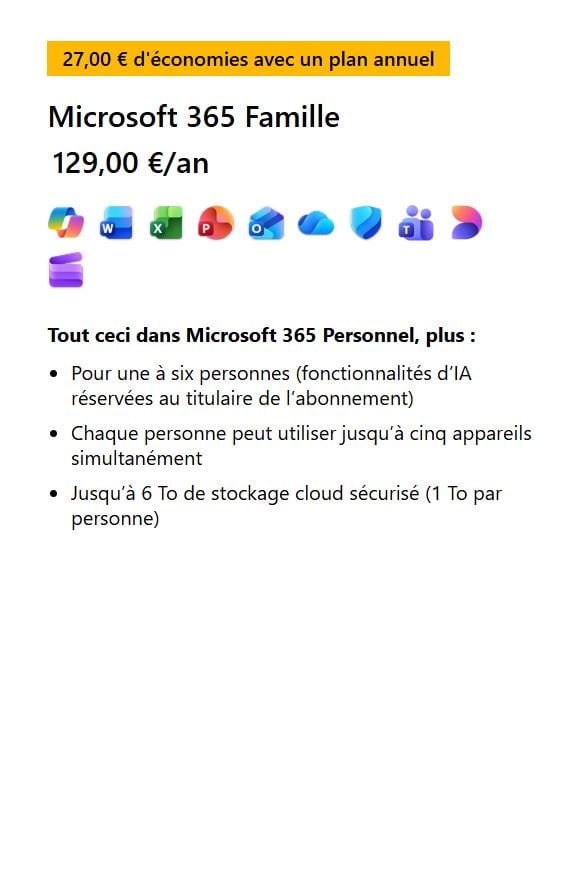
Microsoft 365 Family: up to 6 people
If you want to share your subscription with trusted friends and family, the offer Family covers up to 6 people for about 13 €/month, around 109 €/year. Divided by 6, the actual cost comes out to less than €2 per month per person.
Each member retains their own private access. They can install apps (Word, Excel, PowerPoint, Outlook, OneNote) on all of its devices, including PCs Windows or Mac, and has its own space for cloud storage OneDrive.
The ultimate tip: Keep an eye out for sales
Microsoft and its resellers (including Amazon) regularly offer deep discounts on annual Personal and Family subscriptions. Keep an eye out for the holiday season, the Black Friday and the Cyber Monday : This is where you can renew your Office subscription at the lowest price.
5. Special Case: Educational Programs
Are you a student or a teacher? You can often get Microsoft 365 at a reduced price, or even free. In many institutions, Office 365 is offered free of charge to students and teachers, with access to the entire suite: Word, Excel, PowerPoint, Outlook, OneNote and Microsoft Teams for distance learning courses.
Depending on your status, you can also purchase these products Microsoft 365 Has reduced student rates. The license can be used on multiple devices:
- Computer Windows Where Mac
- Tablet (iPad, Android)
- Smartphone
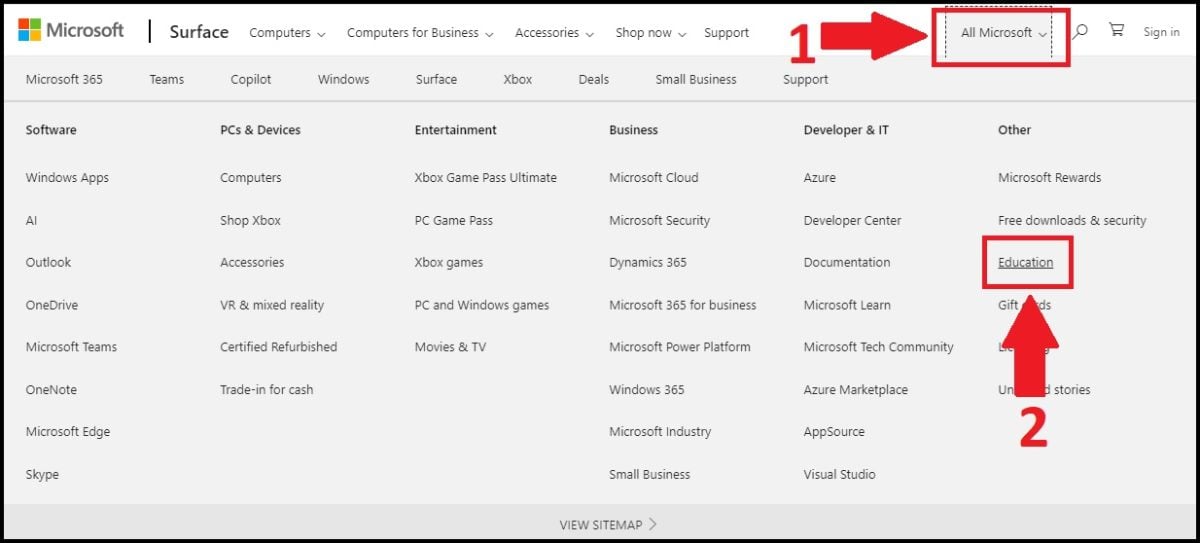
To find out if you're eligible, go to the Education page of Microsoft.com and between the’your school's email address. If your school is a partner, it only takes a few minutes to activate your account.
FAQs
Are there any Office 365 discounts for students?
Yes. Many schools provide access to Microsoft 365 for free or at a reduced price. Check with your school using your school email address, or check directly on the Microsoft website.
Can you get Office 365 for free without being a student?
Yes, to some extent. The online version of’Office is free with a basic Microsoft account. You can access Word, Excel, PowerPoint and OneDrive from your browser, on a PC, Mac, or tablet. The features aren't as comprehensive as the installed version, but they're sufficient for everyday use.
What software is included in the Office 365 Home package?
Subscription Family generally includes:
- Word, Excel and PowerPoint
- Outlook for your emails
- OneDrive with 1 TB of cloud storage per person
- OneNote, Microsoft Defender, Microsoft Editor and Clipchamp
You can install and download these apps on all your devices, on Windows as on Mac.
How do I download Microsoft Office 365 software?
Once you've signed up for your subscription, log in to your Microsoft account on office.com. From your account, you can launch the download then the’installation software directly on your computer, PC Windows or Mac. Detailed instructions will appear at the time of purchase.
How do I activate my Office 365 license?
After your purchase, you'll receive a product key or an activation code. Follow the steps provided to link your license to your Microsoft account. You can then install the apps on your devices. If you have any problems, the’Microsoft Support is available to paying subscribers.
Is there a free trial version of Microsoft Office 365?
Yes. Microsoft 365 Family offers a free 30-day trial. Be sure to cancel before the end of the subscription period if you don't want to be billed automatically.
What is the difference between Office 365 Home and Personal?
The difference lies in the number of users. The version Staff covers Only 1 user, whereas Family is shared with up to 6 people. Each member has their own space for cloud storage OneDrive.
How much does an Office 365 Family subscription cost?
On Microsoft's official website, the subscription Family costs about 10 €/month Where 109 €/year with the annual plan, which offers better value over time. These prices vary depending on promotions: check the website at Microsoft for the exact price at the time of your purchase.
Does subscription sharing work for other services?
Yes. The subscription sharing with GamsGo isn't limited to Microsoft. For example, you can pay less for Deezer or get Disney Plus at the lowest price.
Finally, you can save even more thanks to the GamsGo coupon codes.










 EN
EN