Do you want to use Excel without breaking the bank? Good news: there are practical ways to pay much less—or even nothing at all.
Of the free web version to the shared subscription at 2.17 €/month, here are the most effective options.
To pay less for Excel with a shared subscription:
Buy Microsoft Office at a discounted price

Excel is part of the office suite Microsoft Office, alongside Word, PowerPoint, Outlook and OneNote.
Before comparing prices, one question often comes up: Do you have to buy the entire suite, or can you buy Excel alone ?
Can you buy Excel on your own?
Yes, you can buy Excel alone, without the rest of the pack Microsoft Office. No need to take Word, PowerPoint and the others if you don't need them.
There are two main options available to you:
- The perpetual license : a one-time purchase—you keep your version for life on your computer Where Mac, but without the major updates from the following years.
- L'subscription Microsoft 365 : You pay monthly or annually, but you always have the latest version with all the new features, and a storage OneDrive included, and expanded compatibility on Windows, Mac, and even android or tablet.
For a one-time need, the lifetime license is often more cost-effective. For regular use, a subscription is the more natural choice.
How much does Excel cost?
As a one-time purchase, Excel alone is offered at the following price:
| Software | License type | Price |
| Microsoft Excel | Definitive license (one-off purchase) | 159 € |
À 159 €, you pay just once and keep the spreadsheet for life. This license does not include either Word or PowerPoint or Outlook : you get only Excel, with all its features, for personal or professional use on computer Where Mac.
If this price seems high to you, the options below will help you lower the bill significantly.
How can I pay less for Excel in 2026?
1. Use the free online version of Excel
The cheapest option is the free web version. It runs directly in your browser, at computer as on Mac, with no download or key required’activation.
Here's how to access it:
- Go to the website Microsoft 365 and sign up for a free account Microsoft.
- Click the Excel icon.
- Click “New.”.

- You can use the free version of Excel.

This version is limited in features compared to the installed version. It's well-suited for basic use or for testing the software before upgrading to a subscription Microsoft 365 or when purchasing a license.
2. Purchase an activation key
You can also buy a activation key to get a license Microsoft Office Where Microsoft 365 at discounted prices.
These keys are available on specialized websites, sometimes at prices well below the official price.
L'installation It's the usual: you download the pack from the website at Microsoft, you enter your activation key, and you can access the full version on your Windows-PC or your Mac.
A few precautions to keep in mind:
- Choose reputable retailers to avoid licenses invalid.
- Keys from the gray market (resold OEM licenses) are legal to use but do not come with official support Microsoft.
- Check that the activation key matches the desired version (Microsoft 365 Personal, Family, or Perpetual License).
3. Use Coosub to get Microsoft 365
If you need the full version from Office suite, it's better to get a subscription Microsoft 365 rather than Excel alone.
You'll then enjoy all the office suite : Word, Excel, PowerPoint, Outlook, and OneNote, always up to date, with 1 TB of storage OneDrive included.
To pay even less, you can use Coosub, a subscription-sharing platform.
Here is a comparison of the rates:
| Software | License type | Price |
|---|---|---|
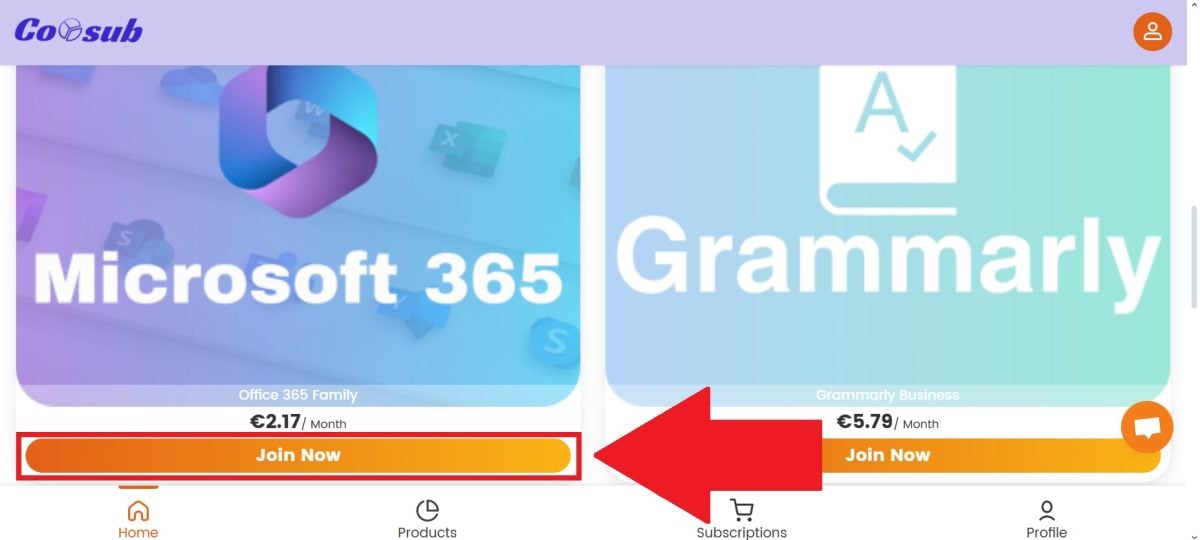
| Microsoft 365 via Coosub | Shared subscription with Coosub | 2.17 €/month |
| Microsoft 365 Staff | Official monthly subscription | 10 €/month |
| Microsoft 365 Family | Official monthly subscription | 13 €/month |
| Microsoft Excel | Official definitive license (one-off purchase) | 159 € |
With Coosub, you pay much cheaper than the official subscription. Here are the steps to follow:
- Go to Coosub via this link :
Create my Coosub account for free

- Create an account.

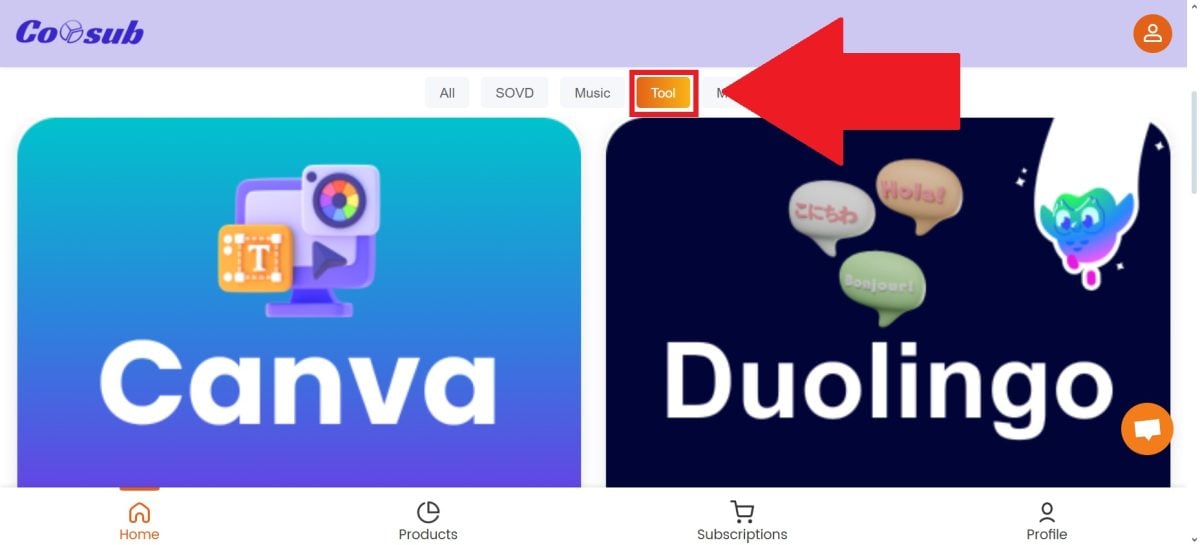
- In the category bar, select “Tool“.
- Next, look for the “Microsoft Office“.
- When making your payment, feel free to use the Coosub promo code : ALU1 to get even more discounts!

This subscription-sharing model also works for other services.
For example, you can pay Cheaper ChatGPT or Netflix cheaper Similarly, by sharing the cost with other users through dedicated platforms.









 English