Do you want to NordVPN without paying full price? The most economical option is still the subscription sharing through a platform such as U7BUY, starting at 1 €/month.
You can also choose a 2-year subscription on the official website or apply for a promo code NordVPN at the time of payment.
1. Pay NordVPN Cheaper with a shared subscription
The concept of subscription sharing is simple: several users join a payment group through a platform trusted intermediary, and split the cost of the subscription among themselves.
Result: You'll be taken to NordVPN at a bargain price, while taking some of the strain off your wallet. You save up to 83 % compared to the official rate.
Here are the best platforms for that, including U7BUY at the top:
| Criteria | U7BUY | GamsGo | Coosub | Sharesub | Spliiit |
| Prices from | 1 €/month | 1.42/month | 1.37/month | 4.05/month | 3.02/month |
| Discount from the standard rate NordVPN | Up to 83 % | 76 % | 77 % | 32 % | 49 % |
| Reputation | 4,8/5 on TrustPilot | 4/5 on TrustPilot | Initial positive feedback | 4,5/5 on TrustPilot | 4,5/5 on TrustPilot |
U7BUY
If you're looking for the absolute lowest price to NordVPN, U7BUY is the platform that beats the competition on price.
You get a secure connection while preserving your privacy online, for a fraction of the list price. Here's what that means in practice:
| Rate NordVPN official | Rate U7BUY | Discount Applied |
| 5.99/month | Of the 1 €/month | Up to 83 % |
U7BUY It's not just about VPNs: you can also find Netflix cheaper Where Spotify Premium at a discounted price. To ensure a smooth experience, choose sellers who list a satisfaction rate between 98 % and 100 %.
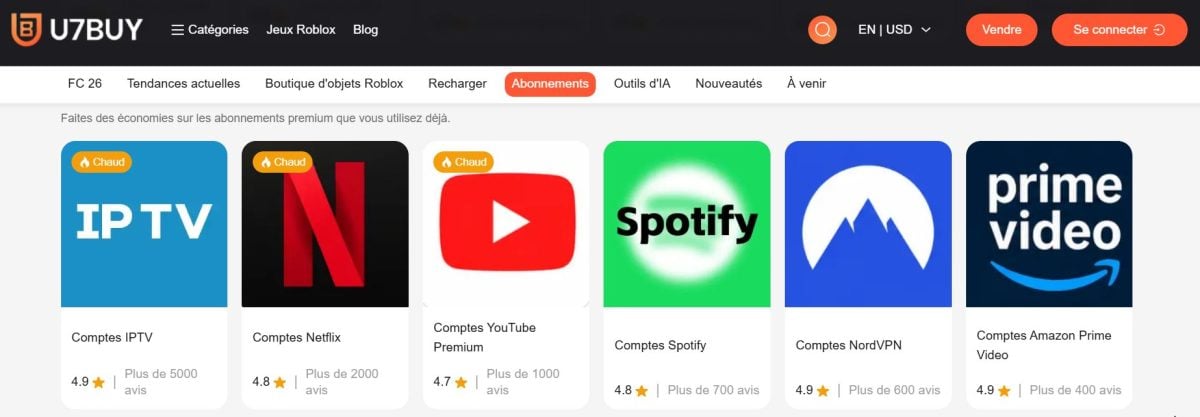
Here are the steps to follow:
- Visit the official platform of U7BUY
- Go to the categories, then subscription account, and mark NordVPN

Browse subscription account categories on U7BUY to find NordVPN. ©Antonin for Alucare.fr - Compare offers from different sellers by checking their satisfaction rating and their sales volume
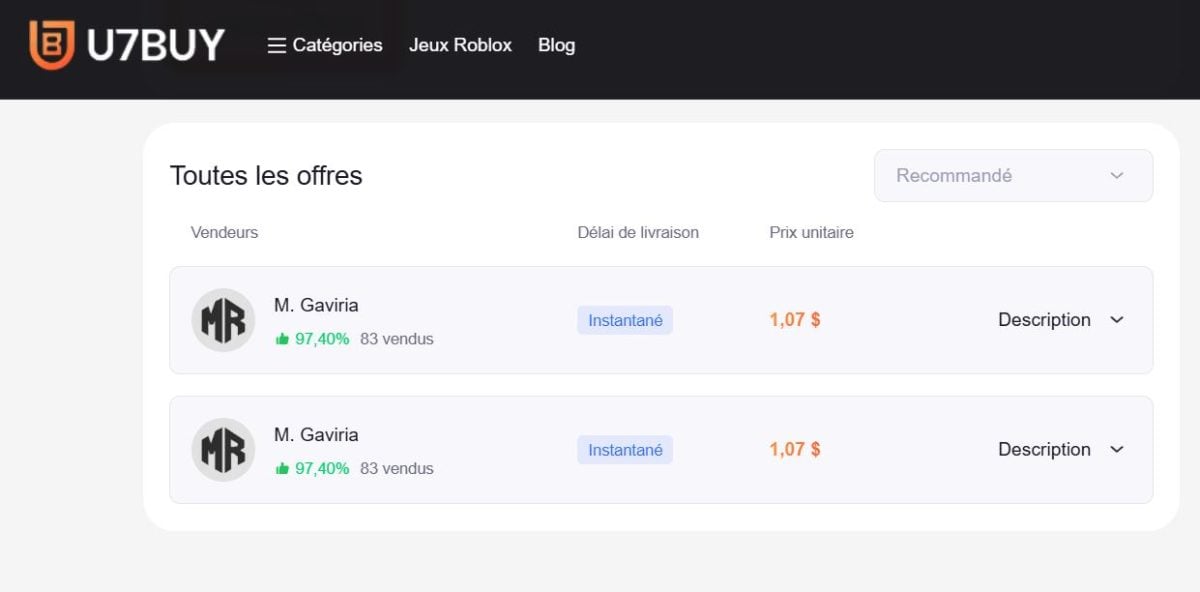
Choose Account Sellers NordVPN on U7BUY. ©Antonin for Alucare.fr - Select the duration or plan you want, then confirm your purchase on the secure payment
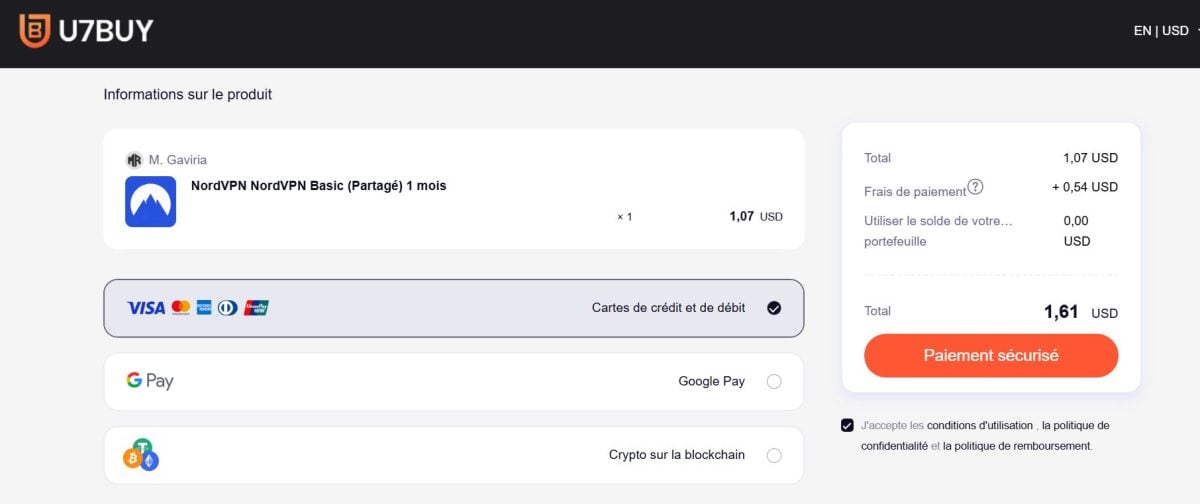
Secure payment at U7BUY. ©Antonin for Alucare.fr - You'll instantly receive your login credentials and you get to enjoy NordVPN with complete peace of mind
GamsGo
GamsGo works on the principle of carpooling as applied to online subscriptions.
It's one of the best-known platforms on the market, with very competitive rates. You get to enjoy a secure connection and protect your privacy for less than 1.50 €/month :
| Rate NordVPN official | Rate GamsGo | Discount Applied |
| 5.99/month | 1.42/month | 76 % |
To take advantage of this, follow these steps:
- Go to GamsGo and create your account
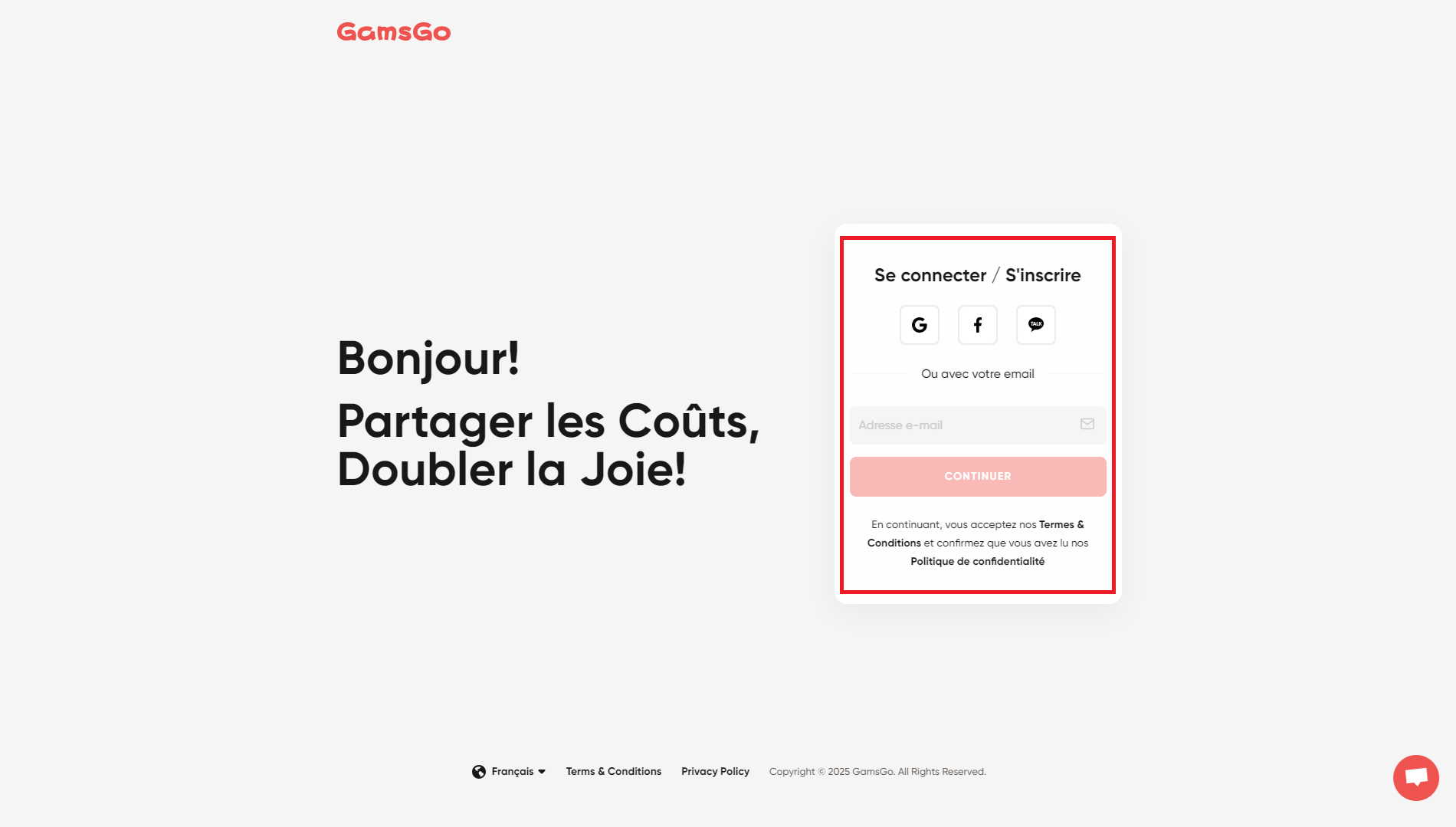
The Registration Page GamsGo. You can sign up using your email address or your account Google, Facebook Where KakaoTalk. ©Antonin for Alucare.fr - Search NordVPN on GamsGo
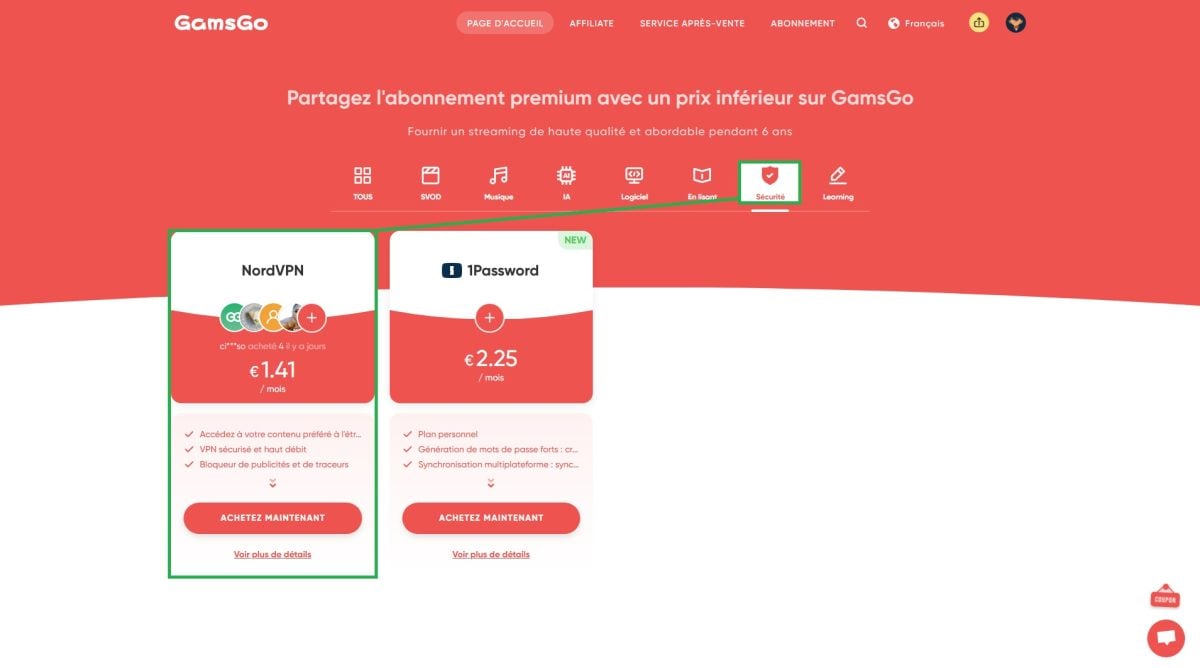
NordVPN on GamsGo. ©Antonin for Alucare.fr - Choose your subscription options NordVPN (3- or 6-month monthly plan, or annual plan)
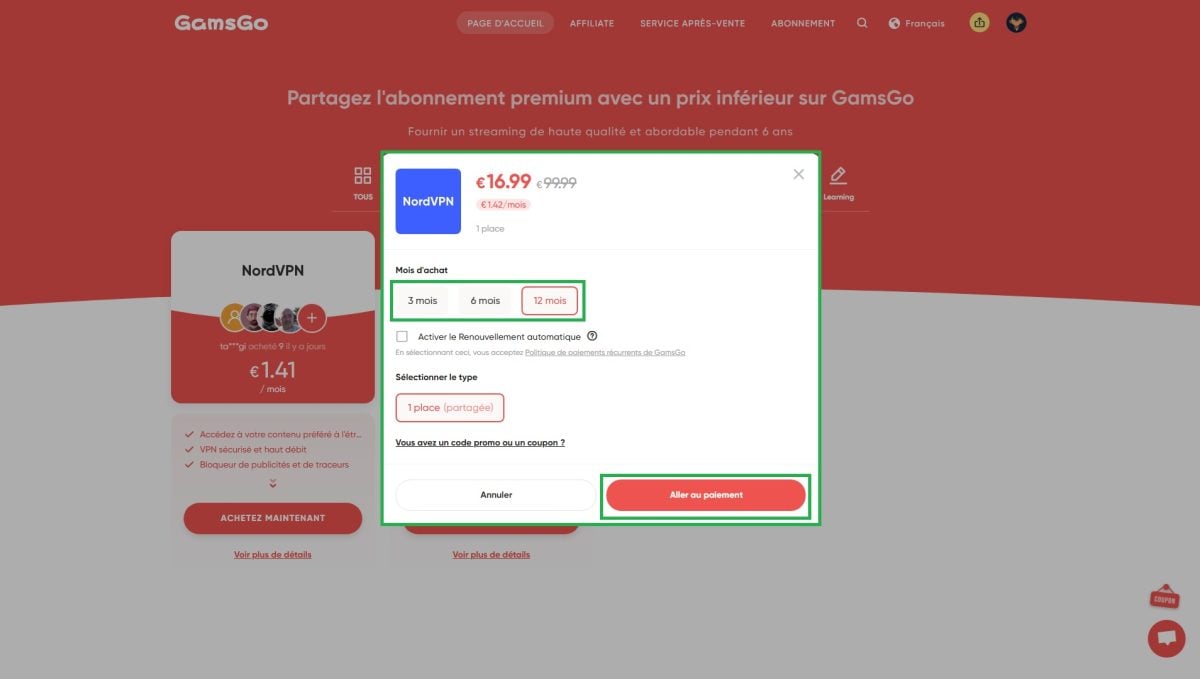
The different subscription plans for NordVPN on GamsGo. ©Antonin for Alucare.fr - Select your payment method (credit/debit card or Google Pay)

Selecting a payment method on GamsGo. ©Antonin for Alucare.fr - Proceed with your purchase and enjoy NordVPN at a reduced rate

Where to enter your bank account information on GamsGo. ©Antonin for Alucare.fr
To learn more about the platform, check out our opinion on GamsGo.
Coosub
Coosub is the newest platform on this list.
Its catalog is smaller, but it offers most of the popular services, including NordVPN. And when it comes to pricing, it’s one of the most competitive on the market:
| Rate NordVPN official | Rate Coosub | Discount Applied |
| 5.99/month | 1.37/month | 77 % |
Here's how to purchase a subscription NordVPN at a discounted price on Coosub :
- Go to Coosub and create your account (via email, Google Where Facebook)
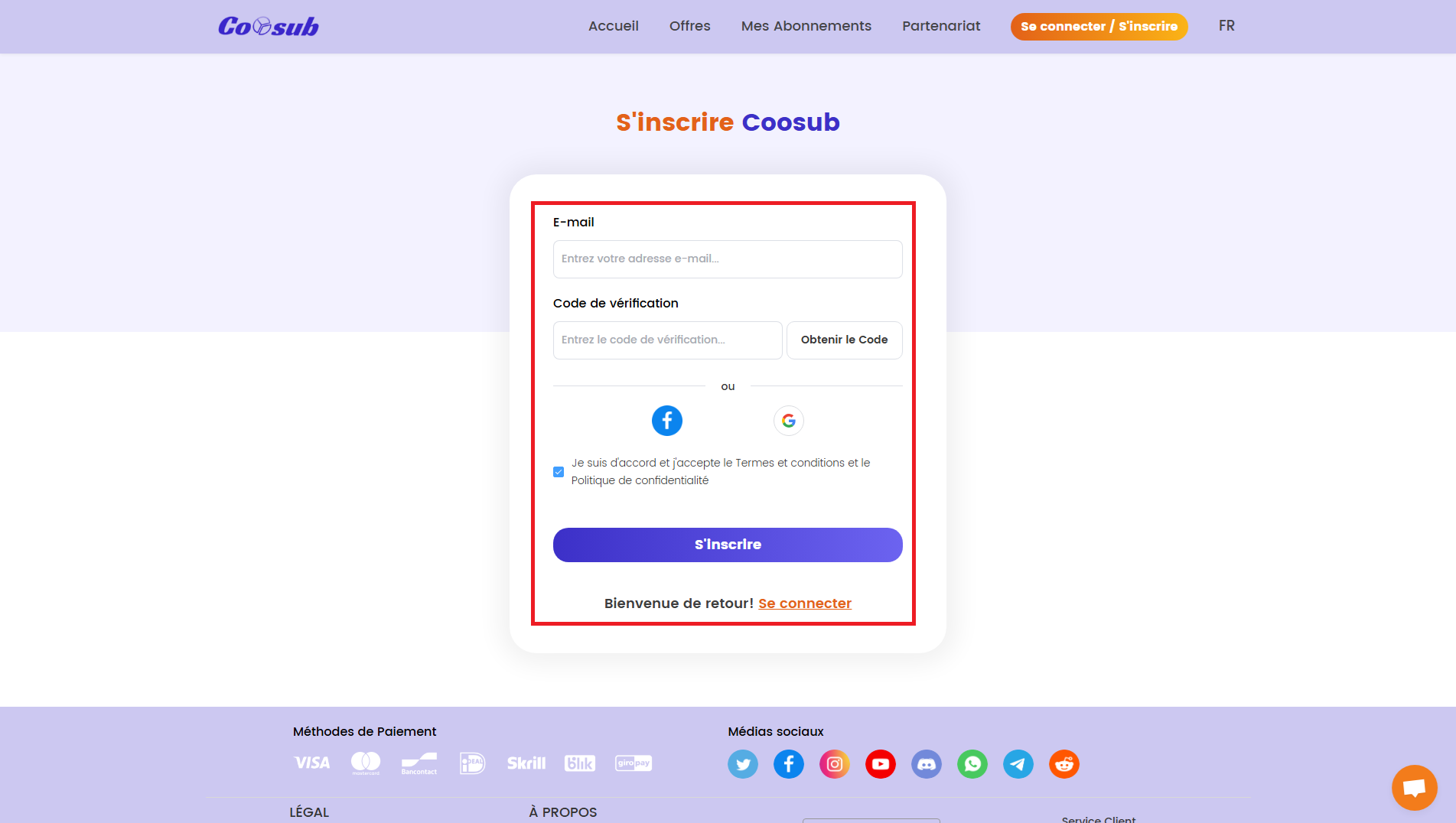
The Registration Page Coosub. ©Antonin for Alucare.fr - In the «More» section, select NordVPN

NordVPN on Coosub. ©Antonin for Alucare.fr - Choose your subscription options NordVPN (monthly or annual plan)

The different subscription plans for NordVPN on Coosub. ©Antonin for Alucare.fr - Select your payment method (credit card or Apple Pay)
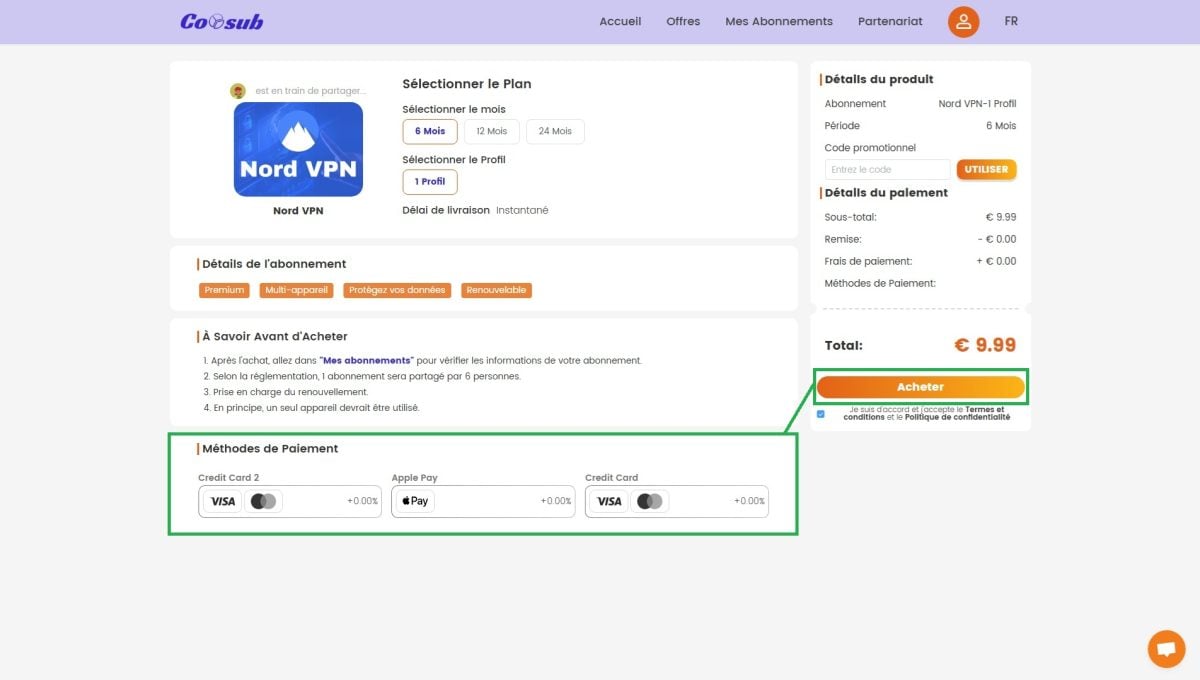
Selecting a payment method on Coosub. ©Antonin for Alucare.fr - Proceed to checkout and access NordVPN cheaper

The place to enter your contact and billing information on Coosub. ©Antonin for Alucare.fr
Coosub Since this is a new platform, it's a good idea to check out some reviews before using it. Check out our opinion on Coosub To learn everything there is to know.
Sharesub
Sharesub is an alternative 100 French % With the most extensive selection on the market—streaming, video games, VPNs, and more—you're sure to find something you like. The prices aren't the lowest, but they're still well below the official price:
| Rate NordVPN official | Rate Sharesub | Discount Applied |
| 5.99/month | 4.05/month | 32 % |
Here's how to get NordVPN via Sharesub :
- Go to Sharesub and create your account (via email, for example)
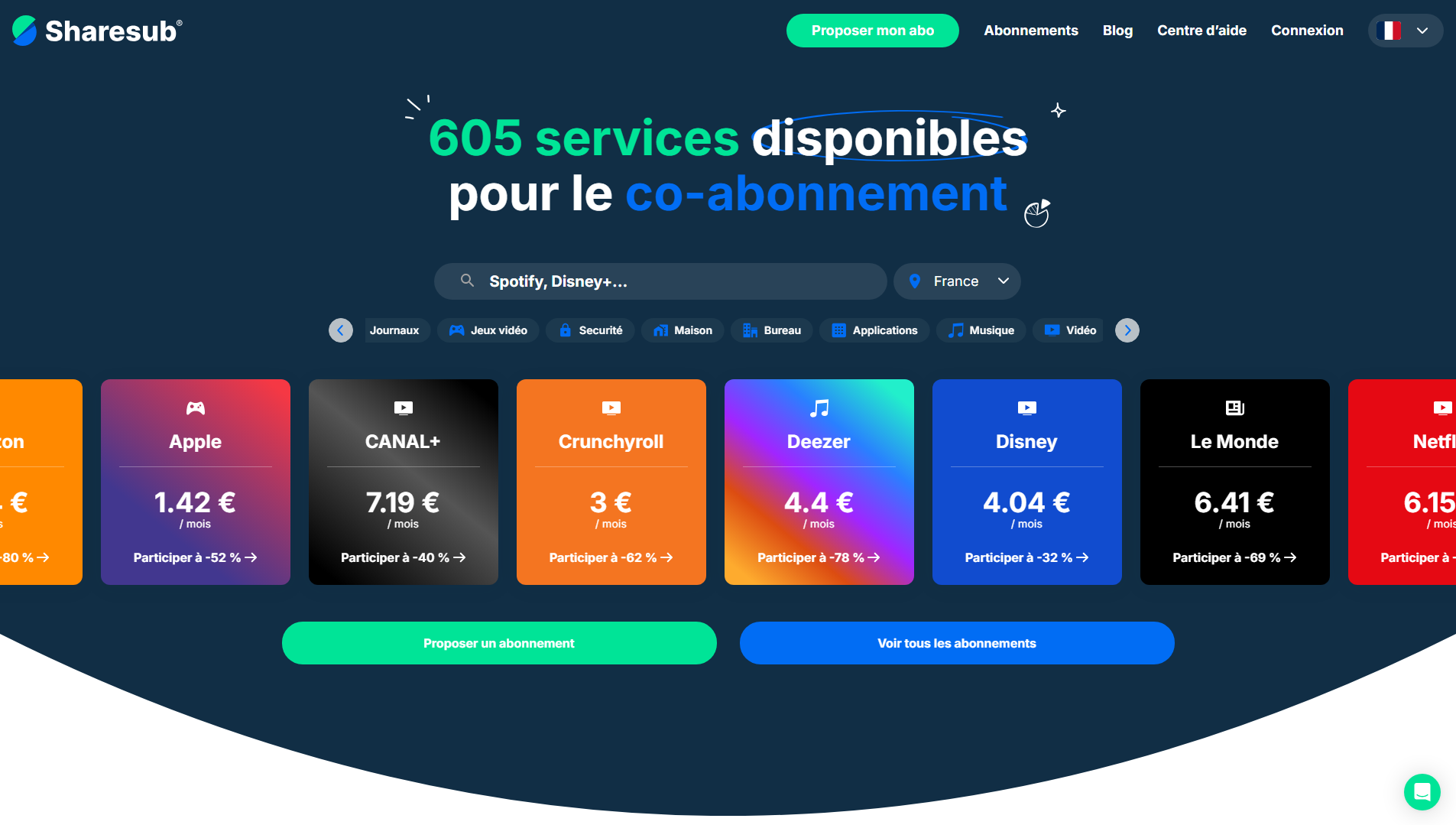
The reception of Sharesub. ©Antonin for Alucare.fr - Search NordVPN on Sharesub
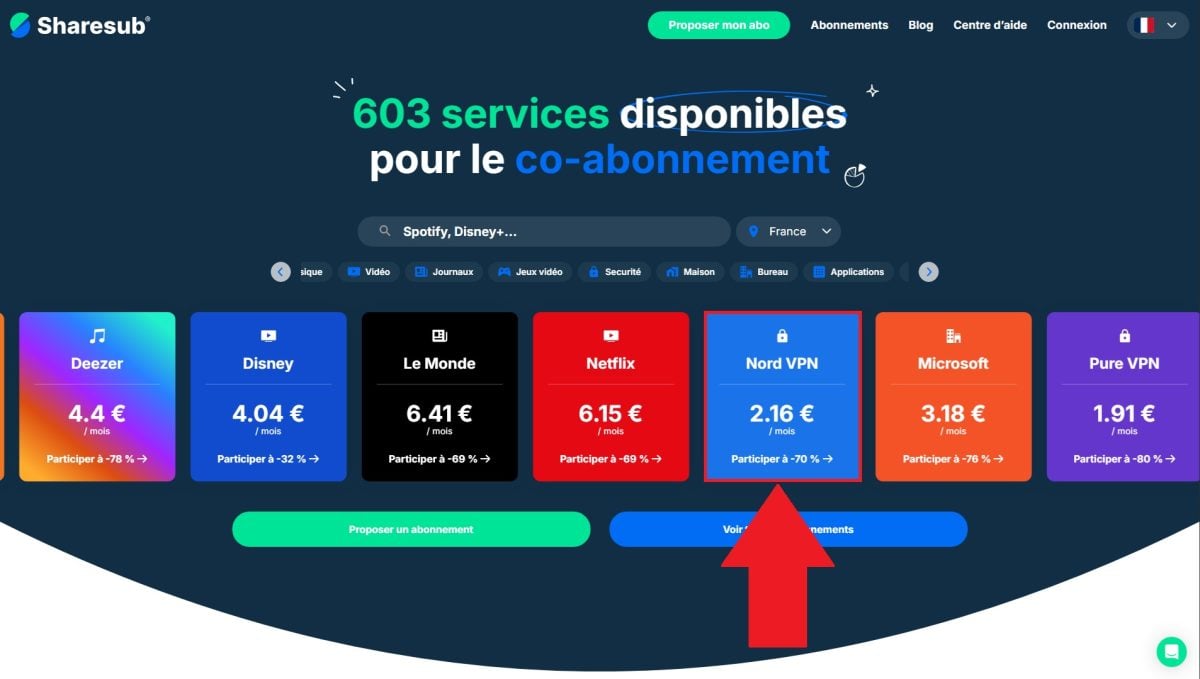
NordVPN on Sharesub. ©Antonin for Alucare.fr - Choose a subscription plan to sign up for to get VPN access
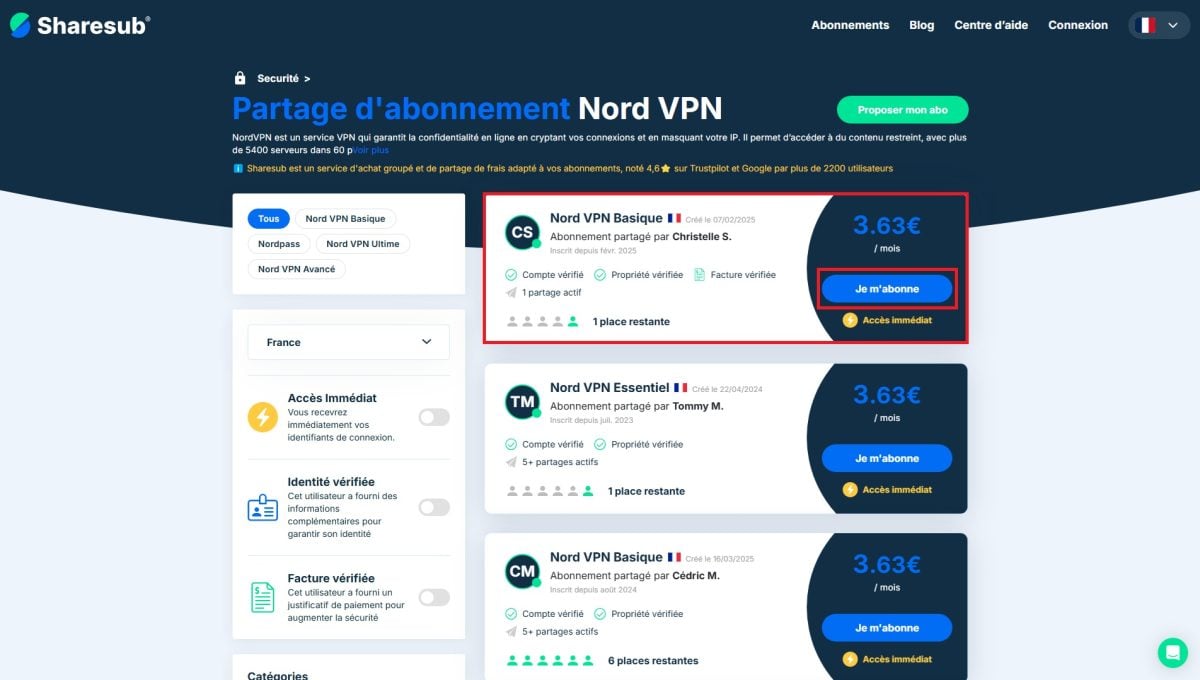
The subscription plans available for NordVPN on Sharesub. ©Antonin for Alucare.fr 
Confirmation to join a subscription-sharing group on Sharesub. ©Antonin for Alucare.fr - Enter your billing information, then follow the on-screen instructions

The place to enter your contact and billing information on Sharesub. ©Antonin for Alucare.fr - Proceed with your purchase and enjoy NordVPN at a reduced rate
Spliiit
Spliiit allows a group of users to split the cost of a subscription among all its members. The platform has a strong reputation in this area, even though its prices remain slightly higher than those of its most aggressive competitors:
| Rate NordVPN official | Rate Spliiit | Discount Applied |
| 5.99/month | 3.02/month | 49 % |
To get NordVPN at a discounted price via Spliiit :
- Go to Spliiit and create your account
- Search NordVPN on Spliiit
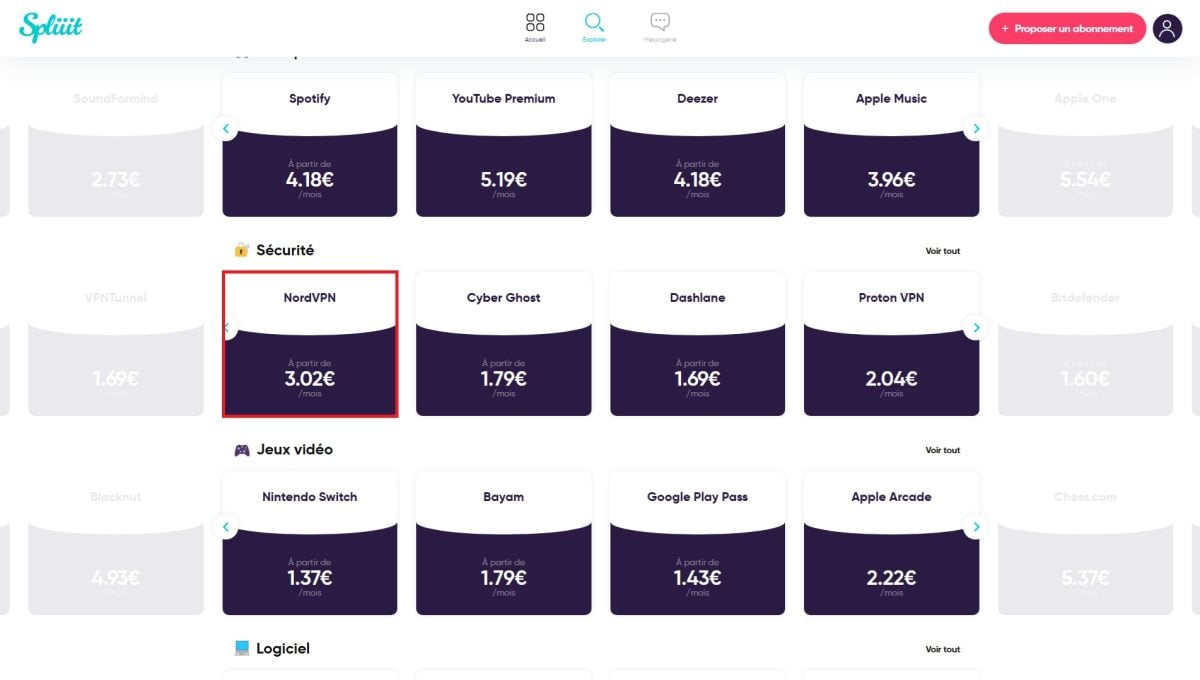
NordVPN on Spliiit. ©Antonin for Alucare.fr - Select a subscription group to add

The subscription plans available for NordVPN on Spliiit. ©Antonin for Alucare.fr - Select your payment method (credit card or points Spliiit)

The place where you can choose your payment method on Spliiit. ©Antonin for Alucare.fr - Proceed to checkout and access NordVPN cheaper
Spliiit We've also written an article about it: check out our opinion on Spliiit to learn everything you need to know before you get started.
2. Pay for a subscription NordVPN cheaper on the official website
You can also get a reduction NordVPN directly from the official website, by checking out the annual subscriptions.
These phrases on 1 or 2 years apply a discount during the first 12 or 24 months : The longer your commitment, the lower the monthly price. Rates often change throughout the year, especially during the Black Friday or major promotional periods.
- 1-year subscription
| Subscription | Monthly price | Total price | Reduction | Key benefits |
| Ultimate | 8,49 € | 101.88 € / 12 months | 65 % |
|
| More | 5,99 € | 71.88 € / 12 months | 60 % |
|
| Basic | 4,99 € | 59.88 € / 12 months | 56 % | Fast, secure VPN |
- 2-year subscription (+3 months free)
This is the best option for the best price. With a commitment to 2 years, the discount rises to 73 % and you get to enjoy 3 months free As a bonus, you'll save several dozen euros over the course of your subscription.
| Subscription | Monthly price | Total price | Reduction | Key benefits |
| Ultimate | 6,49 € | 175.23 / 27 months | 73 % |
|
| More | 3,99 € | 107.73 € / 27 months | 73 % |
|
| Basic | 3,09 € | 83.43 € / 27 months | 73 % | Fast, secure VPN |
These discounts apply only to annual subscriptions. If you choose a monthly subscription, expect to pay a much higher price. Be sure to check the official page when you make your purchase to see the promotion NordVPN active.
3. Use a promo code NordVPN to get a discount
Another way to pay less: Enter a promo code NordVPN at checkout. If you find a valid one, here's how to apply it to get your discount.
- Go to the official website of NordVPN
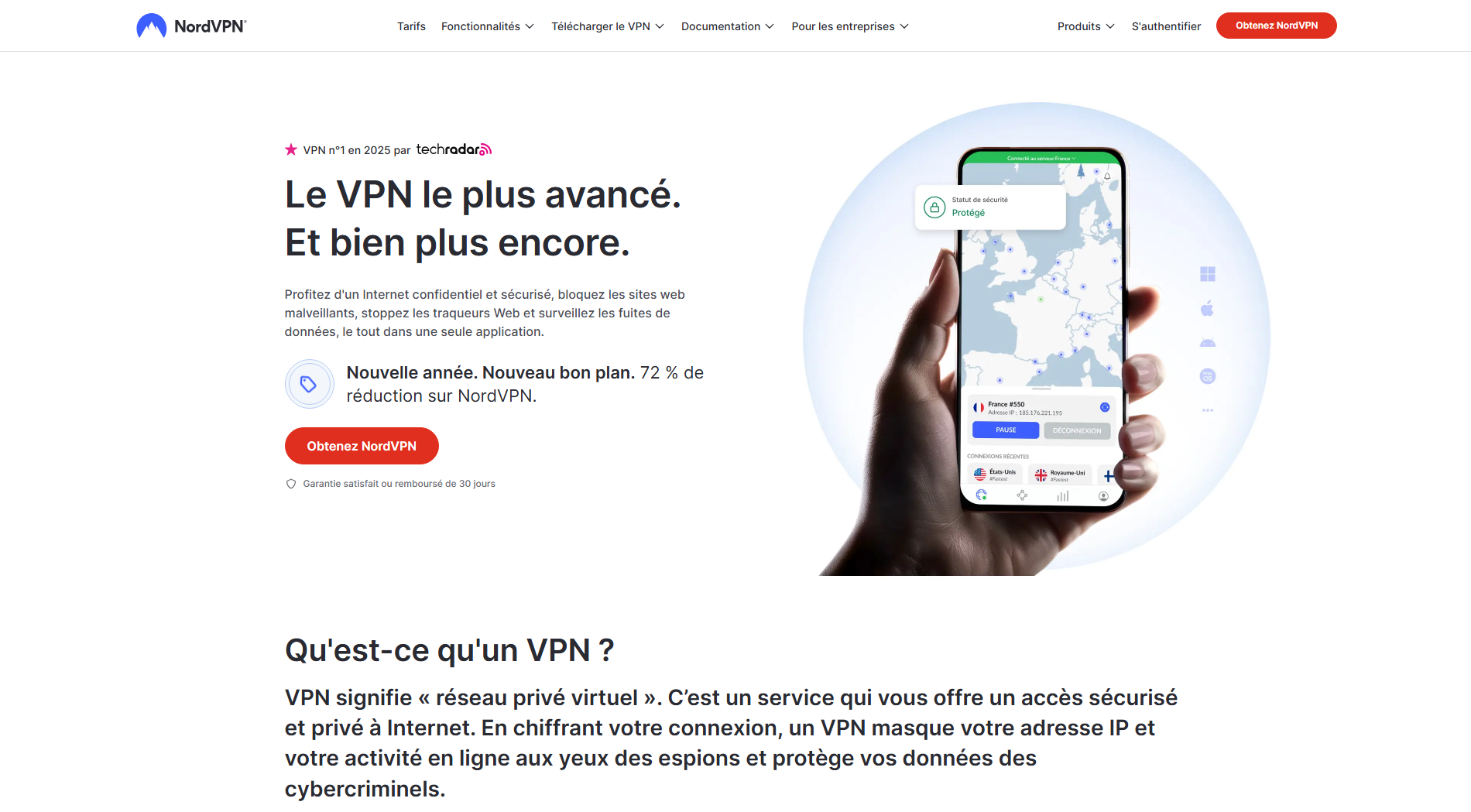
- Choose one subscription offer Then click «Get.» In our example, let's choose the basic version

- Enter your information, then click «Do you have a promo code?»

- In the designated field, enter your promo code
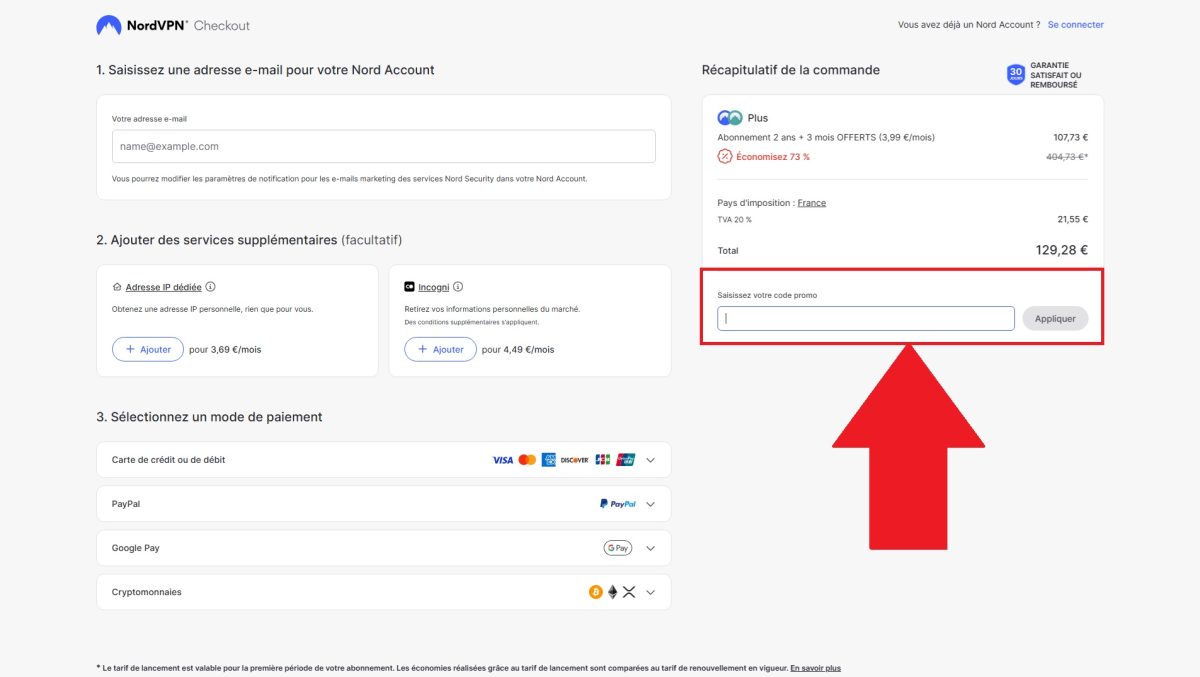
- All you have to do now is complete the payment and enjoy NordVPN at a discounted price!
And to take it a step further, feel free to check out our article on how to get NordVPN for free.








 English