In this guide, discover how to start a live stream without 500 followers on TikTok. With over a billion users worldwide, TikTok is one of the fastest-growing platforms in terms of audience size. On this social network, you can post photos, stories, videos, and even go live.
But what do you need to know about TikTok live broadcasts, and what steps do you need to take to successfully broadcast live on this platform?
To boost your TikTok community, come and join us:
👥Join our Discord Alugift👥 server
Live TikTok: How to do a live show without 500 subscribers on TikTok: step by step
It's still possible to launch a live Tik Tok without even having 500 subscriptions. To do so, however, you need to send a message to support:
- To begin, click on the "ME“
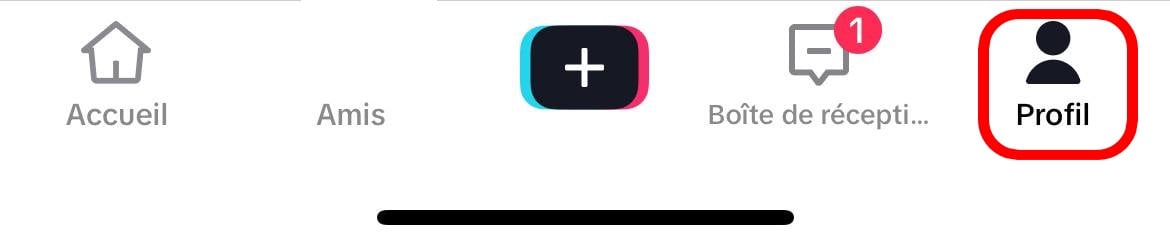
- Go to the top right of the menu with three horizontal lines at the top right of the screen.

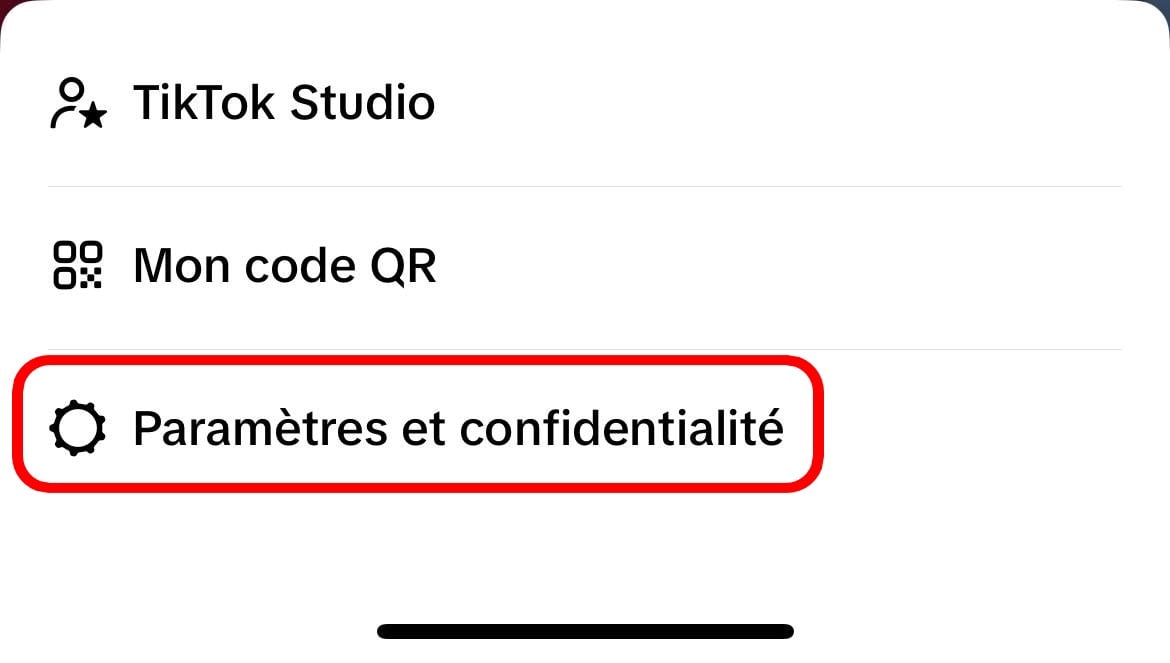
- Now click on Settings and privacy ;
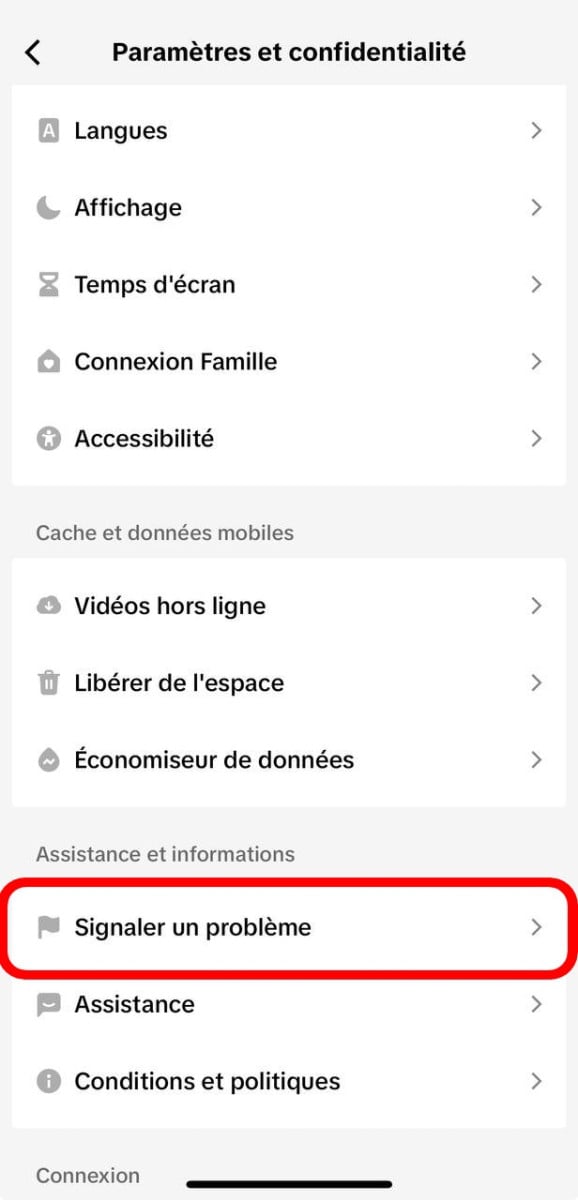
- Scroll down to go to Support –> “to report a problem” (Click)
- Scroll down until you see: “LIVE“

- Click on the “Host a Live“

- Then on “LIVE is suspended”; ;
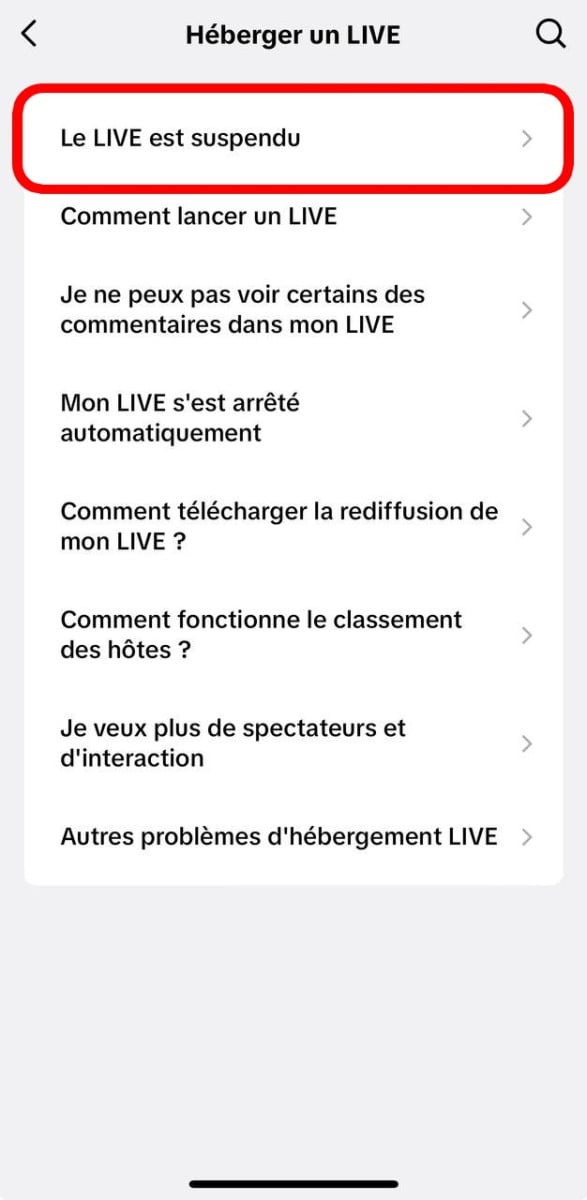
- Click on the button "Nope" and "I still have a problem“
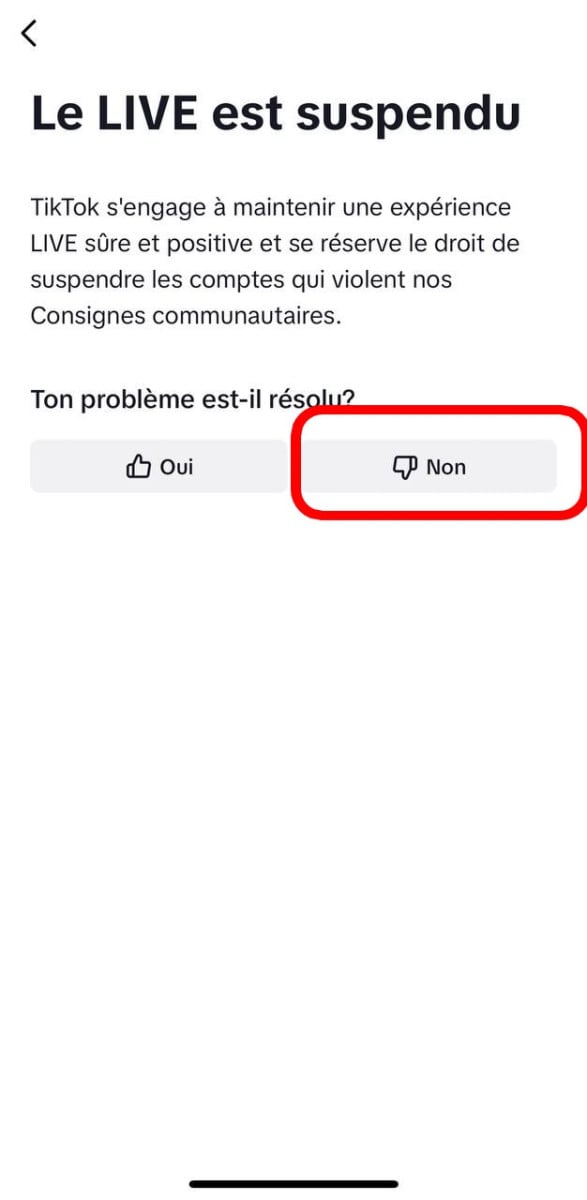
- A message will be sent.
Now arm yourself with patienceYou'll normally be able to launch a live session afterwards. But now it's not working optimally. So I suggest you come and join us on the Discord server and do your stitches in the meantime:
How do I launch a live TikTok?
Indeed, once you've got the chance to launch a Live on TikTok, you need to know how to go about it. To do so, proceed as follows:
- Open the TikTok app on your phone
- Click on the button: +
- Click on the option Live
- Then enter the title (from your live) and click on theancer live broadcasting.
How to unlock access to TikTok LIVE?
To use TikTok's Live function, you must meet the requirements imposed by the platform, including :
- Must be 18 years and over ;
- Be 18 years of age or older (or 19 years of age in South Korea) in order to send or receive Gifts during a live broadcast;
- Have access to 1,000 subscribers (this may differ from region to region).
But with the techniques mentioned in this article, you can now launch a LIVE even without 500 subscribers.
How to get 500 TikTok subscribers easily and for free?
There are several ways to get 500 TikTok followers, including :
The easy and free method:
We offer a simple method to get you 500 followers easily on TikTok:
- First, I invite you to join the Discord server above.
➡️Rejoindre server Discord Alugift⬅️
- The next step is to take on your roles and read how to to get your prize.
Summary : install games and play them to test them out. You express your opinions and receive points. With these points you can buy follows on TikTok.
In 8 hours, normally with a PC, you'll get your 500 subscribers on TikTok very easily.
The easy and profitable method:
You can also decide tobuy followers on TikTok, but be aware that you will generally be dealing with fake followers. So if you expect them to join your live stream, they probably won't show up. But these followers allow you to reach more than 500 followers and start a live stream!
The free but long method:
The most free method is to get to know you. As a result, this technique is quite time-consuming and it is advisable to create many attractive videos in order to succeed in gaining visibility, to reach the desired number of followers in order to launch a live on the platform!
It may take a long time, but it will also give you a sense of accomplishment!
Discover also how to monetize my TikTok account to generate revenue with this platform!




![What are the best horse games on Switch? [Top 15]](https://www.alucare.fr/wp-content/uploads/2025/12/www.alucare.fr-quels-sont-les-meilleurs-jeux-de-cheval-sur-switch-top-15-Quels-sont-les-meilleurs-jeux-de-cheval-sur-Switch-Top-15-150x150.jpg)





 English
100k followers
Buona sera a tutti forza anche io faccio live su tik tok Italia
I wanted followers on TikTok, but my account doesn't have any followers. Please help me.
Followo tiktok 🙏🙏🙏🙏🙏🙏🙏