In this article, we will show you how to change the game language directly in the settings. Follow each step carefully with the images:
Tutorial to put the game in French:
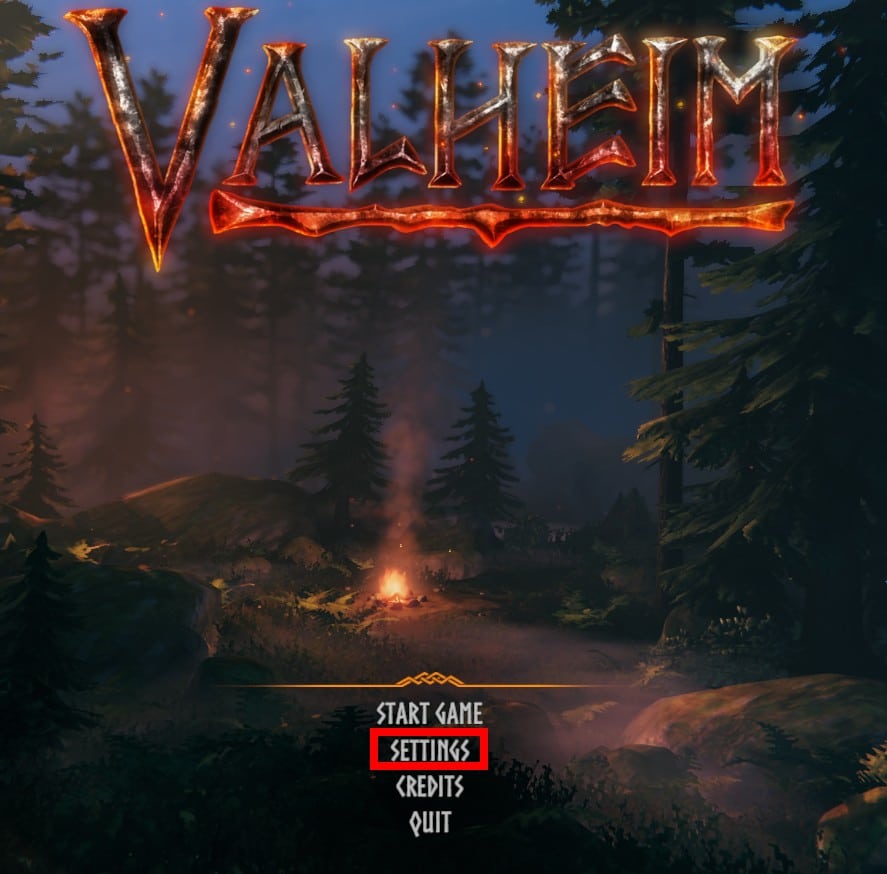
1- Launch the game and click on Settings in the bottom center.
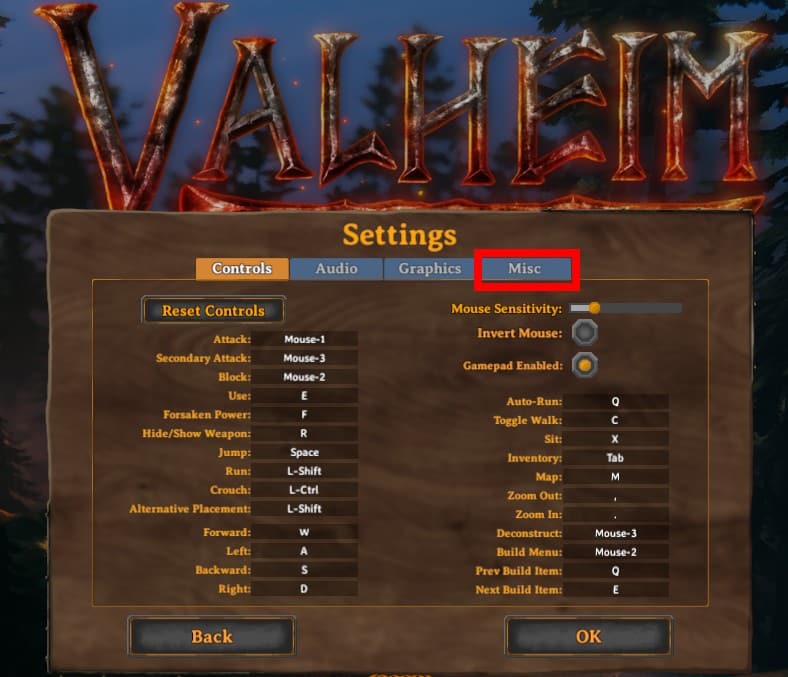
2- Go to the Misc tab on the far right.
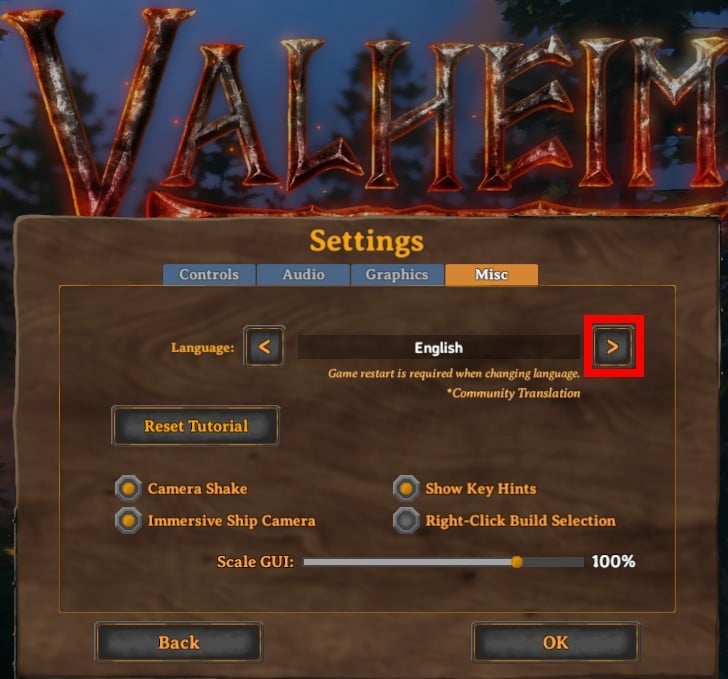
3- Click three times on the button to the right of English—it's the button with the chevron symbol like this: “>”.
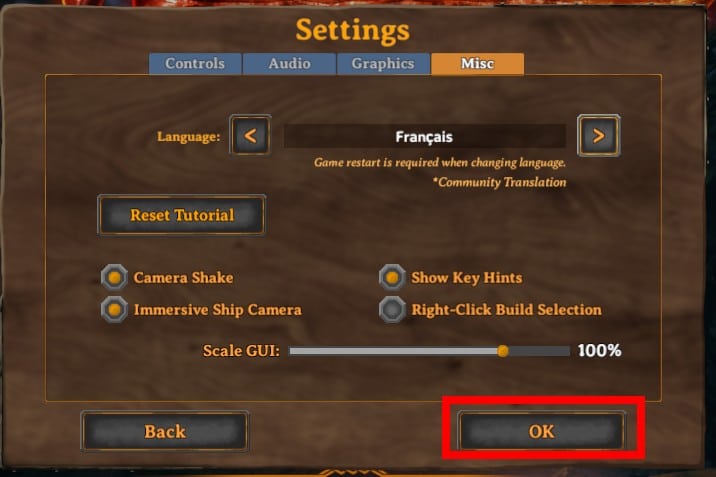
4- click on OK to confirm
5- Now you need to close your game and relaunch it for the change to take effect.
All right, now you can enjoy your Valheim game in French.
In the comments you can say if the tutorial helped you
All information about Valheim:
Alucare.fr on Discord
This content is originally in French (See the editor just below.). It has been translated and proofread in various languages using Deepl and/or the Google Translate API to offer help in as many countries as possible. This translation costs us several thousand euros a month. If it's not 100% perfect, please leave a comment for us to fix. If you're interested in proofreading and improving the quality of translated articles, don't hesitate to send us an e-mail via the contact form!
We appreciate your feedback to improve our content. If you would like to suggest improvements, please use our contact form or leave a comment below. Your feedback always help us to improve the quality of our website Alucare.fr









 English