To play Valheim In French, the process takes just a few seconds. Follow the detailed steps below.
How to proceed Valheim In French?
Here are the steps to switch the game to French.
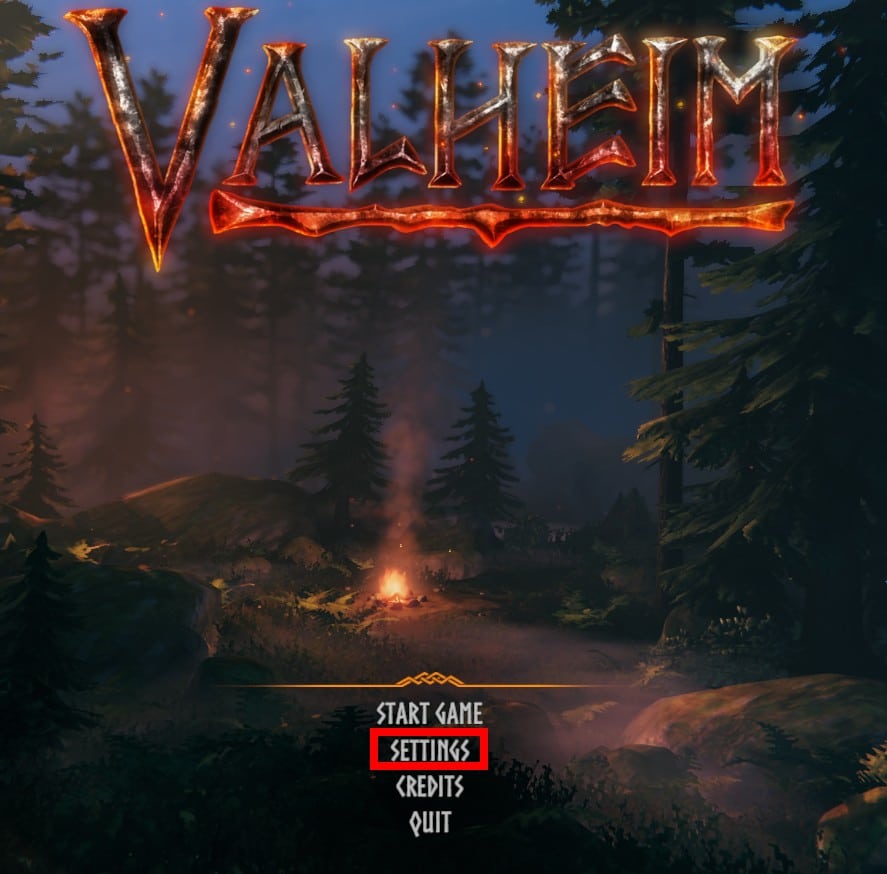
- Start the game and click on Settings, at the bottom center of the main menu.
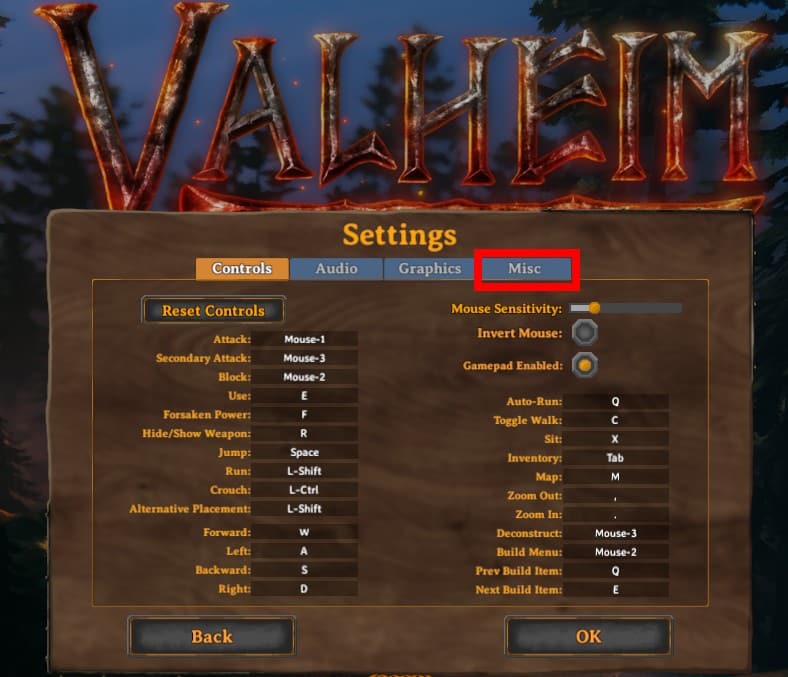
- Go to the tab Misc, located on the far right. That's where you'll find the language setting.
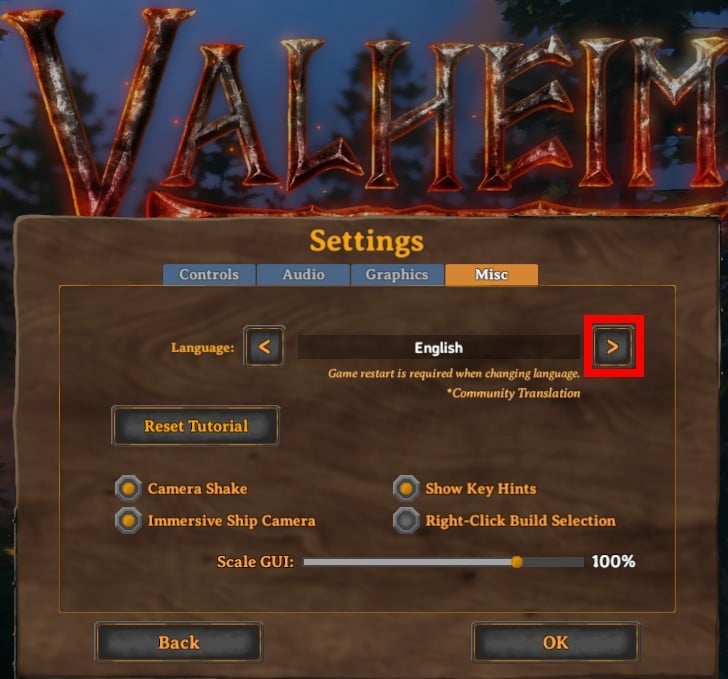
- To the right of the displayed language (by default English), click the chevron > to scroll through the languages until French. Keep clicking if it doesn't appear right away; the order may vary depending on the version.
- Click on OK to confirm your selection.
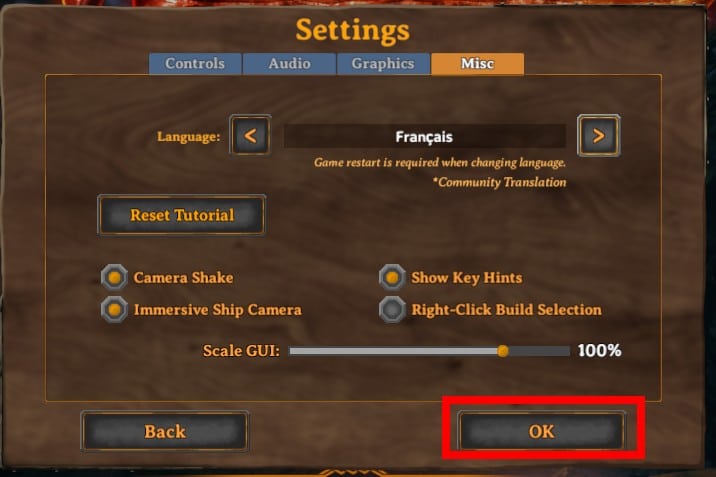
- Close the game and then restart it. The A restart is required so that the language change is taken into account.
There you go—now you can play Valheim in French.
What should I do if French doesn't appear in Valheim ?
In some versions of the game, French isn't included in the list of native languages. Here are two useful tips for this situation:
- Check for updates : the content of Valheim (languages included) changes with each patch. Reload Steam to install the latest version of the game.
- Go through a mod : if the language is still missing, a community translation It's sometimes available on mod sites. Install it at your own risk—it's not official.
If nothing works, you can Please mention this in the comments or contact us directly. We'll get back to you.
Learn more at Valheim
Once you've set the language, your Viking adventure can really begin.
To get off to a good start, take a look at the A Comprehensive Guide to Valheim : crafting, boss, exploration, and top tips—it's all here.
You can also check out the list of Best Valheim Seeds in the World to choose a card that fits your playstyle, or to see how the Skills in Valheim to make effective progress right from the start.







 English