Amazon Prime Video allows up to 3 simultaneous streams in the same account. However, there is one restriction: a same content can only be viewed on 2 devices at the same time.
Here's everything you need to know about screen limits, account sharing, and pricing.
| Streaming platform | Number of simultaneous screens | Package Details |
| Amazon Prime Video | 3 | Up to 2 screens for the same content. |
| netflix | 2 to 4 | Depending on subscription (Standard: 2, Premium: 4). |
| Disney+ | 4 | Included in the standard subscription. |
What is the number of simultaneous screens on Amazon Prime Video?
With Amazon Prime Video, you can stream up to 3 videos at the same time on a single account. That is the official rule posted by the platform.
In addition to this overall limit, there is one restriction: a the same movie or TV series can only be launched on Up to 2 devices simultaneously. To reach the 3 streams, you therefore need to watch different content.
Here's a concrete example to help you understand:
- User A watch an episode of The Boys.
- User B watch an episode of’Invincible.
- User C watch an episode of Gen V.
Three different pieces of content on three devices: no problem. However, if both A and C are watching The Boys At the same time, you reach the Limit of 2 devices per title. A third user who would like to launch The Boys will have to wait until one of the two sessions ends.
Also note: the broadcast quality depends on the number of active streams and the your connection's bandwidth. The more screens you use at the same time, the more the resolution may drop on certain devices if your connection is limited.
How do I share an Amazon Prime Video account?
Amazon does not officially support account sharing outside the household. As netflix and Disney+, the platform is tightening its rules against this practice. There are still two ways to share your account, though, with very different consequences.
Share using your login credentials
The simplest method is to provide your login credentials to a loved one. The person installs the app Prime Video on their device, logs in with your account, and creates their own profile.
You can handle it up to 6 profiles on the same account, each with its own history and recommendations. The limit of 3 simultaneous screens allows multiple people to watch different content at the same time.
The catch: this method violates the terms of use as soon as users don't do not live at the same address. You're also granting access to your payment methods, which is no small matter.
Share Prime Benefits Officially
Amazon offers a legal alternative for sharing certain benefits Bonus with an adult in your household, without giving them your login information.
Benefit-sharing Prime Video However, this is limited to members of the same household. To avoid any risk, it's best to share only with your close friends and family who live under the same roof.
How do I get Amazon Prime Video on multiple devices?
Amazon Prime Video is available on a wide range of devices: smart TV, internet router, computer, tablet, and cell phone. Here's how to register a new device on your account.
- Go to Amazon Prime Video.
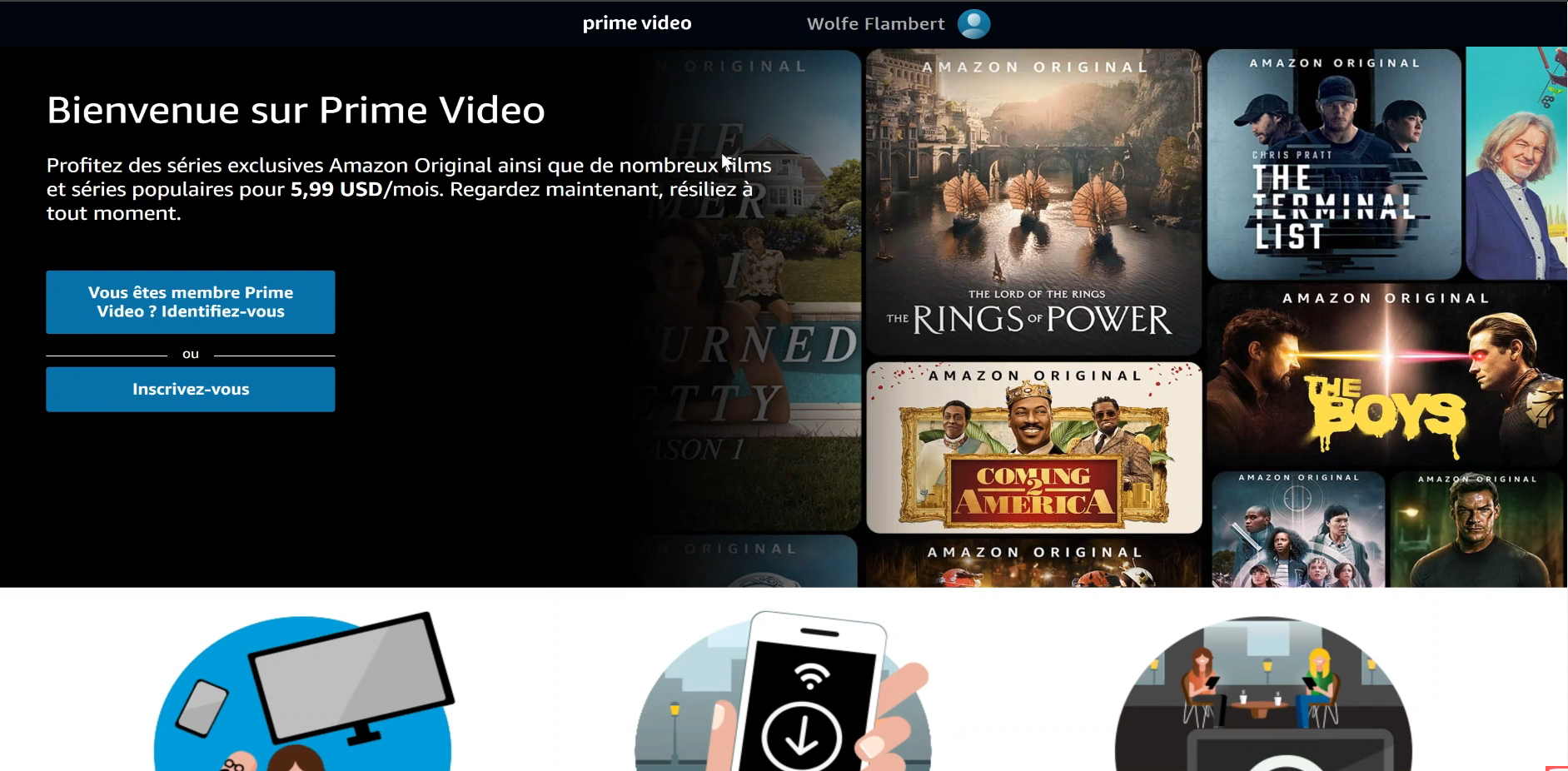
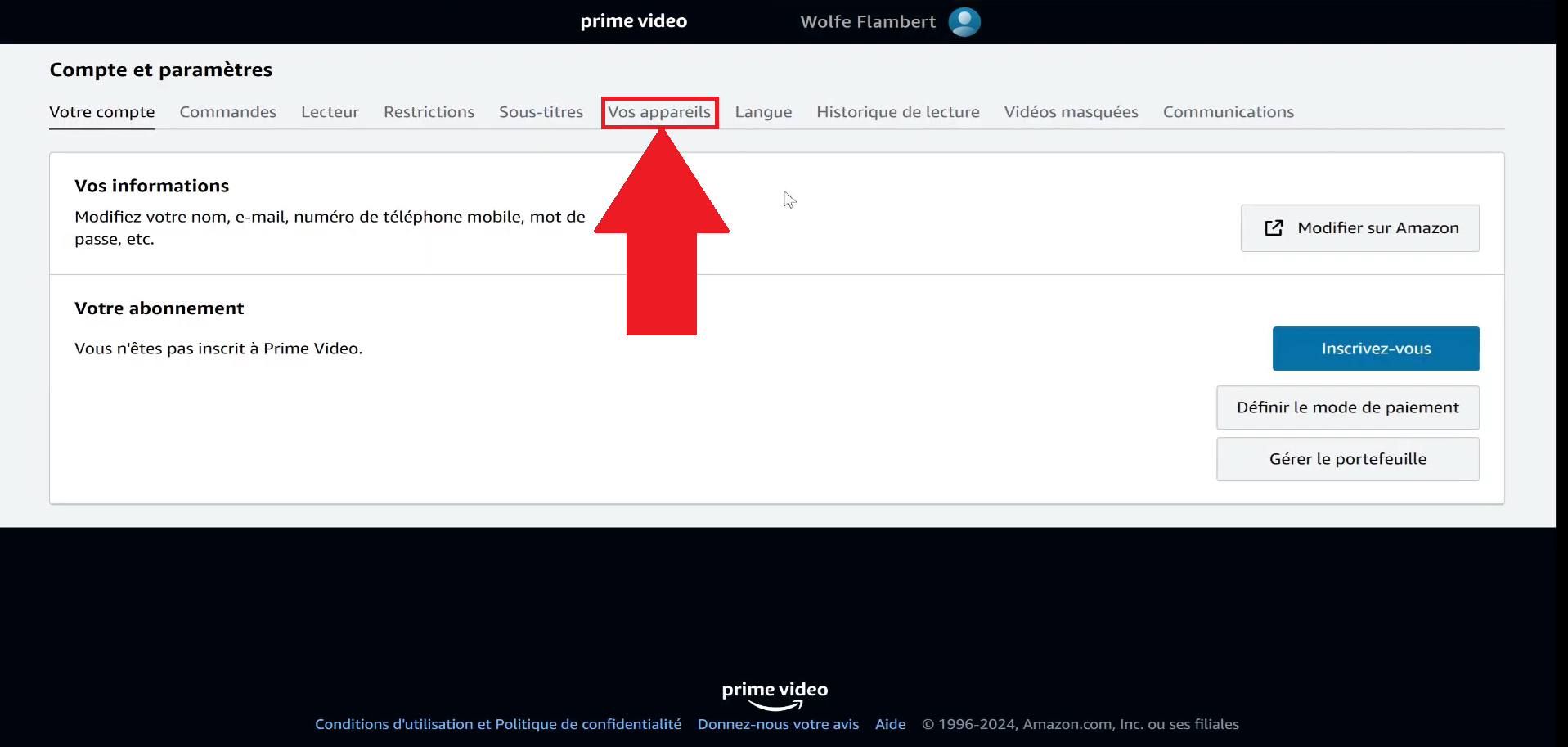
- On your profile, click on «Account and Settings».

- Go to the category «Your Devices».
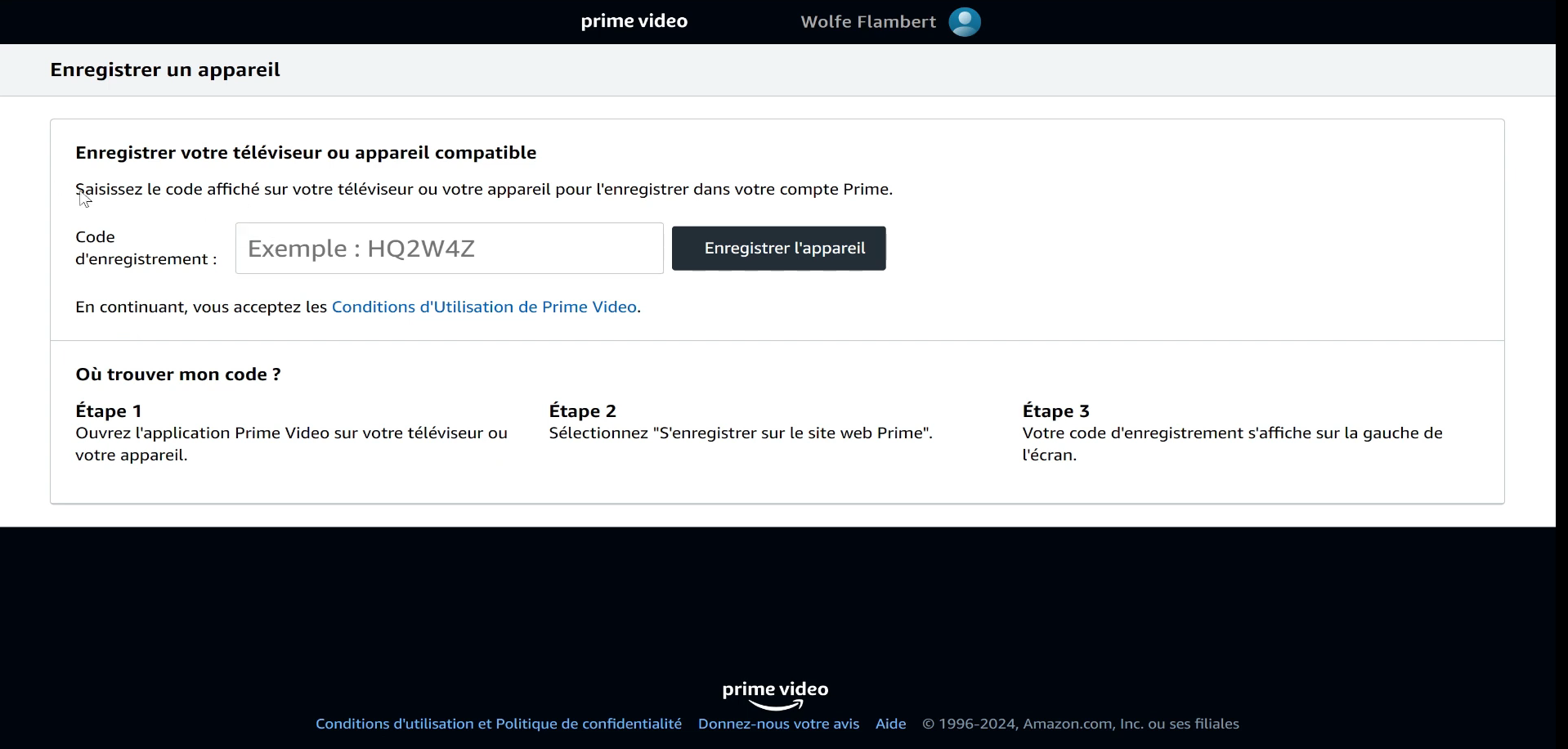
- Click on «Register a New Device».

- Follow the on-screen instructions.
How can you optimize the multi-screen experience on Amazon Prime?
Using multiple screens can quickly become a hassle if your connection or settings aren't up to par. Here are some tips to help you make the most of streaming on Amazon Prime Video on multiple devices at the same time.
- Check your internet connexion and its bandwidth. For 3 simultaneous streams When it comes to high quality, a good bitrate makes all the difference.
- Give priority to a wired connection (Ethernet) whenever possible. It's more stable than Wi-Fi, especially on a TV.
- Close bandwidth-intensive apps on your other devices so you can allocate as much bandwidth as possible to your video streaming.
With these settings, you can better manage your devices and enjoy a crisp viewing experience, even when the whole family is watching at the same time.
How much will Amazon Prime Video cost in 2026?
Here are the two Prime Video prices available, along with their monthly and annual rates.
If you're looking to pay Cheaper Prime Video, the student plan is a particularly good deal.
| Subscription | Monthly rate | Annual fee | Remarks |
| Standard | 6,99 € | 69,90 € | By adding 1.99/month, you remove the ads. |
| Student | 3,49 € | 34,95 € | Available only with proof of eligibility. For 1.99/month Plus, you get to enjoy the service without ads. |
FAQs
How many screens can watch Amazon Prime Video at the same time?
Amazon Prime Video allows up to 3 simultaneous streams on the same account. However, the same content can only be viewed on 2 devices at the same time.
Can I share my Amazon Prime account with my family?
Yes, you can share your account Amazon Prime Video with your family. All you have to do is send a invitation link to the members concerned, as explained in the question below.
Does account sharing affect other Amazon Prime benefits (fast delivery, etc.)?
No. Share your benefits AmazonPrime, such as the Fast delivery with free shipping, does not affect yours in any way. People who use these benefits through your account do not limit your own access to the service.
How can I share Amazon Prime benefits with a member of my household?
To Share the Benefits AmazonPrime If you want to invite a member of your household, you'll need to send them an invitation link. Here's how to access it:
- Go to the website of’Amazon and log in.
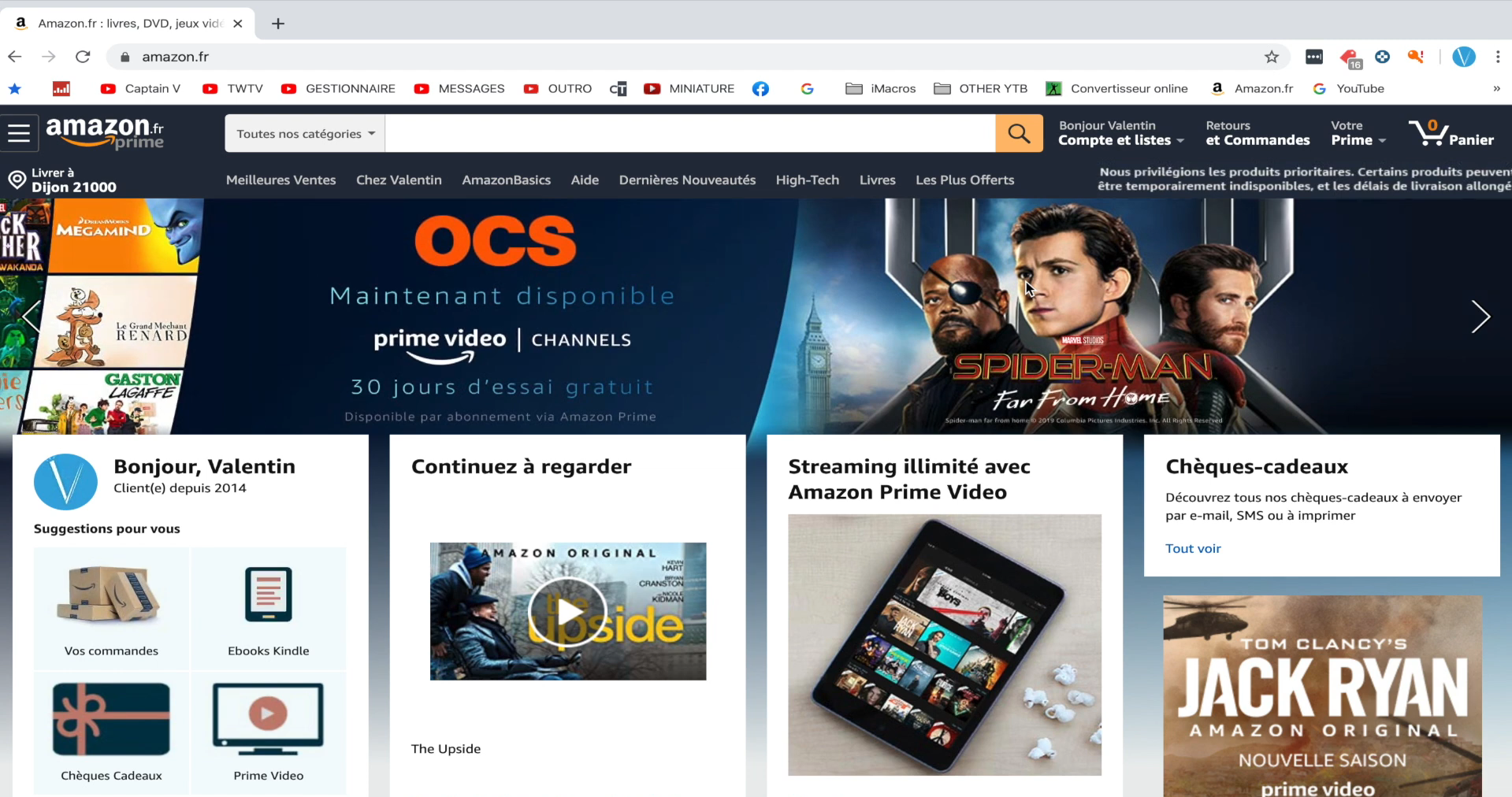
- Click on your account.
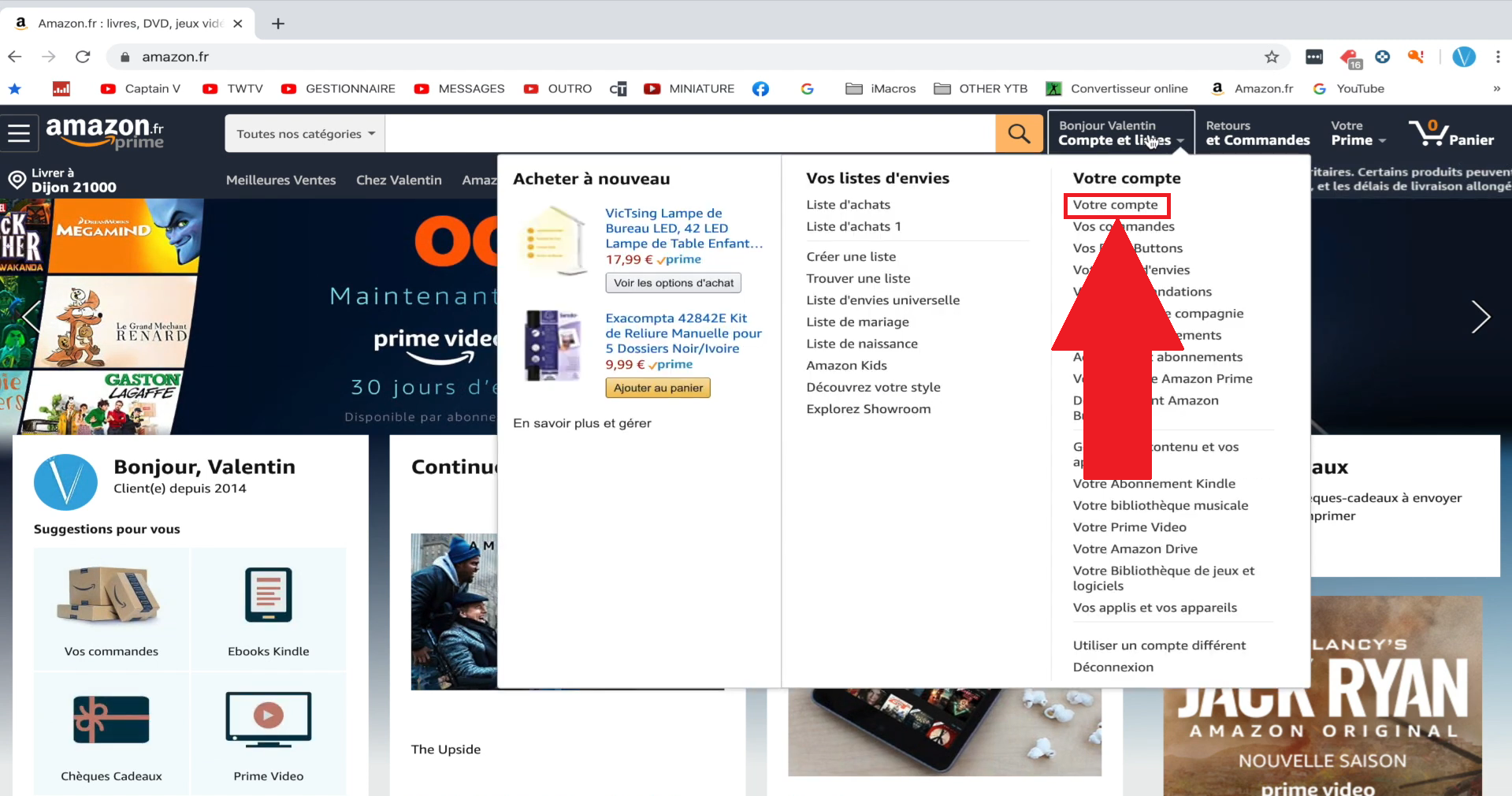
- Click on Bonus.

- Scroll all the way down to «Share Your Amazon Prime Benefits».

- Fill in the requested information, and you're done.

Can I create user profiles on Amazon Prime Video?
As Netflix Where Disney+, Amazon Prime Video lets you create user profiles.
You can have some up to 6 per account, with restrictions specifically for children.
What happens if I stop sharing my Prime benefits with someone?
If you stop sharing your Prime benefits with someone, they will no longer have access to the services those affected, regardless of the reason.
Can I share my Amazon Prime account if I have a Student Prime subscription or via a third-party partner?
No. Because of its reduced rate, a Amazon Prime Student membership is not eligible for benefit sharing. This also applies to subscriptions purchased through a third-party partner.
Can I share my Amazon Prime account with friends or people outside my household?
In theory, sharing is For members of the same household only, as stated in Amazon's Terms of Use.
In practice, some users do this with friends, but this method puts you outside the rules on the platform, with a theoretical risk of account restriction.








 FR
FR  RU
RU  EN
EN  ES
ES  IT
IT  DE
DE  ZH
ZH  PT
PT  ID
ID  JA
JA  DA
DA