You lost your house in Minecraft ? It exists 4 methods to find her:
- The contact information (F3)
- The card
- Your own reference points
- To die and then reappear on your bed
Write down your contact information before you head out to explore: it's the most reliable way!
Method #1: Use contact information to your advantage
The most reliable way to find your way home, is to use the coordinates. Press the key F3 to display them on the screen. This key works on the version Java from Minecraft on computer.
On Bedrock, you enable the contact information directly in the world settings.
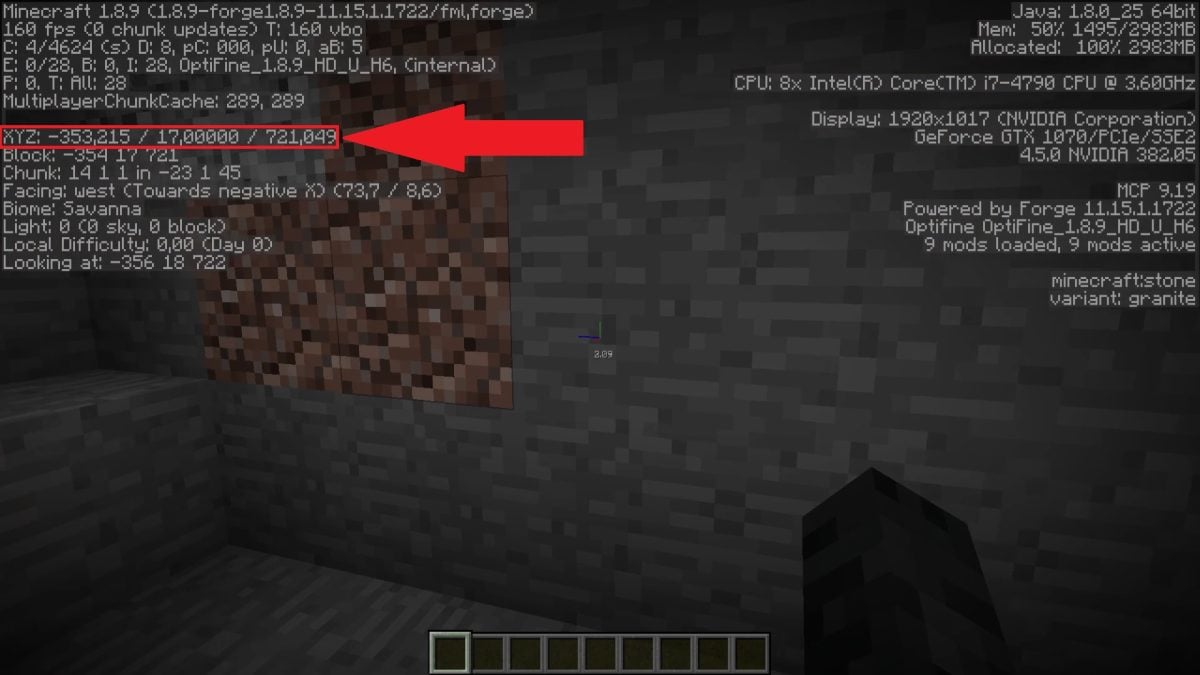
Interpret the coordinates on Minecraft
Here's how to read the coordinates XYZ :
- X corresponds to East/West
- Y corresponds to High/Low (tone altitude)
- Z corresponds to South/North
The habit to adopt right from the start of a game: Write down your home address before setting out to explore. The same principle applies to all of your structures important, a castle or an outpost, for example. Write down the coordinates for each building you want to find.
Use teleport command on Minecraft
Knowing your home's address also gives you access to the teleportation. This option requires enabling the cheating in the world settings. In Creative Mode, cheating is enabled by default. Then use the command /tp followed by the coordinates to teleport there instantly. You can check out the complete guide at How to use the TP command on the Minecraft to know more.
Method 2: Using maps on Minecraft
Minecraft lets you make your own card to find your way in your world. You'll need two ingredients:
- Of paper, which you can craft on your crafting table by gathering sugar cane.
- A compass, obtained using iron ingots and redstone powder.


Next, place the compass in the center from the crafting table, wrapped in paper. You get a blank card. Pick it up and do a right click to activate it.
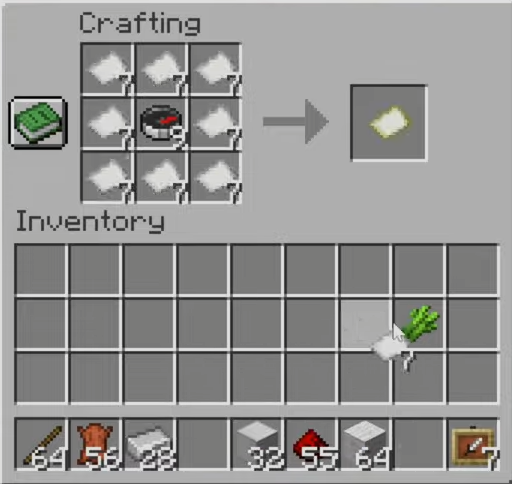

Tip for creating a larger map
Since the world of Minecraft is infinite, you'll soon need to expand your map. Place your map on the center of the craft table, then wrap it in paper.

Method 3: Build your own benchmarks
You can also get by without a map or directions by building your own reference points around the world. It’s often the most immersive and fun option.
Create routes along your usual paths
If you often go to the same places, create cobblestone paths to connect your home to your exploration areas. These paths help you avoid getting lost in biomes that all look alike.
Building Landmark Towers
Regarding the tall, prominent towers They're a great way to find your way around. Place a tall tower right in front of your house: it will serve as a landmark visible from a distance, even from the top of a mountain.
Use torches and directional arrows
When you explore caves, Always place your torches on the same side of the wall. If you follow this side, you'll always find the exit. You can also create arrows on the ground with a few markers to indicate the direction to follow from the surface.
Using the Little Thumb method
For adventures on short distances, leave markers along your path. A few clumps of dirt Placed here and there, they’re enough to mark your path. All you have to do is follow your markers to get home.
Method 4: Killing your character
Here's a radical but effective method: kill your character. Your avatar will then reappear on the last bed where you slept. If that bed is at your house, you'll be home in an instant.
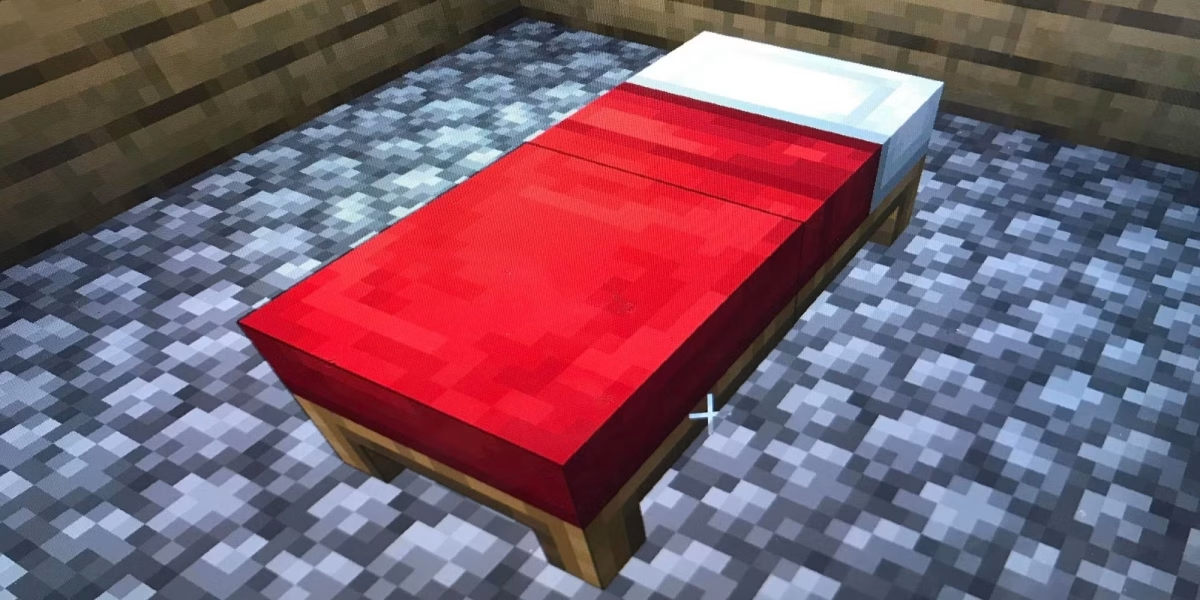
Note: This tip only works if the bed in your house is indeed the the last one you used. If you've slept somewhere else since then, that's where you'll reappear. And if you've never slept in a bed, you'll reappear at the global starting point, that is, where you started the game.
A Good Habit: Always sleep at home before every major expedition. If you want to quickly kill off your character using the console, use the command /kill (cheating required). And for double security, press F3 in front of your door to post and write down your contact information before you leave.
FAQs
How do you find your starting point (spawn) in Minecraft?
The starting point, or spawn point, is where you started the game. If you've never slept in a bed, you'll automatically respawn there every time you die. To teleport there without dying, use the command /tp with the coordinates of this point (cheating required). In Creative Mode, you can also use the command /spawnpoint to view or reset your starting point.
I've explored too much and can't find my starting location anymore. What should I do?
If you haven't entered your contact information, start by tapping F3 to display your current location. Then look for coordinates near X=0, Z=0 : The game often generates the initial spawn point around this location. If you've enabled the cheat, use /tp 0 64 0 to teleport you there directly. On multiplayer servers, some allow the command /spawn to return to the starting point.
Can you find your house on a multiplayer server?
On a server, the methods remain the same: contact information via F3, in-game map, or visual cues. The command /tp depends on the permissions granted by the server administrators. Some servers also offer commands such as /home to teleport directly home after setting it as your home location.
To personalize your home, find out how to use a blast furnace to refine your building materials.
And if you want to add some color to your decor, check out the guide at how to make terracotta.









 English