To make terracotta in Minecraft, you harvest some’clay, you turn it into blocks on the crafting table, then you cook them in a oven. It's one of the most versatile decorative blocks in the game.
Steps to follow to make terracotta in Minecraft
The terracotta (terracotta (in English) is being undermined by the pickaxe, otherwise it is destroyed. You can also find it naturally in the badlands, this warm, ochre-hued biome where the terracotta is plentiful. Here's how to make it yourself from start to finish.
1. Collect clay on Minecraft
L'clay It can be recognized by its light gray color. You can find them in several places:
- Near the water points, such as ponds

- In the swamps.

- In the lush caverns, where it is virtually ubiquitous (ideal for large-scale projects)

If you're having trouble finding a lush cave, look for a azalea tree (recognizable by its purple flowers) and digs underneath it until it falls into these underground passages. The blasting Using a shovel is particularly effective.

2. Make clay balls
Make sure you have a shovel to mine clay. You'll then get several clay balls in your inventory. To go faster, use an enchanted shovel with the Silk Touch : The clay arrives directly in block form, without going through the balling stage.

3. Make clay blocks
Go to your craft table and place 4 balls of clay in a 2×2 grid to get a block of clay. There manufacturing It's quick and easy.

4. Making terracotta
Set your clay block in a oven with any fuel. The cooking Clay in the oven gives you a terracotta block (terracotta). Congratulations—you've made your first terracotta piece!

These blocks of terracotta are perfect for decorating a kitchen or any other part of your project. Without pickaxe, the clay blocks shatter without dropping anything: make sure you always have one on you.
How to color terracotta on Minecraft?
The colored terracotta (terracotta (tinted) is available in 16 shades different. The coloring is done on the craft table by combining a dye with some terracotta blocks.
Find out all about Minecraft dyes and colorants, check out our article on this topic.
Certain shades of terracotta are also found in their natural state in the badlands. In this biome, there are several variants of terracotta blocks colorful pieces appear directly in the clay, without any shaping or firing. The badlands are therefore an excellent source of terracotta natural if you want to recover quickly by blasting to the pickaxe.
Here is the complete table of available colors and their corresponding shades:
| 🛠️ Colored terracotta | 🎨 Dyeing required |
|---|---|
|
White terracotta
|
White dye
|
|
Orange terracotta
|
Orange dye
|
|
Magenta terracotta
|
Magenta dye
|
|
Light blue terracotta
|
Light blue dye
|
|
Yellow terracotta
|
yellow dye
|
|
Light green terracotta
|
Light green dye
|
|
Pink terracotta
|
Pink dye
|
|
Grey terracotta
|
Grey dye
|
|
Light grey terracotta
|
Light gray stain
|
|
Cyan terracotta
|
Cyan dye
|
|
Violet terracotta
|
Violet dye
|
|
Blue terracotta
|
Blue dye
|
|
Brown terracotta
|
Brown dye
|
|
Green terracotta
|
Green dye
|
|
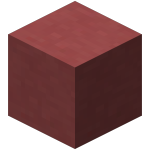
Red terracotta
|
red dye
|
|
Black terracotta
|
Black dye
|




When all is said and done, there are just a few steps to making terracotta: harvest clay, the transform in blocks, and the cook in a furnace. Once in your possession, these blocks can be colored depending on your desires.
Feel free to check out our other guides on Minecraft, so the one on how to make a lanternto illuminate your creations.









 English