To download music from YouTube, you basically have two main options: the official method and free alternatives.
- The official method involves using YouTube Premium Where YouTube Music.
- As for free methods, you have the conversion sites online, the download software and the game's browser extensions.
⚠ Please note : Free tools, especially online conversion sites, often contain a lot of intrusive ads and of booby-trapped links. Furthermore, downloading copyrighted music in this way remains illegal.
In any case, here's how to do it using each method.
Official Methods
On YouTube, it's important to know that you can download certain videos/songs, and then listen to them offline. This solution is ideal for use on computer as on mobile.
1. The YouTube Premium subscription
This paid service allows its subscribers to download videos for a offline viewing. All of this is done in a 100% legal manner, without any ads, and with the option to let a video play in the background.
Don't hesitate to see which country to choose for YouTube Premium to benefit from the lowest prices and save money.
- Open the YouTube app and make sure you're logged in to your account with a subscription.
- Search for and Play the video that you want to save.
- Below the video player, press the button Download (represented by a downward-pointing arrow).

- You can find your files in your profile by selecting Downloads.
The price of YouTube Premium is set at 12.99/month For an individual subscription, 29.99/month for the Family Plan and 7.99/month for the Student Plan. Find out how pay less for YouTube Premium.
What are the advantages and disadvantages of YouTube Premium?
Here's a quick summary of advantages and disadvantages YouTube Premium:
|
✅ Benefits |
❌ Disadvantages |
|
|
2. The YouTube Music subscription
Whether Only music can is interested in, Here's a slightly cheaper alternative to YouTube Premium: YouTube Music (€10.99/month). It allows you to download music to listen to offlinewith no ads and background reading.
- Open the application YouTube Music.
- Look for the song, l'album or the playlist that you want to listen to offline.
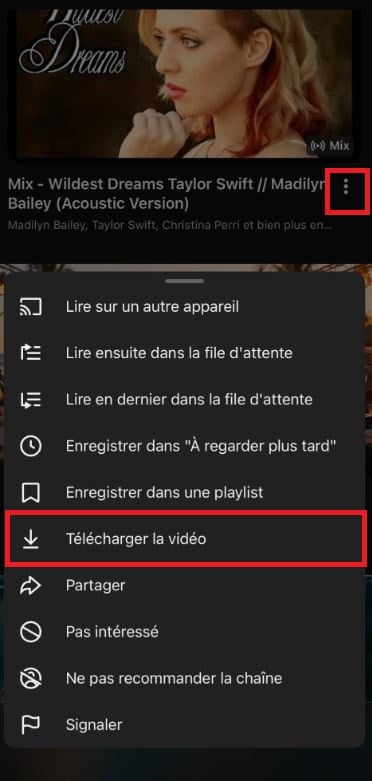
- Tap the three vertical dots next to the title, then select “Download Video.”.
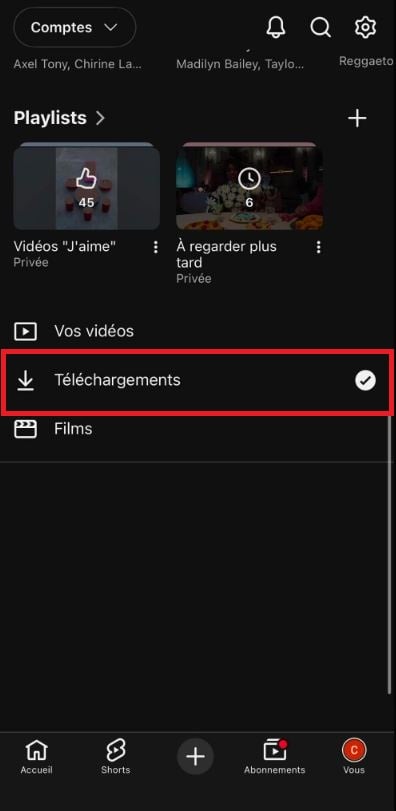
- To listen to your songs offline, go to the Library tab and tap Downloads.
What are the pros and cons of YouTube Music?
If you're unsure about choosing this audio-only plan, here's a summary of its strengths and weaknesses:
|
✅ Benefits |
❌ Disadvantages |
|
|
Don't want to pay? Here are some free options.
Free Methods
You have several ways to download music from YouTube. We encourage you to check them out so you have all the information you need before choosing one.
1. Online conversion sites (MP3 / MP4)
As a first step, you can Convert a YouTube video to MP3 using an online converter. This method requires no installation: just paste the video's URL and then download the music.
However, not all of these converters are equally reliable, ranging from intrusive ads, dummy windows and redirections. Keep an ad blocker enabled and download only from the official link.
Feel free to check out our guide on best free YouTube converters.
Most of these converters work the same way To download the music, follow these steps:
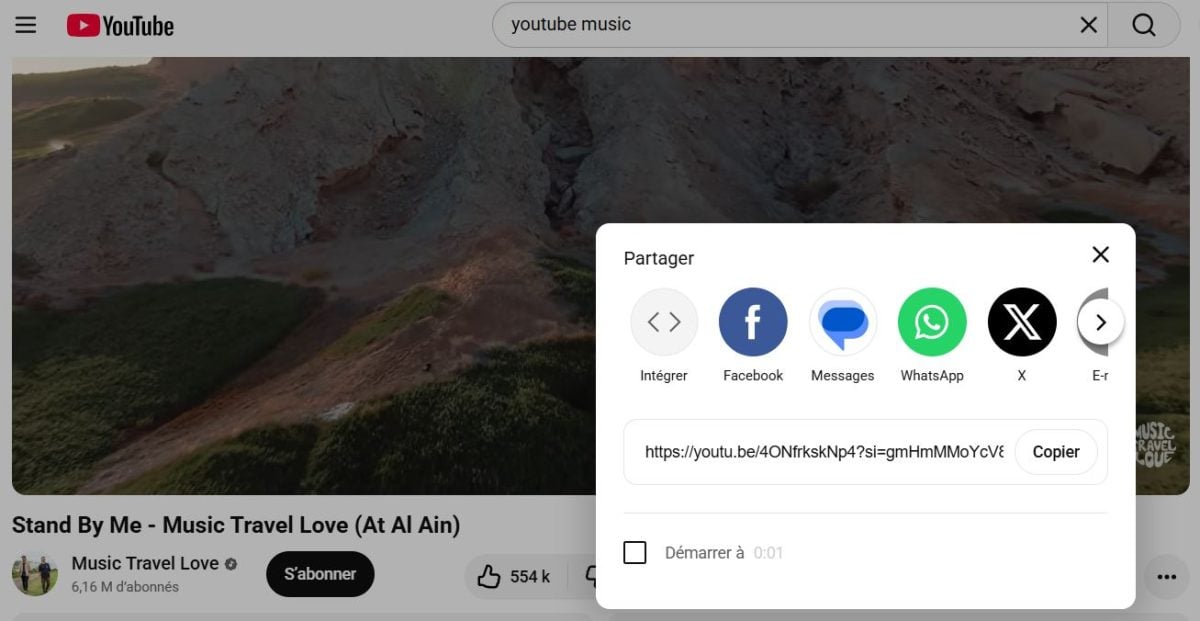
- Copy the YouTube video URL from your browser's address bar.
- Paste the URL into the website in question.
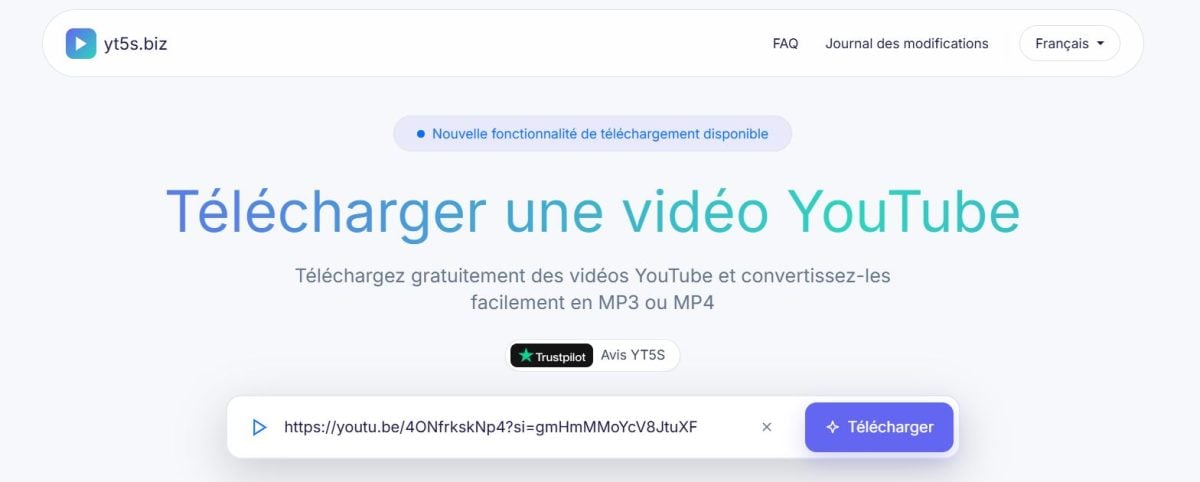
- Choose the format in which you wish to receive the file (MP3, MP4, etc.).
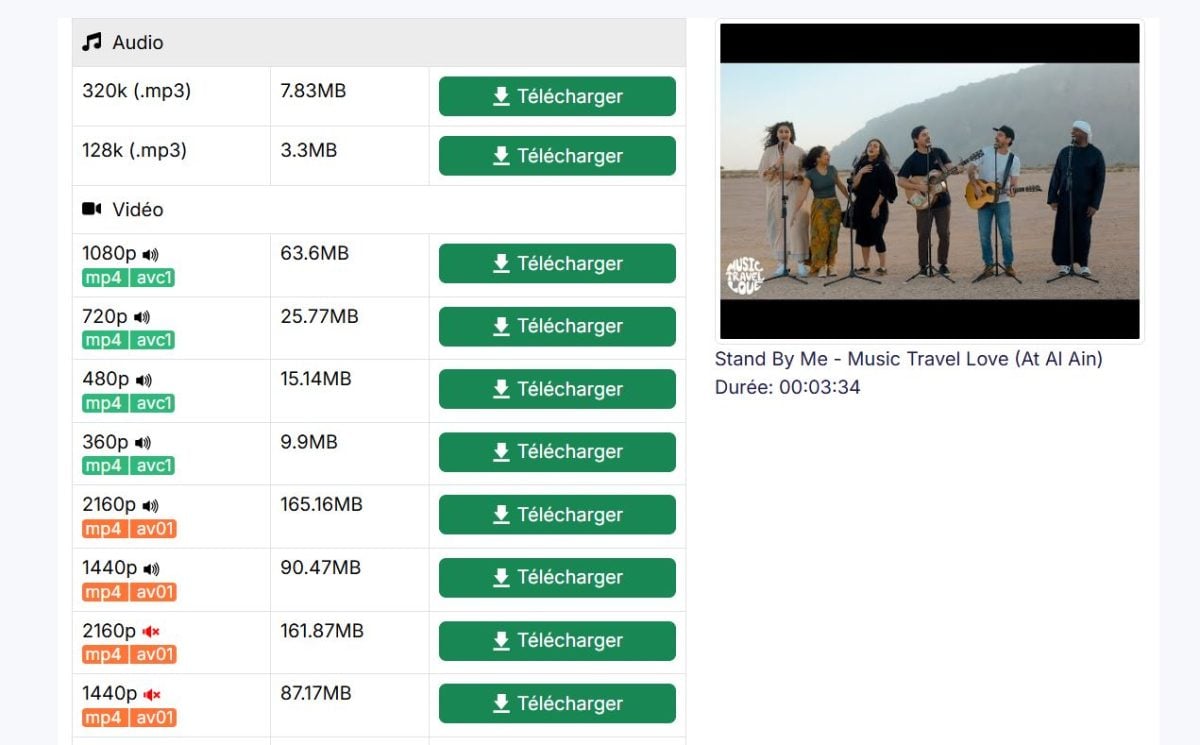
- Download it and enjoy music on your PC.
What are the advantages and disadvantages of this solution?
Although this method is very attractive for its many advantagesit also has its own drawbacks important to consider before moving on to its application:
|
✅ Benefits |
❌ Disadvantages |
|
|
When using these websites, we strongly recommend that you equip yourself with a ad blocker to avoid compromising your device.
Furthermore, don't hesitate to be careful when you use such sites. Reviews, and the reputation of the platform via its users, are your friends for verification.
On a smartphone, you don't need to install an app. Conversion sites work directly in your browser (Safari, Chrome). The process is the same: paste the URL, choose the format, and download. Just expect more ads and redirects than on a PC, so make sure to keep your ad blocker enabled.
2. Downloadable software for computers (PC/Mac)
In a second step, software is at your disposal to download songs from YouTube. Although it requires more effort, you'll have more options and better quality.
It's important to know that work in much the same way. The steps to follow are similar:
- Copy the URL of the YouTube song you want to download.
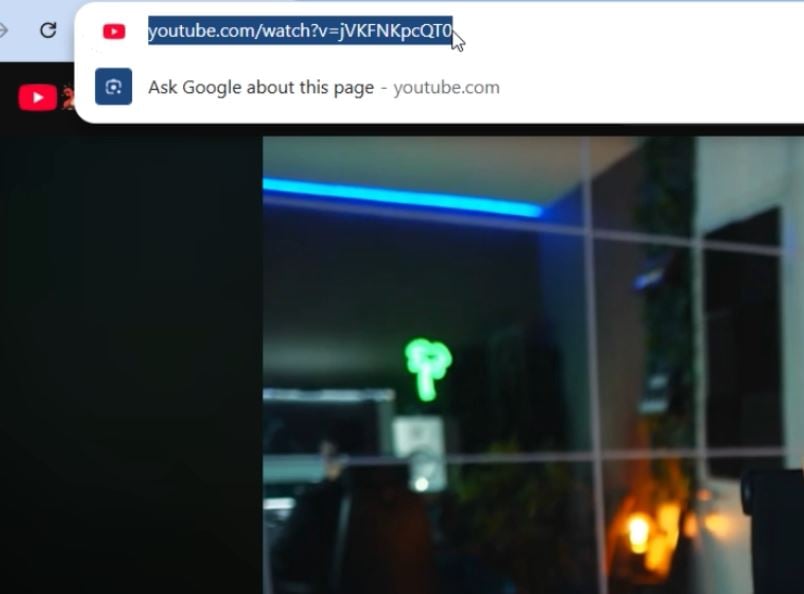
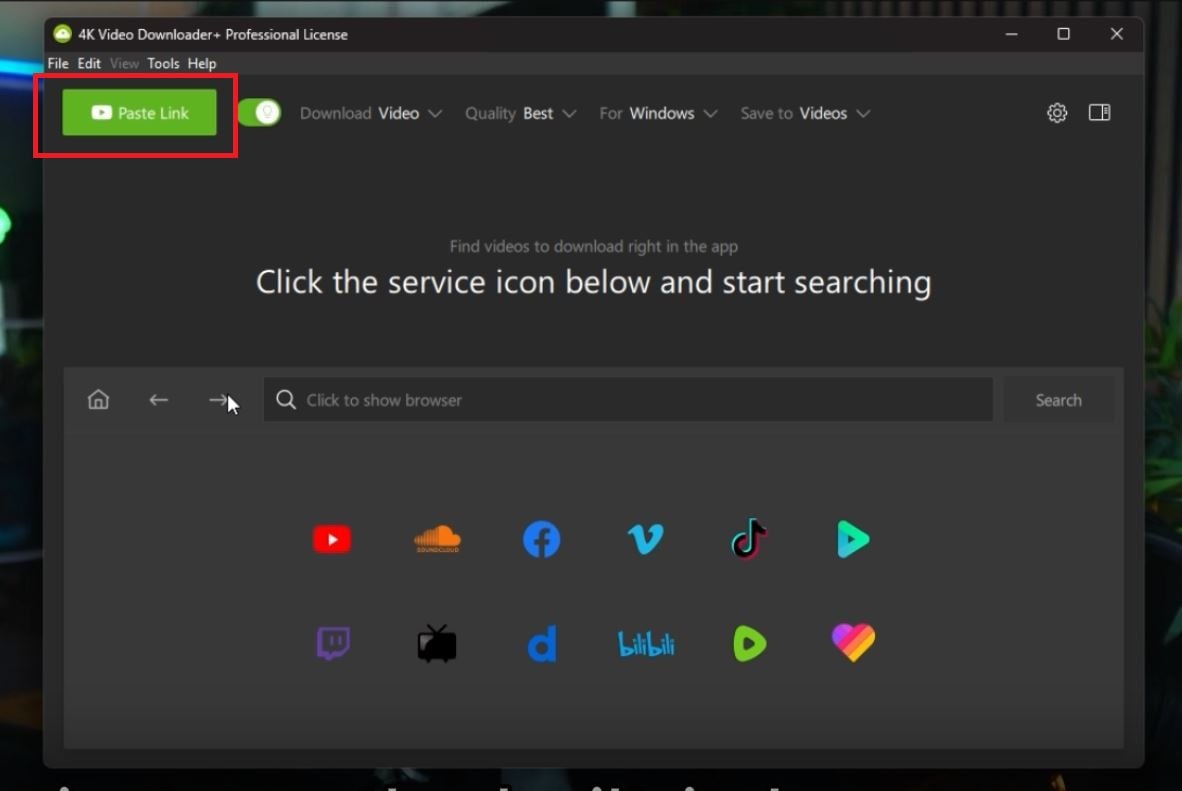
- Press the "paste" button in the software or paste the URL directly into the search bar.
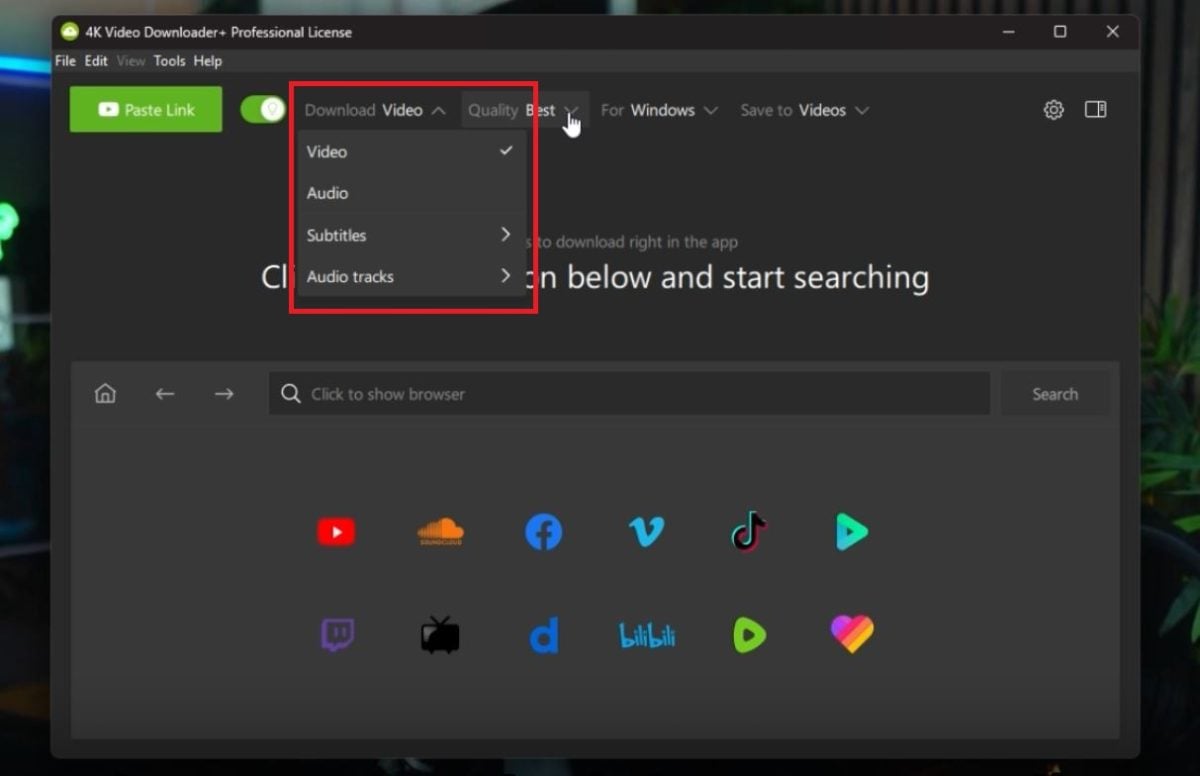
- Choose the format in which you wish to download the file (MP3, MP4, etc.)
- Download it and enjoy music on your PC.
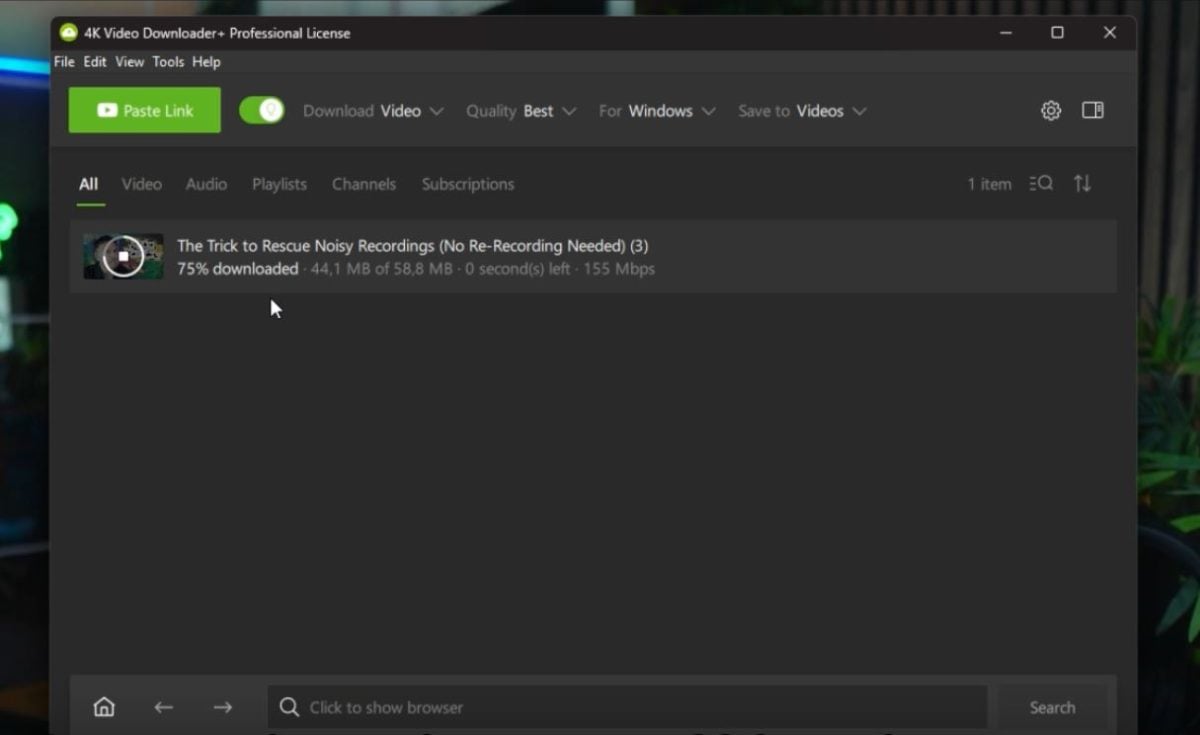
Among the most popular software which allow you to download the music you want:
- 4K Video Downloader
- Free YouTube to MP3 Converter
- MiniTool uTube Downloader
Here's a quick summary of main functions of each of these platforms:
| 🔧 Tool | 🔍 Main features |
|
4K Video Downloader |
Download videos in HD 720p, HD 1080p, 4K, and 8K – Support for playlists and channels – Audio conversion (MP3, FLAC, AAC, WAV, OGG) – Access to private and password-protected videos – Compatible with Windows and macOS. |
|
Free YouTube to MP3 Converter |
Audio conversion (MP3, FLAC, AAC, WAV, OGG, M4A) – Playlist downloads – Fast conversion speed (premium version) – Compatible with Windows and macOS. |
| MiniTool uTube Downloader |
Video and audio downloads – Subtitle support – Video conversion for popular devices – Windows and macOS compatibility. |
What are the advantages and disadvantages of this method?
Here are the different advantages and disadvantages to the use of this kind of software:
|
✅ Benefits |
❌ Disadvantages |
|
|
3. Browser extensions
The browser-integrated extensions also let you download videos or audio from YouTube. One of the most popular ones is Video DownloadHelper.
However, depending on the browser you use and the policy of their stores regarding extensions, it may not be usable or downloadable at all.
- Launch your browser (Firefox is recommended for this type of extension) and open the extensions menu.
- Search for Video DownloadHelper and click "Add to Firefox" (or "Install").
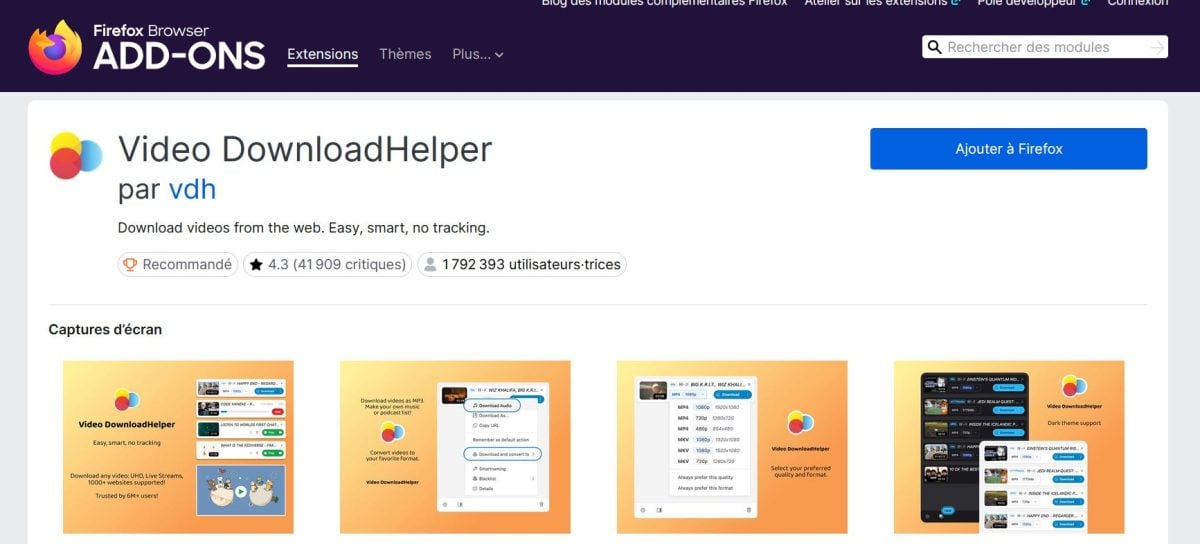
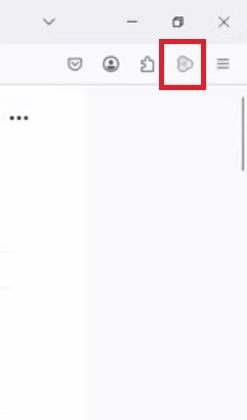
- A small gray icon An icon representing three colored spheres appears in the upper-right corner of your browser.
- Go to YouTube and play the music video you want to download.
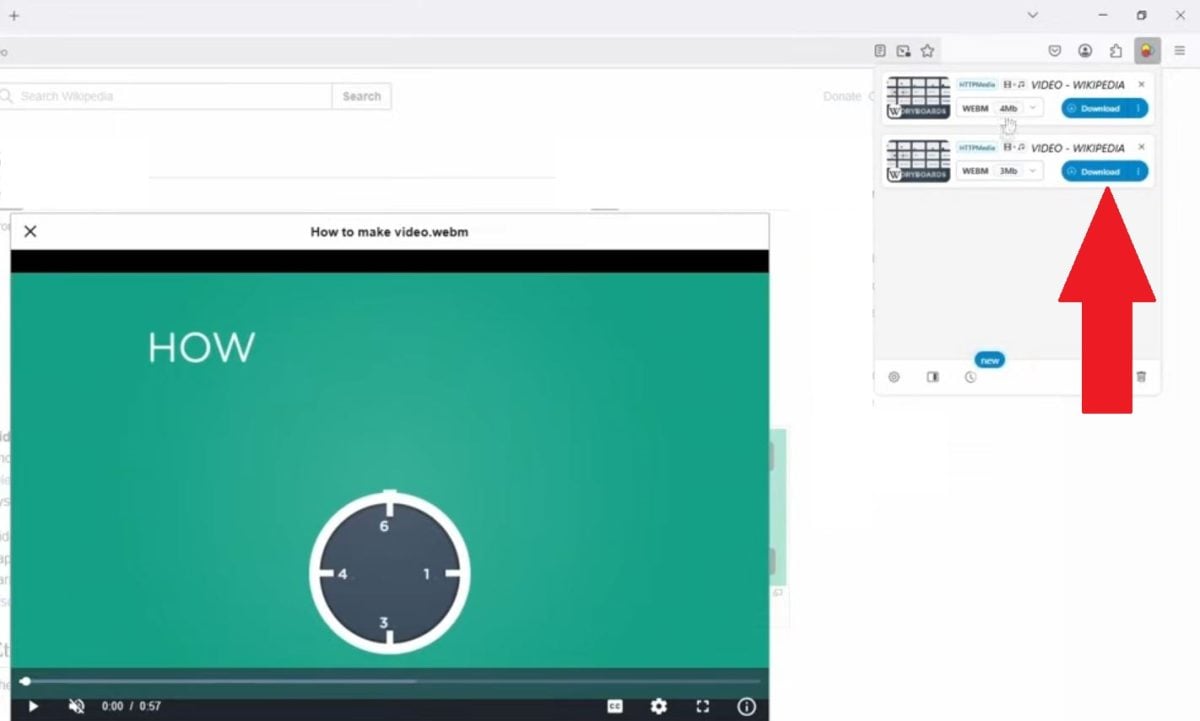
- As soon as the music starts, the’The extension icon in your toolbar lights up in colorClick on it.
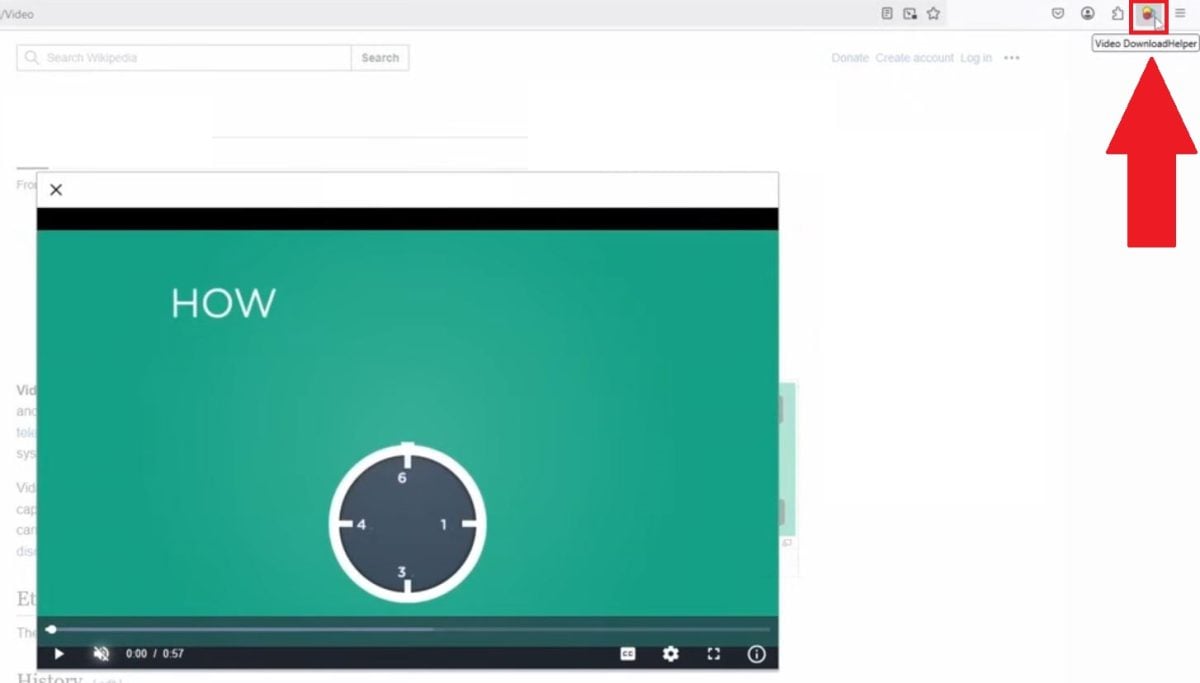
- A list of available files will appear. Click the small arrow next to the audio or video track you want and select "Download" to save the music directly.
What are the advantages and disadvantages of this method?
Here is a table summarizing the advantages and disadvantages extension such as DownloadHelper :
| ✅ Benefits | ❌ Disadvantages |
|
|
FAQs
Is it legal to download music from YouTube?
It's legal to download songs from YouTube using official services such as YouTube Music or YouTube Premium. Outside of this context, copyright infringement and it becomes illegal.
What's the best audio quality for downloading?
As a general rule, it is better to have audio quality of between 256 and 320 kbps. With this, you're guaranteed a quality MP3 file.
Can I download entire YouTube videos?
It is possible to download entire videos from YouTube. However, according to the platform's terms of use, you are not allowed to do so. without the authorization of its creator.
This, unless YouTube gives you permission to do so via a download button or a link, which serves as explicit authorization.
What should I do if the download doesn't work?
If you're having trouble downloading your YouTube video or song, first check to make sure it's still on line or that you pasted the link correctly.
If that's the case, try again later, as the server might be overloaded, or just try another platform download.
👉 In conclusion, there are several ways to download music from YouTube easily, on Android and iPhone as well as on Mac and desktop computers. It's up to you to decide which method best suits your needs, taking into account the quality achieved and SAFETY.
We also invite you to read our article on how to upload a YouTube video.








 English
How to watch a video