You want to buy a WHOOP bracelet to track your calories, but are you wondering how reliable it really is?
In this article, we invite you to find out whether WHOOP tracks calories burned. But also how it calculates them, and how accurate its measurements are. We tell you all about it!
Take advantage of our exclusive offer and join the WHOOP community:
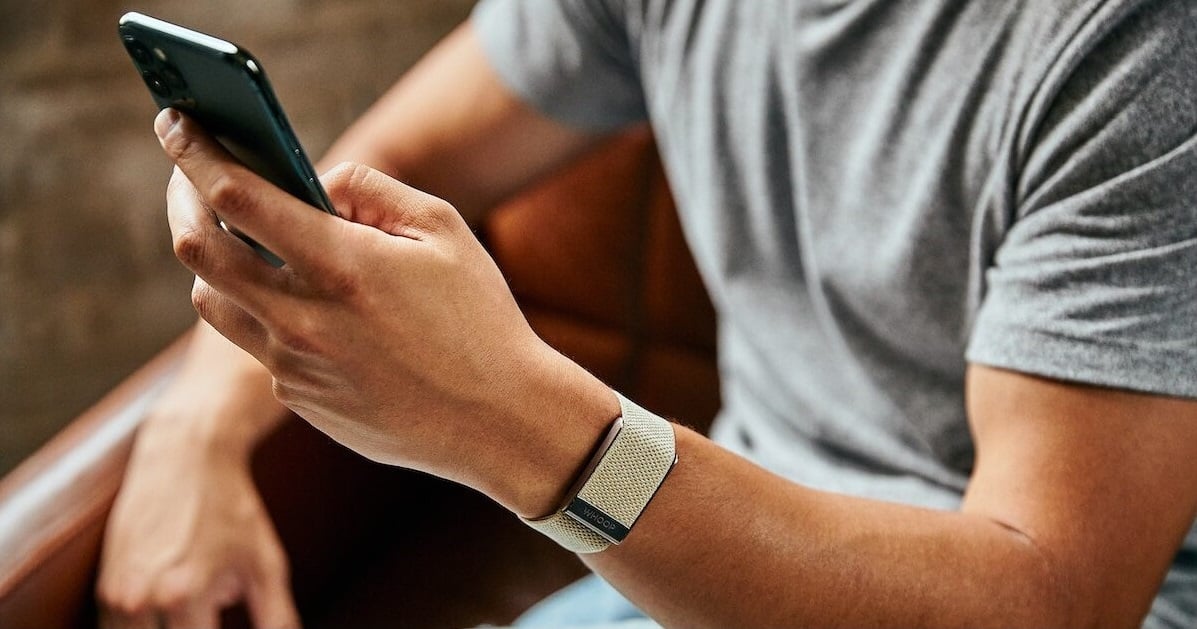
Where can I see the calories in the WHOOP application?
It's very simple, don't worry!
- Open the app on your Smartphone
- Scroll down to section Calories
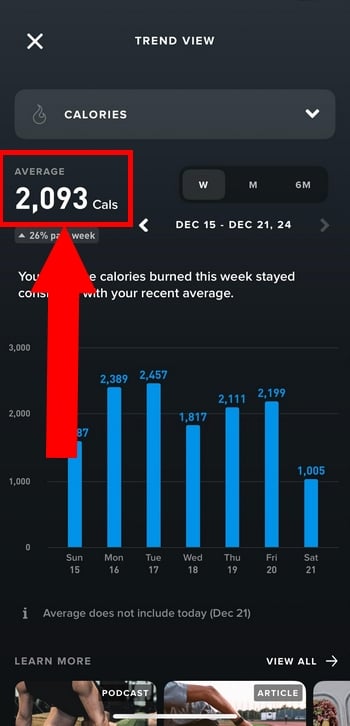
You'll find a daily summary of your total calories consumed. But also, the breakdown between your resting calories (estimated BMR) and your active calories.
⚠️ HOWEVER, it is important to specify that in the’WHOOP app, calories are not the main focus. In fact, the focus is more on :
- the sleep (Sleep)
- The recovery (Recovery)
- L'effort (Strain)
We tell you more about these three main features in our full review of WHOOP.
How does WHOOP calculate calories burned?
On its page dedicated to calculating calories, WHOOP provides an estimate based on continuous heart rate and biometric data.
It is also based on :
- The personal data that you have entered (age, gender, height...)
- Your physical activity data (duration...)
- the metabolism estimated basic rate (BMR)
👉 WHOOP tracks your calories using scientific calculations rather than general averages. The aim is to guarantee optimum precision, and thus avoid inflated estimates.
In this video you can see the actual measurements made by the bracelet:
Explanatory video in French by Alucare, ideal complement to the page. View video (you can use YouTube's automatic translation)

How accurate is WHOOP calorie tracking?
Generally speaking (for all connected watches), calorie estimates based on heart rate can vary.
⚠️ WHOOP insists on this point: the calories indicated are estimates, not an accurate assessment. To date, there is no official publication indicating a precise percentage of accuracy.
Comparison: WHOOP vs Apple Watch vs Garmin for calorie tracking?
| 📊 WHOOP | 🍏 Apple Watch | ⌚️ Garmin | |
| Count calories at rest | ✅ | ✅ | ✅ |
| Counting calories during sport | ✅ | ✅ | ✅ |
| Uses heart rate | ✅ | ✅ | ✅ |
| Use GPS during activity | ❌ | ✅ | ✅ |
| Displays calories on the watch | ❌ (in application only) | ✅ | ✅ |
| Give an exact figure 100 %? | ❌ | ❌ | ❌ |
| Ideal for | Monitor recovery and overall effort | Daily use and general activities | Sportsmen and women who train regularly |
So, are you ready to keep a close eye on your efforts?
Using WHOOP to optimize my efforts
Please see our article on alternatives to WHOOP to discover more features for other connected watches.
Can you really lose weight with WHOOP?
WHOOP does not in itself make you lose weight. Remember that losing weight depends above all on :
- Caloric deficit
- Food
- Regularity
On the other hand, you can count on the bracelet to help you :
- ✅ Better understand your energy expenditure
- ✅ Follow your level of activity
- ✅ Improve your sleep (which plays a role in weight management)
- ✅ Adjust your training
The bracelet is not a miracle solution for losing weight. On the other hand, it can be a great the right tool for tracking your caloric expenditure !
For the most reliable calorie calculation possible, sensor placement is essential. In this video, I show you the different options for wearing Whoop (wrist, arm or smart clothing) to suit all your sporting activities:
Explanatory video in French by Alucare, ideal complement to the page. View video (you can use YouTube's automatic translation)

What are the advantages and disadvantages of calorie tracking with WHOOP?
| ✅ Benefits | ❌ Disadvantages |
|
|
Should I use WHOOP to track my calories or not?
All depends of your main goals! The connected bracelet is ideal if your priority is to track :
- Recovery
- Performance optimization
- Sleep
On the other hand, if your aim is to precisely count your calories or track your weight loss in great detail, WHOOP may not be the best option.
In fact, while the bracelet does track energy expended, it's important to bear in mind that it's just a "watch". estimate.
As with all connected watches, the aim is to help you better understand your energy consumption, not to provide you with an exact scientific measurement.
FAQs
Is WHOOP accurate for bodybuilding?
WHOOP measures heart rate, but does not directly evaluate the mechanical work performed.
However, these based estimates are much less precise for :
- Short series
- Heavy loads
- Really intense efforts
❌ With WHOOP, the analysis of calories consumed is therefore much less precise (and therefore less relevant) for weight training, split training and short, intense efforts.
✅ Estimates based on heart rate are much more accurate. more consistent for continuous cardio activities, such as running or cycling.
Want to prioritize your recovery?
Can I connect WHOOP to MyFitnessPal?
Yes, you can synchronize WHOOP with MyFitnessPal.
To do this :
- Go to WHOOP app settings
- Then go to «Connected applications»
- Select MyFitnessPal and log in
- Finish by authorizing synchronization with WHOOP
You can then not only export your data, but also use it for nutritional analysis.
Why doesn't WHOOP put calories at the heart of its interface?
This is because the bracelet is first and foremost a tool:
- 👉 optimization of recovery
- 👉 management physiological stress
- 👉 to improve performance
Calories are considered a secondary indicator, far behind the trio of Strain, Recovery and Sleep.
WHOOP is nonetheless an effective ally for tracking calories consumed (even if this is only an estimate). If your priority is performance or optimizing your recovery, this is the perfect tool!
What about you? Have you ever tried to track your calories with a connected watch? Tell us all about it in comments!
And for even more interesting articles :










 English