You wish create your own website without being a code expert Canva, the graphic design tool you already know, gives you the ability to create a website for free.
In this article, we'll take you step by step through how to bring your website to life with Canva.
Step 1: Sign in or create a Canva account
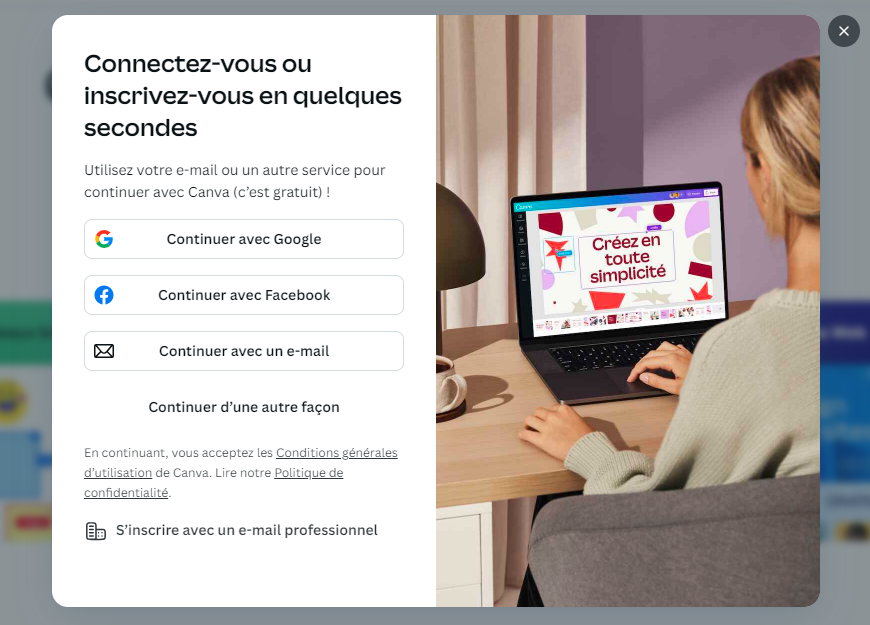
Naturally, you must have a Canva account to use the features of the tool.
- Go to Canva official website.
- Login or register in just a few clicks.
Recall : Canva offers free accounts with premium options for additional functionality.
- Once logged in, you will access to the various functions proposed by the tool.
Step 2: Select the "Website" category on Canva
- When you are on the home page, Select "Website" to open the website creation tool. with Canva.

Please note that the "Website" button redirects you directly to a blank page to create your site with Canva from top to bottom. But if you search for "Website" in the search bar, you will have access to all the website templates offered by the tool.
- A blank page will be made available to you so you can create your website from A to Z.

- On the interface, you will have access to three menus:
-
- Above, a blue toolbar displays options such as "File," "Resize," and "Retouch."
- On the right, options for "Preview," "Publish Website," and "Share" are visible.
- On the left side of the screen, a column displays several design options, including "Templates," "Elements," "Text," "Brand," "Import," "Drawing," and "Projects."
Step 3: Choose a Canva website template
Canva offers a wide range of site modelsSome are available for free, while others can only be used if you have a Premium subscription.

You can browse the library by category (e-commerce, portfolio, blog, etc.) or use the search bar to find a specific template.

After selecting the website template to suit your needs, you can move on to the next step to make it unique!
Step 4: Customize the design
L'one of the advantages of Canva is its simplicity with which you can personalize your content:
- Click on any text block for direct editing.
- Replace predefined texts with your own titles, descriptions, and calls to action.
- For images, simply drag and drop them from your computer or use Canva's free image library.
- Change colors and typefaces to adapt the site to your brand or personal style.
- You can choose your favorite colors or those of your corporate identity and apply them to all site elements with a single click.
- Import your logo for even greater customization.
- Canva lets you structure your site easily using predefined blocks.
- Add or delete sections according to your needs: image gallery, testimonials, contact forms, etc.
Each section can be modified, giving you total flexibility to organize your site content on Canva.
However, iff you want to stand out from the competition and create an eye-catching logo for your site, take a look at our article on logo design.es 10 best AI logo generators.

Step 5: Add interactive features
A website without interactions is like a storefront without a door. With Canva, you can add CTAs or Call-To-Action (such as "Contact us" or "Buy now") and links to your social media accounts or other pages on your site. You can also make your site even more dynamic by adding videos, animated GIFs, or even sounds.

Step 6: Publish your website with Canva
Before publication, take the time to preview your site to make sure everything is in order.
Canva lets you see how your site will look on different devices (computers, tablets, smartphones) to ensure that it is responsive and that the design is consistent across all platforms.

Now that you are satisfied with the design of your siteit's time to publish it!
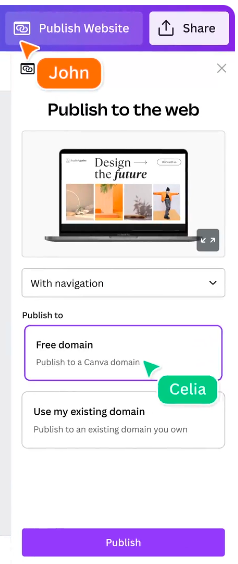
You can publish your site for free with a Canva subdomain. However, for those who want a more professional site, you'll need to take out a Canva domain name via the Pro version.
Attention : Be sure to check each page to ensure that it displays correctly on mobile devices!
Congratulations! You now know how to create a website on Canva. If you are looking for a domain name for your site and would like to use a pseudonym, you can use our pseudo generator.








 English