To check what your child is doing online, you have several options depending on your needs.
- Free tools such as Google Family Link
- Or the parental control from your Internet service provider allow you to block websites and of limit screen time without paying anything.
If you want to access messages, calls, and real-time location, a paid software as mSpy is much more comprehensive for track your child's phone.
These parental control tools allow you to manage your child's digital activities and foster healthy digital habits for the whole family.
| Parental Control Tool | Price | Features |
|---|---|---|
| Mspy 🥇 | Find out the price of mSpy |
|
| Eyezy 🥈 | Find out how much EyeZy costs |
|
Use third-party software for parental controls

The spyware applications Paid services go far beyond what free options offer. Specifically, they give you access to posts, calls, web browsing, and GPS localization in real time, from an online dashboard.
The two market leaders are mSpy and Eyezy. Both of these tools are published by the same parent company: they are very similar, with a few differences in pricing and user interface.
An important legal point to note before proceeding. Installing this type of tool on the phone of a minor for whom you are the legal guardian is completely permitted. For anyone else, it's illegal without his or her explicit permission.
mSpy : a comprehensive tool for keeping an eye on your child
If you're looking for a application for monitoring a teenager's cell phone, mSpy is a safe bet. It’s one of the most widely used parental control apps for protecting your children from online risks. It gives you full access to your child’s smartphone, from a dashboard clear and intuitive.
What are the features of mSpy ?
Here are the main features for monitoring your child's online activities:
- See the sites visited, social media, bookmarks, and browsing history.
- Manage and Block Apps not age-appropriate.
- Consult the posts exchanged via text message and on social media (received, sent, and deleted).
- Monitor calls (received, issued, and deleted).
- Follow the keystrokes.
- Track your child's location in real time via the GPS and view your trip history.
- Receive alerts when it leaves a defined area.
To save money on subscriptions, check out the promo codes mSpy in our dedicated article.
How to Install and Use mSpy ?
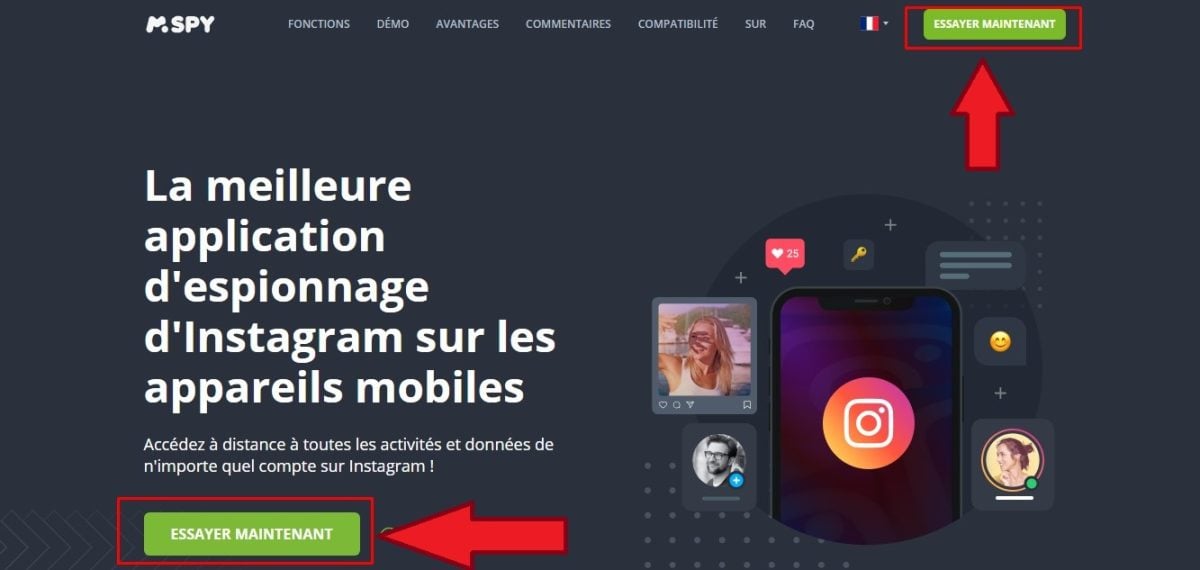
- Go to mSpy via this button :
Using mSpy to Monitor My Children
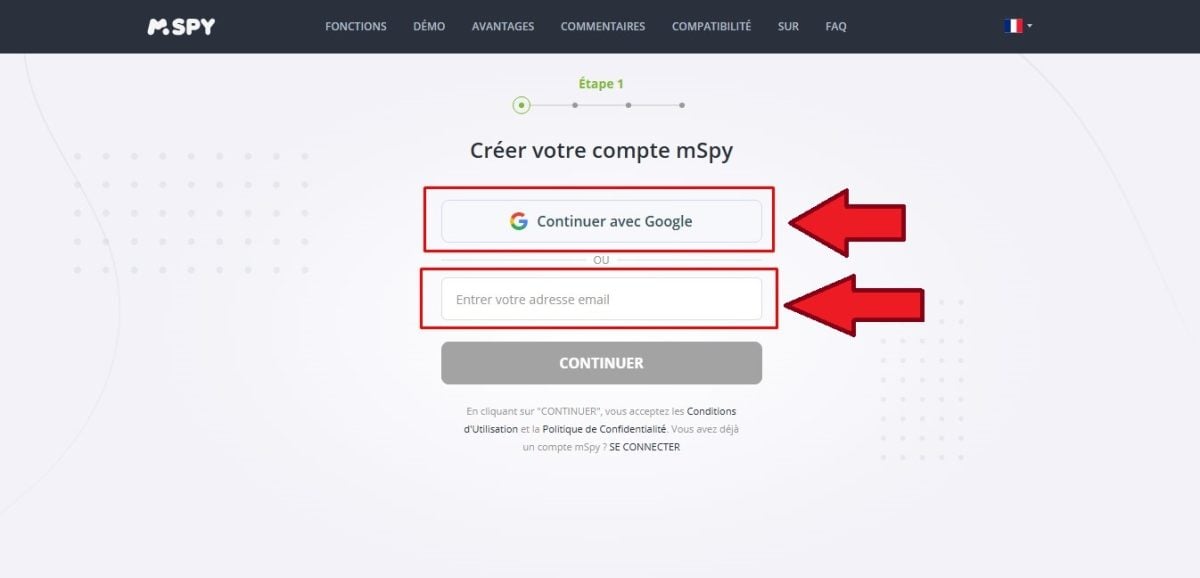
- Between one e-mail address or use your account Google to sign up.
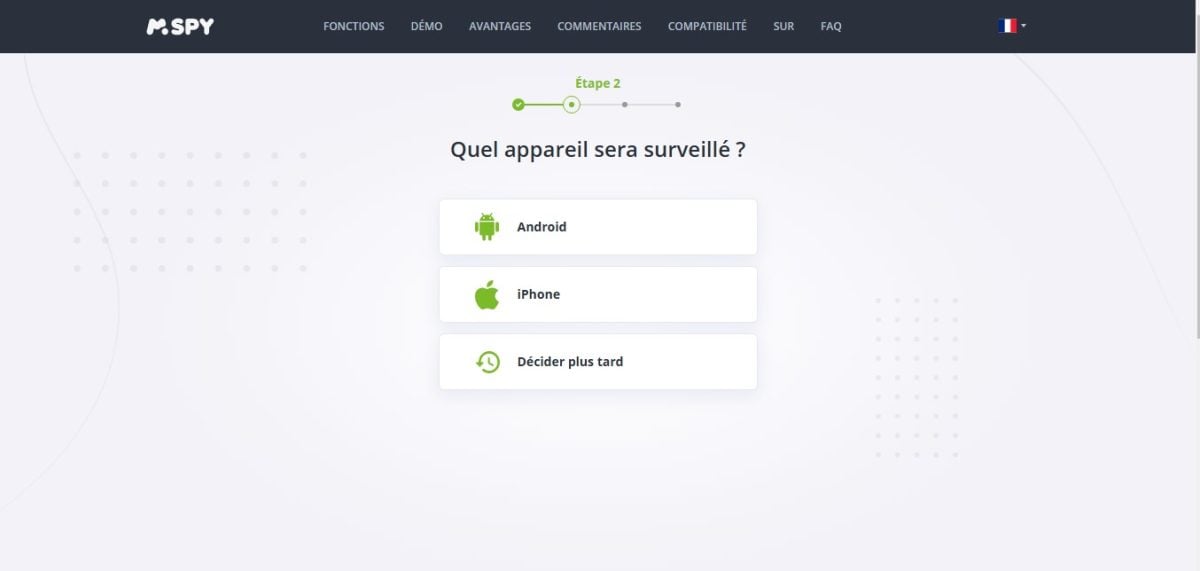
- Select the type of smartphone you want to monitor (Android Where iPhone).
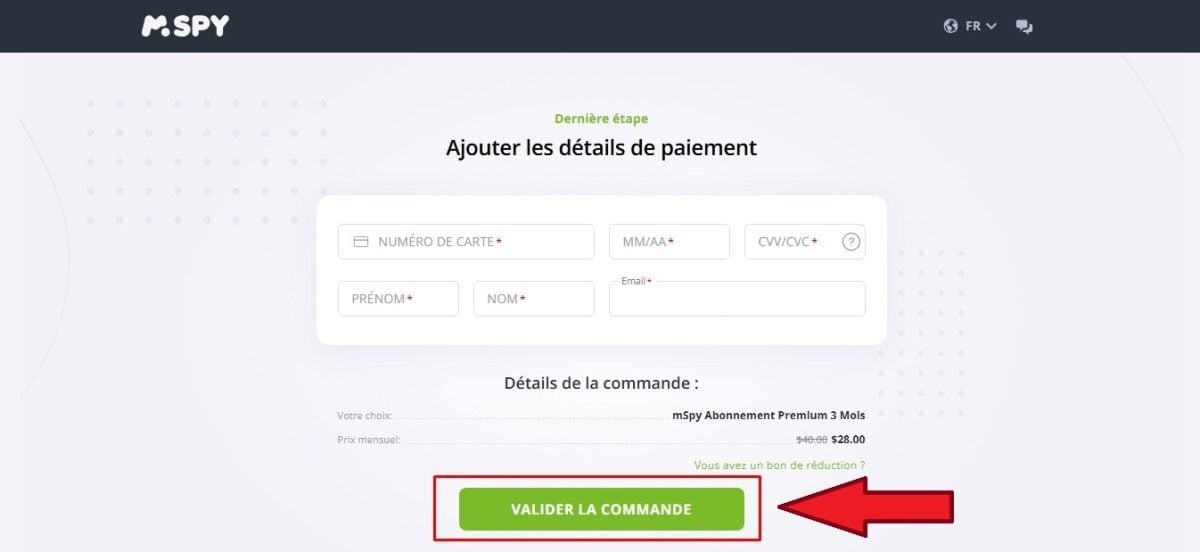
- Select a formula and proceed to the payment. You will then receive an email with the setup link, a username, and a password to log in.
- On Android, you must install the app directly on the child's phone.
- Before that, turn off Play Protect : opens the Google Play Store, tap your profile in the top-right corner, then go to Play Protect.
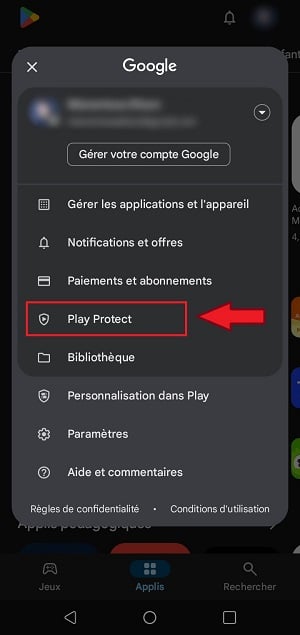
- In the settings, cut Play Protect.
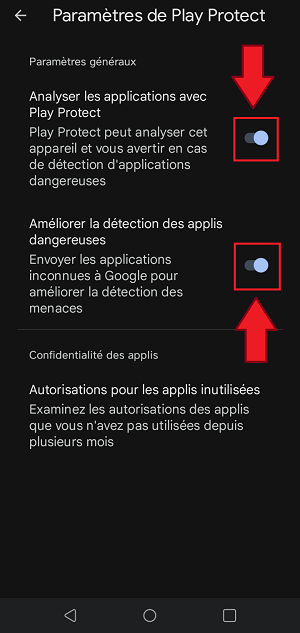
On iPhone, no jailbreak required.
mSpy works in a mode iCloud : All you need are your login credentials iCloud the child's Apple ID and password along with the backup iCloud enabled on her device.
On Android, then finish by downloading and installing the app from the link received via email, entered into the browser of the phone to be monitored.
Here are the strengths and limitations of mSpy :
| ✅ Benefits | ❌ Disadvantages |
|
|
Eyezy : A practical alternative for protecting your children
Eyezy is another well-known, comprehensive, and discreet parental control software program.
What are the features of’Eyezy ?
Eyezy offers several features designed to keep your children safe online:
- Monitoring calls passed and received.
- The latest location known.
- An overview of posts sent and received.
- The multimedia content.
- The favorite contacts.
- Activities on the social networks, including on Snapchat.
How to Install and Use Eyezy ?
- Access the platform Eyezy via this button :
Use EyeZy to monitor what my child is doing
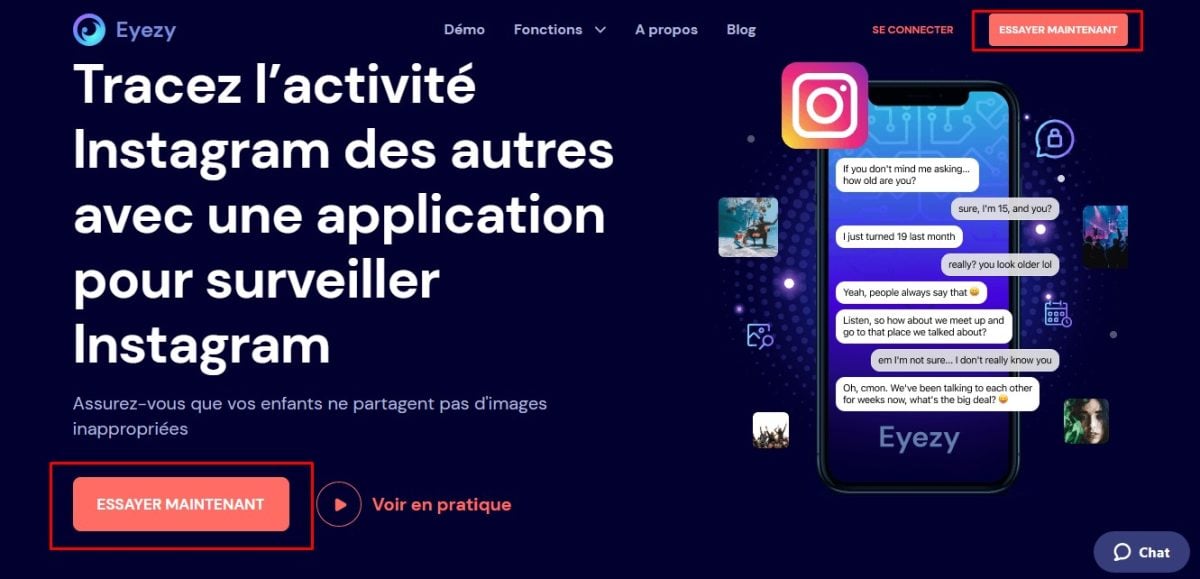
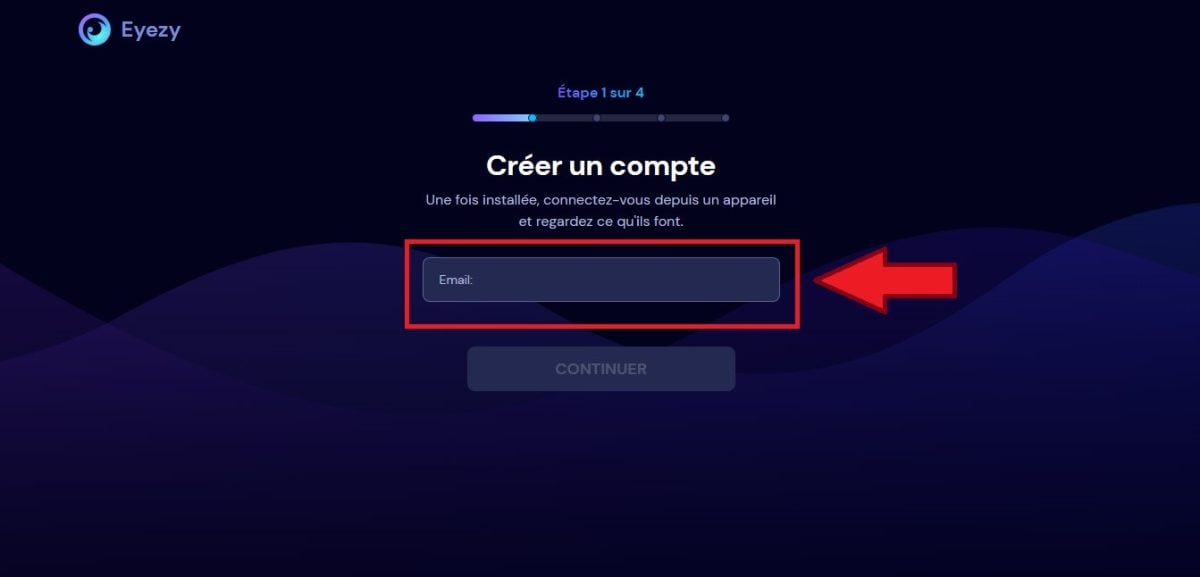
- Enter your e-mail address in the field provided for registration.
- Select the type of smartphone on which to install the app.
Before you use it, if you want to learn about its pros and cons, check out the opinion about EyeZy.
Use a free parental control tool
Before moving on to paid tools, start with the free solutions. They are enough to block inappropriate websites and limit your child's screen time. You have two built-in options that don't require a subscription:
- the parental control from your Internet service provider.
- The application Google Family Link.
Monitoring remains more limited than with paid tools, but it covers the essentials for check my child's cell phone without spending a dime.
Parental control for Internet service providers
Every Internet service provider offers a parental control service built into the box. It is free, but you often have to request it to set your preferences.
The tool is compatible with Android, iOS, Windows and macOS.
To enable and configure it:
- Log in to your online customer portal to enable parental controls.
- Define the filters and websites to block based on your child's age.
- Configure the equipment used by the child and the internet box.
- Adjust the time limits and login times.
You can set up parental controls directly from your router's settings to block inappropriate websites and define age-appropriate time limits of your child. The basic features are fairly simple. A Paid Premium option is often used for more refined content filtering.
| ✅ Benefits | ❌ Disadvantages |
|---|---|
|
|
The Google Family Link tool
Google Family Link is a free app from Google which manages the screen time, installed apps, and the location on the devices in the house.
Here's how to install and set it up:
- Download the app Family Link on your own phone.
- Creates or links a Google Kids Account from the app.
- Turn on the device from your child's account to your parent's account.
- Enables the rules : time limits, app blocking, and login schedules.
Once it's in place, you can block installation of certain applications, monitor the real-time tracking and set precise timetables for Internet access.
You can also set rules for use, Limit screen time by app and receive regular reports about your child's online activities.
| ✅ Benefits | ❌ Disadvantages |
|---|---|
|
|
FAQs
Why use a parental control tool?
A parental control tool helps you monitor what your child does online. Specifically, it allows you to:
- protect your child from inappropriate content and risky websites; ;
- manage the time spent on apps and social media; ;
- to combat the cyberstalking ;
- avoid the unauthorized purchases ;
- limit the screen time on a daily basis.
They also help you define Age-appropriate screen time limits your child's and to adopt balanced digital habits with the family. These tools strike a good balance between freedom and online security.
What are the limits of parental control?
Parental controls remain limited, even with powerful software. Your child can always find a way to get around these tools.
Surveillance that is too intrusive can also affect Your child's critical thinking skills : He will have a harder time distinguishing on his own between what is right and what is wrong.
Finally, the parent-child relationship may suffer if monitoring becomes excessive. The ideal approach is still to combine the tool with the dialogue.
Is the use of parental control software legal?
The French law does not prohibit Parental control using monitoring software on your minor child’s device. This is your responsibility as a parent.
On the other hand, monitoring a third party or your spouse without their consent is illegal and punishable by imprisonment and a fine of up to 45,000 euros.
Despite this legal framework, remember to communicate well with your child before activating any monitoring. This way, you’ll maintain their trust and your relationship with them. Also, be sure to protect personal information your child's digital data by restricting access to it.
If you'd like to learn more, you might find these articles interesting:








 English