EyeZy is a parental control application which lets you remotely monitor your child's phone: messages, GPS localization, social media, and web history. The app works by invisible mode on android and iOS, with a clear interface and truly comprehensive monitoring features.
Here are the reviews EyeZy Key criteria summarized at a glance:
| EyeZy | Review |
| Features | ★★★★★ |
| Value for money | ★★★★☆ |
| Customer support | ★★★★★ |
| Ease of use | ★★★★☆ |
To try out the app for yourself:
And here are the strengths and limitations of’EyeZy, with complete transparency:
| Advantages | Disadvantages |
|
|
How does EyeZy work, and what do people think of its features?
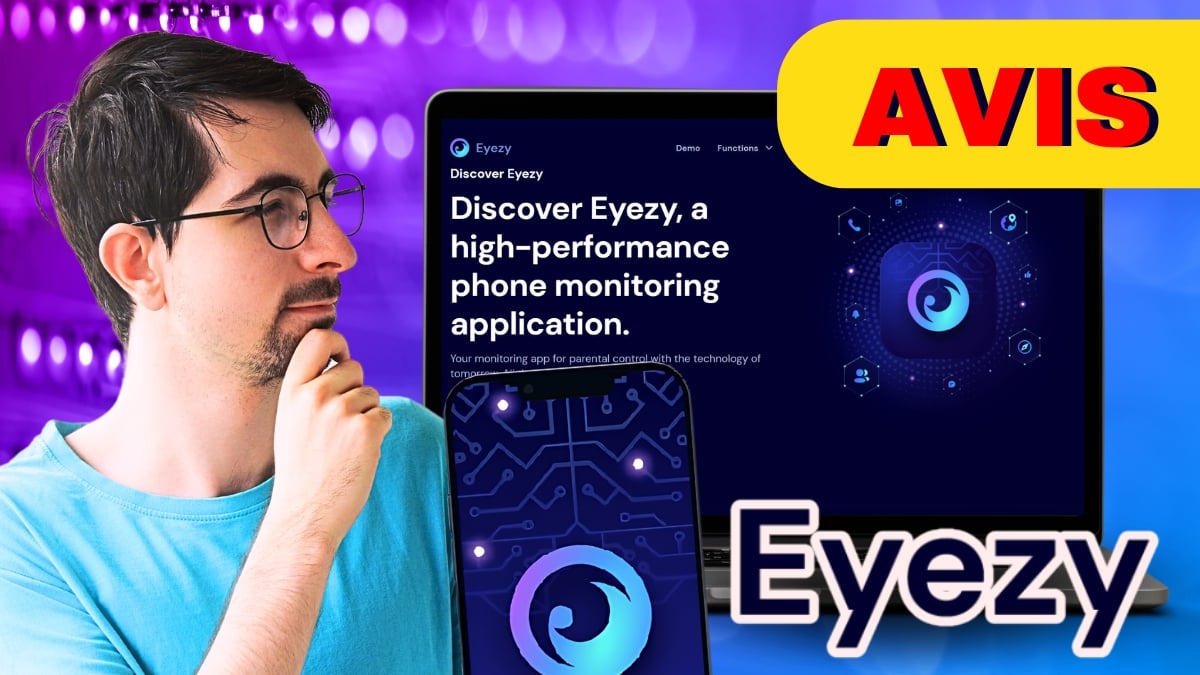
EyeZy installs itself on the target device and retrieves all the data collected to your online account. User reviews are generally satisfied : The interface is clear, and the tracking covers the essentials. On android, invisible mode is very real. On iOS, monitoring is done through login credentials iCloud, with no hidden apps on the iPhone.
Here are the key features you should know about.
1. Keyloggers and Social Media Monitoring
the keylogger lets you see the words your target types on their smartphone in real time. You can also follow his posts on many social media platforms:
- TikTok
- KiK
- Telegram
- Viber
- Tinder
- LINE
- Snapchat
- Skype
- Messenger
You also have access to the SMS and to emails. On android, reading private messages in certain encrypted apps (such as WhatsApp Where Instagram) requires a root. Basic monitoring works without it.
- The plus : You have a detailed view of the conversations, so you can see who your child is talking to and what they're talking about.
- Minus: You cannot set up alerts for messages deemed suspicious.
2. The location and geotagging feature
Thanks to the Integrated GPS, you can track your child's location on a map in near real time and set permitted or restricted zones. This is the most useful feature for everyday life, as it lets you know where your child is at all times.
- The plus : You receive automatic alerts when your target enters or exits a defined area.
- Minus: An internet connection is still required to save your trips.
3. The app blocker feature
In addition to viewing all the apps on the device, EyeZy allows you to block some of them.
- The plus : The lock is set by one click.
- Minus: You can neither schedule nor set screen time limits to block or unblock apps.
4. The Web Filtering Feature
You block websites that you consider inappropriate for your children, and you check the’search history, the websites visited, and the pages viewed.
- The plus : You can access all of your child's search history and web browsing history.
- Minus: Sometimes you have to be patient up to 15 minutes before a website freezes on the target phone.
5. The Invisible Function
On android, EyeZy operates in invisible mode : The icon is hidden, and the app remains discreet. This allows you to monitor your child's phone without them noticing.
6. Protection of Collected Data
EyeZy encrypts the data so that it is sent back to your personal account. The collected information is transmitted securely between the target phone and your account. The privacy Data protection is an important issue: for more information, please review the privacy policy on the official website.
7. Discover all calls
EyeZy gives you a detailed log for every call received or made from your child's phone, including:
- there duration,
- l'hour,
- and the exact date for each call.
Reviews of the various pricing plans and subscriptions for the EyeZy software
EyeZy offers several pricing options to fit your budget. You can also view the details of the EyeZy Subscription Rates in the related article. In summary:
- the premium plan starts at about 38.39 $/month (monthly rate based on a long-term subscription).
- the Ultimate Family Plan begins around 48.56 $/6 months and covers up to 3 devices.
Comparison table of features by plan:
| Available features | Premium Plan | Ultimate Family Plan |
| Call logs | Yes | Yes |
| E-mails | Yes | Yes |
| Contacts | Yes | Yes |
| GPS location | Yes | Yes |
| The photos | Yes | Yes |
| Videos | Yes | Yes |
| Text Messages and Messages | Yes | Yes |
| Social networks | Root access required | Yes |
| Installation time | 2 to 3 hours | 3 to 5 minutes |
| Web search history | Nope | Yes |
| Keylogger | Nope | Yes |
| Screen recorder | Nope | Yes |
| Remote installation | Nope | Yes |
| Live microphone | Nope | Yes |
| Number of units | 1 | 3 |
As for reviews, some users find the price reasonable given the features offered. Others consider it high compared to competing solutions such as mSpy.
User Reviews of EyeZy in 2026
Here's what users of’EyeZy, based on reviews collected from several platforms.
1. Reviews on the official EyeZy website
On the official website, the app has an average rating of 4.3/5 stars. Parents especially appreciate the GPS geolocation, social media monitoring, and ensuring that the product matches the online demo.
Despite the limitations of rooting Android on certain advanced features, most users say they are satisfied once the installation is complete.
2. Reviews on third-party review platforms
EyeZy receives a score of approximately 3.5/5 out of 426 reviews on one of the most popular review sites. Customer support and the efficiency of follow-up are often praised.
On the other hand, several users find the setup a bit technique, especially on Android when root access is required.
3. Our Review of EyeZy
EyeZy is suitable for parents who want a complete parental control without advanced technical skills. The interface is intuitive and the user experience remains simple in everyday use. The app acts as a tracker discreet, tracking both GPS location and social media activity.
On iPhone, installation via iCloud is fast, but is limited to synced data (contacts, photos, location). On android, you'll need root access if you want to view private messages on social media.
If all you need to do is track your child's GPS location, a free solution like Google Family Link That's enough. EyeZy is really worth it when you're looking for comprehensive phone monitoring. Alternatives such as Hoverwatch Where FlexiSpy are also available if you want to compare them before making a choice.
How to install EyeZy: Notice!
Whether you're keeping an eye on a Android device or one iPhone, the installation of’EyeZy It's simple as long as you follow the steps in order. Here's how to do it.
1. Create your EyeZy account
Go to the official website, enter your email address and choose a subscription. You'll then be taken to your dashboard online, the place from which you'll manage all surveillance.
2. Select the device type
The assistant asks you which device you want to monitor: android Where iOS. The procedure then varies depending on this choice, since the two systems do not work the same way.
3. Install EyeZy on the target device
On android, you need a physical access on the phone. You download the file APK, install it, then grant the necessary permissions. The icon will then hide so that it remains invisible. To monitor the phone in depth and access private messages on social media, a root of the device is required.
On iOS, installation is faster. You simply enter the’identifier iCloud (Apple ID and password) for the account you want to monitor, without installing an app on the iPhone. Note: This method only provides access to data synced to iCloud (contacts, photos, location, messages iCloud), not all the content on the phone.
4. Start tracking from your dashboard
Once the installation is complete, the information is reported automatically to your online account. You can then track the GPS location on the device, view the apps your child uses, and monitor their web activity. All of the data collected securely are available from your account at any time.
Final reminder: EyeZy is a parental control software intended to monitor your minor child or someone who has given you permission. Monitoring an adult’s phone without their knowledge is illegal in France. Always check the conditions of use before you get started, to make sure you stay within the law.







 FR
FR  RU
RU  EN
EN  ES
ES  IT
IT  DE
DE  ZH
ZH  PT
PT  ID
ID  JA
JA  DA
DA
If può ascoltare the telefonata da remoto?
Hello, I work for Alucare, if you have a question don't hesitate to ask it on the Alucare discord: (link at the bottom of the site)