To monitor your daughter's cell phone, you have two options. The built-in parental control tools in’iOS and Android are free of charge and provide a basic level of monitoring: screen time, apps, and content filters.
For more information (posts, social media, location), a dedicated app such as mSpy remains the most comprehensive.
Warning: Monitoring your daughter's phone without her consent may be illegal, except in the context of the parental responsibility. Get the facts before you act.
| 📳 Cell phone monitoring tool | 💰 Prizes | 📝 Features | 🌟Our opinion |
|---|---|---|---|
| Mspy 🥇 | From 14.17 dollars per month |
|
4,4/5 (⭐⭐⭐⭐☆) |
| Eyezy 🥈 | From 9.99 euros per month |
|
4,3/5 (⭐⭐⭐⭐☆) |
Monitor Your Daughter's Phone with Parental Control Software
Between the ages of 11 and 15, nearly 90 % among adolescents own a smartphone. At this age, a girl is particularly sensitive to contents people she meets online and the influence of those around her.
For comprehensive monitoring, two monitoring applications stand out from the crowd: Mspy and Eyezy. They provide access to messages, calls, social media activity, and location. It's best to talk to your daughter about it rather than act behind her back: she'll understand that the tool is there to help her protect, not to spy on him.
1. Mspy
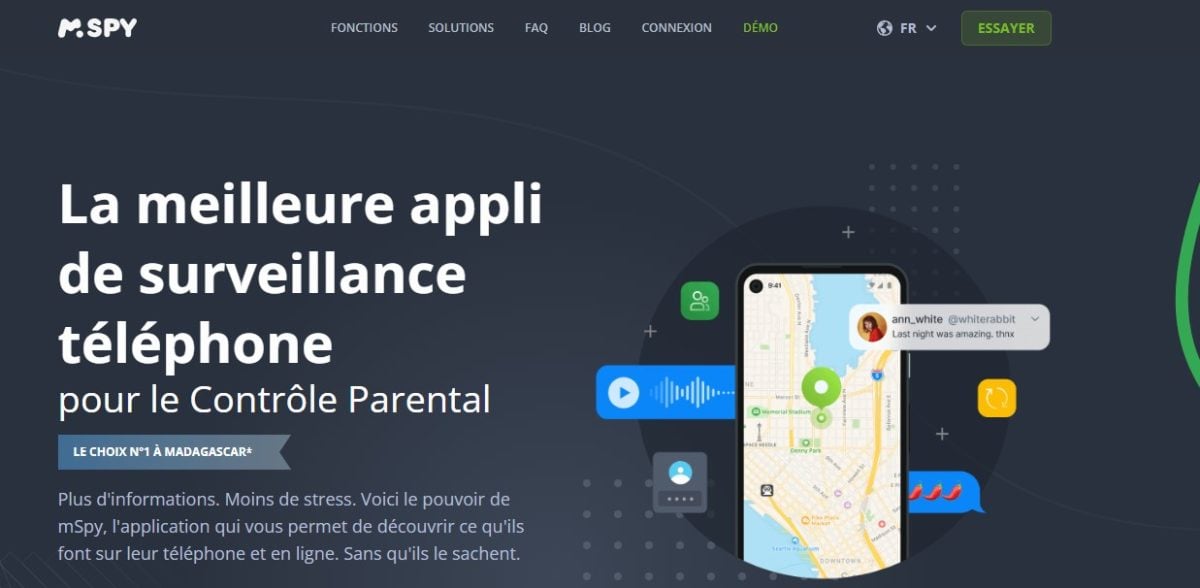
Mspy is one of the applications of parental control the most renowned in the world. It lets you access remotely All activity on the monitored device: what your daughter is doing on social media, the apps she has installed, and who she's talking to.
Software features
This is what Mspy proposes :
- Monitoring posts
- A recorder for’calls
- A keylogger (keystroke logger)
- Monitoring the’social media activity
- Monitoring the Wi-Fi network and contacts
- Access to the’browsing history the web and blocking suspicious apps
- Monitoring the location
Mspy prices
Here are the rates of Mspy In September 2026:
- Premium 1 month : $59.99/month
- Premium 3 months : $33.66/month
- Premium 12 months : $14.17/month
The annual plan is by far the more profitable. You can try it for a month, then switch to the annual subscription if you like the tool. For reductions, check out our article on promo codes Mspy.
The Pros and Cons of the App
The strengths of Mspy :
- Application easy to use, even for beginners
- Rates affordable
- Customer service responsive and available
Weaknesses:
- the data transfer Loading your dashboard may be slow if your connection is weak
- Regarding the bugs were reported while listening to live calls and viewing photos received in messages
According to parents' feedback, these issues were generally resolved quickly. Here is a summary:
| ✅ Advantages | ❌ Disadvantages |
|
|
How to Install and Use Mspy
Mspy settles in Android and on iOS. Here are the steps to follow:
- Click this button to go to Mspy :
- On the home page, click on Try it now.
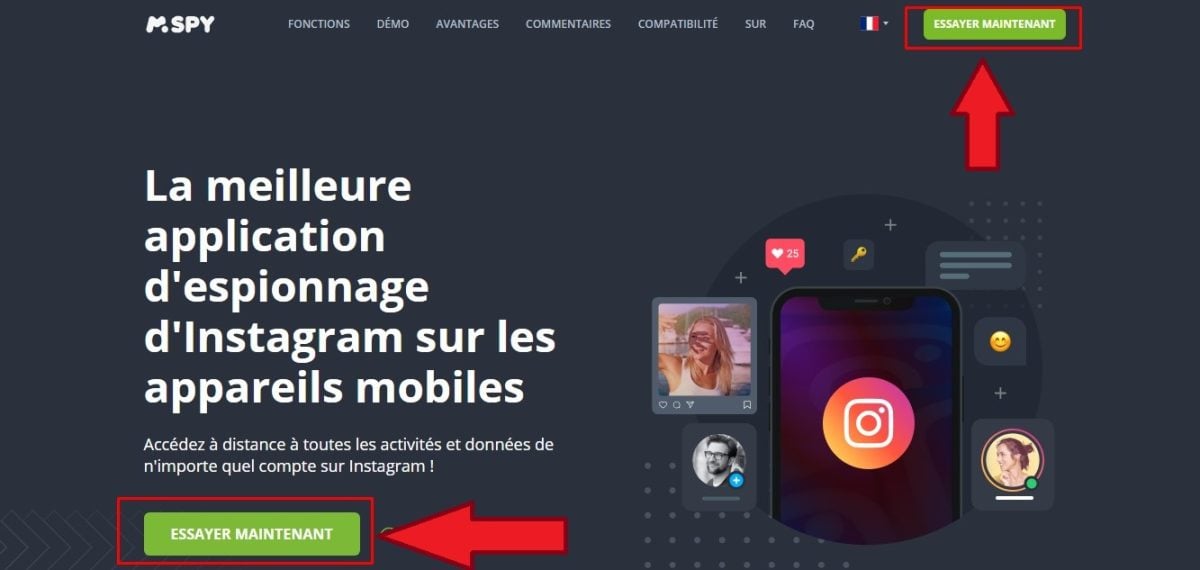
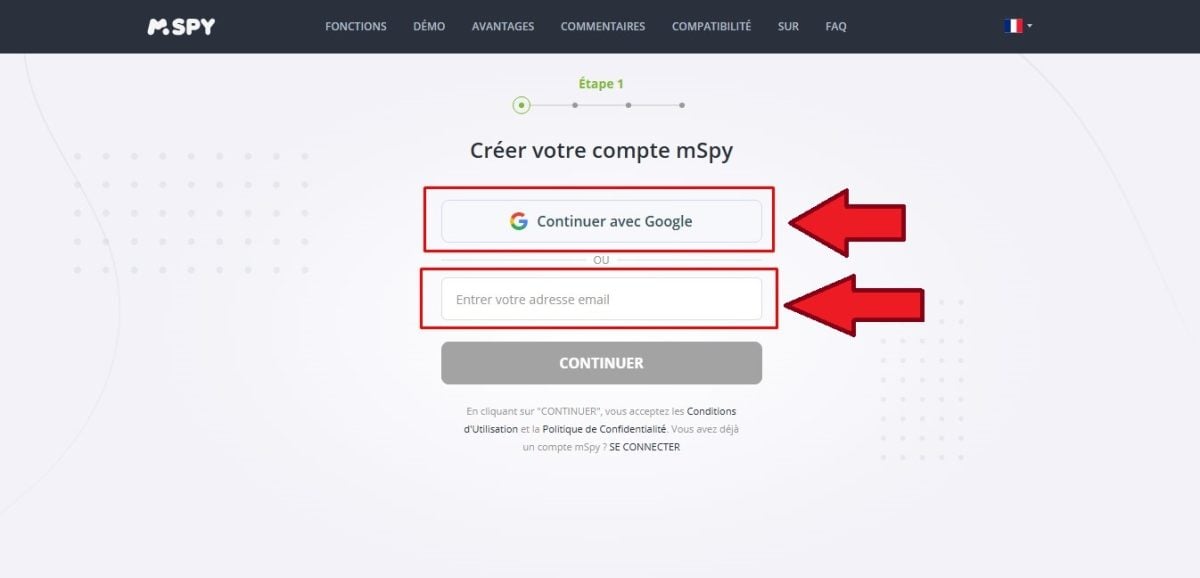
- Connect with your e-mail address or your Google account.
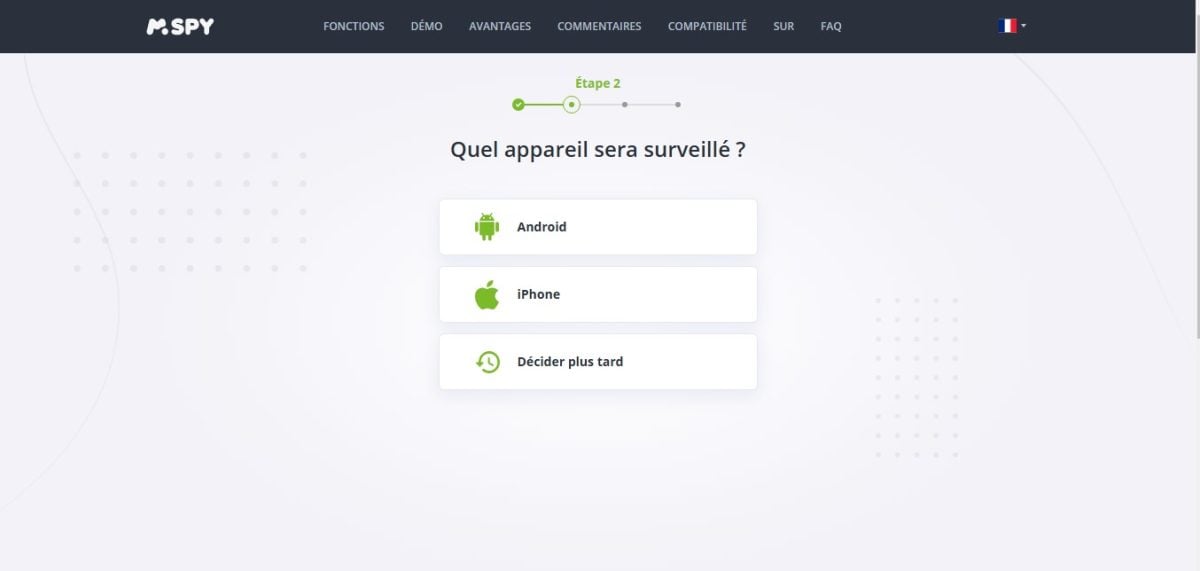
- Choose the smartphone type used by your daughter.
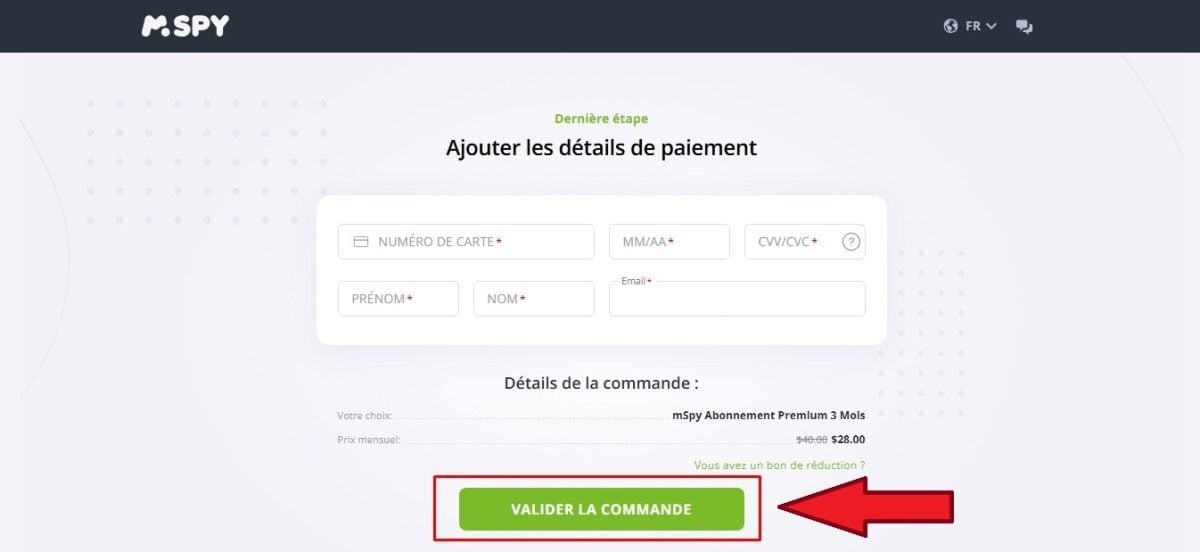
- Select an offer, then proceed to the payment. Mspy It then sends you an email with a setup link, a username, and a password to access your control panel.
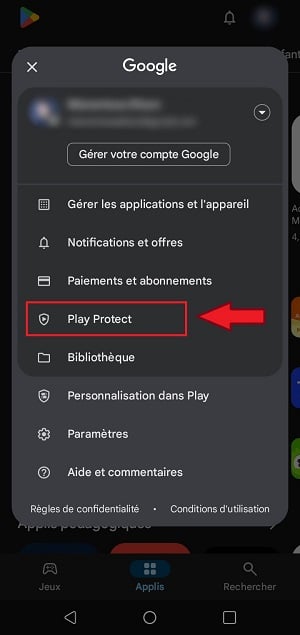
- Next, take your daughter's smartphone and install the application. On Android, start by disabling Play Protect : opens the Google Play Store, tap your profile in the top-right corner, then go to Play Protect.
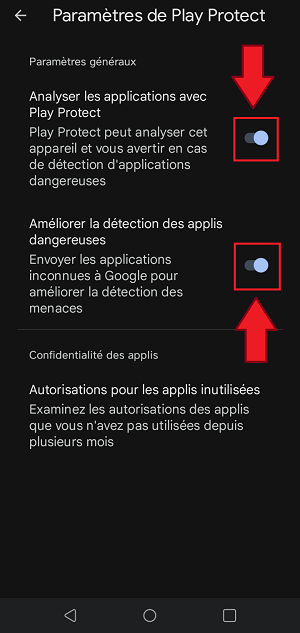
- Go to the settings, then turn off Play Protect.
All you have to do now is download and install Mspy on your daughter's phone using the link you received by email. On iPhone, the configuration is done through the’App Store : Follow the installation guide provided by Mspy after payment.
2. Eyezy
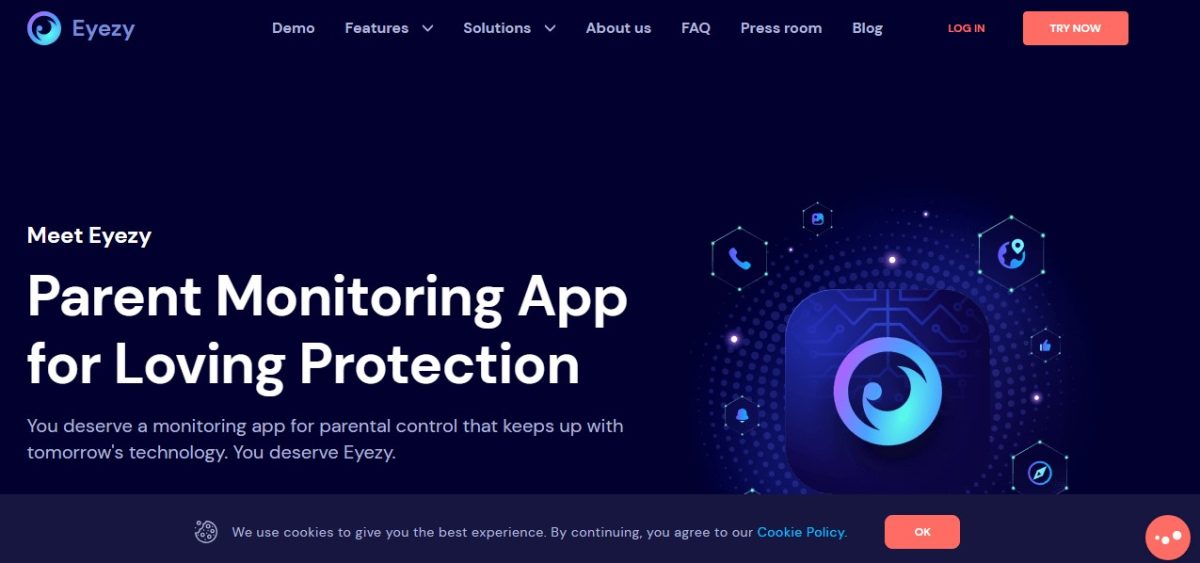
Just like the Mspy, the Eyezy is also a parental control software which lets you remotely check on your daughter's activities without her knowing.
The Eyezy stands out for its access to the target's smartphone even when it's offline. The included features and the installation process on the target device are roughly the same as those of Mspy.
Eyezy features
Several options are included:
- A tab for calls made by the target
- The messages sent and received
- The favorite contacts
- the last location
- The multimedia content…
In addition, you can also follow content on social media and apps Various apps installed on your daughter's smartphone with Eyezy, including:
- Snapchat
- Viber
- LINE…
Eyezy prices
Here are the prices offered by the Eyezy parental control app in 2026:
- 1 month : 41.99 euros/month
- 3 months : 23.99 euros/month
- 12 months : 9.99 euros/month
Just like with Mspy, you can Save money with an annual subscription.
The advantages and disadvantages of the application
According to review websites for monitoring and parental control tools, Eyezy is a high-performing app. In fact, this app has received many positive reviews on these platforms.
Its greatest strengths include:
- A almost total access on the child's smartphone (iPhone or Android)
- The possibility of remotely block apps or contacts
- A monthly subscription plan with a price that's affordable for everyone
Many users have also expressed their satisfaction with the features and service provided by Eyezy. From promotions are sometimes available on the official website on the platform, so feel free to check it out!
The only downside to the tool, according to some users, is that it is sometimes difficult to install on a smartphone of the target. But this is often due to the installation steps not being followed correctly.
Here is a summary of the Pros and Cons of EyeZy :
| ✅ Benefits | ❌ Disadvantages |
|
|
How to Use the Eyezy App
To use Eyezy for monitor your daughter's smartphoneHere are the steps to follow:
- Click this button to access Eyezy:
- Once you're on the tool's home page, click on Try It Now.
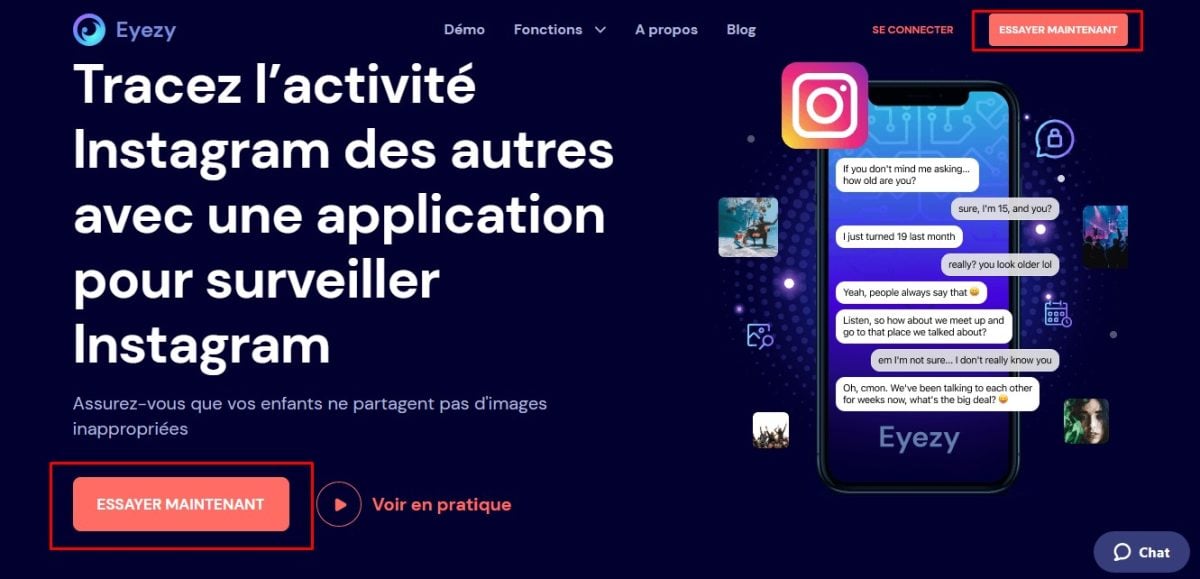
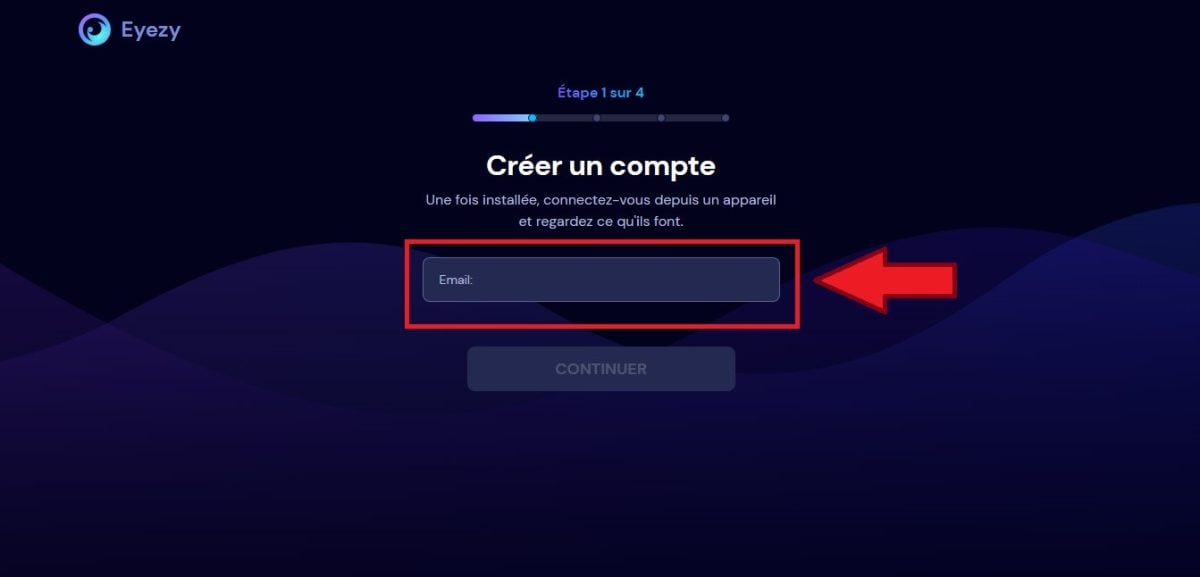
- Enter your email address to sign up on the platform.
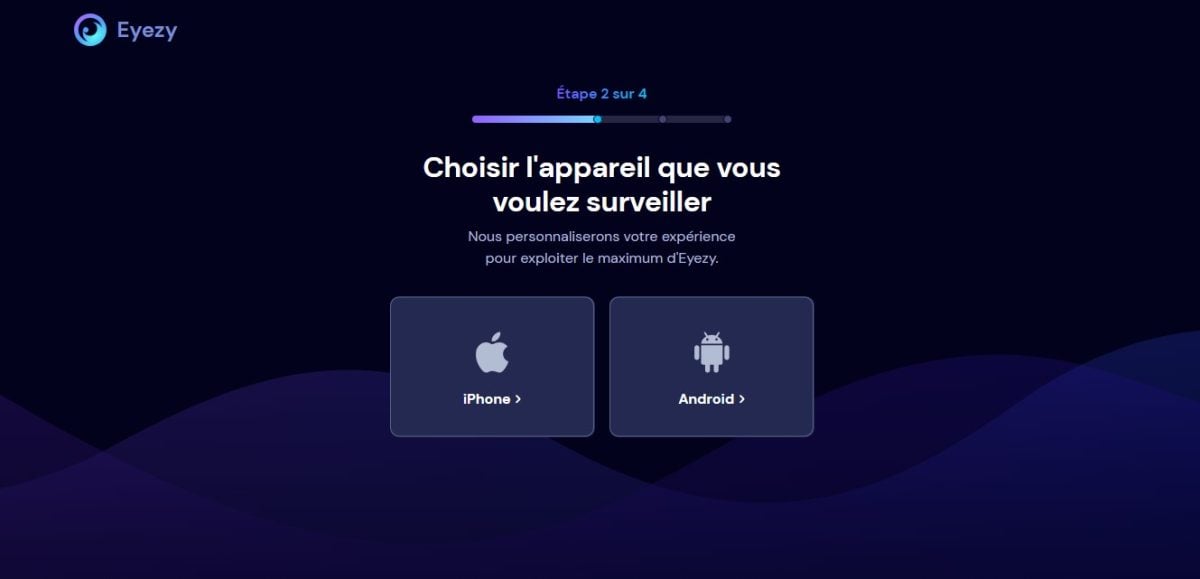
- Find out what kind of smartphone your daughter has.
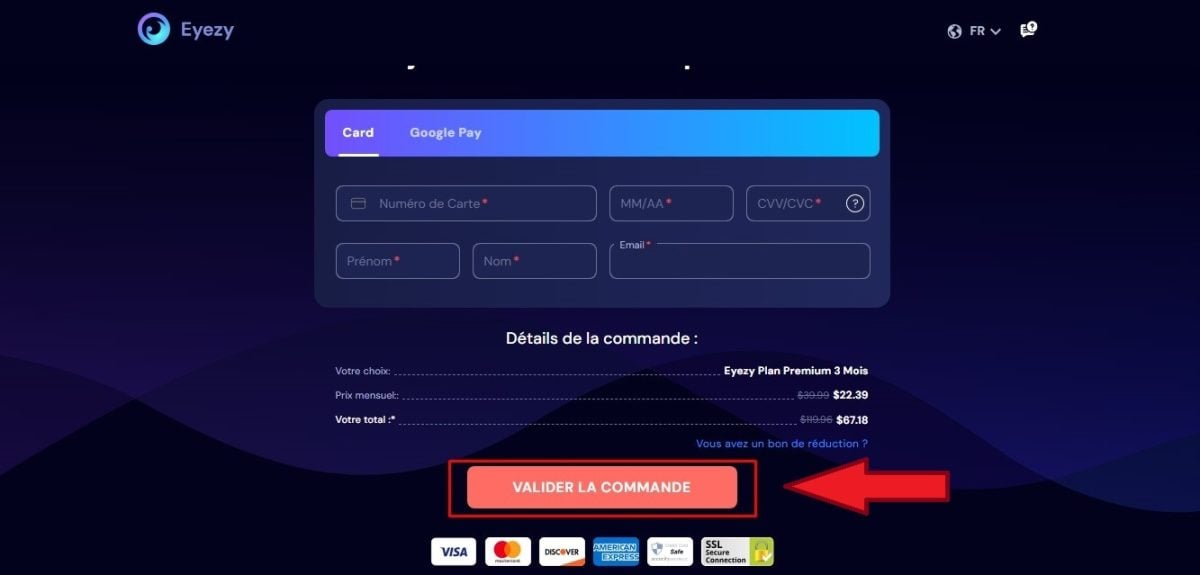
- Select a plan on the platform, then proceed to checkout.
After completing these steps, you need to install Eyezy on your daughter's smartphone. The process is the same as for Mspy. Be sure to disable Play Protect or iOS security first, depending on the target's device.
Monitor Your Daughter's Phone Using the Default Parental Controls
Whether it's an iPhone or an Android, every smartphone has a free parental control, which is already installed on the device. You don’t need to install paid software for basic control. With these built-in tools, you can:
- Limit screen time Overall or by category (games, social media, video)
- Block access to certain websites, apps, or content based on age
- Filter content in the browser and on the Google Play Store
- See the location your daughter's device and manage its settings remotely
On the iPhone, this feature is called Screen Time. On Android, the most comprehensive tool is Google Family Link. Here's how to set up each system.
Enable Parental Controls on iOS (iPhone)
On an iPhone, everything is managed from the Screen time:
- Get your daughter's phone back, open it Settings
- Press Screen Time
- Active Content and Privacy
- Creates a parental control different from the device's password to prevent your daughter from turning it off
From this menu, set app limits and filter websites.
Enable Parental Controls on Android
On Android, Google's official solution is Family Link. It's a free app that connects your phone to your daughter's. Download it on both devices from the Google Play Store, sign in with your parent's Google account, then follow the instructions to link their account. Once parental controls are enabled, you can remotely manage screen time, approved apps, and location.
The Limitations of Free Parental Controls
These solutions are sufficient for basic use, but you won’t have access to messages or detailed activity on each app. A savvy child can also get around these tools—for example, by hiding a social media app behind a fake calculator.
If you need more information, check out the FAQ below.
FAQs
How can I access the contents of my daughter's cell phone for free?
The first free option is still the built-in parental controls. On an iPhone, you go through Settings > Screen Time. On Android, install the app Family Link from Google. These tools let you manage screen time, to filter content and monitor the location of your child from your own device.
Their main limitation: some apps are easy to disguise. A simple calculator, for example, can hide a social media app. To detect this kind of hidden use, you need a monitoring application more in-depth, such as those presented above.
If you'd like to use Mspy Where Eyezy :
Is it legal to use this software?
The Civil Code encourage parents to protect their children, and this parental responsibility may justify monitoring a minor’s cell phone. Be careful, though: monitoring your daughter’s phone without telling him about it may pose a problem, because the law generally requires the consent of the person under surveillance.
Case law takes into account the’age and maturity of the child. The older the child gets, the more their consent matters, and the more your right to make decisions without their consent is limited.
Use a spyware Monitoring someone else's phone without their consent remains illegal. The law provides for a prison sentence and a fine of up to approximately 45,000 euros. Get the facts before you act.
Why monitor a cell phone?
Most children today use a smartphone and are very active on platforms such as Facebook, WhatsApp, instagram Where TikTok. These networks offer opportunities to learn a great deal and build connections, but they also harbor many dangers :
- Freeloaders and Harassers
- Scams
- Incitement to Violence
- Inappropriate content
Without parental control Even with proper settings, a child may stumble upon this content or share information that could be misused. It’s hard these days to prevent a girl from using a smartphone, but a dedicated app can help protect her better.
What are the benefits and risks of monitoring my daughter's cell phone?
Monitoring your child's phone can be helpful, but it also comes with risks. Among the benefits :
- A better peace of mind : You can see your daughter's activity on social media and apps.
- A protection against hazards such as data theft, harassment, or scams.
- Filtering of the inappropriate content, which are very common on the web.
- Knowledge of his associates and his location, which is useful if you run into any problems.
Among the disadvantages :
- Surveillance can be perceived as stifling by your daughter, especially if she knows about it.
- Even if she doesn't know it, it's still a invasion of privacy.
- Using parental control software can give the impression that You don't trust him.
- You might create family tensions if you install the tool without talking to her about it.
If you haven't had a chance to try it yet Mspy Where Eyezy :
Family Link and the Screen Time cover the basics for free, while Mspy and Eyezy offer more comprehensive monitoring of your daughter's cell phone. You can ask questions or share your thoughts in the comments section.
To learn more, check out our articles:








 FR
FR  RU
RU  EN
EN  ES
ES  IT
IT  DE
DE  ZH
ZH  PT
PT  ID
ID  JA
JA  DA
DA