To monitor your teen's cell phone, the two best paid apps are mSpy and Eyezy.
Both offer the GPS localization, message monitoring, and social media monitoring.
With effective parental controls, you can protect your child online and limit their screen time and help them develop better digital habits.
| App for monitoring a teenager's cell phone | Price | Features | Our opinion |
|---|---|---|---|
| Mspy | From $14.17 per month |
|
4,4/5 (⭐⭐⭐⭐☆) |
| Eyezy | From 9.99 euros per month |
|
4,3/5 (⭐⭐⭐⭐☆) |
1. Mspy
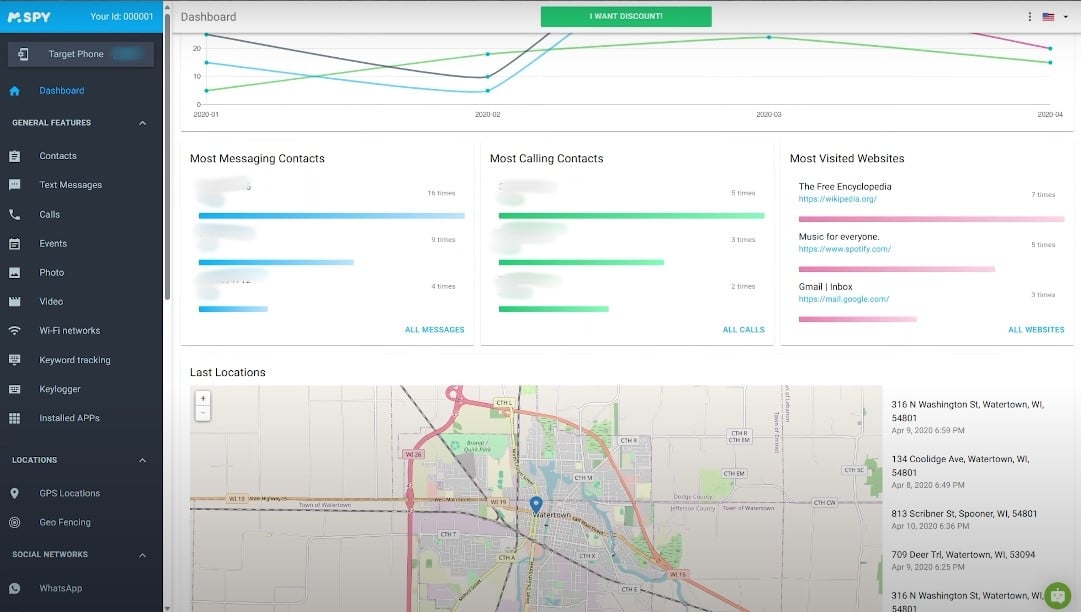
mSpy is one of the best-known parental control apps for monitoring a teenager's phone.
It tracks the device's online and offline activity, allowing you to keep an eye on what your child is doing every day.
Here are the most useful features for parents:
- Monitoring calls telephone
- Reading the posts
- Monitoring the GPS localization
- Access to photos, videos, and files stored on the phone
- Monitoring social networks (messages, contacts, activity)
- The blocking of websites and apps inappropriate
How much does Mspy cost?
Here are the rates for mSpy in 2026:
- Premium 1 month : $59.99 per month
- Premium 3 months : $33.66 per month
- Premium 12 months : $14.17 per month
These rates are displayed in dollars. You can also check out our dedicated article for promo codes Mspy and enjoy discounts.
Some feedback from parents on Mspy
Reviews from parents who use mSpy are generally positive. They highlight an effective tool and a Customer Support a solution that quickly resolves most problems.
However, some have encountered bugs, particularly regarding receiving photos in messages Messenger and the follow-up on certain calls.
Reinstalling the app or contacting support is often enough to fix the problem.
Here is a summary of the pros and cons of Mspy :
| Advantages | Disadvantages |
|
|
How do I subscribe to Mspy?
Here are the steps to install Mspy and monitor your teen's phone:
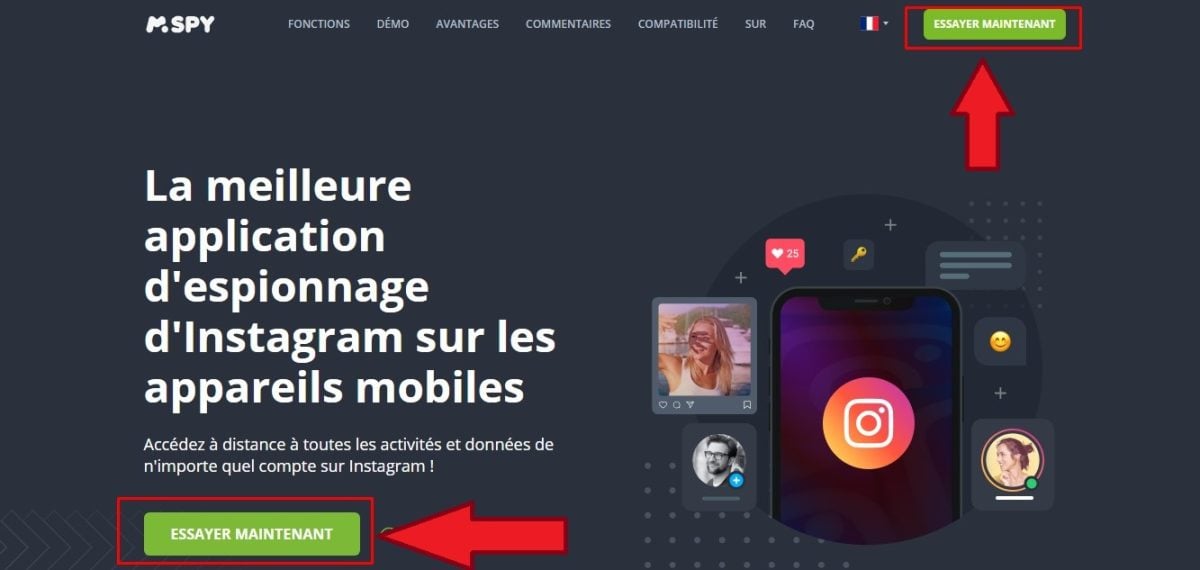
- Go to mSpy via this button :
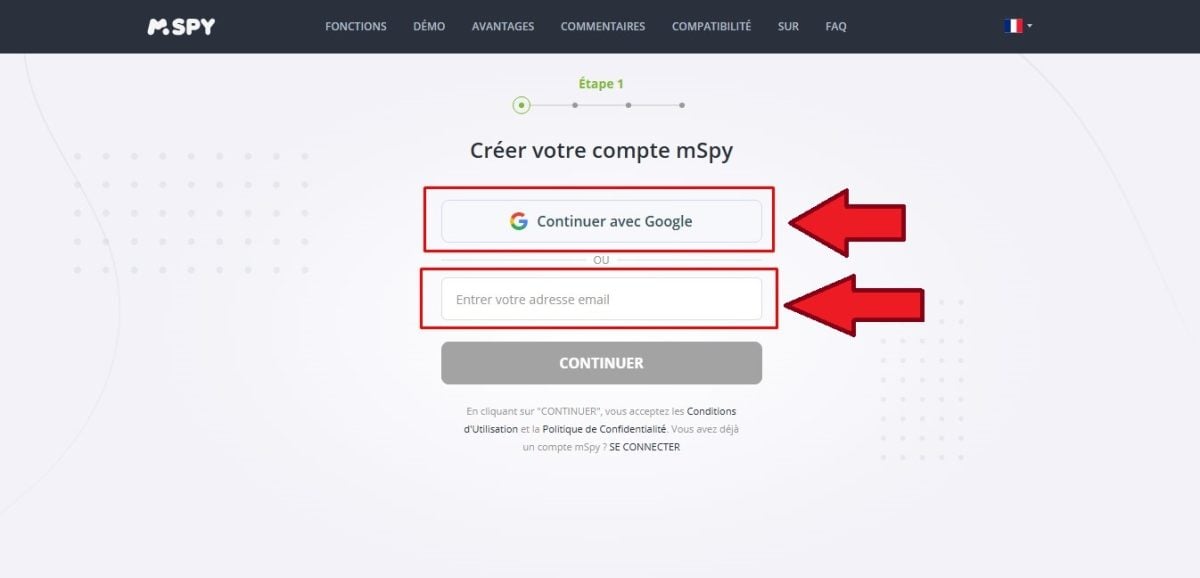
- Enter your e-mail address or log in with your account Google.
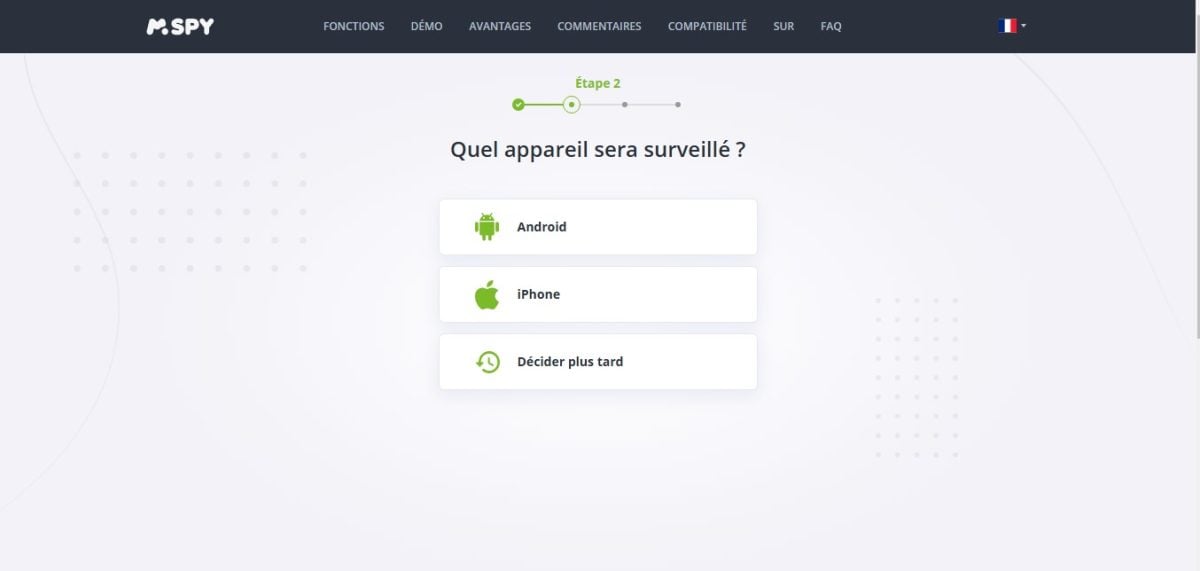
- Choose the smartphone or tablet to be continued.
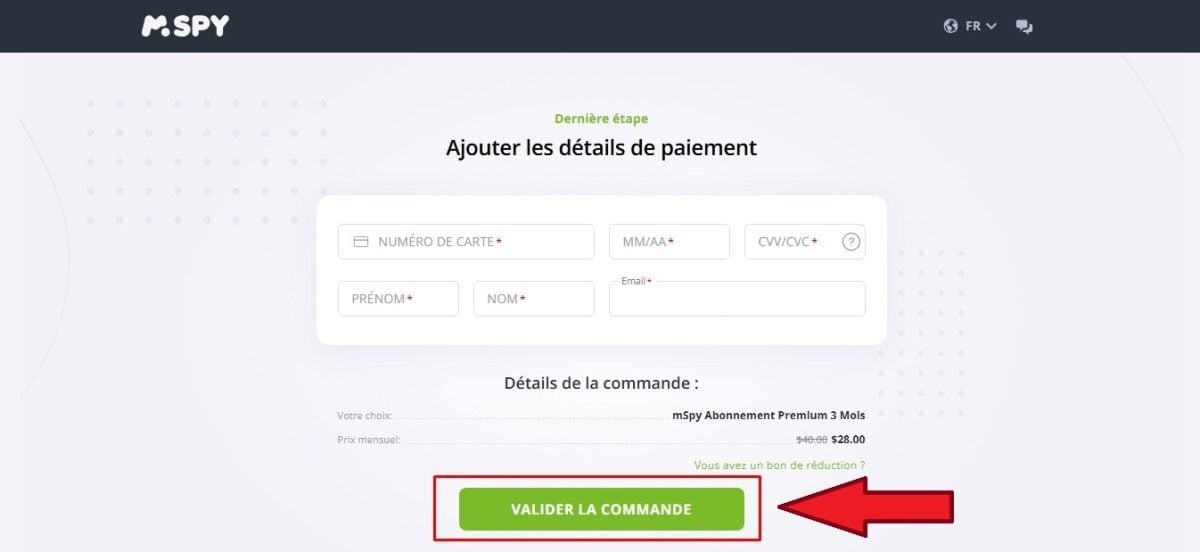
- Select a formula and proceed to the payment.
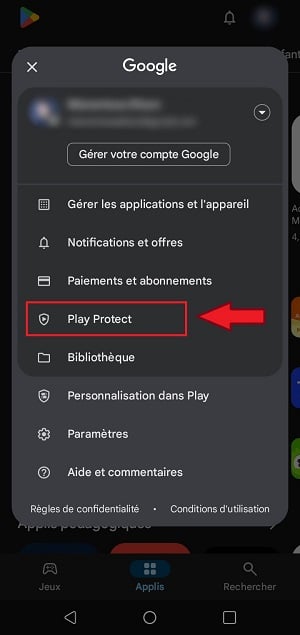
- On Android, then turn off Play Protect on the phone in question. Open the Google Play In the Store, tap your profile in the top-right corner, then go to Play Protect.
- Go to the settings Tap the gear icon and turn off Play Protect.
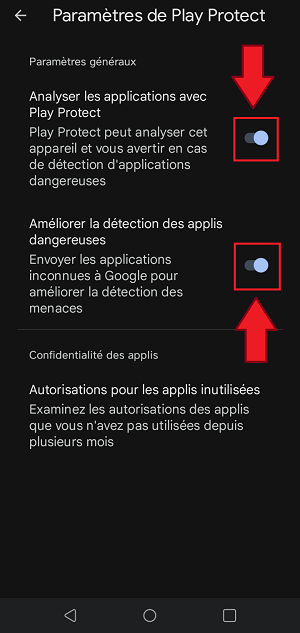
This step applies only to Android. It is used to allow the app to be installed from a source other than the Play Store.
On iPhone, remote installation is possible using the login credentials iCloud, provided that iCloud Backup is enabled.
On Android, a physical access on the phone remains mandatory.
Once everything is set up, you can monitor your teen's activity from your own device.
Please note : Monitoring a minor's cell phone is legal if you have parental authority and the action is intended to protect the child.
2. Eyezy
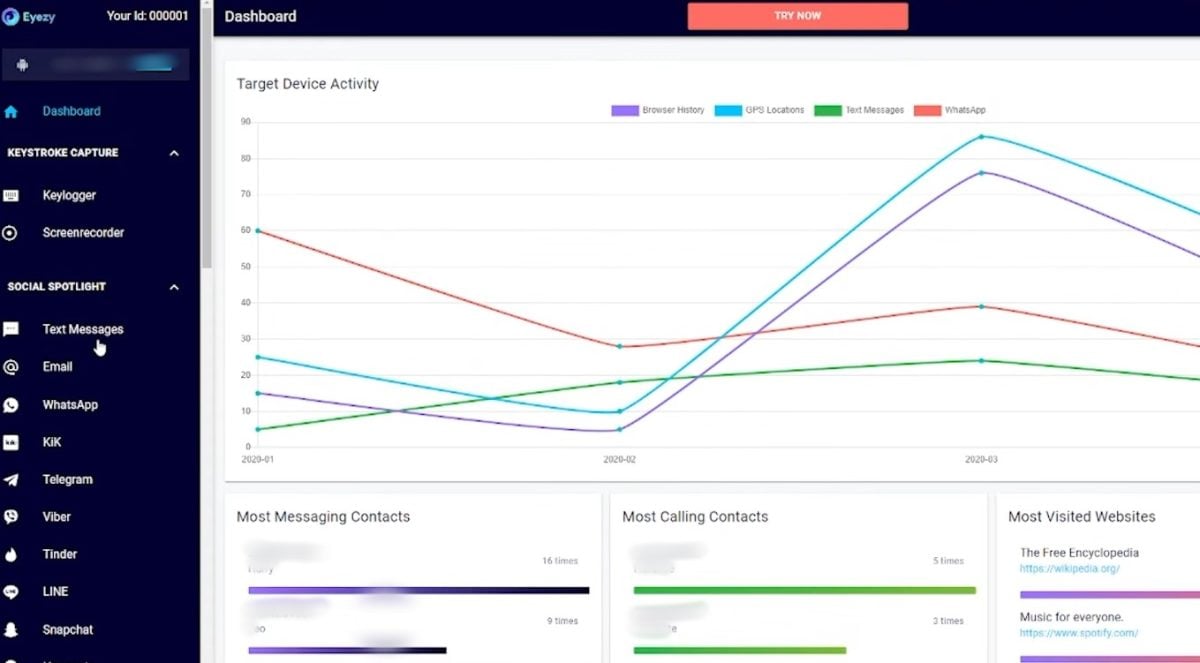
Eyezy is a parental control app similar to mSpy, with an even more extensive feature set.
You can monitor your child's messages, files, and web searches from a single dashboard.
Here are the app's main features:
- The GPS tracking and monitoring in real time
- Monitoring social networks
- Monitoring calls and contacts
- Monitoring the instant messaging
- Monitoring keyboard keystrokes
- Access to multimedia files
- Access to the calendar and events
- the app blocking
- Filtering of Web sites inappropriate
How much does Eyezy cost?
Here are the rates offered by Eyezy In September 2026:
- 1 month : 41.99 euros/month
- 3 months : 23.99 euros/month
- 12 months : 9.99 euros/month
L'annual subscription is clearly the most attractive option. When broken down by month, it works out to be significantly cheaper than the monthly payment.
What do users think of Eyezy?
On review sites, Eyezy has received a lot of positive feedback, especially from parents who follow their children's activities.
Some people praise the’effectiveness of monitoring, while others find the setup process on their teen's phone a bit complicated.
In practice, this software is effective for two main reasons:
- A wide range of features for a comprehensive monitoring of the
- A value for money Interesting facts about the annual subscription
Here is a summary of the pros and cons of’Eyezy :
| ✅ Advantages | ❌ Disadvantages |
|
|
How do I subscribe to Eyezy?
To use Eyezy To monitor your teen's activity, follow these steps:
- Go to the platform Eyezy via this button :
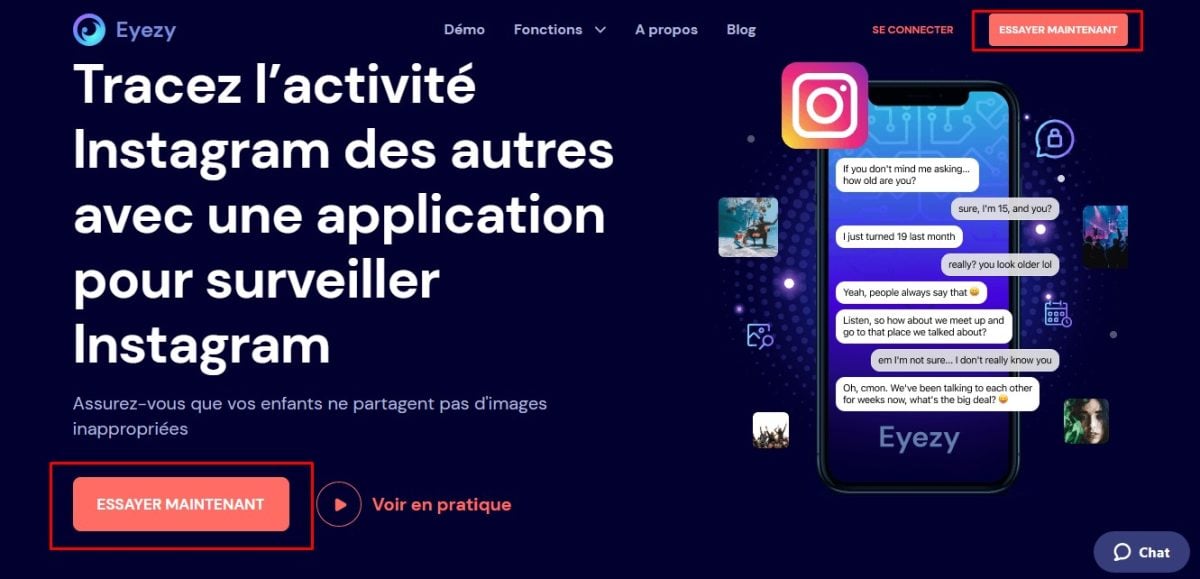
- Enter your e-mail address to create your account on the platform.
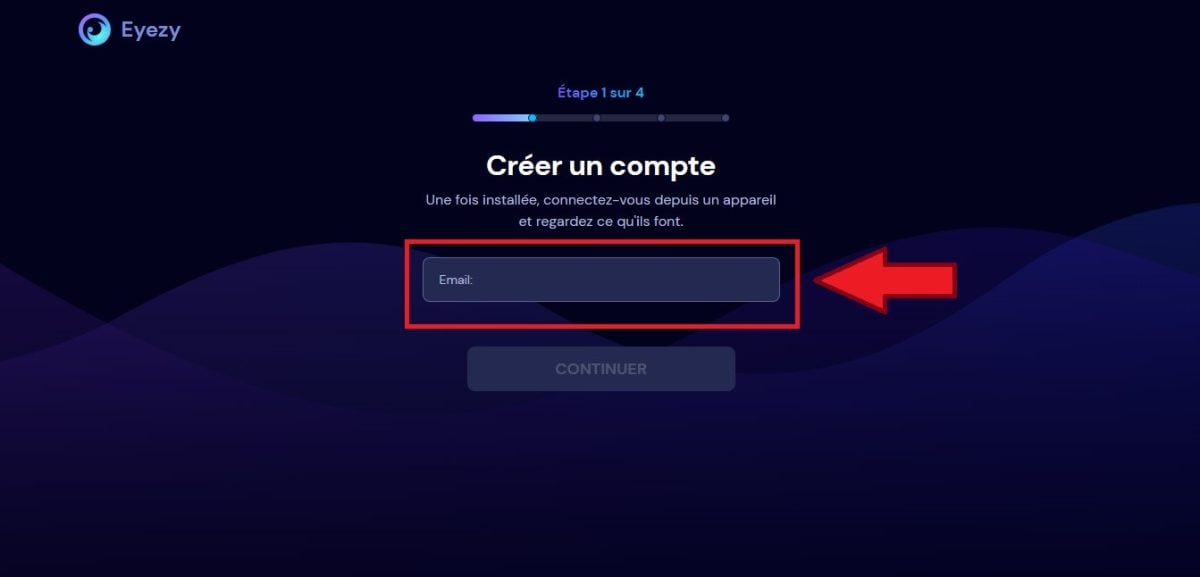
- Select the type of’device to keep an eye on (phone or tablet).
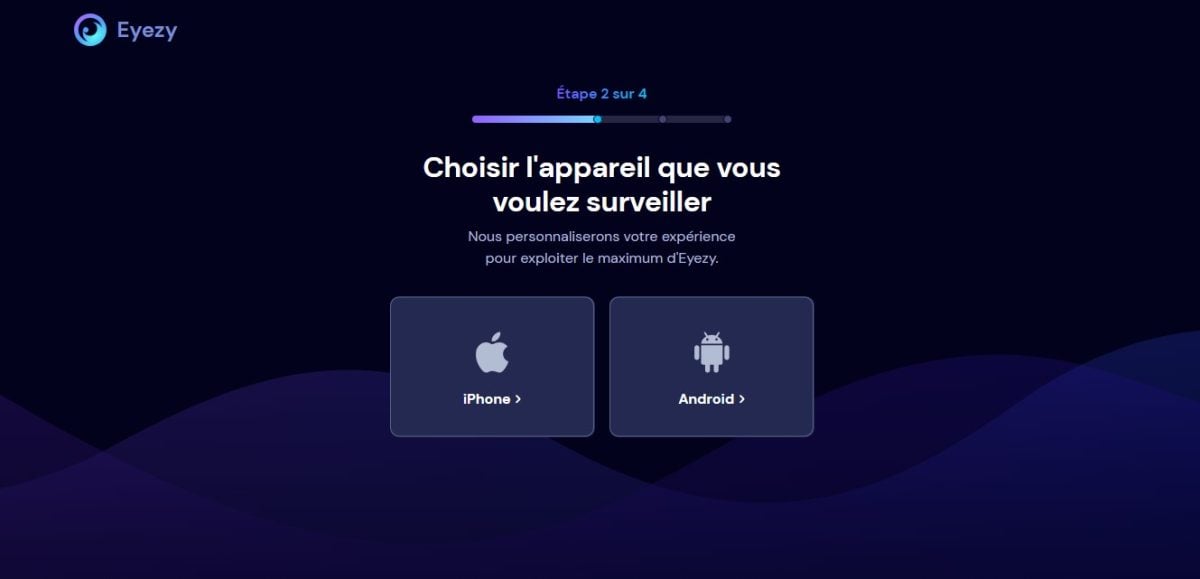
- Select the plan Choose the option that best suits your needs, then complete the payment.
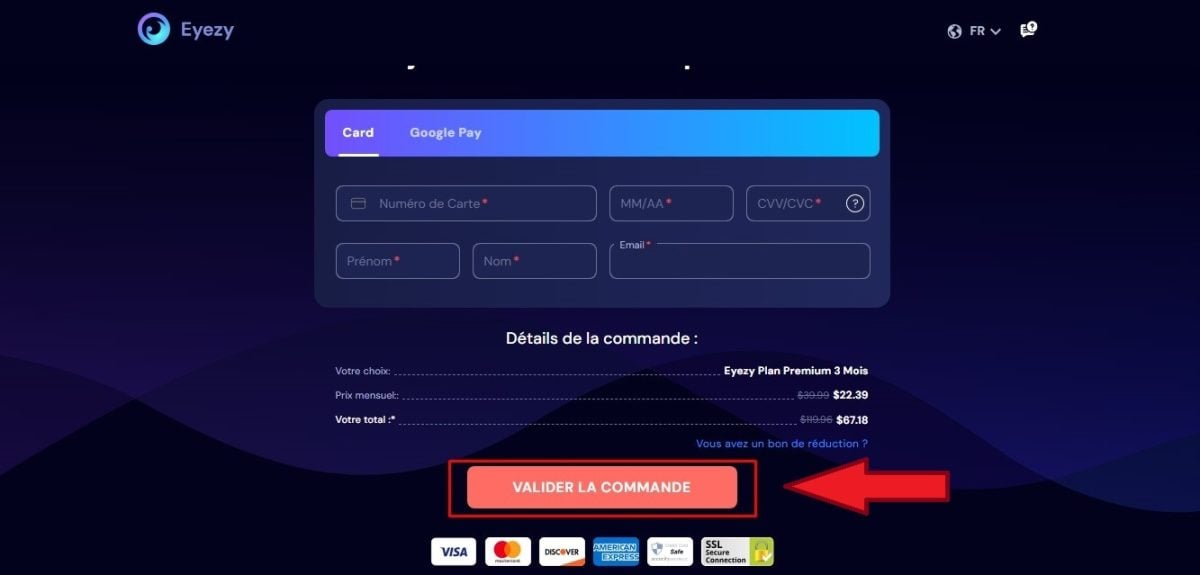
- All you have to do now is install the application on the phone in question.
Once the app is installed, you can access all your data from your dashboard.
You can then define screen time limits and adjust the rules based on your child's age.
If you're looking for other parental control tools, check out our selection of best parental control applications in another article.
FAQs
Is it legal to use this software?
Yes, keep an eye on your minor child is legal in France if you practice the’parental authority. The Civil Code calls on you to protect your child, and parental control is part of that.
On the other hand, monitoring a an adult without their consent (spouse, employee) is a criminal offense.
Penalties can range up to A 45,000-euro fine for one-third, and up to 60,000 euros since 2024, when it comes to a spouse or partner.
There are still some important precautions to take, even with your teenager:
- Keep a protective purpose, not just a curiosity.
- Give priority to a open discussion to foster a genuine atmosphere of trust.
- The older your child gets, the more their opinion matters: adjust your supervision accordingly age.
In short, use mSpy Where Eyezy just to protect your children.
What can a monitoring application do?
A parental control app gives you access to a variety of information on your child's cell phone:
- The GPS localization in real time
- The messages, calls, and contacts
- Activity on the social networks
- The Web sites visited
- The picture gallery and multimedia files
- the content blocking inappropriate content and screen time management
These tools help you guide your child in their phone use without being intrusive.
Why Monitor Your Teen's Phone?
Today, one in two teens under the age of 15 has a cell phone. Most of them spend time on social media: Instagram, WhatsApp, YouTube.
The Internet remains a treasure trove of information for young people, but without parental supervision, the risks are very real:
- the cyberstalking
- Scams and theft of data
- Regarding the inappropriate content for their age
- Incitement to Violence
Watching over your child is a form of protection. You can see who he's chatting with, where he is, and what he's looking at. You can take action as soon as a threat arises.
If you want to keep an eye on your teen's activities:
What are the benefits and risks of surveillance?
Monitoring your teen's phone has clear benefits. You'll know what they're doing online, which gives you real peace of mind.
- You know who he's talking to, where he is, and what he's doing
- You React quickly as soon as a danger arises
But there are also some limitations to keep in mind:
- Too much supervision can quickly become stifling for teenagers
- Sa privacy account: show him that you trust him
- Excessive control can make him frustrated, so strike the right balance between protection and independence
What are the selection criteria for the monitoring app?
Before choosing an app, consider a few key criteria:
- Compatibility : Check to see if the tool works with the version iOS Where Android of the phone to be monitored
- Fonctionnalities : compares message tracking, web filtering, and management of the screen time depending on your needs
- Value for the money : Make sure the subscription fits your budget
- Customer service : Prioritizes responsive support in case of a problem
- Simplicity : Choose an app that’s easy to install and use, especially if you’re not tech-savvy
If the paid options don't work for you, there are free alternatives you can try as a last resort: Google Family Link on Android and Screen Time on the iPhone cover the basics.
You can set time limits, filter content, and locate the device without installing a third-party app. For more comprehensive monitoring of messages and social media, mSpy and Eyezy go much further.
Other articles are available on our Monitoring application if you want to learn more about this topic.








 FR
FR  RU
RU  EN
EN  ES
ES  IT
IT  DE
DE  ZH
ZH  PT
PT  ID
ID  JA
JA  DA
DA