You can receive text messages from another phone number in three ways:
- via Google Messages on Android,
- via the iCloud Transfer on iPhone,
- or with a parental control application as mSpy. The first two are free, but require that the devices be linked to the same account.
The third option requires payment and is best suited for the remote parental supervision.
WARNING : This guide is intended for strictly legal use. Viewing someone else's text messages without their consent is illegal. Be sure to obtain the consent of the person concerned before taking any action.
The best way to check SMS messages from another cell phone:
Receive SMS messages from another phone
1. Using Google Messages on Android
Google Messages is a free application available on the Play Store. It synchronizes the text messages a cell phone Android to another screen (computer, tablet), provided that both devices are paired with the same account Google.
So this isn't remote SMS interception: it's a synchronization between your own devices.
Before you begin, make sure these three conditions are met:
- Both cell phones are connected to the same account Google.
- Google Messages is defined as default SMS app on the mobile Android.
- Both devices are connected to a network Wi-Fi or mobile.
Here are the steps to set up the pairing:
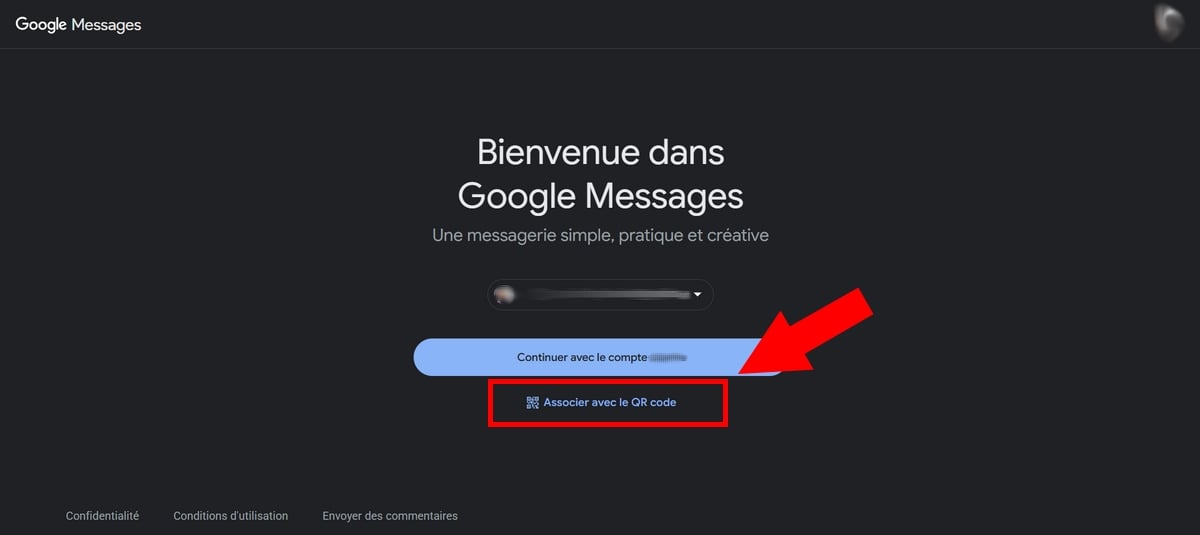
- On any device you want receive messages, open Google Messages from the web.
- Select the association option to display a QR code ready to be scanned.
- On the cell phone Android (including a cell phone Samsung), open the app Google Messages (Install it from the Play Store (if necessary).
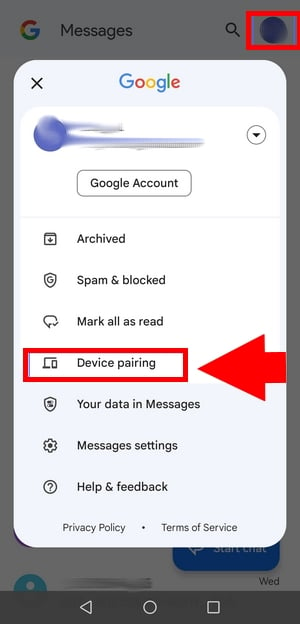
- Press your account Google at the top right of the screen.
- Select Associated devices.
- Press Scan a code.
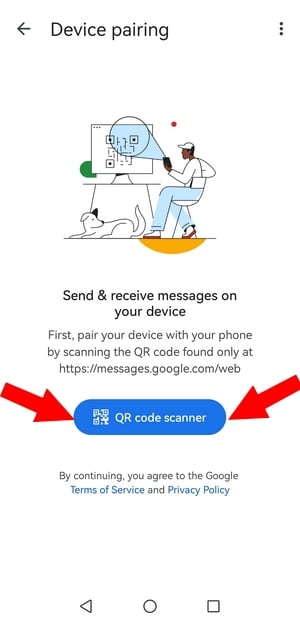
- Scan the code displayed on the other device to synchronize messages.
To note : Both cell phones must remain turned on and connected to the Internet so that Google Messages works in real time.
It is one of the Best Ways to Receive Text Messages from an Android Phone on another device.
2. Using SMS forwarding via iCloud
On iPhone, you can forward and receive text messages to and from another Apple device, even though they use different numbers. You just need to meet two conditions:
- Devices must be connected to the same Apple ID.
- Cell phones must be lit and connected to a mobile network or via Wi-Fi.
Here are the steps to follow:
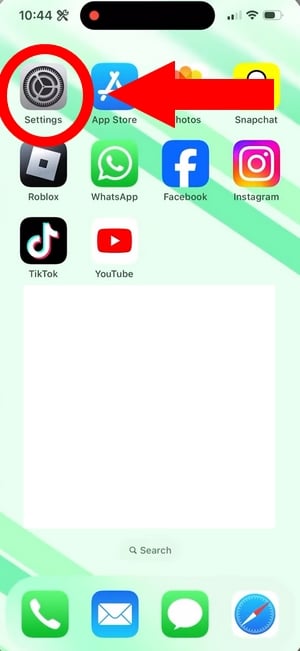
- Open the Settings on your iPhone.
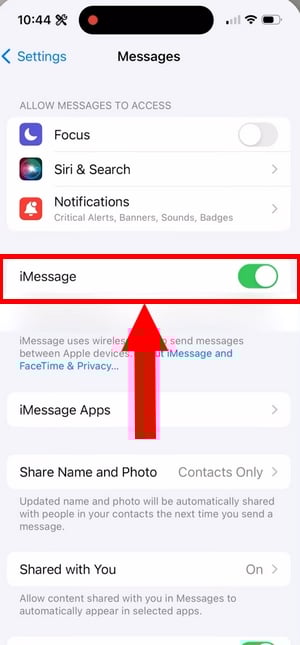
- Scroll down to Apps, then press Messages.
- Check that iMessage is enabled, as well as the option Send via SMS right below it.
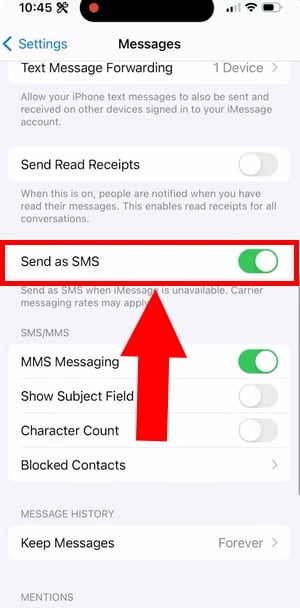
- Press SMS forwarding.
- Check the box next to each device you want receive SMS messages sent from this iPhone.
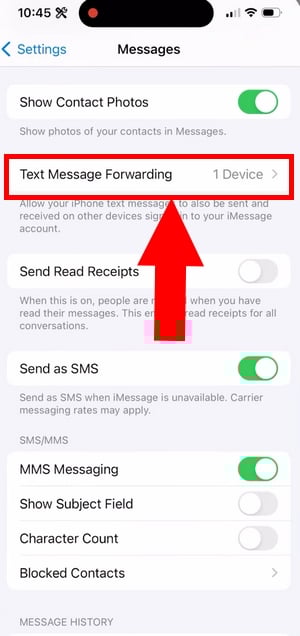
If the "SMS Forwarding" option does not appear In this menu, here are the steps to fix the problem:
- Turn off then responsive iMessage.
- Press Sending and Receiving.
- Reconnect with your Apple account.
To learn about other techniques, check out this article on Ways to Receive Text Messages from an iPhone.
3. Use parental control applications
The two methods described above only work between devices linked to the same account. If you need to view the text messages from a a truly different number, them parental control applications are the only option for remotely monitoring a cell phone.
Google Family Link is the best-known free tool, but it doesn't let you read text messages.
To monitor your children's messages remotely, you'll need to use a paid software advanced features. The three most commonly used are:
For illustrated tutorials, check out our guide on how to set parental controls on a cell phone with mSpy and Eyezy.
a) mSpy (Android and iOS)
- Price: Paid
- Physical access to the second cell phone is required: YES
- Compatibility : android and iOS
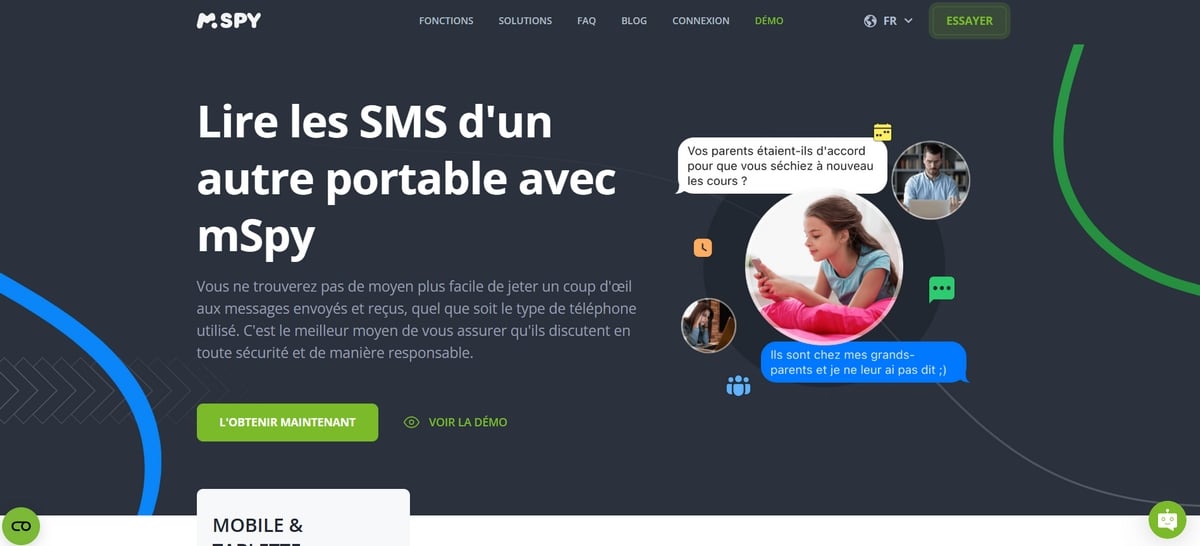
mSpy is a powerful software program whose key feature is the reading messages, including the Deleted Text Messages on the target phone. It also allows you to monitor the calls passed and received. The mSpy review are, in fact, very positive overall.
Go here to create a free mSpy account:
Create my mSpy account for free
Here are the installation steps:
- Choose the device to watch out for.
- Select a mSpy subscription plan that's right for you.
- After your purchase, you'll receive a setup guide via email, along with your identifier and your password.
- Go to the target laptop to install mSpy.
What happens next depends on the operating system of the monitored device.
On Android (including Samsung):
- Go to Settings, then Security, then Google Play Protect. Disables the option Analyze applications.
- Download the APK file mSpy from the link provided in your dashboard.
- Authorizes the’installation of unknown applications, then install mSpy.
- Log in to your account using your username and password: you can now View received and sent messages on the monitored cell phone.
On iPhone :
- Select the synchronization method iCloud.
- Enter the information for the account iCloud of the cell phone to be monitored.
- If thetwo-factor authentication is enabled, you'll need the specific password.
- Retrieves the six-digit Apple ID verification code sent to the target cell phone.
- Enter this code on the mSpy website. Note that an email is also sent to the account owner. iCloud.
Next, log in to your mSpy account to view all activity on the device remotely.
b) Eyezy (Android and iOS)
- Price: Paid
- Physical access to the second cell phone is required: YES
- Compatibility : android and iOS
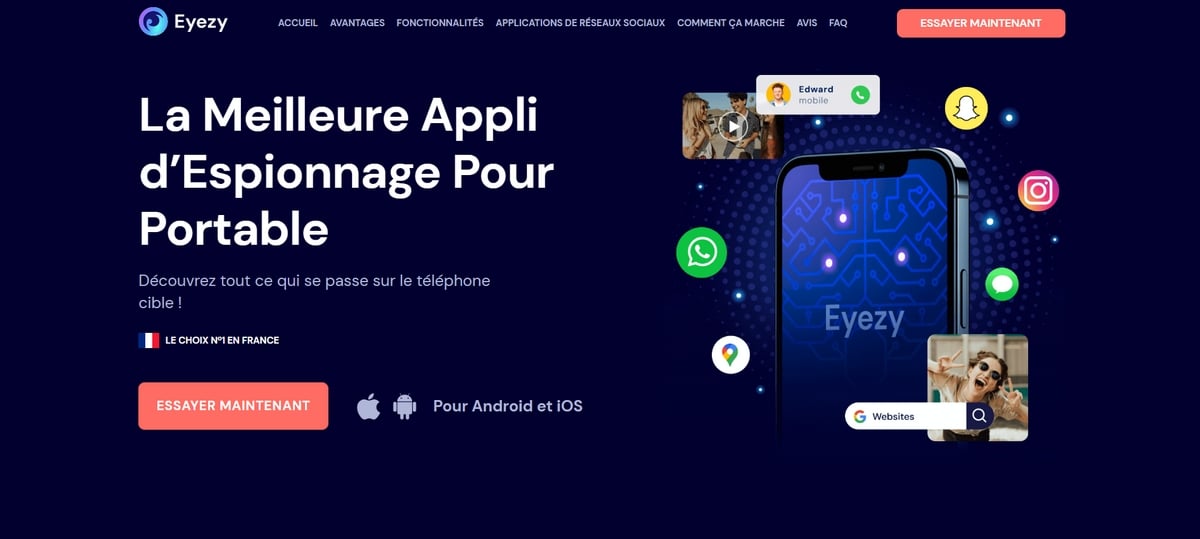
Eyezy is another app that parents really love for checking the SMS from their children and monitor their calls remotely. Find out how Eyezy works in detail.
Go here to create an account:
Here are the installation steps:
- Select the type of device you want to monitor.
- Select a subscription Eyezy tailored to your needs.
- Go to the target laptop to install the app.
- On android (including cell phones Samsung), download the APK from your dashboard, then allow the installation of apps from unknown sources before launching Eyezy.
- On iPhone, choose the synchronization iCloud and enter the login credentials for the account you want to monitor, just as you would with mSpy.
- Log in to your Eyezy account to read the Text messages received and sent from your kids' cell phones.
c) Umobix
- Price: For a fee (learn more about the Umobix price)
- Physical access to the second cell phone is required: YES
- Compatibility : Android only
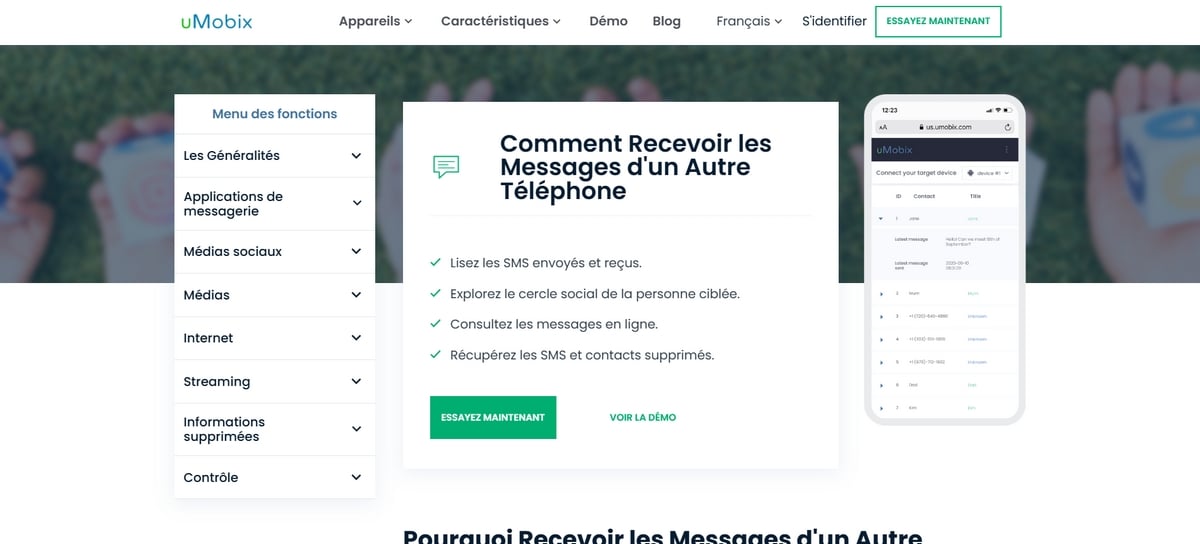
Umobix is monitoring software that provides access to the SMS, to calls and at the location of the target phone. It lets you view everything remotely from your own phone. It works only on android, including cell phones Samsung.
Go here to sign up:
Here are the steps to follow:
- Choose one Umobix subscription and completes the purchase.
- You will then receive the information you need to Install Umobix on the cell phone being monitored.
- Log in to your account and wait: the tool will send you the data from the target cell phone directly on yours.
For more details, check out our Full Review of Umobix.
FAQs
How can I receive text messages from another phone on mine?
Depending on your device, you have several options:
- On android (including cell phones Samsung) : use Google Messages and the function Associated devices to sync text messages across multiple devices connected to the same account.
- On iPhone : Enables the SMS forwarding via iCloud, provided that they share the same Apple ID.
To remotely monitor a cell phone with a different number, you can also use a parental control software as mSpy, Eyezy Where Umobix, especially to monitor your children's text messages and calls.
Can you receive text messages from another number without sharing the same account?
No, not with the built-in functions. Google Messages and iCloud They only sync messages from a specific number on your own devices that are signed in to the same account. To receive text messages from a completely different number, you'll need to use a monitoring software as mSpy, installed on the target laptop with the consent of the person concerned.
What code do I need to receive an SMS from another phone?
There's no magic code for receiving text messages from another cell phone. However, here are some useful codes for checking if call transfers are active on your phone.
Unconditional referral:
- Dial *#21# to verify an unconditional call forwarding.
- Dial *#002# to turn it off.
Conditional referral:
- Dial *#67# to verify the references under certain conditions.
- Dial *#004# to view the associated settings.
No matter which method you choose—free or paid—always use it in a strictly legal framework and with the consent of the person concerned.








 English