To add a tracker on a phone, you install a location application as mSpy Where Eyezy, as well as on android than on iPhone.
This way, you can track a device in real time, track its location, keep an eye on a child’s smartphone, or find a lost device. Here’s a step-by-step guide for each device.
Important : Monitoring an adult's phone without their consent is illegal in France. These applications must be used only within a legal framework, such as the parental supervision of a minor Where with explicit consent of the person concerned.
Installing a tracker on a phone with MSPY
mSpy is one of the simplest and most comprehensive solutions on the market.
She allows to track a phone in real time and also provides access to messages, calls, and apps used (WhatsApp, Instagram, etc.) as well as web history.
It's a particularly handy tool for parents who want to track their children's activities on their smartphones.
How do I install MSPY on Android?
Step 1 : Sign up and create an mSpy account.
- Go to the official mSpy website by clicking the button above.
- Create an account.
- Select the type of’device to watch (android (in our case).
- Choose the subscription that's right for you.
- Once the payment validated, you'll receive an email with your login information and installation instructions.
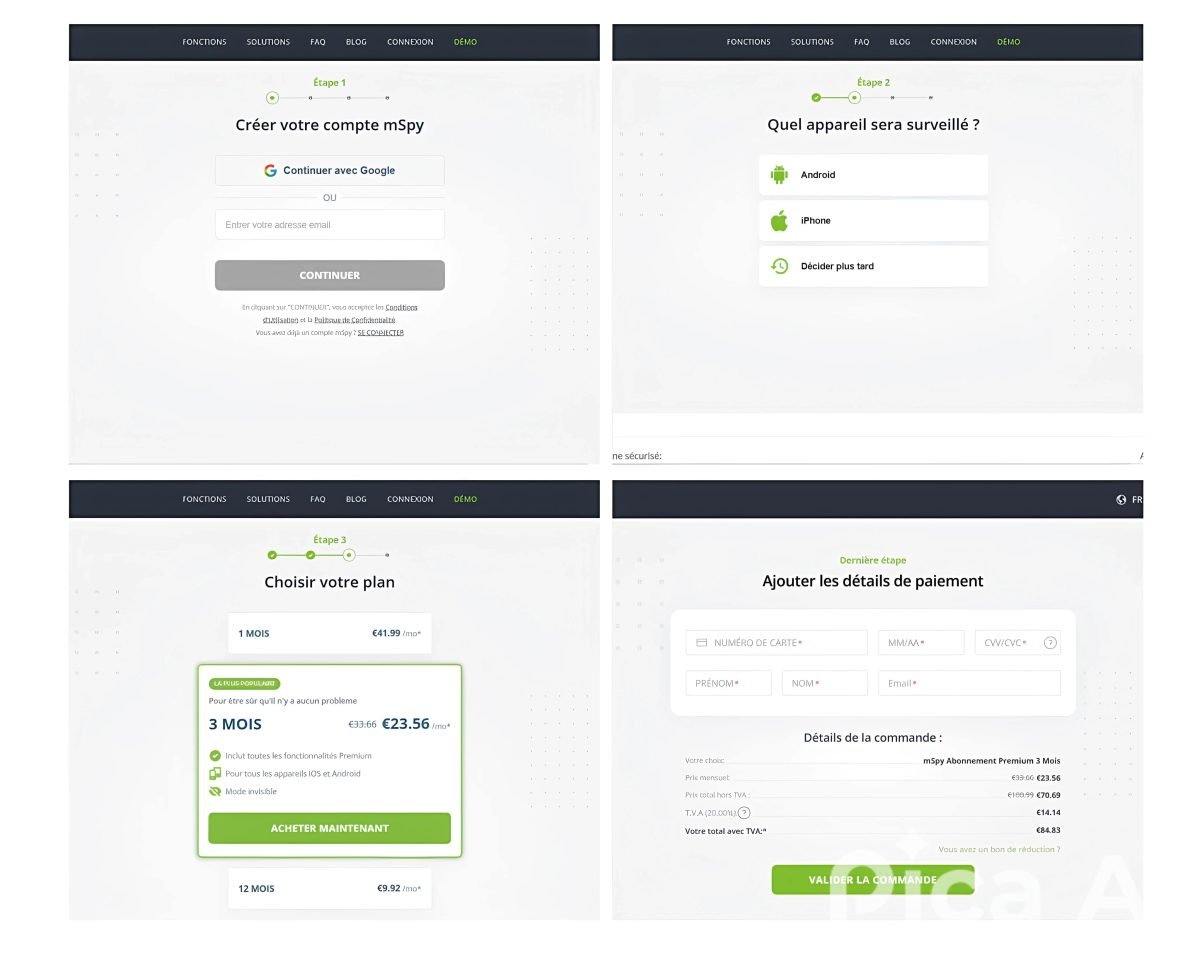
2nd step : Prepare the Android phone you want to monitor.
- Get started with the’Android device in question.
- Go to the Play Store To turn off the « Play Protect ".

Step 3 : Download the mSpy installer.
- Open your browser.
- Type « getmspy.net » in the search bar.
- Check the «I'm not a robot» box, then complete the CAPTCHA.
- Click «Download Anyway,» then open the file.

Step 4 : Install the mSpy app.
- Tap «Install,» then «Open.».
- Authorize the mSpy installer, then click Start.
- Allows the installation of unknown apps.
- Follow the on-screen instructions to confirm all the required permissions.
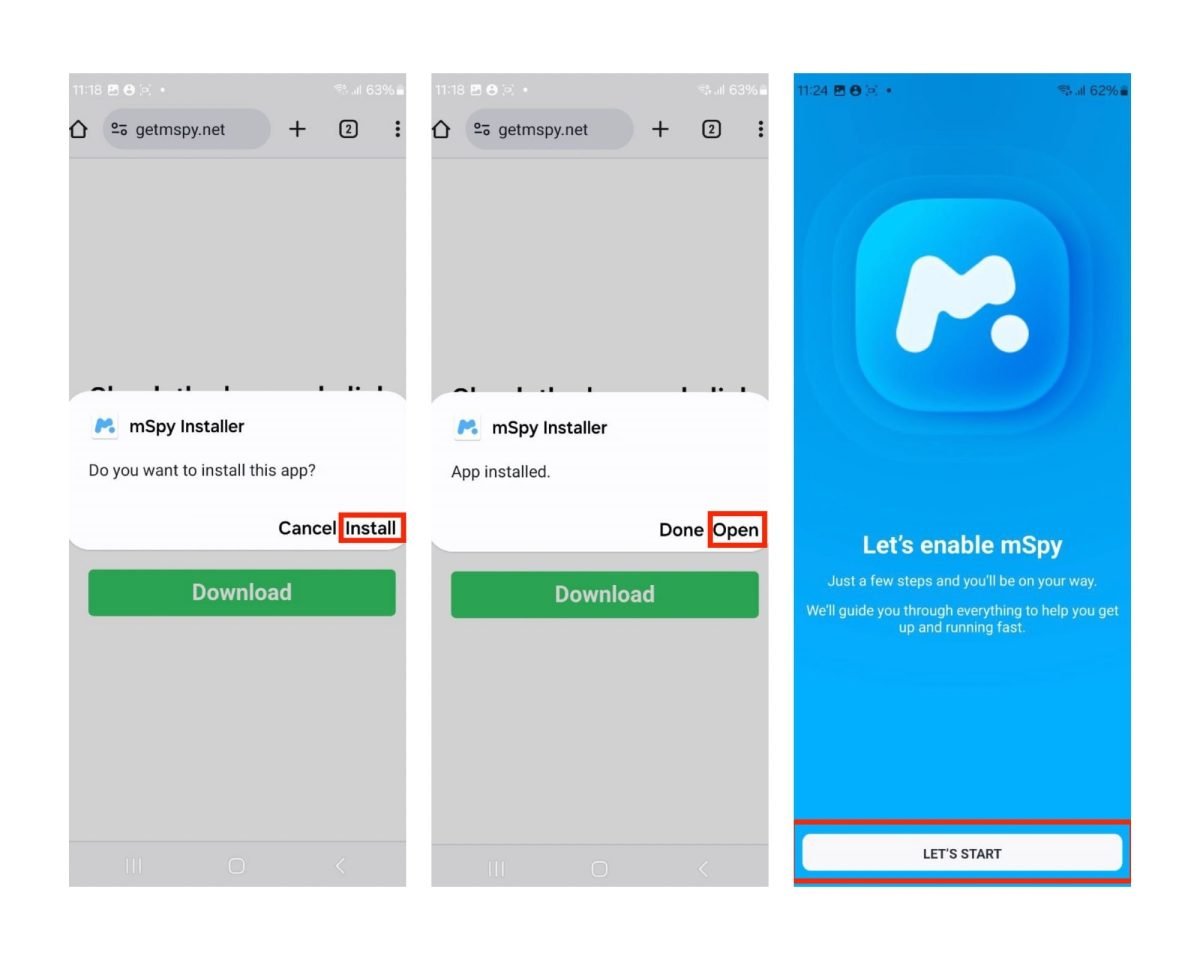
Once you've completed all the steps, log in to your mSpy account.
You can then choose the follow-up options To enable: location, text messages, apps, etc. The Android phone orientation is then displayed in real time on your dashboard.
How do I install MSPY on my iPhone?
For the iPhone devices, there are two installation methods. Whichever one you choose, start by Subscribe and create an account mSpy, just like on Android.
The only difference: select iPhone running iOS as the type of device to monitor.
Remote installation of mSpy on iPhone using iCloud Sync
For this method, you'll need the iCloud credentials of the target device and quick access to the phone to enter the confirmation code. Make sure that the iCloud backup is enabled on this device.
- Choose the device iOS as a target.
- Select the installation method iCloud Sync.

- Log in to mSpy using your login credentials.
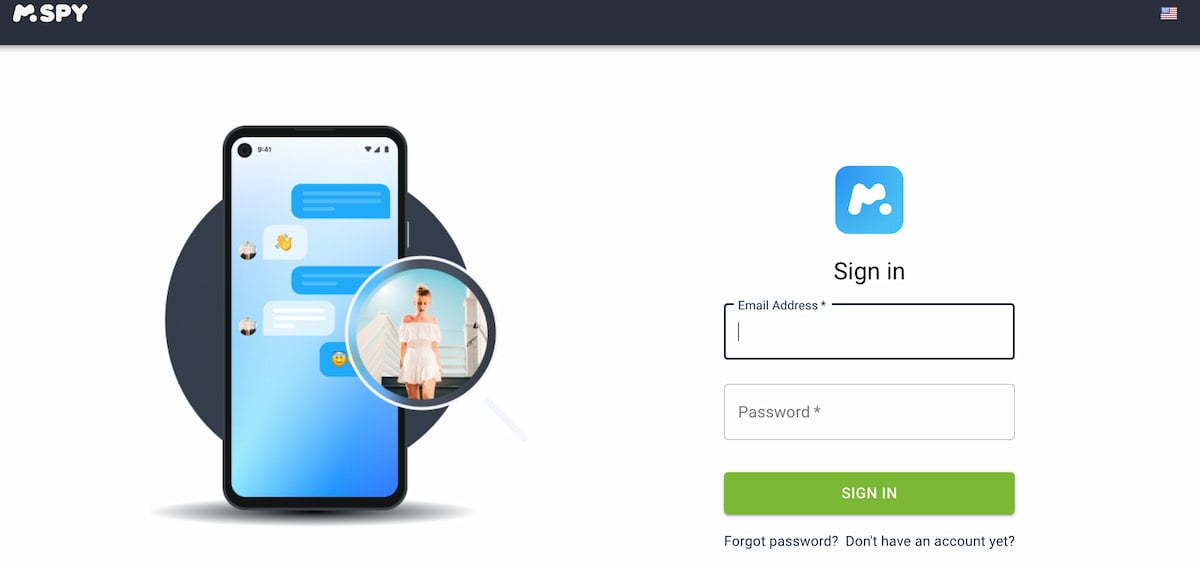
- Between the iCloud credentials on the device to connect it.

- A verification code is sent to the target phone. Enter it in your mSpy account to complete the connection.
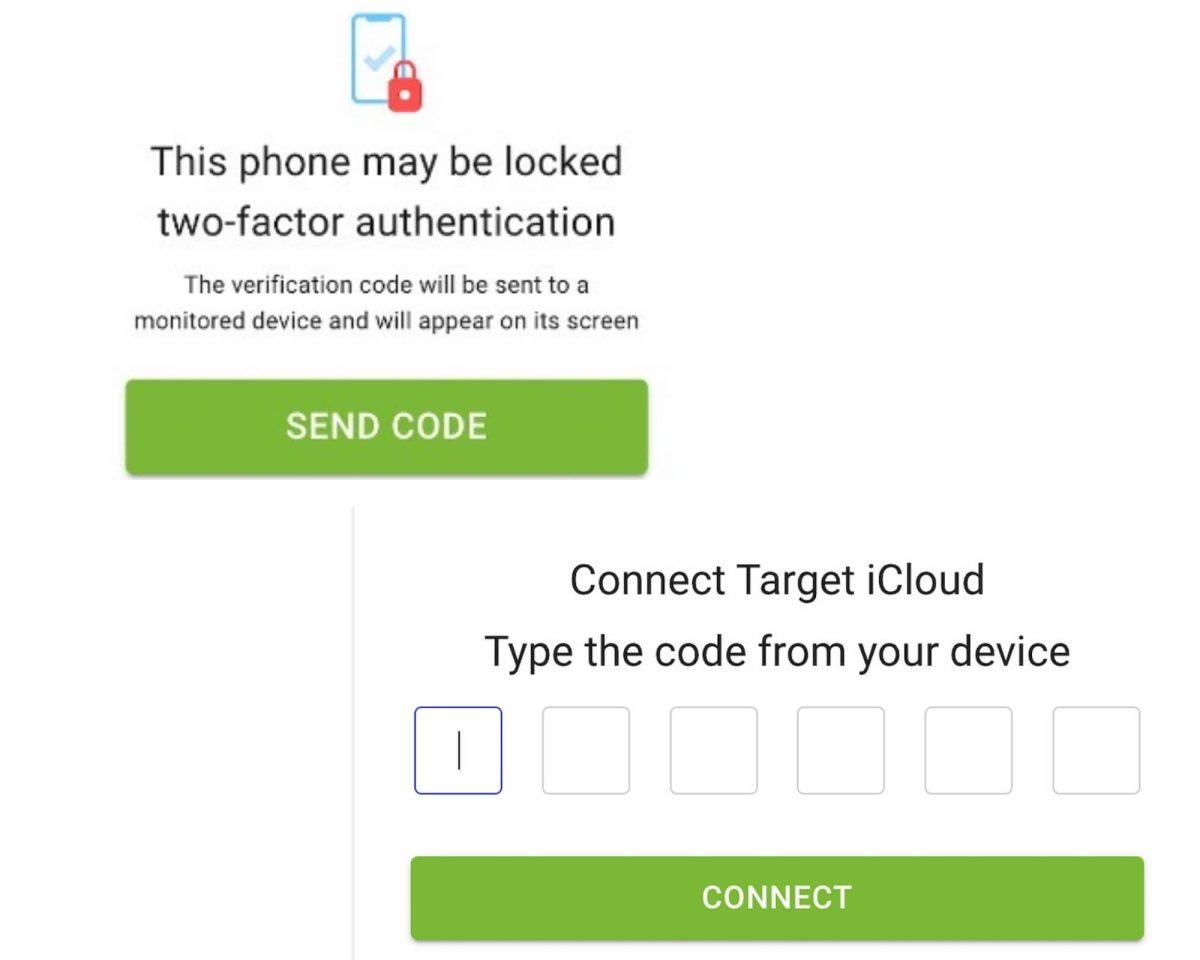
Once the data retrieval is complete (between 10 and 20 minutes), you can access the location data from your phone: contacts, notes, calendar events, photos, emails, files, reminders, and tasks.
Installing mSpy on iPhone using Wi-Fi Sync
This method also requires a direct access to the relevant telephone.
- Install the Wi-Fi sync app on your Mac or your computer (included in your subscription).
- Connect your iPhone to your computer via USB.
- Let the app back up the data from your iPhone. It will then appear in your account.

Installing a tracker on a phone with Eyezy
Eyezy is a mobile monitoring app Discreet and quick to install.
It is primarily aimed at parents concerned about their children's safety, as well as those looking to monitor a professional device. Its features include GPS localization, reading messages, tracking social media activity, and smart alerts to keep you informed on the go.
Everything is controlled from an intuitive dashboard, whether on a computer or a smartphone.
How do I install Eyezy on Android?
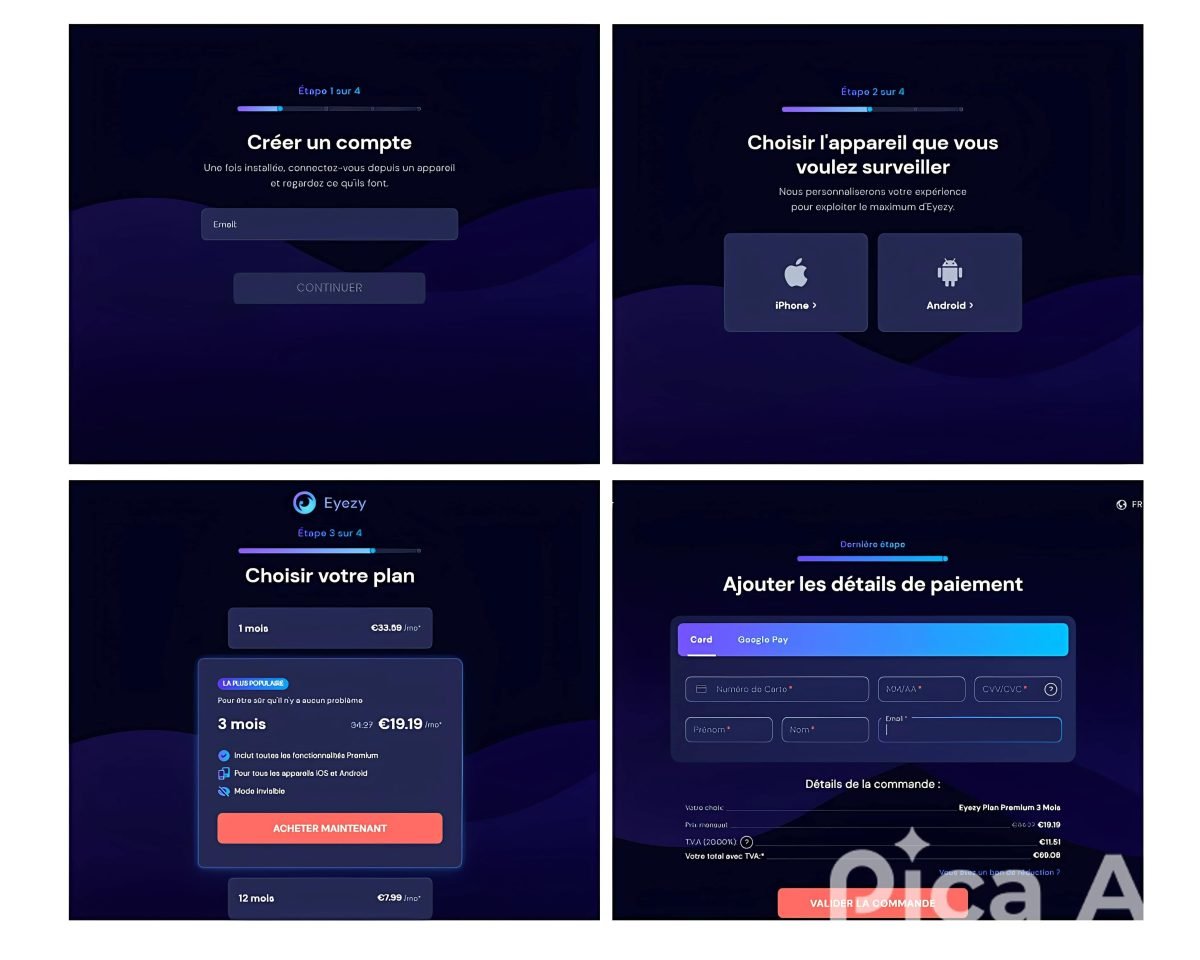
Step 1 : Purchase a subscription and create an account.
- Go to the website of Eyezy by clicking the button above.
- Creates a account with a valid email address.
- Select the type of device to monitor (android (in our case).
- Choose the’subscription that's right for you.
- Once the payment validated, you'll receive an email with your login information and installation instructions.
2nd step : disable Play Protect on the target phone.
- Open the Play Store of the unit.
- Tap the profile picture in the upper-left corner of the screen.
- Go to the section Play Protect, then turn off all the options.

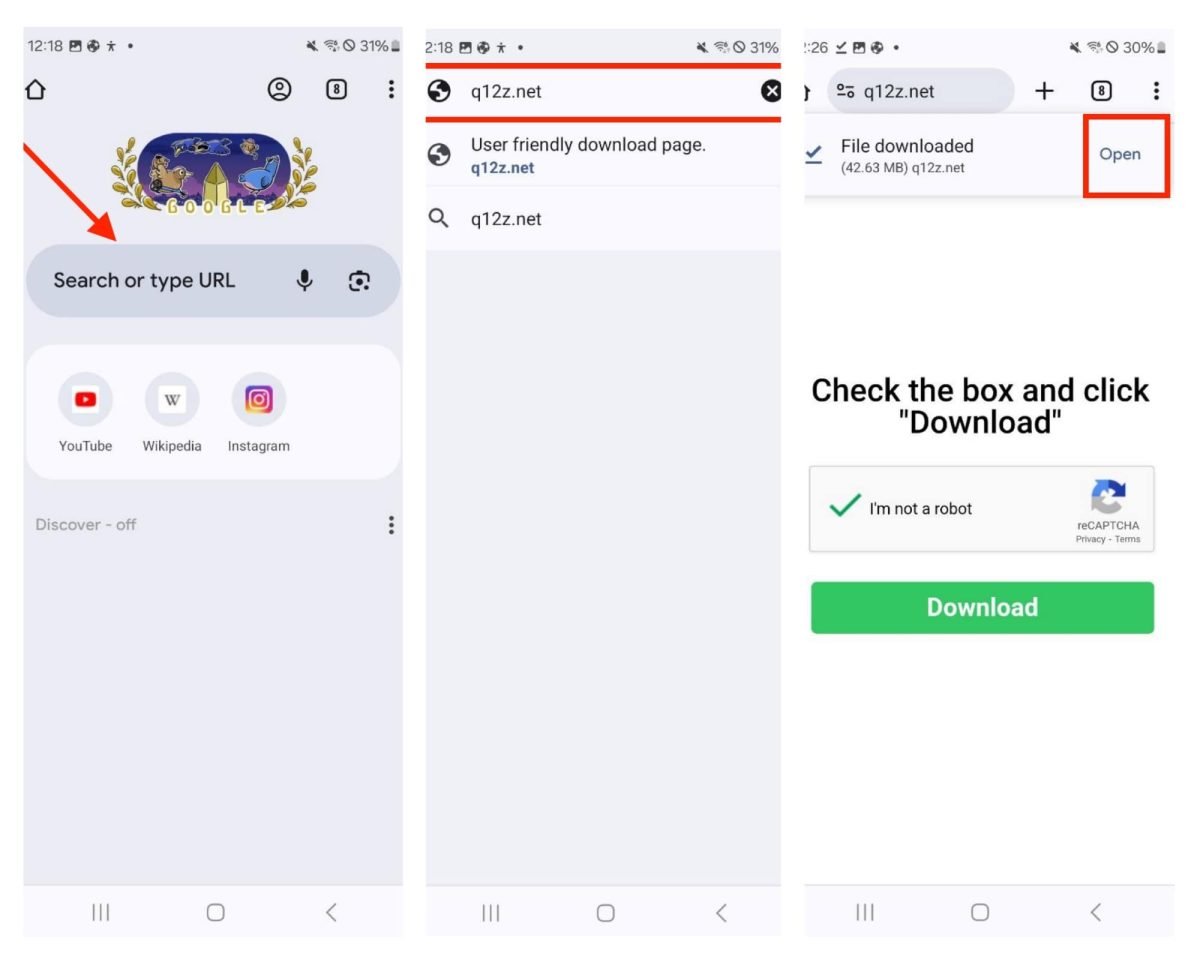
Step 3 : Download the installation file Eyezy.
- Open your browser.
- Between the address « q12z.net ".
- Check the «I'm not a robot» box, then complete the CAPTCHA.
- Click «Download Anyway,» then open the file.
Step 4 : Install the app Eyezy.
- Tap «Install,» then «Open.».
- Match the necessary authorizations.
- Follow the instructions and check the various boxes that appear on the screen.
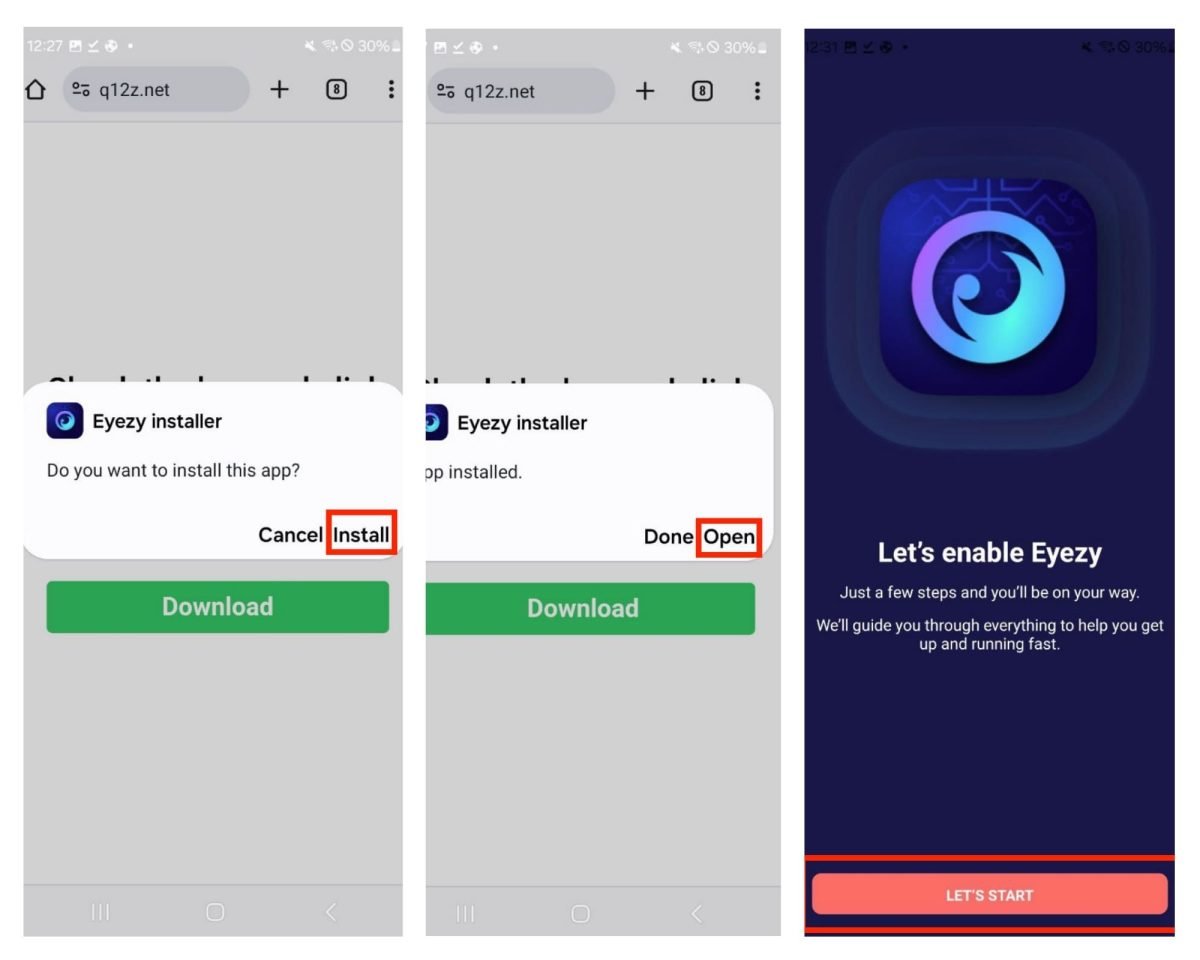
Once the installation is complete, log in to your account Eyezy using your login credentials.
You will then be taken to the location and the device's location data in real time, remotely.
How do I install Eyezy on my iPhone?
For a iPhone, there are two methods available.
In both cases, start by create an account and choose your subscription plan, just like on Android, but this time by selecting iPhone as the device type.
Installing Eyezy on iPhone via iCloud synchronization
- Enter the iCloud account credentials from the target iPhone. A verification code is then sent to that phone. You must therefore have physical access to it to retrieve the code.
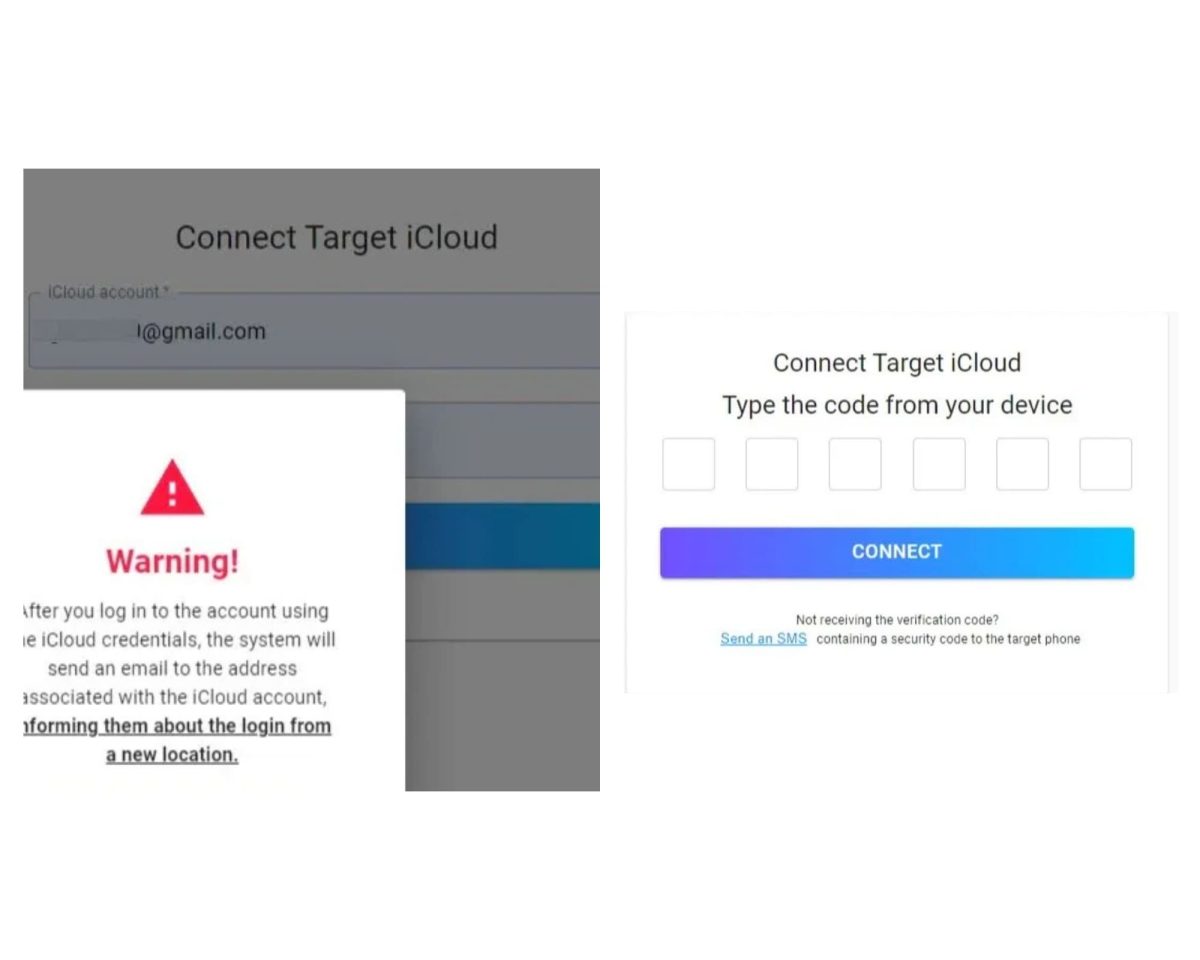
- Be patient while…’Eyezy synchronizes data with the account iCloud. Once the sync is complete, you'll find the tracking and location information on your dashboard.
Eyezy installation on iPhone via USB connection
- Log in to your account.
- Connects the target phone to your Mac Where PC with a cable USB.
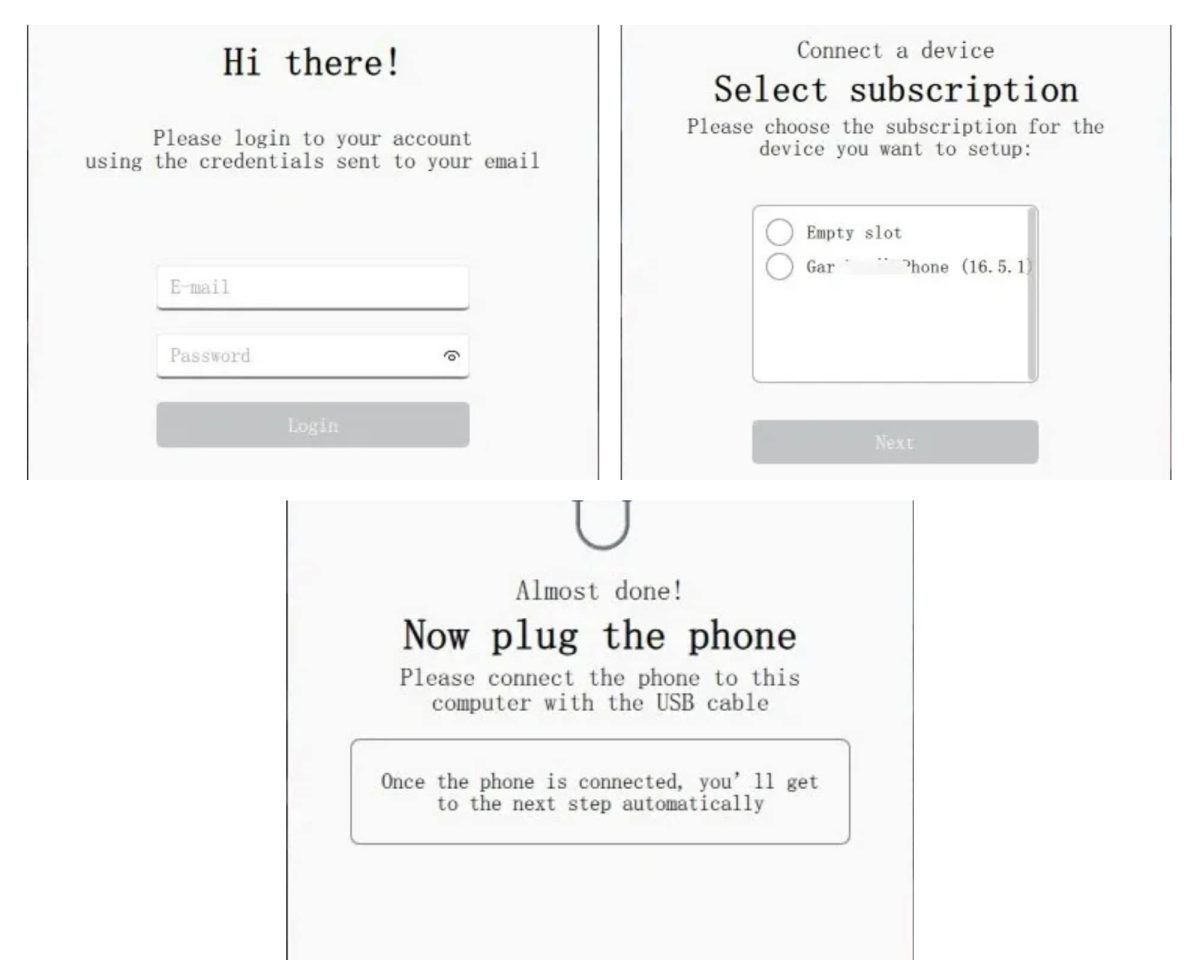
Once the backup is complete, you can monitor the target iPhone remotely, with the device's location and data available in real time.
On both Android and iPhone, Eyezy implements a discreet monitoring in a few guided steps, without disrupting normal phone use.
For more information, see our opinion on Eyezy.
Is it possible to install a free tracker on a phone?
There are certainly many free plotters to android and iPhone, but in practice they remain very limited.
They offer few features, are easy to find on the screen, and can be turned off in just a few seconds from the device settings.
So it's not a reliable solution if you're looking for a Discreet and accurate real-time location tracking.
Paid solutions such as mSpy and Eyezy are much more comprehensive. They run in the background and offer a exact position and provide access to a wealth of useful location and activity data.
It's a modest investment, but one that really makes a difference in terms of efficiency.
Why install a tracker on a phone in 2026?
Install a tracker on a phone may seem extreme at first glance. However, in some cases, it's simply a way to reassure you or protect a device.
1. Apply parental controls
With apps like mSpy and Eyezy, the parental guidance becomes simple and accessible.
You can view your messages, calls, and apps, while enjoying a real-time tracking from an online dashboard. It’s a reassuring way to keep an eye on your children while still giving them some independence.
To locate a minor's phone, be sure to stay within the limits of your parental authority.
2. Protecting your phone against theft or loss
Losing your smartphone or having it stolen can happen to anyone, and it's often really stressful. Thanks to the real-time GPS tracking, you can find the exact position of the device quickly.
Some features also allow you to locate the last known position control the device even when it's offline, back up your data remotely, or detect suspicious activity to strengthen security from your cell phone.
3. Monitor your partner's phone
It's a sensitive issue that divides people. Some do it out of concern, often after noticing a change in behavior.
Please note—this is a crucial point: Monitoring or tracking an adult’s phone without their consent is illegal in France. Covert geolocation is prohibited under the’article 226-1 of the French Penal Code, and access to messages may fall under the’Section 226-15.
Penalties are increased when the perpetrator is the spouse, cohabiting partner, or civil union partner, up to 2 years in prison and a €60,000 fine. These tools may only be used if the person in question is was informed and gave her consent.
4. Access and control a phone remotely
With mSpy and Eyezy, you can locate and access a device remotely. This is particularly useful for securing a professional device entrusted to an employee, provided that the employee is informed of the policy.
Once the app is installed, all the information from position and tracking are displayed in real time on a centralized dashboard.
A plotter therefore meets several practical needs: parental control, theft protection, and tracking of a professional-grade device.
Tools such as mSpy and Eyezy are easy to use, but always in compliance with the law.
Follow this guide to get started, and share your thoughts in the comments.









 FR
FR  RU
RU  EN
EN  ES
ES  IT
IT  DE
DE  ZH
ZH  PT
PT  ID
ID  JA
JA  DA
DA
im using xnspy for the exact same purpose. SaTisfied!