How do I send a gift to Mateo in Pokémon GO? [Full Guide]

React :

Comment

In the midst of your Pokémon GO adventure, would you like to give a little present to the friendly Mateo? Find out how send a gift to Mateoit's so easy!

Explanatory video in French by Alucare, ideal complement to the page. View video (you can use youtube's automatic translation)

Steps to send a gift to Mateo Pokémon GO

You will be able meet Mateo on a Route. On the program: follow a special itinerary where the friendly researcher awaits you, as well as lots of really cute Pokémon !

You can send Mateo a gift in five easy steps:

Step 1: Find Mateo

You'll find Mateo at the end of a Route, near a PokéStop or Arena.


Mateo is just waiting for you to give him a great gift on the Pokémon GO mobile game! Karen for Alucare.fr

Step 2: Initiate the exchange

Press Mateo to start the conversation.

  • The character will offer you an exchange.
Mateo introduces himself on the Pokémon GO mobile game. Karen for Alucare.fr
  • Select "Exchange a gift to accept and offer her a gift.
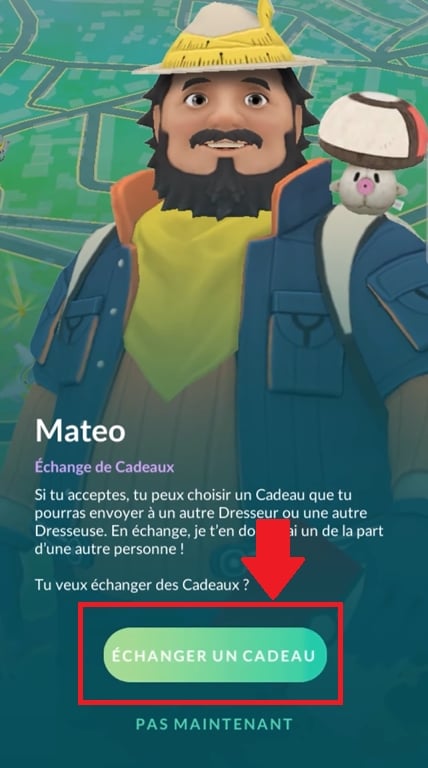
Press "Redeem a gift" to send your present on the Pokémon GO mobile game. Karen for Alucare.fr

Step 3: Choosing a gift

Select a postcard from a nearby PokéStop or Arena. You can also add a sticker for an even prettier gift!
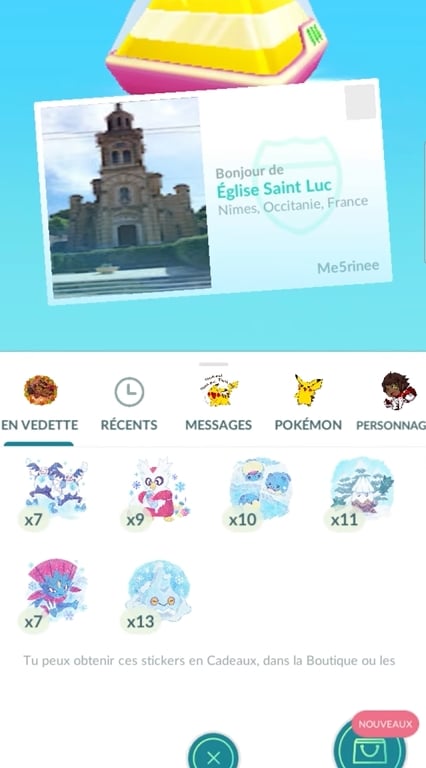
Press a sticker to add it to your card for Mateo on the Pokémon GO mobile game. Karen for Alucare.fr
  • Click on "Add a Sticker” avant d’envoyer le cadeau ;
Add a beautiful sticker to your gift before sending it to the Pokémon GO mobile game! Karen for Alucare.fr

Étape 4 : Confirmer l’envoi

Press on "Send to confirm that your great gift has been sent to Mateo.
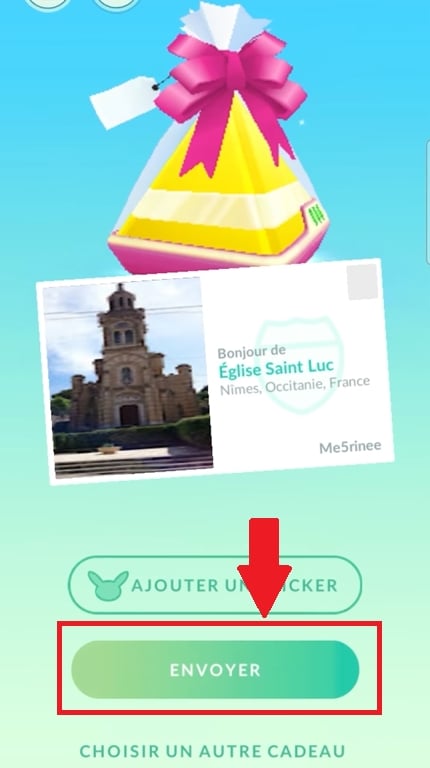
Send your gift to Mateo by clicking "Send" on the Pokémon mobile game ©Karen pour Alucare.fr

Step 5: Receive a gift in return

Sending Mateo a gift also means receiving one!

In exchange for your lovely gift, the character offers you a postcard left by another player living elsewhere in the world.
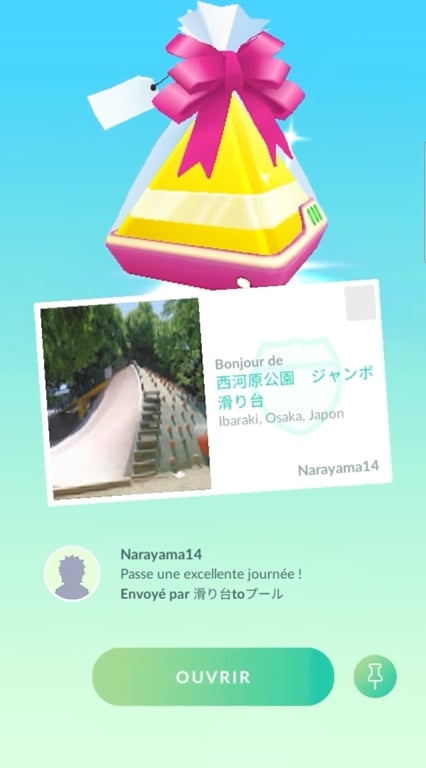
A beautiful postcard offered by a trainer in Japan on the Pokémon GO mobile game. Karen for Alucare.fr

You'll receive your gift right after you send Mateo yours!

A few more tips to optimize your chances of meeting Mateo

Haven't you run into Mateo at the end of a Route? It happens, but don't worry! You can increase your chances of meeting him with a few simple tricks.

  • For example, you can relaunch the Route,
  • You can also explore many others for even more adventures!
  • Group raids also boost your chances of bumping into Mateo.

Why send a gift to Mateo Pokémon GO?

Thanks to Mateo, you can experience the joys of gift exchanges with trainers from all over the world.
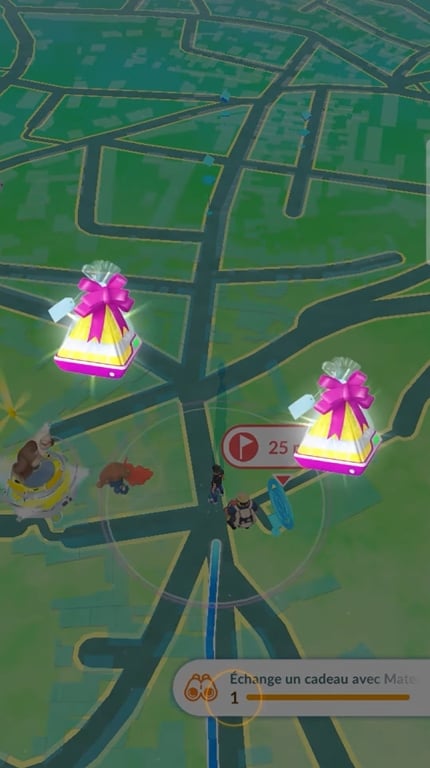
Long live gift exchanges on the Pokémon GO mobile game with Mateo! Karen for Alucare.fr

Sending a gift to Mateo is also an opportunity to fill up on new postcards and progress in your own Pokémon GO adventure. For example, if you're looking for new forms of Prismillons, you'll be able to develop Lepidonille with three postcards from the same region.

All you have to do is find Mateo at the end of a Route to send him his present! Don't hesitate to share your joyful encounter with the character with us. Which card did you receive as a gift? Tell us all about it!

And for even more fun, go here to enjoy the latest Pokémon GO promo codes.

Found this helpful? Share it with a friend!

This content is originally in French (See the editor just below.). It has been translated and proofread in various languages using Deepl and/or the Google Translate API to offer help in as many countries as possible. This translation costs us several thousand euros a month. If it's not 100% perfect, please leave a comment for us to fix. If you're interested in proofreading and improving the quality of translated articles, don't hesitate to send us an e-mail via the contact form!
We appreciate your feedback to improve our content. If you would like to suggest improvements, please use our contact form or leave a comment below. Your feedback always help us to improve the quality of our website Alucare.fr


Alucare is an free independent media. Support us by adding us to your Google News favorites:

Post a comment on the discussion forum

Pokemon GO

Released on : July 6, 2016

Developed by : Niantic

Edited by : Niantic

Available on : Android, iOS

Genres : RPG, Multiplayer