To send a gift to Mateo in Pokémon GO, concludes a Road all the way to the end: he's waiting for you at the finish line, on a PokéStop or a Arena.
Tap on it, then select “Exchanging a gift”, select a gift from your inventory and send it. In return, you’ll receive a gift from a trainer somewhere else in the world, along with a postcard inside.
The game is available on iOS and Android, developped by Niantic in partnership with The Pokémon Company and Nintendo.
A video that shows how to find Mateo and hold a gift exchange on the Routes:
Explanatory video in French by Alucare, ideal complement to the page. View video (you can use YouTube's automatic translation)

Steps to Send a Gift to Mateo in Pokémon GO
The exchange takes place in five steps very simple, as part of the’"On the Roads" Event.
Step 1: Find Mateo
Do you think Mateo at the end of a road, At PokéStop or at the Arena, which marks the end of the route. Complete your journey all the way to the end to trigger the encounter.

Step 2: Start the conversation
Press Mateo to start the conversation. He then suggests a gift exchange.

Select «Exchange a gift» to accept and offer her a gift.
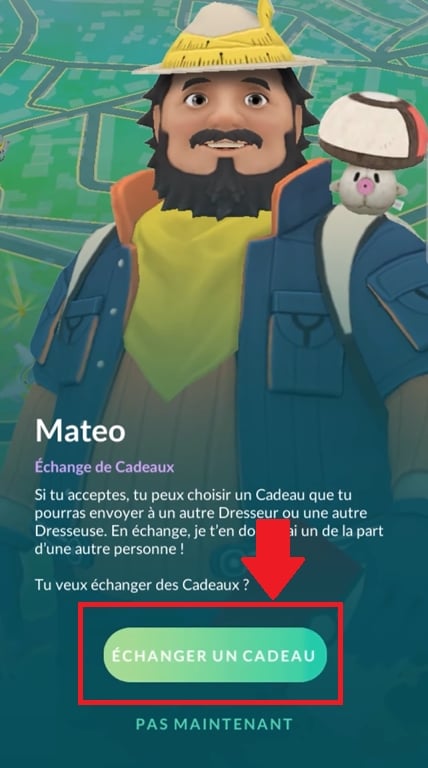
Step 3: Choosing a gift
Choose one gift in your inventory. You can collect these gifts by spinning the PokéStops and the Colosseum during your field studies.
Each gift contains a postcard related to your region. You can also paste a sticker before shipping, for an even neater finish.
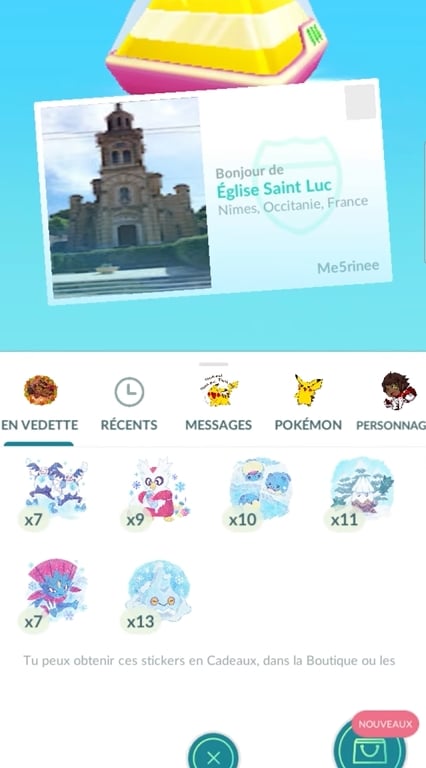
Press «Add a Sticker» to personalize your shipment.

Step 4: Confirm shipment
Press "Send to confirm that your gift has been sent to Mateo.
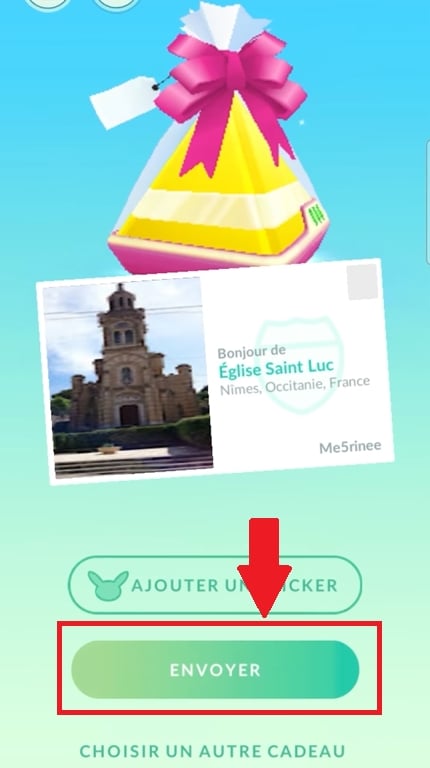
Step 5: Receive a gift in return
It's a two-way exchange: Mateo immediately gives you a gift left by another trainer who lives elsewhere in the world. You can do only one exchange per day with him, so come back and see him regularly.
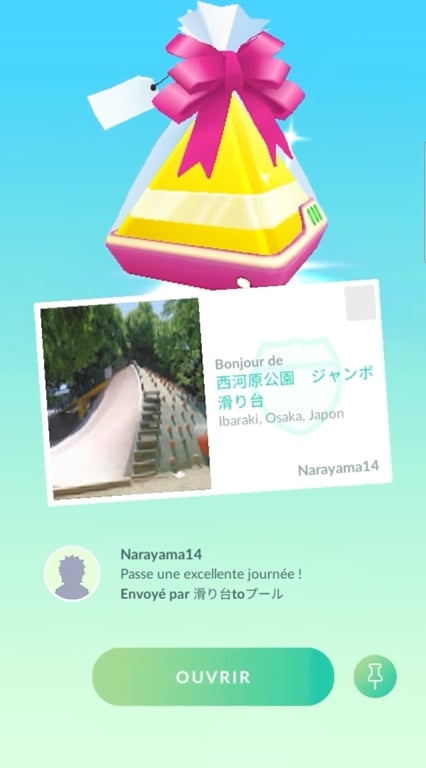
This gift contains a postcard from another part of the world. The gifts received from trainers from the worldwide may also contain 7-km eggs, which sometimes result in Rare Pokémon as the Farfuret de Hisui.
Here are a few tips to maximize your chances of meeting Mateo
You haven't run into Mateo At the end of a Route? It happens. A few simple tips will increase your chances of coming across it.
- Revive the Route that you just finished. Mateo does not appear every time you reach the finish line, so a new route may be enough.
- Explore Other Routes around you. The more different routes you take, the more opportunities you’ll have to run into him.
- Take advantage of the Events on the Roads proposed by Niantic. That's often the best time to run into Mateo and retrieve some additional bonuses.
Once you find it, make sure you have at least one gift in stock in your inventory.
Why send a gift to Mateo in Pokémon GO?
The main benefit is to collect postcards from various regions around the world, which enriches your progress in this video game in the field.
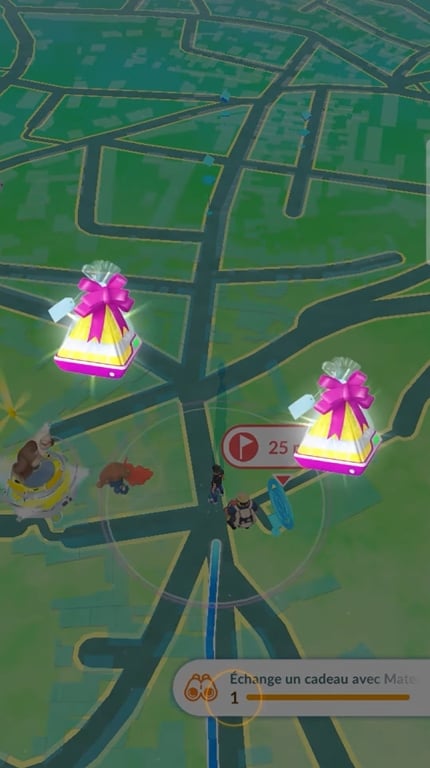
Postcards received through these exchanges allow you to collect memories of different regions of the world.
In addition, in the gift-giving system among trainers of Pokémon GO, them 7-km eggs The resulting eggs can hatch into Pokémon regional forms rare.
And the postcards he has collected play a role in the evolution of Lépidonille in Prismillon : Each region corresponds to a unique pattern, regardless of Mateo.
Have you ever run into Mateo ? Tell us in the comments which postcard you received. And for even more fun games, go check out the latest ones Pokémon GO promo codes.










 English