Follow a Road on Pokémon GO, it's simple: open the "Nearby" menu, press the button Roads, choose a route and walk to the destination.
You need at least the Level 5 to access it, and in return you'll earn rewards, including the precious cells of Zygarde.
Steps for following a route in Pokémon GO
1. Open the «Nearby» tab»
Start by opening the tab «Nearby» from the main menu. There you'll find the option «Route», which displays a list of available routes near your location.

2. Find a nearby Route
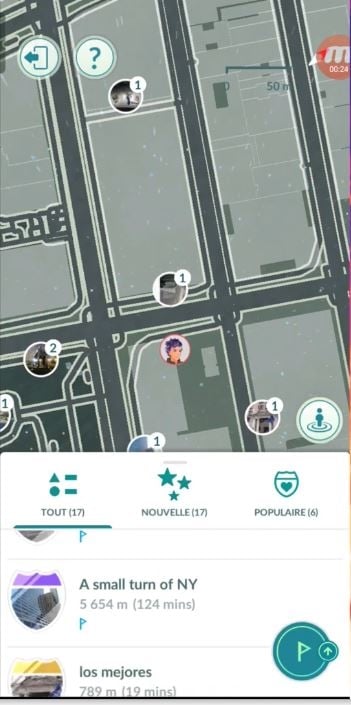
the flag button The button in the lower right corner lets you sort the catalog. The itineraries are displayed in order of proximity based on your location, and you can also browse the categories New Roads and Popular Routes.
3. Select a Route
Tap a route to view its full description. There you'll find a lot of useful information:
- the number of players who have already traveled along it; ;
- the number of times you've done it, with her approximate duration ;
- information about the designer on the Route page, by scrolling down the page.
A road can be traveled one-way, in both directions Where on a loop. Choose the one that best suits what you're in the mood for right now.

4. Start following the Route
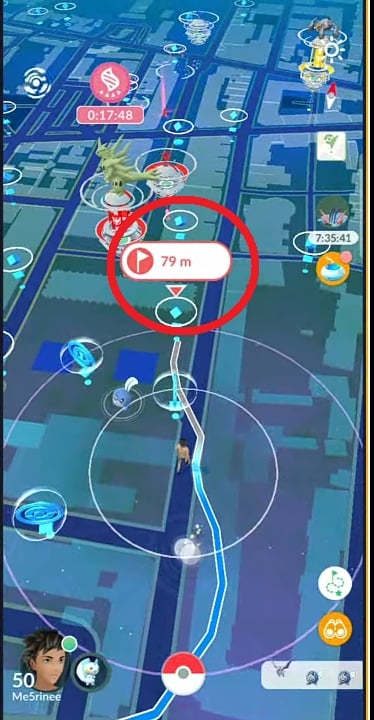
Press the button "Follow to start the route. On the Map view, two items then appear:
- a blue flag just above the PokéStop, which marks the starting line ;
- the the path to take for the selected route.
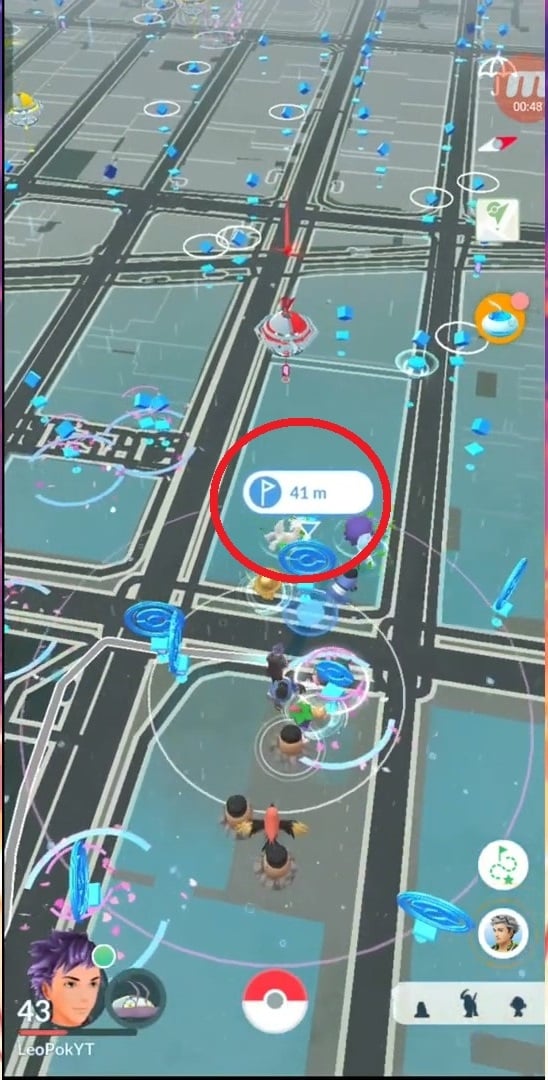
As you get closer to the starting point, the Route automatically adjusts to your location and records your progress with every step you take.
The color of the route changes as you progress, so you always know if you're getting closer to the destination. The Route menu remains accessible above the button «Binoculars».
5. Follow the path
Let the map guide you and follow the route shown. You can pause at any time using the dedicated button—handy for catching your Favorite Pokémon along the way or simply enjoy the scenery.
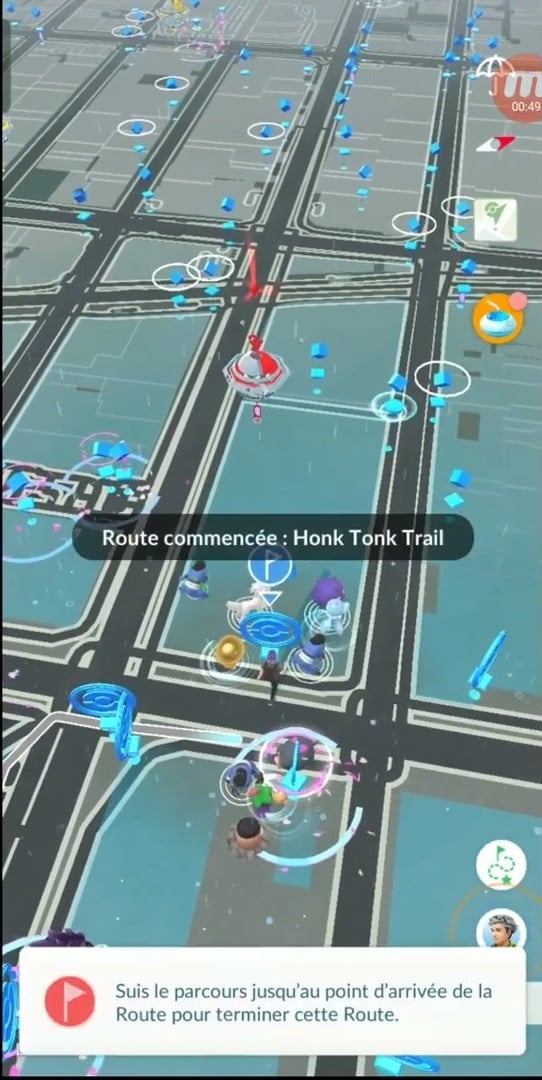
To cancel the route, tap «Leaving the Road» in the menu, then confirm.
6. Collecting rewards
Exploring a Route earns you several types of bonuses:
- a PX bonus for the first route completed that day; ;
- a Cœur de copain if you're doing the route with a friend; ;
- the possibility of obtaining a Bonbon copain faster; ;
- of the Poké Balls, of the Pokémon and various items picked up along the way.
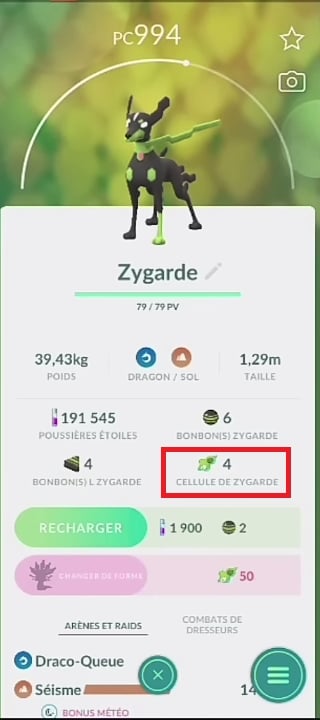
But the main goal remains the cells of Zygarde. Each Route can reveal them along the way. By collecting them, you level up Zygarde toward her form 10 %, then its form 50 %, and finally his Full Form. The more Routes you complete in a row, the more Zygarde builds up cells. More Zygarde The more cells it accumulates, the closer it gets to its final form.
7. End Route
You complete the Route when you reach the destination. On a loop trail, this point is the starting point. On some routes, you must follow the path predefined by the creator before you can complete the process.
When you arrive, you might run into Mateo and exchanging gifts with him. Mateo is waiting for you at the finish line of each Route. Please note: You can make only one transaction per day with Mateo, so be sure to make the most of it every time you go out.
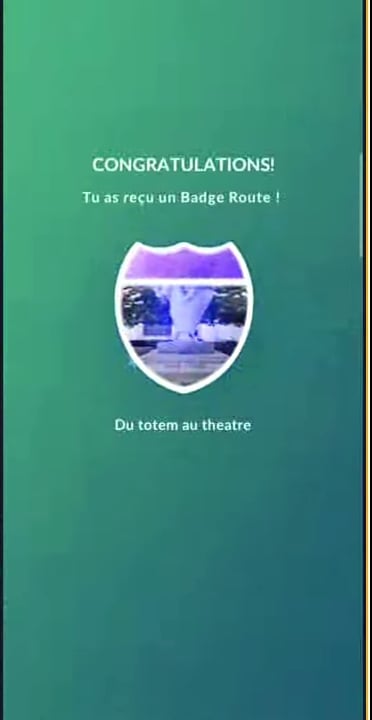
A notification confirms that the Route has ended. You collect your rewards and receive a Route badge, featuring an image of the starting point or destination. This badge levels up as you complete the same route multiple times, and you can find it on your Trainer Profile in the section «Route».
Important Reminder: Roads are not automatically terminated. That gives you time to collect all the cells from Zygarde available along the route. To close it manually, open the menu, tap «Finish Route», then confirm with "Yes".
Create a Route Pokémon GO
You can also create your own itinerary and share it with the community. There are a few requirements you need to meet before you get started:
- You must have reached the Level 37 ;
- the «Kids» accounts of the Trainers' Club of Pokémon or via Niantic Kids cannot create a Route; ;
- The feature must be available in your area.
If all of these conditions are met, here's what to do:
- Spear Pokémon GO and open the menu «Nearby» ;
- Select the tab «Roads» ;
- Press «Create a New Route» ;
- Choose one Arena or one PokéStop as a starting point; ;
- Mark your path as you walk using the record button; ;
- Add a name, of the tags and an description ;
- Submit your Route to Niantic for review.
Niantic needs a few days to confirm your request. Once approved, your route will be visible to all other trainers.
FAQs
What Is a Route? Pokémon GO ?
A Road is a suggested itinerary by Niantic that you can follow in your city. It connects a starting point has a destination, often through PokéStops and arenas. You can also create one to share with other trainers by joining the’crew from creators in the community.
What's the point of following a route?
Following a Route earns you PX bonus, a variety of rewards, and a Route badge that tracks your progress as a trainer.
It's also the best way to collect cells of Zygarde, which are essential for advancing this Pokémon in its various forms. Check back regularly at the nearby roads so as not to miss any opportunity to harvest them.
And if you don't have time to finish a route, there are also promo codes Pokemon GO to earn some great rewards.
What happens if I stray from the Path?
You might miss out on Pokémon and awards, including cells from Zygarde. Your progress may be affected, and in some cases you'll have to start over from the beginning. So stay as close as possible to the route.
Can I reverse the direction of a Route? Pokémon GO ?
Yes. If the Route displays a destination, tap your avatar on the screen to find the option «Change Direction».
Why don't I see any roads nearby?
Most of the time, you aren't close enough to a starting point. Open the menu «Nearby» and scroll to see nearby routes in your area, then move around a bit and refresh the page.
Also make sure your app is up-to-date : The feature has been rolled out in phases and is not yet available in all regions of the world.
What should I do if I'm stuck on a road?
There are two possible scenarios:
- if a obstacle If it's holding you back, leave the Route and get back on it later, or choose a different route; ;
- if it's a GPS problem, restart the app; that often fixes the problem.
If nothing works, you can always Create your own itinerary, even if it takes a little time.
Can I edit my Route after I've created it?
No. You can no longer edit or delete a Route once it has been sent to Niantic for approval.










 English