Want to pay less for your Netflix subscription? GamsGo could be the solution for you! But you don't know how it works?
Don't panic! In this article, you'll discover step-by-step how to watch Netflix with GamsGo.
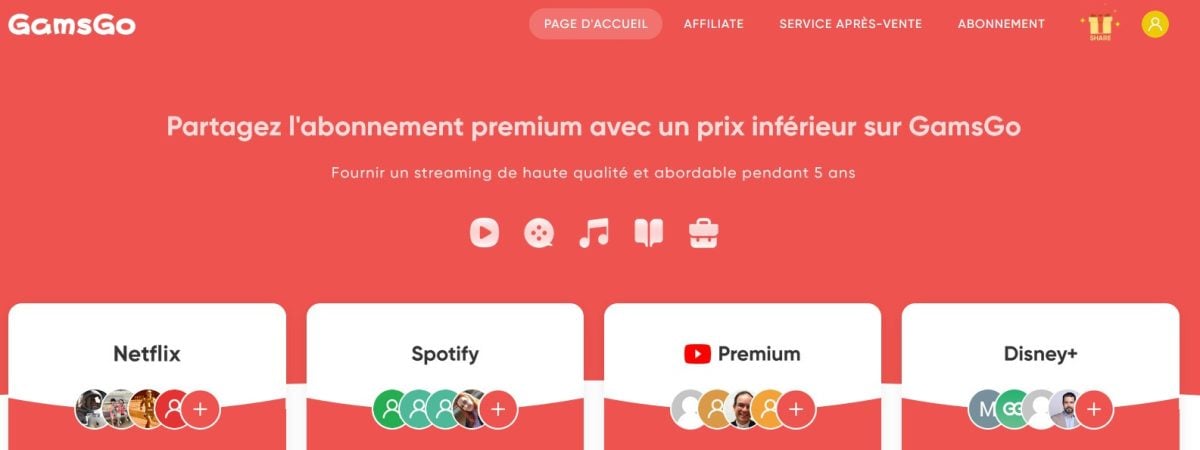
Step 1: Register with GamsGo
- Visit the site Gamsgo.com,
Discover GamsGo ☑️
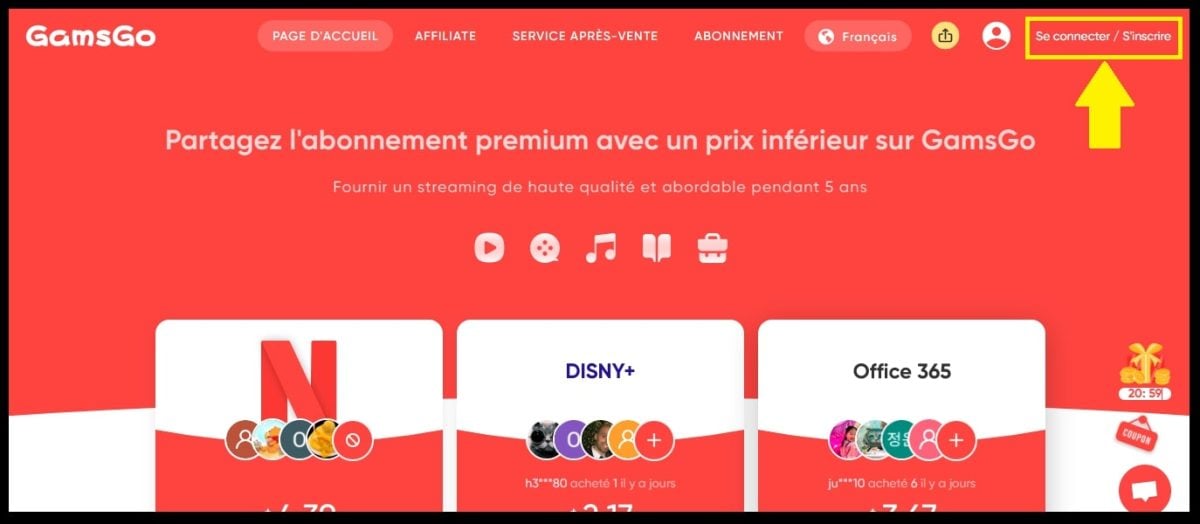
- Click on the "Login/Registerin the top right-hand corner,
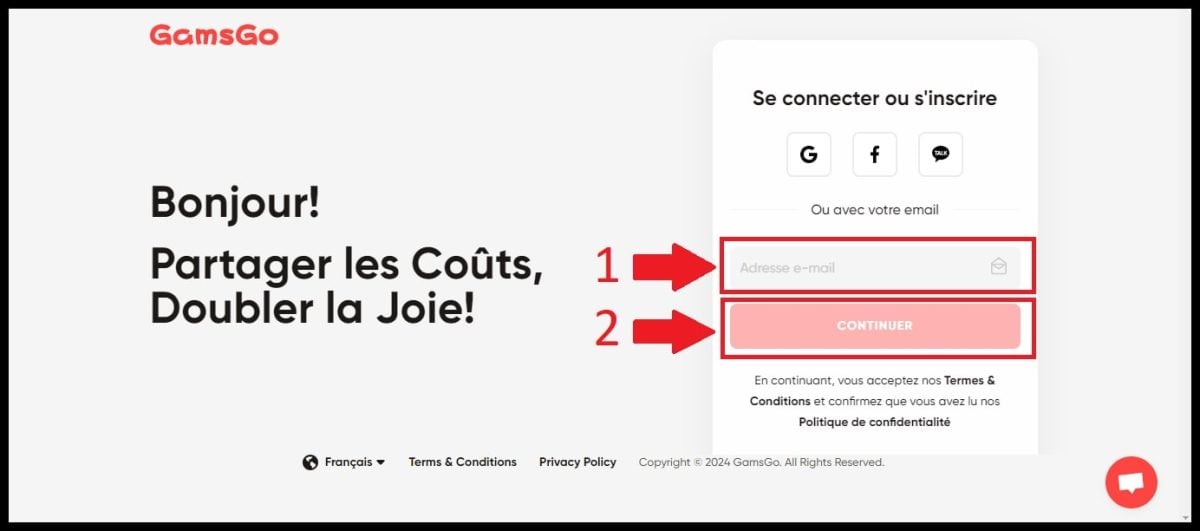
- Then enter your email address,
- GamsGo will send you an e-mail with a 4-digit code,
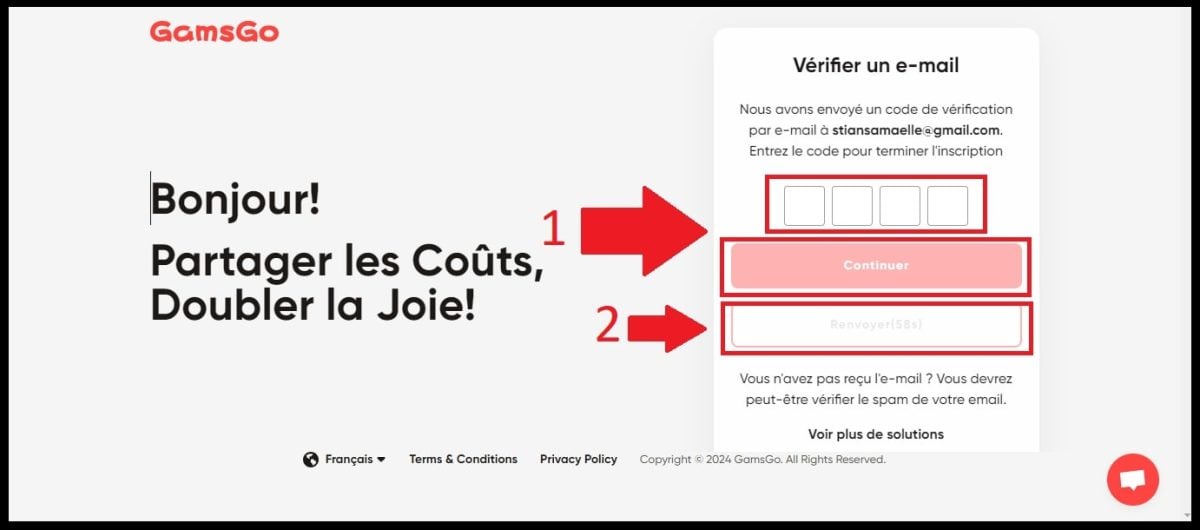
- Enter this verification code to confirm your registration on the site,

- Then define your password.
Want to know more about the site and how it works? Discover our review of GamsGo and its shared subscription services!
Step 2: Choosing a Netflix subscription
- Access your GamsGo account,
- Go to the Netflix section. And by the way, among the options available, you'll find Spotify at a lower price! For connect to Spotify with GamsGodon't miss our article!
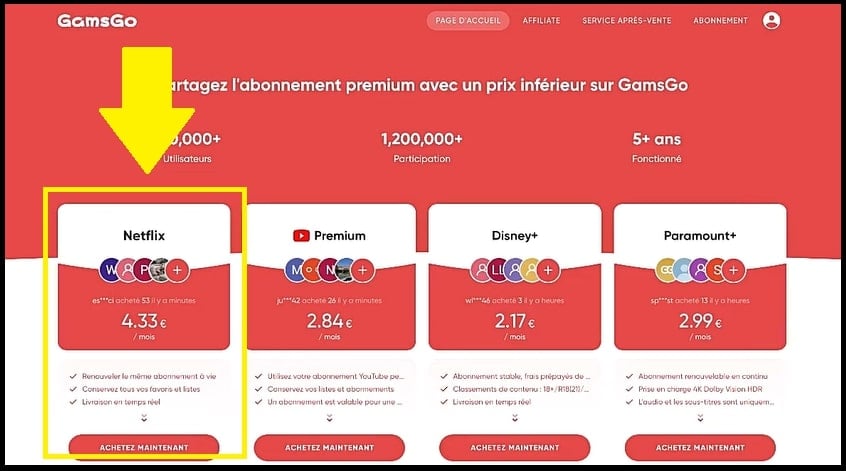
- Click on "Buy now",
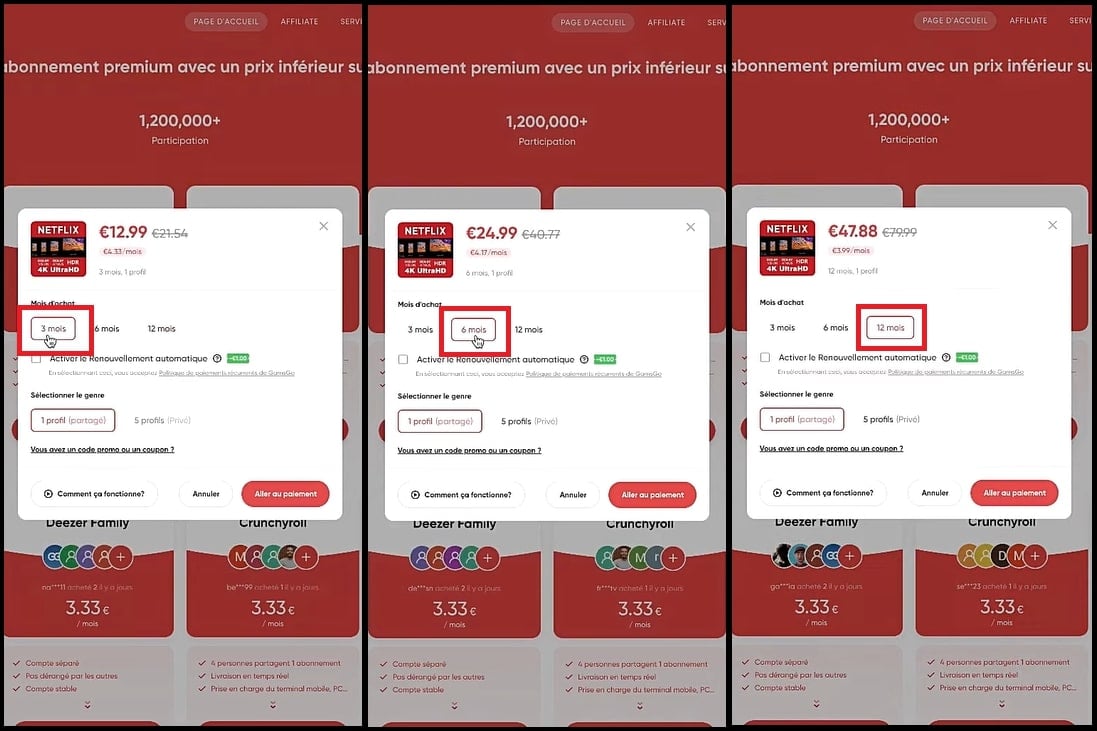
- Several subscription options are available to you!
- 3, 6 or 12 months, click on the formula that suits your needs,
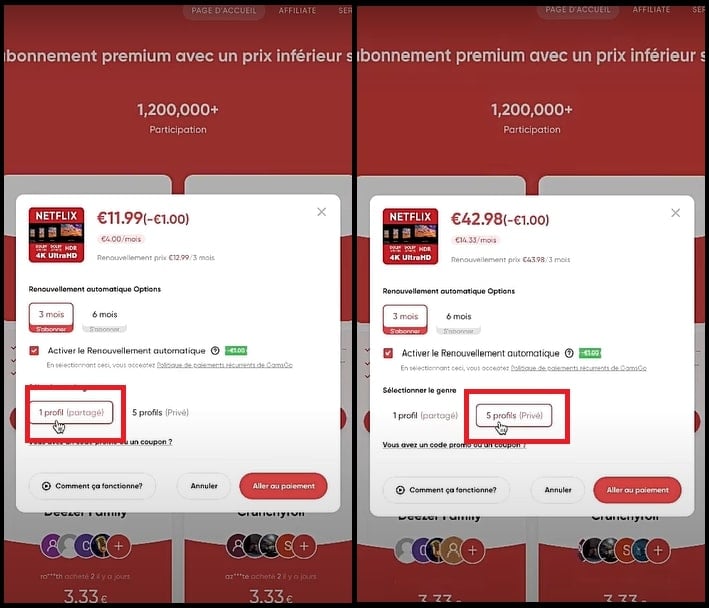
- You can also choose the type of Netflix profile (shared or private) with GamsGo.
- And if you tick the "Automatic renewalWith GamsGo, you get an additional discount on your Netflix subscription.

Step 3: Take out a Netflix subscription with GamsGo
Have you chosen your Netflix subscription? You can pay directly on the GamsGo website. It's very simple, and there's no risk to your personal data.
- Select the "Go to payment,"
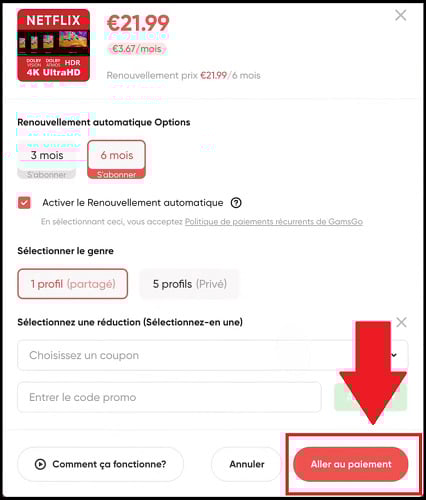
- Choose the payment method that suits you best,
Rest assured, your data is 100 secure % with GamsGo!
- Then click again onGo to payment"to confirm the transaction.

Step 4: Access Netflix
Once you've made your payment, GamsGo will immediately send you your login details to connect to Netflix.
Depending on the package you choose, you will receive shared login credentials or one dedicated Netflix profile.
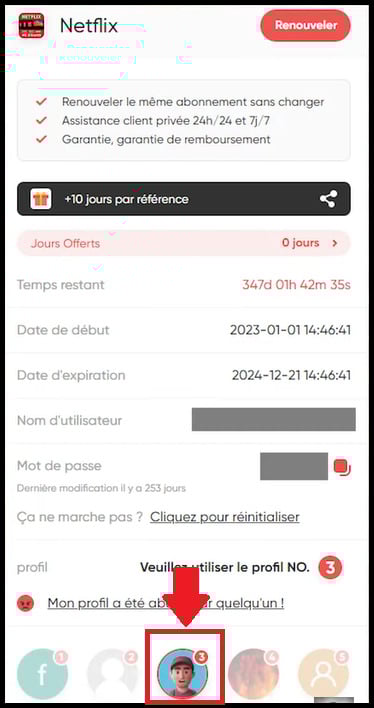
Now all you have to do is go to Netflix and access your brand-new account!
Step 5: Manage your subscription
Are you unsure about sharing a subscription with GamsGo? Rest assured, the site has a help center where you can find the answers to your questions.
GamsGo also has a after-sales service. You can send a message at any time of the day or night, and GamsGo will get back to you as soon as possible!
And in the event of any changes or updates to the shared subscription, users will be notified immediately to avoid any surprises.
FAQs
How does subscription sharing work on GamsGo?
The GamsGo principle is simple:
- You share an account Netflix Premium with other people,
- Everyone uses the same e-mail address and the same password to access the shared account,
- But everyone has their own Netflix profile,
- You can secure yours with a PIN.
Can I use GamsGo for services other than Netflix?
Of course you can! With GamsGo, you can also have a premium account on many other streaming sites like Disney +, Amazon Prime Video, Spotify, YouTube Premium and Crunchyroll. And all without breaking the bank!
Is GamsGo legal?
Rest assured, going through GamsGo is 100 % legal ! The site only buys Netflix subscriptions in countries where there are no account-sharing restrictions.
What's more, the site is tolerated by streaming platforms. It enables them to expand their market by reaching those who can't afford a conventional subscription. If you'd like to find out more about us and our reviews of Gamsgoclick here.
How to get a promo code for GamsGo
See our special article GamsGo promo code to find promo codes for a Netflix subscription that's always cheaper with GamsGo.
What should I do if I have a problem with my Netflix access?
- Go to the "After-sales service of the site.
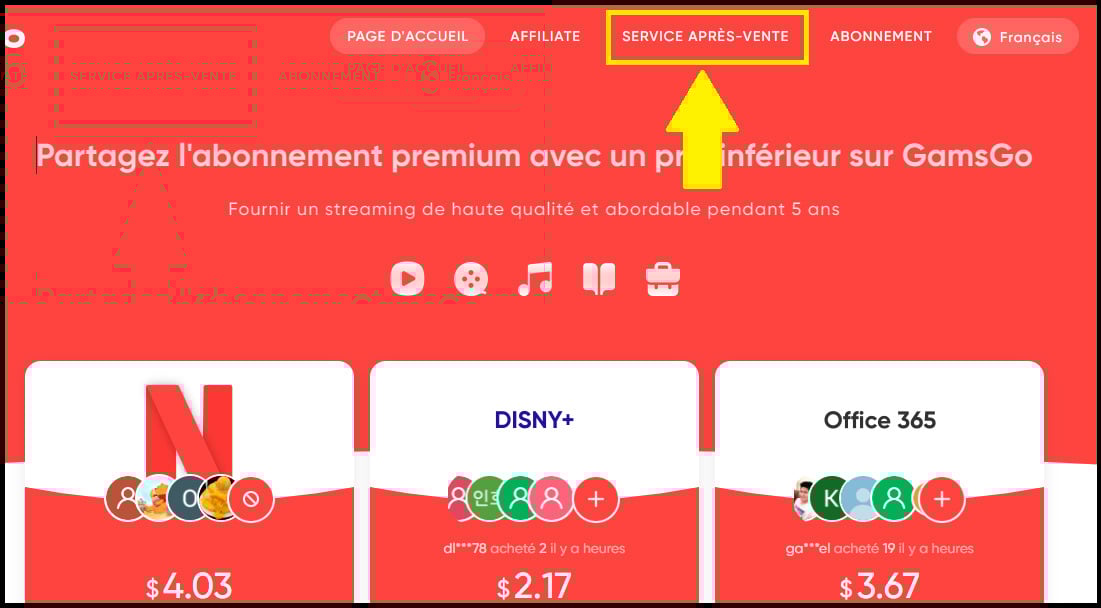
- You can consult the help center. Here you'll find a number of comprehensive guides and tutorials for solving various problems concerning Netflix and other streaming subscriptions offered on GamsGo.

- Or you can contact customer service directly at Live-Chat of the site!

Can I cancel my shared Netflix subscription on GamsGo?
You can ask GamsGo customer service to delete your account on the site. Your shared Netflix subscription will automatically cancel once it has expired.
Subsequently, if you wish to use the services of another subscription-sharing site, don't hesitate to click on this article!
Is my Netflix account on GamsGo secure?
Of course you can! You can secure your profile with a PIN code. You'll be the only one with access, so there's no risk of one of your co-subscribers venturing in by accident!
GamsGo represents an excellent alternative for watching Netflix Premium without breaking the bank. So don't wait any longer and go to the site to sign up for a shared Netflix subscription. Don't hesitate to share your experience with us in the comments.










 English
Hello, I took a Netflix subscription with galsgo and I can't connect. I don't understand why the user address indicated on the page you show in your video is not mine. Is this normal?