Are you looking for the best mods to Project Zomboid ? Here is a top 10 list ranked by the ratings from the Steam Workshop and the number of subscribers.
These mods are easy to install, whether you're playing solo or on a multiplayer server. Whether it's cosmetics, quality of life, or immersion, there's bound to be something for you!
1. Fluffy Hair [B41 & B42]
Steam Tag: Build 41, Build 42, Models, Realistic
Popularity on Steam Workshop :
- 5 stars on average
- 9,724 reviews
- 896,553 visits unique
- 2,343,091 subscribers
- 66,591 favorites current

The mod Fluffy Hair allows you to keep the hairstyle you chose for your character, even when they're wearing a cap or hat. In the base game, the hairstyle disappears as soon as you equip a head covering. Here, it remains visible at all times.
It's a purely cosmetics, but also a real improvement in quality of life for the look. It's perfect if you play in multiplayer or in roleplay mode, when you want your character to remain recognizable.
It runs on the two versions of the game (Build 41 and Build 42), and it is still being actively updated.
2. True actions. Act 1 & 2- Sitting & Lying
Steam Tag: Build 41, Multiplayer, Realistic
Popularity on Steam Workshop :
- 5 stars
- 15,865 reviews
- 1,566,857 visits unique
- 3,321,917 subscribers
- 101,311 favorites current
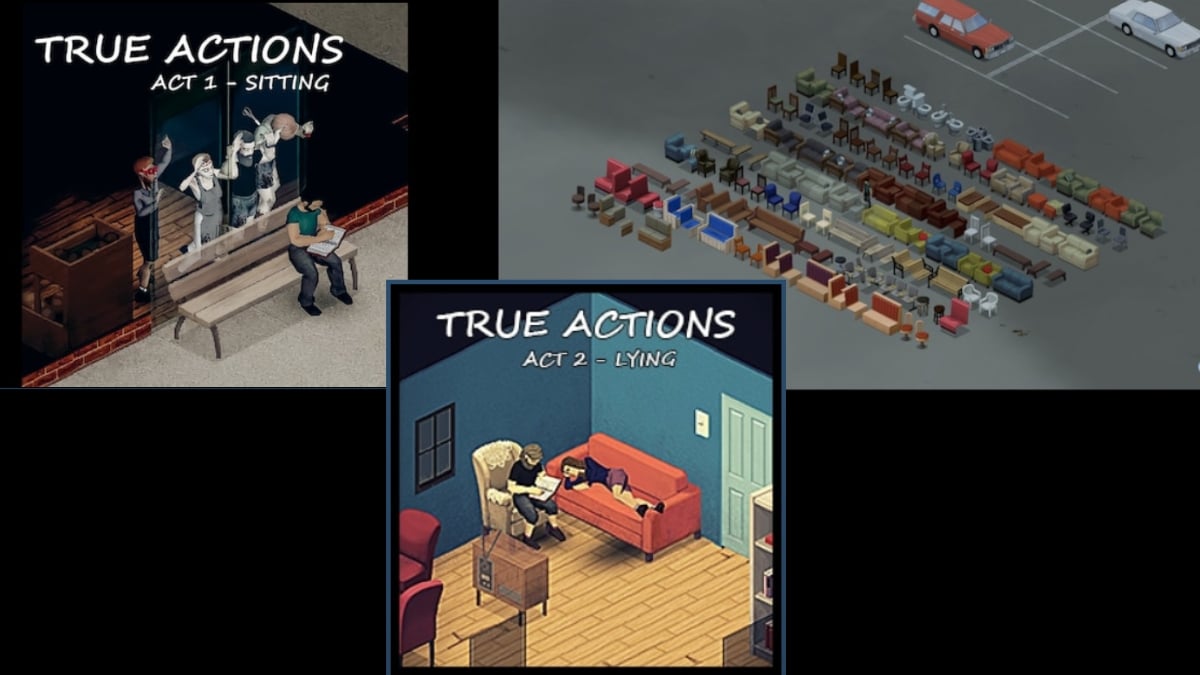
True Actions Sitting & Lying Leave your character sit on any chair, a sofa, a couch, or an armchair. Once you're seated, you can read, to eat Where drink without getting up. The mod also lets you to lie down on many objects.
These poses speed up recovery and help keep boredom at bay while time passes. It's a real plus for the’immersion and gameplay comfort, especially in long survival sessions where every moment of recovery counts.
This mod targets the Build 41 and is not not yet officially ported to Build 42. If you're playing on a b42 server, check to see if a port already exists before adding it.
Subscribe via his Steam Workshop page
3. Authentic Z
Steam Tag: Build 41, Build 42, Clothing/Armor, Items, Map, Misc, Models, Multiplayer, Pop Culture, QoL, Realistic, Silly/Fun, Textures, Weapons
Popularity on Steam Workshop :
- 5 stars
- 11,102 reviews
- 1,273,241 visits unique
- 2,414,379 subscribers
- 74,191 favorites current

Authentic Z has more than 2.4 million subscribers on the Steam Workshop, making it one of the game's most popular mods. It adds dozens of outfits You can collect loot all over the map to customize your character however you like.
But it doesn't stop at clothing. It also incorporates new zombie skins and additional slots in your bags, which effectively increases the available space in your inventory. You can carry more items per trip back to your base.
It's a great choice if you play in multiplayer or in roleplay. It is available in b41 and b42, with no unpleasant surprises when it comes to compatibility.
Install it from its Steam Workshop page
4. Autotsar Motorclub
Steam Tag: Build 41, Multiplayer, Realistic, Vehicles
Popularity on Steam Workshop :
- 5 stars
- 7,312 reviews
- 849,734 visits unique
- 2,026,186 subscribers
- 50,927 favorites current

The mod Autotsar Motorclub adds motorcycles, of the quad bikes and jet-skis found all over the map. You gain greater mobility with much faster vehicles to escape a horde, and some vehicles even offer additional storage for your inventory.
Jet skis let you travel across the water, opening up whole new routes. It's a real plus in multiplayer, when you want to travel long distances with friends on a server.
The base mod is aimed at the Build 41. From Build 42 versions are now available on the Steam Workshop, published separately under the tag Autotsar b42. Be sure to choose the right version for your game.
5. Ladders!?
Steam Tag: Build 41, Build 42, Misc, Multiplayer, Realistic
Popularity on Steam Workshop :
- 5 stars on average
- 4,233 reviews
- 351,184 visits unique
- 895,897 subscribers
- 25,511 favorites current

This mod adds Craftable ladders made of wood and metal. This way, you can climb onto the rooftops and escape the zombies that are pinning you to the ground, without having to rely on stairwells to secure a floor.
It runs just as well in Build 41 what about Build 42, and it is compatible multiplayer. So you can install it on your server for your entire team. The developer also plans to add a sustainability on ladders, as well as conditions of use related to the character's weight and stamina, for even greater realism.
Subscribe via his Steam Workshop page
6. Pillow's Random Scenarios
Steam Tag: Build 41, Build 42, Hardmode, Silly/Fun
Popularity on Steam Workshop :
- 5 stars
- 937 reviews
- 122,676 visits unique
- 72,864 subscribers
- 4,962 favorites current

With this mod, you choose a script when you start your game. It then determines your location of occurrence, your starting equipment, and the survival conditions that follow. Each new game becomes a unique—and sometimes brutal—situation.
Some scenarios drop you off with nothing, others in the middle of a horde. It's a real additional gameplay to mix up how you start when you're stuck in a rut with the vanilla startup. The challenge clearly takes it up a notch.
This mod is not recommended for beginners. It is intended for experienced players who have already mastered the main loop and want to set off into the unknown. It runs just as well in Build 41 what about Build 42, and runs on a multiplayer server.
7. Extra Map Symbols
Steam Tag: Build 41, Interface, Map
Popularity on Steam Workshop :
- 5 stars
- 8,531 reviews
- 769,047 visits unique
- 1,863,463 subscribers
- 57,110 favorites

The mod Extra Map Symbols add a a multitude of symbols add-ons to your map. This way, you can mark your spots more accurately loot, your bases and the areas to avoid, without affecting the rest of the gameplay.
It's a mod for quality of life very convenient in multiplayer : You share an annotated map with your friends to coordinate your runs effectively.
The Steam Workshop page tags it as Build 41. Check its compatibility before adding it to a game by Build 42.
Install it from its Steam Workshop page
8. Spongie's Clothing
Steam Tag: Build 41, Build 42, Clothing/Armor, Items, Models, Pop Culture
Popularity on the Steam Workshop :
- 5 stars on average
- 5,534 reviews
- 668,751 visits unique
- 1,320,719 subscribers
- 39,603 favorites current
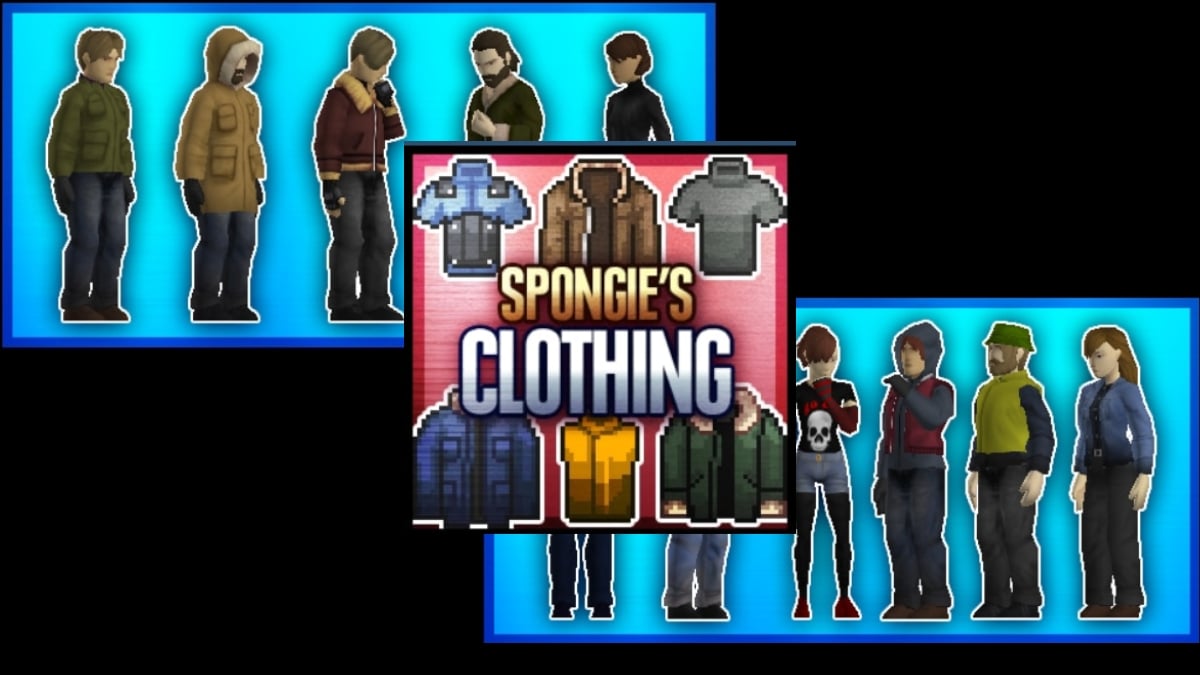
The mod Spongie’s Clothing adds thicker, warmer clothes on your end. When zipped all the way up, they protect you much better from the cold and bad weather—a real plus when winter arrives in Project Zomboid.
Beyond survival, this mod also expands your wardrobe with additional outfits inspired by the pop culture. Perfect if you want to customize your character or stand out in multiplayer.
It is compatible Build 41 and Build 42, so you can install it without any worries on the latest version of the game. It has over 1.3 million subscribers on the Steam Workshop, which is a testament to its quality.
9. Manage Containers
Steam Tag: Build 41, Build 42, Interface, Multiplayer, QoL
Popularity on Steam Workshop :
- 5 stars
- 5,559 reviews
- 664,343 visits unique
- 1,151,647 subscribers
- 35,287 favorites current
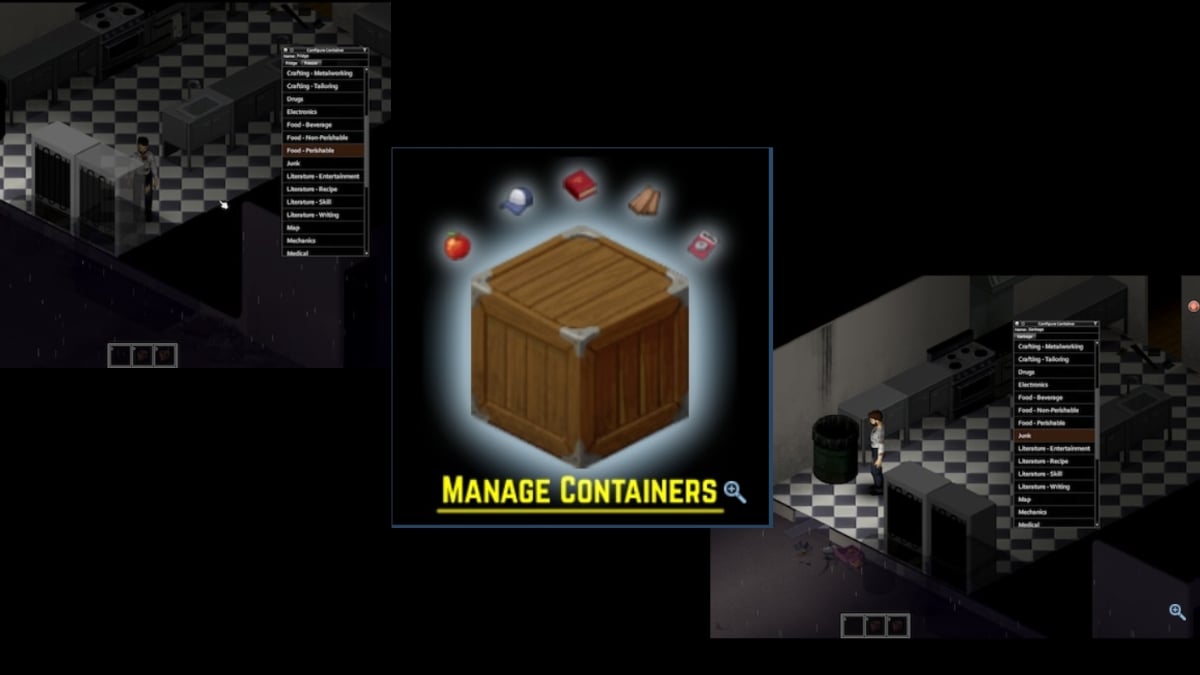
Manage Containers moves items from your inventory to the right storage slot with a single click. The mod automatically detects the category of items that corresponds to the target container.
Specifically, you click on your refrigerator and he suggests you store all the perishable goods in your inventory. That's a huge time saving when you're organizing your base and sorting through hundreds of items.
Compatible Build 41 and Build 42, it also supports multiplayer. Note: Its Steam Workshop page was removed at some point. If you can't find it anymore, look for a alternative inventory sorting method equivalent on the Workshop.
10 (41, 42) (Vanilla) Crashed Cars Mod
Steam Tag: Build 41, Build 42
Popularity on Steam Workshop :
- 5 stars
- 3,693 reviews
- 454,615 visits unique
- 546,741 subscribers
- 21,099 favorites current
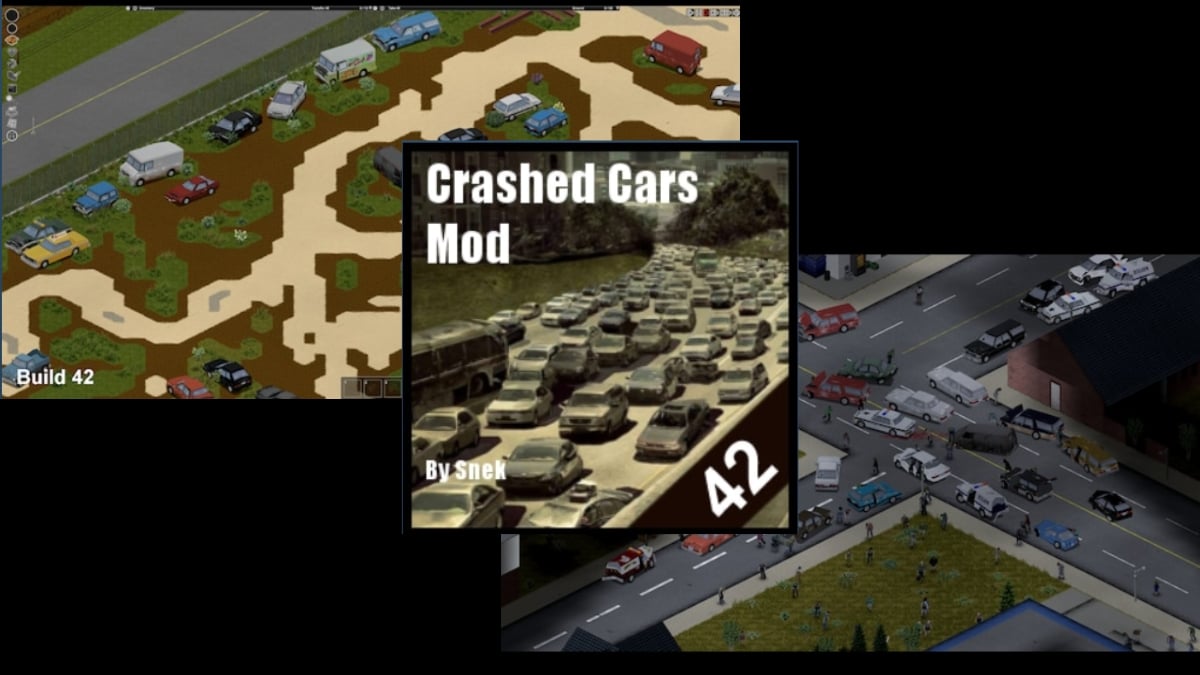
This mod adds a lot more damaged vehicles in your game. The crash scenes feel more believable and consistent with the chaos of an apocalypse, and you come across more cars to be picked up along the way.
It's a minor addition in terms of gameplay, but its impact on the’immersion is real. Compatible Build 41 and Build 42, it will be safe to install in 2025.
Our Tips for Choosing the Right Project Zomboid Mods
The best thing to do is to try out these mods yourself so you can form your own opinion. Before installing anything, here’s a simple tip: give priority to the mods with a lot of followers. They are generally more stable and regularly updated by their creator.
Be sure to also read the notes left by modders on the Workshop. They specify compatibility Build 42, potential conflicts, and the’loading order Recommended. Following this loading order prevents most startup bugs. If you use a lot of mods, a dedicated manager can help you organize them without getting lost.
In multiplayer, everyone must install the same list. To Install mods on a Project Zomboid server, you have to add them on both the server and client sides; otherwise, you risk crashes when joining. Don't stack too many mods at once: add them in small batches and run a test section Between each one, that's the best way to isolate the one that's causing the problem.
Two mods that are very popular with the community to round out this list: Proximity Inventory, which automatically displays objects on the ground around you, and Common Sense, which adds logical interactions that are missing from the base game.
If you're looking for other ideas beyond Project Zomboid, take a look at the Must-Have Mods for Lethal Company.
And if you want to know How to Add a Mod to Your Project Zomboid Game, everything is explained step by step in our dedicated guide.









 FR
FR  RU
RU  EN
EN  ES
ES  IT
IT  DE
DE  ZH
ZH  PT
PT  ID
ID  JA
JA  DA
DA