Vidnoz AI at the best price
- Company Custom-made €
- Business 69,99 €
- Basic 24,99 €
- Free 0 €
In brief
Positives
- Time-saving
- Low cost (no camera or other special equipment required)
- Easy to use
- Generated video can be updated
- Several models available
- Several functions available
Negative points
- Watermark for the free version
- Limited functionality for the free version
- The quality of the video generated varies according to the complexity of the text and the avatar chosen.
With several AI video generatorsAre you wondering which one to choose to produce a quality video? Have you ever heard of Vidnoz Ai?
In this article, discover a full review of Vidnoz Ai and how this AI-powered platform can help you generate videos quickly and easily.
Start by discovering Vidnoz AI :
And with the coupon code Vidnoz Aibenefit from 15% reduction on all your Vidnoz AI subscriptions!
| ▶️ VIDNOZ AI | ❓ Note |
|---|---|
| Ease of use | ⭐⭐⭐⭐⭐ |
| Value for money | ⭐⭐⭐⭐☆ |
| Customer support | ⭐⭐⭐⭐☆ |
| Features | ⭐⭐⭐⭐⭐ |
Vidnoz Ai: Everything you need to know about this platform
Before going into detail, please note that Vidnoz AI has a proven track record in the market. Indeed:
- It was in 2016 that Vidnoz was founded with the mission of reinventing the way videos are traditionally created.
- It then proposed its flagship product, Vidnoz Flex (AI talking avatar generator), between 2017 and 2022.
- In 2023Generative AI has become a global phenomenon. The company, drawing on its experience and developing its technologies in parallel, has been able to innovate while keeping up with the trend.
- It also recently launched a API version and a host of free tools to help you create your own AI videos with ease!
a) Features
Vidnoz AI is a feature-rich tool. Using cutting-edge technology, let's start by discovering Vidnoz AI's new features:
- Free video dubbing which consists of automatically double your YouTube videos or others in just a few minutes, with natural effects and over 140 languages at your disposal.
To test the free video dubbing of Vidnoz Ai :
Try Vidnoz's free video dubbing ✍️
- Free video translator This Vidnoz Ai feature allows you to translate voices and subtitles free of charge and in just a few minutes!
To translate videos automatically and free of charge :
Translate videos for free with Vidnoz Ai 🎙️
- Other free AI tools: You will find some free features of Vidnoz, such as AI portrait generators, AI dance photo generators, AI image fusion generators, AI voice generators, AI script generators, AI cartoon generators, AI voice changers, and much more!
But in addition, please note that the application also hasother functionsnamely :
| 🔥 Vidnoz features | ✅ Details |
|---|---|
| Realistic avatar | You can choose from over 1,500 realistic AI avatars based on age (young, middle-aged or old), gender (male or female) and outfit (random, formal or festival). |
| Video model | You can choose from over 2,800 video templates available to suit your needs. These include video templates for tutorials, live news coverage, education, and more. |
| Custom avatar AI | Create personalized avatars from your portraits. They can be synchronized to the lips of your portraits. |
| AI voices | Generate a perfect AI voice in multiple languages from text or voice. You can adjust the emotion and speed of the AI voice. You can even clone your voice with Vidnoz's AI voice generator. |
| AI video editor | It is suitable for those who want to edit a video in just a few minutes. What's more, you don't have to be an editing expert to do it! |
| AI Video Assistant | With Vidnoz Ai, you can easily generate videos from prompts and predefined templates available free of charge on the platform. |
b) What are Vidnoz AI's price plans?
Vidnoz AI allows its users totry this online AI tool free of charge. However, please note that you must first log in to the tool!
By opting for free map of Vidnoz AI, you will only have access to limited features. Therefore, if you want to enjoy more features, you must subscribe.
You can therefore choose a Vidnoz AI subscription whose rates are as follows:
- The plan Free : to 0$
Try Vidnoz Ai :
- Starter from 26.99$/month for monthly payments and from 19.99/month for an annual subscription,
- Business from 74.99/month for monthly payments and from 56.99/month for an annual subscription,
- Company For the latter, you need to book a demo to find out the price of the personalized offers proposed by Vidnoz.
Fortunately, with the promo code Vidnozyou can save exclusively 15% on all your subscriptions!
Depending on the subscription you choose, here is an overview of some of the features you will enjoy:
| ⭐ Available features | 🅾️ Free | 🌱 Starter | 📂 Business |
|---|---|---|---|
| Allowed video length per day | 15 seconds | 15 to 60 seconds depending on the shot | 30 to 90 minutes depending on the plan selected. |
| Watermark | Yes | Nope | Nope |
| Available languages and voices | 340+ | 1380+ (with emotional voices) | 1380+ (with emotional voices) |
| AI avatars | 1400+ | 1500+ | 1500+ |
| Export quality | 720p | 1080p | 1080p |
| Number of characters per scene | 2000 | 5000 | 5000 |
| 24/7 customer support | Nope | Yes | Yes |
| Customized video template | 1 | Unlimited | Unlimited |
| IA Translator | Yes | Yes | Yes |
| Automatic subtitling | Yes | Yes | Yes |
To discover more, visit the Vidnoz official page !
How do I use Vidnoz AI?
With a user-friendly interfaceHere's how to generate a video with Vidnoz AI :
- Complexity level : Easy.
- Materials required Internet-connected device.
- Skills required : None in particular.
- Time required 5 to 10 minutes.
To use Vidnoz Ai and generate a free video, it couldn't be easier:
- Go to Vidnoz AI official website,
- Log in to Vidnoz or create your account,
- Once you're logged in, you can browse the functions or press Create a free video now to generate a free video,
- Choose the video template to generate,
- And more details in the next section!
As mentioned earlier, one of the main advantages of this AI tool is its ease of use. If you want to use Vidnoz AI for free video generation using only the text, here are the steps to follow:
Step 1 : Start by visiting the Vidnoz AI official website by clicking on the button below :
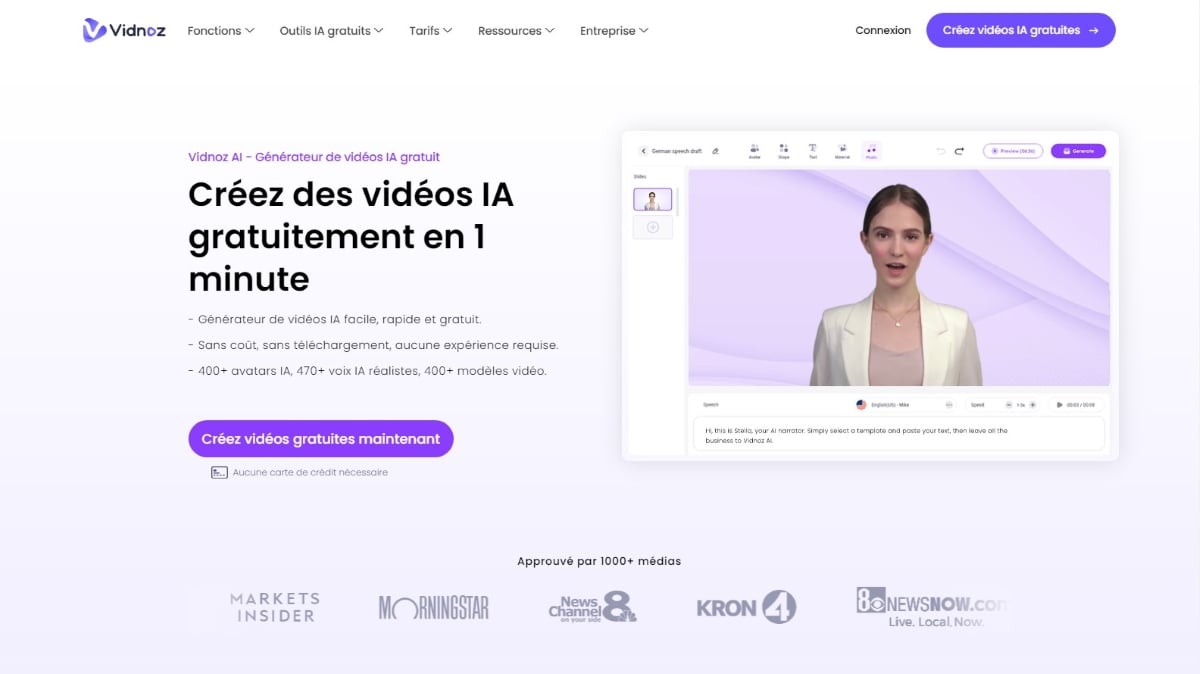
2nd step : On the home page, locate the buttons “Create free videos now" Where "Create free AI videos” and click on it. You can also click directly on “Login".
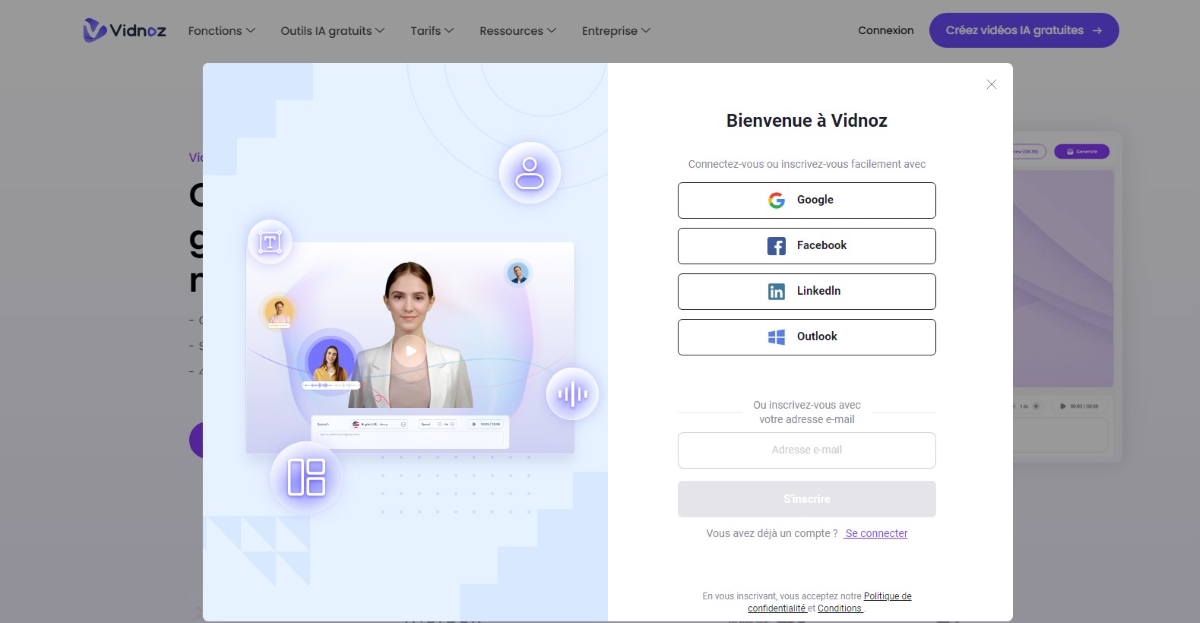
- Regardless of which buttons you choose to click, a pop-up window will open.
- She then invites you to connect if you already have an account or to to register,
- You can therefore choose to connect via a Google, Facebook, LinkedIn account Where Outlook. Alternatively, you can simply register using your e-mail address.
Step 3: After successfully completing your registration on Vidnoz AI, you will have direct access to your free account, where another pop-up window will open.
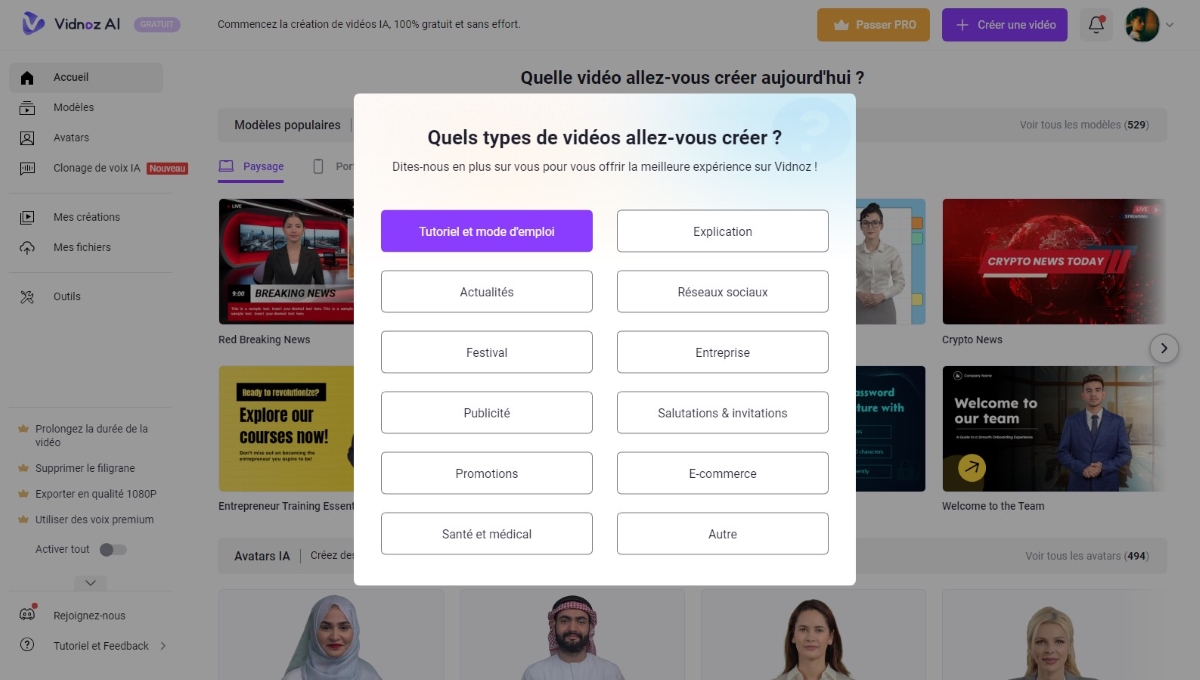
- It shows you the types of videos (Tutorials and How-To's, Explanations, News, Social Networks, Festival, Corporate, etc.) you can use as a model for generate your first free video.
- Sharing your preference allows the platform to offer you an optimized experience on the site.
Step 4: Once you've made your choice of video types, another pop-up window will automatically appear.
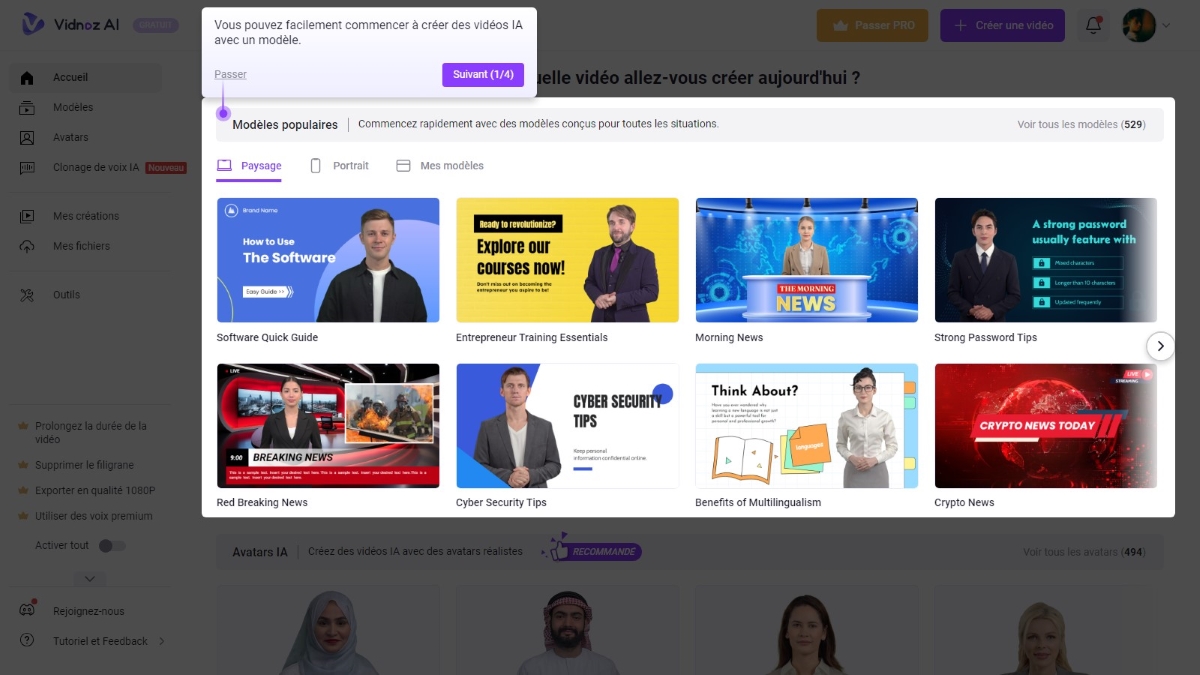
- It will help you get to grips with the AI video design from your account, guiding you through the key points of your dashboard.
- You can, of course, take advantage of this opportunity to understand and master the tool from the outset, but you also have the option of skipping this short guide.
- To do this, either click "Skip" to exit the window, or click "Next (1/4)" to continue with the other three presentations on your dashboard.
Step 5 (optional) : If you've been following the dashboard presentation guide, the last part will show you how to create a fully customized video.
To do this, simply click on the “Create a video” where you can then enjoy a spot of creating a video from scratchThere will be no template or avatar, but you must remember to customize everything.
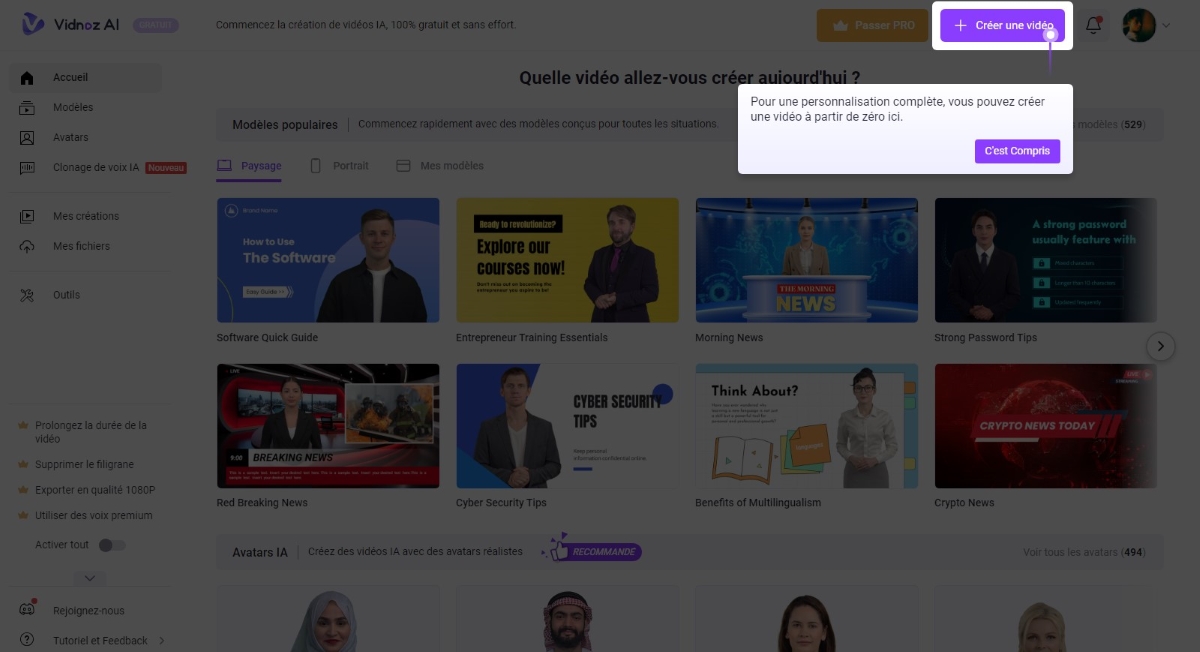
The steps for using Vidnoz AI are: easy and only take a few moments. What's more, you can explore certain features at no cost before you subscribe!
New: Vidnoz API
The Vidnoz API was designed to simplify and accelerate the AI image and video creation.
As a result, you can integrate it into your applications, workflow, or website to optimize AI image and video design.
What does this version of Vidnoz offer?
Here are the main features of the Vidnoz API:
- Creation of talking AI avatars Upload photos of yourself, or choose from the list and enter text to create a talking AI photo.
- Customize your avatar You can also make your avatar more realistic. Simply enter some text to get the avatar of your choice.
- Obtaining a professional portrait : Turn photos into professional portraits with a single click.
- Create videos with AI avatars in just one click (with a very realistic look).
- Text processing in audio always with a realistic effect, with 1,380 realistic voices and 140 languages at your fingertips.
- Custom video design from video templates: over 1,000 thematic templates.
What are the Vidnoz API prices?
If you want to explore the Vidnoz API and everything it has to offer, you can check out its pricing now!
Find out all about it here:
Final opinion on Vidnoz
Considering the features offered by Vidnoz AI, we can conclude that it is a the tool that revolutionized the creation of AI videos and photos. With several interesting features and the option to try it out at no cost, Vidnoz Ai is an excellent choice for designing a quick and easy AI video!
However, the tool, like any other, is not without its critics ! Customer support, according to some users, could be improved. As response times can vary, this can be a problem for those who want urgent solutions to their problems.
Before giving our verdict on Vidnoz, here is a summary of what people like and dislike:
✅ What people like:
- The availability of a free plan to test Vidnoz's main features,
- Features, of which facewap is one of the most popular,
- A wide range of ready-to-use models,
- Ease of use.
❌ Areas for improvement:
- More reactive customer support for faster response,
- More or less limited customization, which may not suit users.
However, Vidnoz Ai has established itself as a powerful tool thanks to its regular updates which reinforce its effectiveness. Reliable and appreciated by its users, it has earned the rating 4.5/5.
FAQs
Is Vidnoz AI free?
Vidnoz invites you to test its main features free of charge. But to get more out of it, you need to sign up for one of Vidnoz AI's subscription plans.
How can I reduce my Vidnoz Ai subscription?
Would you like to subscribe to Vidnoz Ai but want to save money? With our promo code15% discount on all your subscriptions.
Is Vidnoz reliable?
Yes, it is a reliable platform and legalIt has revolutionized the video creation process by simplifying the steps and offering ready-to-use templates to optimize the design of your AI videos.
What alternative applications are there to Vidnoz AI?
Vidnoz AI is a powerful tool powered by artificial intelligence, capable of generating a video from text. Thanks to hundreds of video templatesWith AI avatars and AI voices to choose from, it is now relatively easy to create a video for free using this platform.
In addition, there are also other alternative applications to this AI tool, each with their own advantages and disadvantages.
1. Synthesia AI
It is one of the best alternatives to Vidnoz AI to generate realistic videos with high-quality avatars and voices. However, its subscription costs are higher and its interface is relatively more complex to learn.
2. D-ID
This other AI solution also offers several features based on artificial intelligence, including the generation of videos from text.
She is a serious alternative to Vidnoz Ai. However, its trial version only offers a 14-day period with several limited features.
3. Rephrase.ai
The ease of use This other AI tool capable of generating videos from text may also prove to be its main drawback.
Moreover, its relatively fewer and more limited features compared to Vidnoz, Synthesia, or D-ID only allow it to produce a few types of videos (podcasts, audiobooks).
In short:
- If you're looking for a platform that can support you in the creation of an AI video simply and efficiently, Vidnoz Ai can be the best solution for you,
- You can try it out. free of charge before subscribing and reduce rates with promo code.
- However, although it proposes to numerous functions and easy to use with many templates to inspire you, Vidnoz Ai has certain limitations in terms of personalization. This can be an obstacle for those who want total control over their creations.








 English
Hello, I need to make videos on YouTube. In your opinion, is Vidnoz better than Fliki? Thank you.
I haven't tested it.