Visual Studio Code, remove accent yellow square
Tutorial for how to remove Yellow squares on accents in Visual Studio Code.
I myself had the problem and I looked for almost 1 hour for a way to delete them and I'll explain how to do it!
I hope it will be useful to you! Tell me in the comments please.
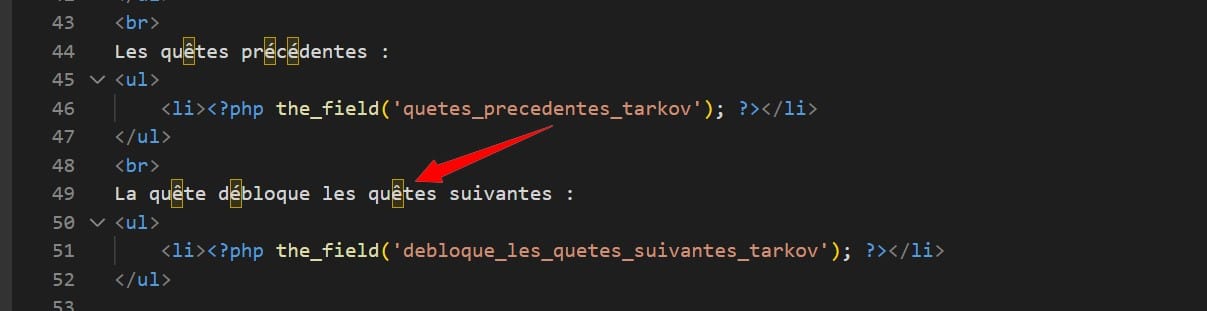
Image of what I want to remove in my Visual Studio Code.
Tutorial how to remove it.
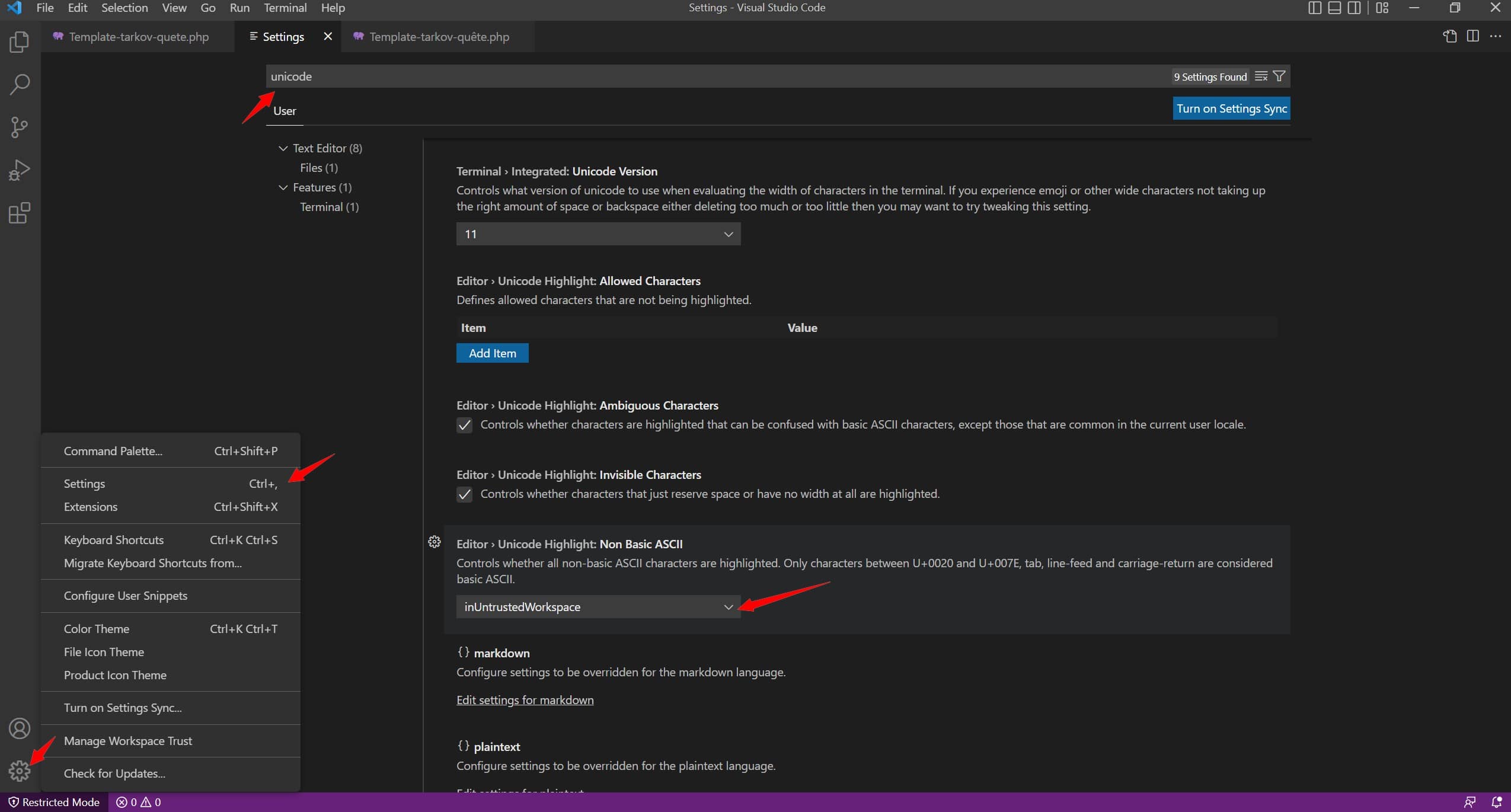
You have to go to:
- Settings (nuts)
- Settings
- Write Unicode at the top
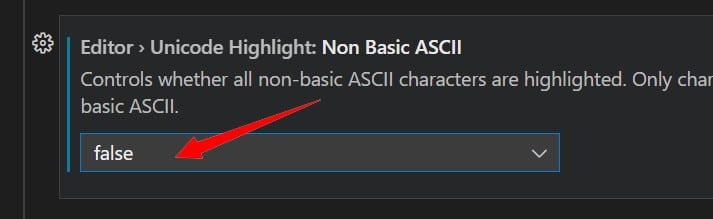
- Set “Editor > Unicode Highlights: Non basic ASCII” to False
- Go back to your code and see that the yellow squares are no longer present
You can see the images below to check:
I hope this tutorial has helped you! If so, please leave a comment to better reference it 🙂









 English
genioo. estuve 2 horas con chatGPT y no lo podia resolver, y con esto salio de una. saludos
Es genial.
GEnial… Muchas gracias por la ayuda…
Ni siquiera la IA ha sabido darme la solucion… Me has evitado un montón de horas de busqueda…
Thank you for this very welcome comment. At alucare.fr, we really try to make our guides as comprehensive as possible, and I've encountered this bug myself ^^ I had to figure out how to fix it, and here's the guide 🙂
Aaaaah thank you, I've been looking for ages!
thank you 🙂 !
Thanks for sharing this tip.
Super thanks, I've been looking for an hour too 😉
And the light was on!
haha 🙂
Wow! I'm really glad I stumbled upon this tutorial.
Hello, thank you for your walkthrough, which was very helpful.
Another method that I would like to share here is to hover the mouse cursor over one of the characters surrounded by yellow, whereupon a tooltip appears with a clickable “Adjust settings” option.
All you have to do is select the option: “Disable highlighting of non-basic ASCII characters” and you're done.
Kisses.
Thank you for the other method.
Gracias we
Thanks!
TOP
clear and precise! THANKS
No worries 🙂
Thank you very much, it works!!!!
No worries 🙂 I had a hard time ^^
Thank you you manage!
No worries ^^ I struggled too