How do I make a Spotify QR code?

Author :

React :

Comment

To Create a Spotify QR code, copy the link of your song, your playlist or your artist from the app, then paste it into a online generator as ME-QR Where QR Tiger.

Next, you download your code—it’s quick and easy. Here’s the complete guide, including the tools you’ll need and how to scan a code once it’s been generated.

How do I create a Spotify QR code with a code generator?

You can generate a Spotify QR code related to a song, a playlist or one artist. Here are the steps in order.

  • Open Spotify (on a PC or in the app).

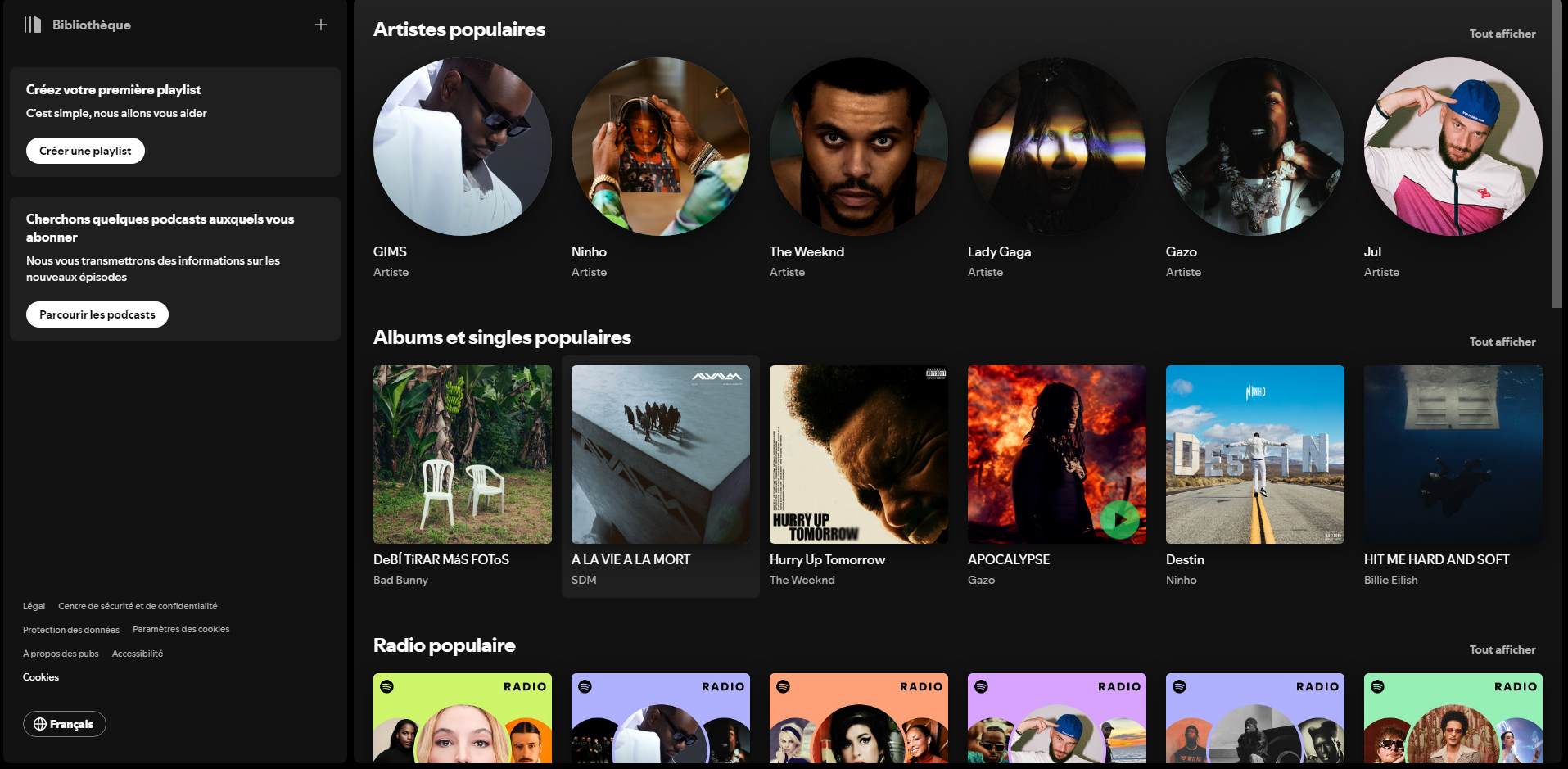
Spotify Web homepage on a PC, showing the list of songs and artists
The Spotify Web homepage on a PC. From the list provided by the platform, select the song, artist, or playlist you want to share. ©Antonin for Alucare.fr
  • Select the song, the playlist or theartist that you'd like to share.
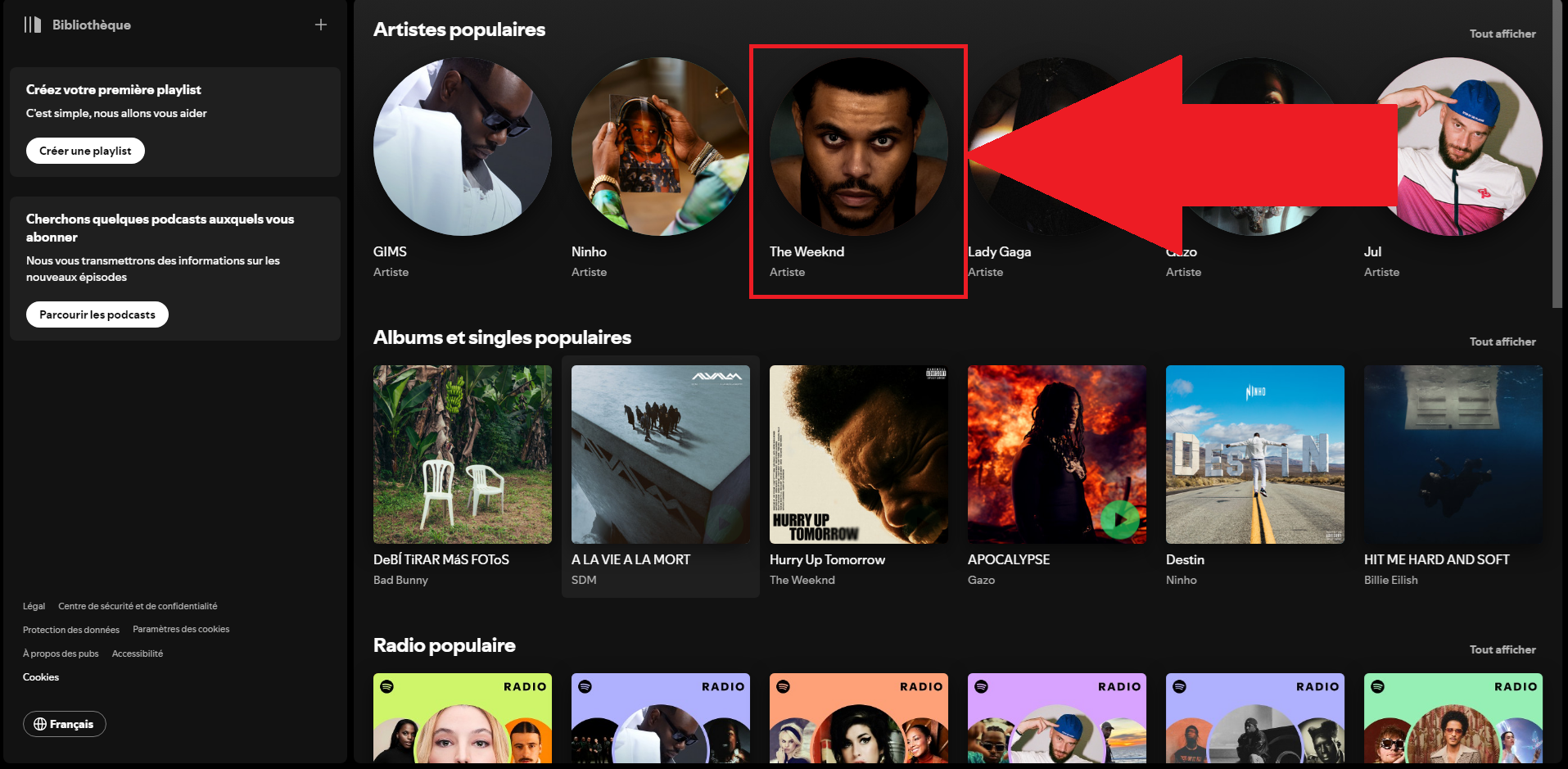
Search results for the artist The Weeknd on Spotify
In our case, let's say you want to share the artist The Weeknd. So click on it to go to its Spotify page. ©Antonin for Alucare.fr
  • Click on the three small points.
The Weeknd's artist page on Spotify featuring his music
The page for The Weeknd on Spotify, with its music content. Here, locate and then click the three dots. ©Antonin for Alucare.fr
  • Press «Share».
"Share" menu open on The Weeknd's artist page on Spotify
Here's the option for sharing The Weeknd. If you want to share one of his tracks, just click on the track first. ©Antonin for Alucare.fr
  • Press «Copy the link to the artist» (or «Copy the link to the playlist,» whichever you prefer).
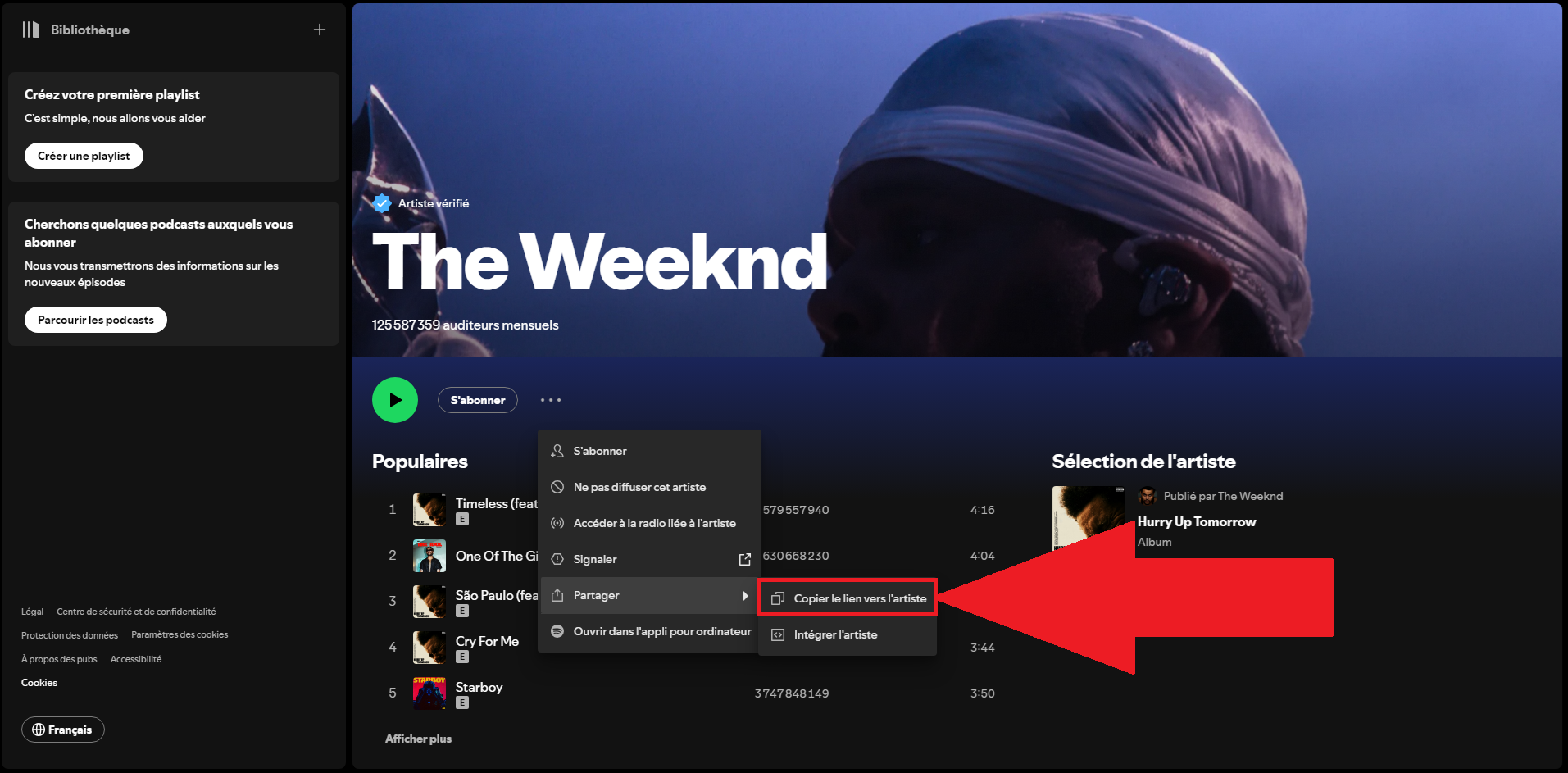
"Copy Artist Link" option in the Spotify share menu
This is where you should copy the link. Be sure to save it—it will be linked to the QR code that your contacts can scan. ©Antonin for Alucare.fr
  • Go to a QR code generator website and select the option URL / Link.
ME-QR Generator Home Page with the "Link URL" Option
In this example, we chose to ME-QR, where the next steps take place. Click on «URL / Link.» ©Antonin for Alucare.fr
  • Paste the Spotify link in the designated field.
The Weeknd's Spotify link pasted into the URL field of the ME-QR generator
As you can see, the link to the Spotify page for The Weeknd is securely affixed in the designated slot. ©Antonin for Alucare.fr
  • Customize your QR code, if you'd like (colors, logo in the center).

Options for customizing the colors and logo of a QR code on ME-QR
Once you've customized your QR code, all you have to do is tap «Download QR Code.» ©Antonin for Alucare.fr
  • Download Your QR code as an image.
  • Share it on your social media or print it out.

At the same time, you can see how to download music on Spotify by reading our dedicated article.

Which QR code generator should I use for Spotify?

There are several online tools that can help you generate your Spotify QR code for free. Each has its own strengths, depending on whether you're looking for a one-time use, a advanced personalization or a built-in scanner.

Here are the three most reliable platforms.

  • ME-QR : Free, with basic customization (colors, logo). Ideal for a one-time need or a first try.
Logo for the ME-QR QR code generator, compatible with Spotify
The logo of ME-QR, a generator that creates custom QR codes for free. ©Antonin for Alucare.fr
  • QR Tiger : Advanced customization with your own logo integrated. The free plan is limited to 3 dynamic QR codes (500 scans per code), which is perfect for trying it out before signing up for a paid subscription.
Logo for the Tiger QR Generator, which allows you to add a logo to a Spotify QR code
The logo of QR Tiger, which can be customized right down to the QR code with your own logo. ©Antonin for Alucare.fr
  • Pageloot : includes a built-in QR code scanner. It's handy if you want to create and scan in the same place.
Pageloot logo, a QR code generator and scanner for Spotify
The logo of Pageloot, which generates QR codes and also lets you scan them directly. ©Antonin for Alucare.fr

How do I scan a Spotify QR code?

Your contacts have two options for scanning your Spotify QR code : THE scanner built into the app Spotifyor thebuilt-in camera from their phones.

Scan a code from the Spotify app

This is the most direct. Here are the steps to follow:

  • Open the app Spotify on your device.

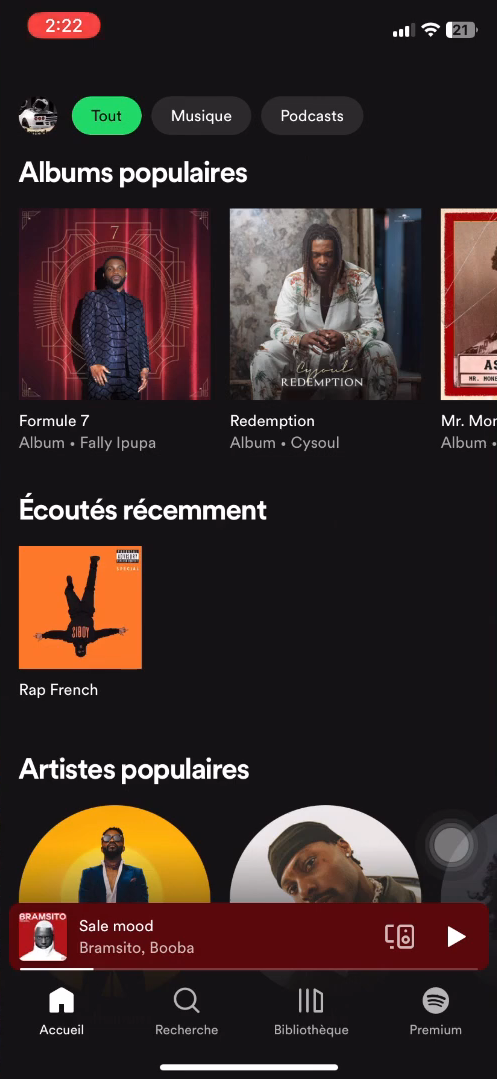
Home screen of the Spotify mobile app on a smartphone
The Spotify mobile app. Whether you're using iOS or Android, the steps are the same. ©Antonin for Alucare.fr
  • Dans la section «Search», tap the icon in the upper-right corner of your screen.

Camera icon in the upper-right corner of the Spotify search bar to scan a code
The icon you tap to scan a QR code. ©Antonin for Alucare.fr
  • Press «Scanner».

"Scan" button in the Spotify interface with a request for camera access
Spotify may ask for your permission to access your camera. Without this access, you cannot proceed to the final step. ©Antonin for Alucare.fr
  • Positions the QR code in the frame : The scan runs automatically.
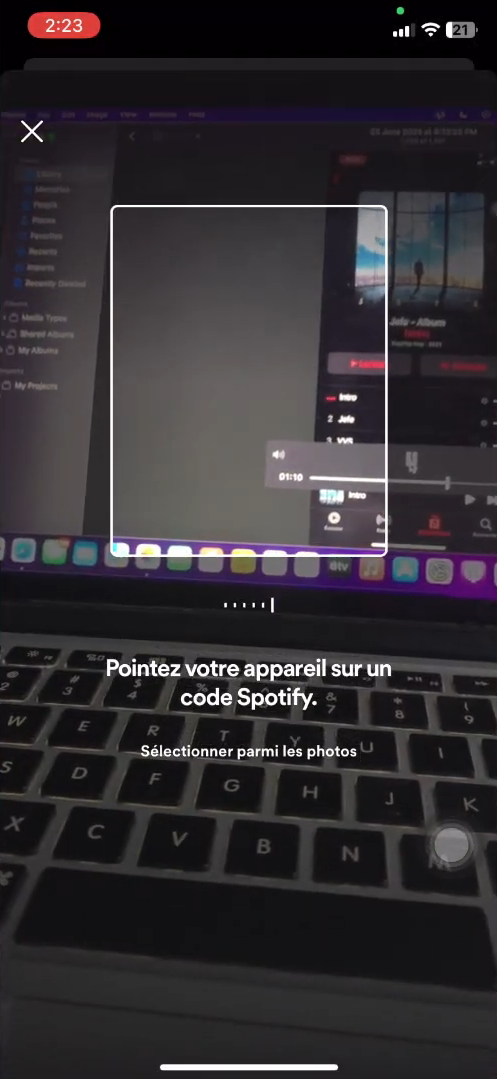
Spotify scan frame positioned over a QR code to automatically read the content
Position the QR code correctly within the rectangle: it will scan automatically. ©Antonin for Alucare.fr

Scan a code using your phone's camera

You don't have to use the app. Most of the Spotify QR codes files generated by a third-party tool also open with the’built-in camera from your phone.

Just open the camera app, point it at the code, and then tap the link that appears on the screen.

To listen to the music we've shared with you whenever and wherever you want, check out how to listen to music offline on Spotify.

Why use a Spotify QR code?

A Spotify QR code turns a simple link into an image that anyone can scan in just a few seconds. It’s much faster than copying and pasting a URL, especially when speaking or in person. Here are the main benefits:

  • Instant access to the shared content, in a single scan.
  • More convenient than a connection—especially a face-to-face one.
  • A real marketing tool to promote an artist, an album, or an event in an interactive way.
  • A customizable code (colors, logo) that showcases your projects.
  • The ability to track how many times the code is scanned, provided that you use a generator for dynamic QR codes. On QR Tiger, this service is free up to 3 codes, and then a fee applies beyond that.

There are many different use cases. You can share a playlist with friends, print your Spotify profile on a flyer, or share the code online to let your followers discover a song.

Whether it's among loved ones or for promote an artist, the QR code remains a simple, fast, and effective solution.

Discover How can I pay less for Spotify Premium?

👍Your opinion
The article is informative
The article is objective
The article answers my question
Content up to date
🔍 Found any errors? Tell us where!

Found this helpful? Share it with a friend!

This content is originally in French (See the editor just below.). It has been translated and proofread in various languages using Deepl and/or the Google Translate API to offer help in as many countries as possible. This translation costs us several thousand euros a month. If it's not 100% perfect, please leave a comment for us to fix. If you're interested in proofreading and improving the quality of translated articles, don't hesitate to send us an e-mail via the contact form!
We appreciate your feedback to improve our content. If you would like to suggest improvements, please use our contact form or leave a comment below. Your feedback always help us to improve the quality of our website Alucare.fr


Alucare is an free independent media. Support us by adding us to your Google News favorites:

Post a comment on the discussion forum

Spotify

Released on : 23 April 2006

Edited by : Daniel Ek et Martin Lorentzon

Available on : PC, Mac, Linux, Android, iOS, PlayStation, Xbox