Spotify can be downloaded for free at Mac in just a few clicks on the official website. You can also go through the web player, without installing anything.
Here are the step-by-step instructions for listening to your songs and your podcasts favorites.
How do I download Spotify for free on a Mac?
On macOS, you can Download the app for free since official website of Spotify.
The download only takes a few minutes.
Please note : Spotify is not available on the Mac App Store, so you must use the official installer.
Here are the steps to follow:
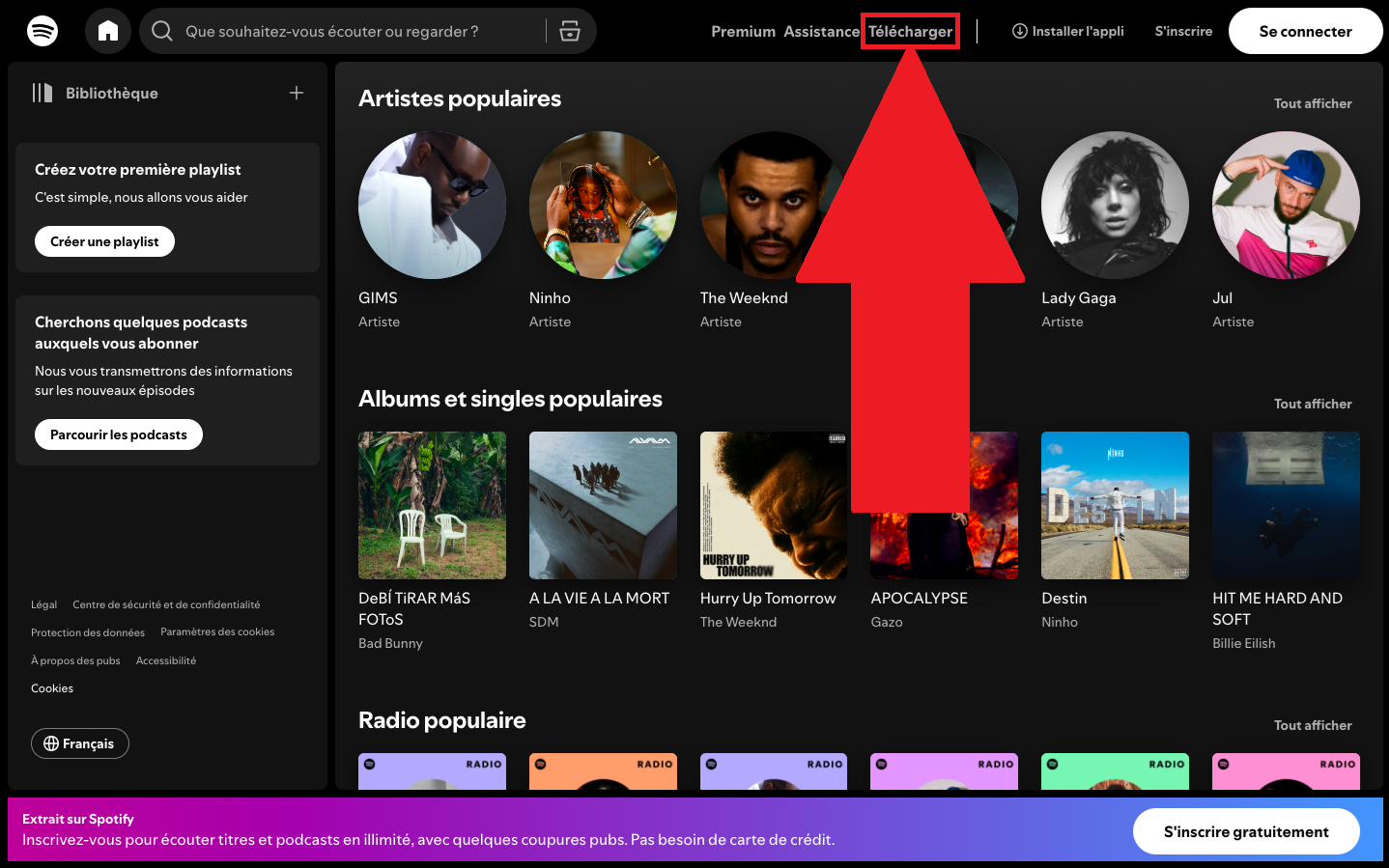
- Visit the website of Spotify, then click on «Download».
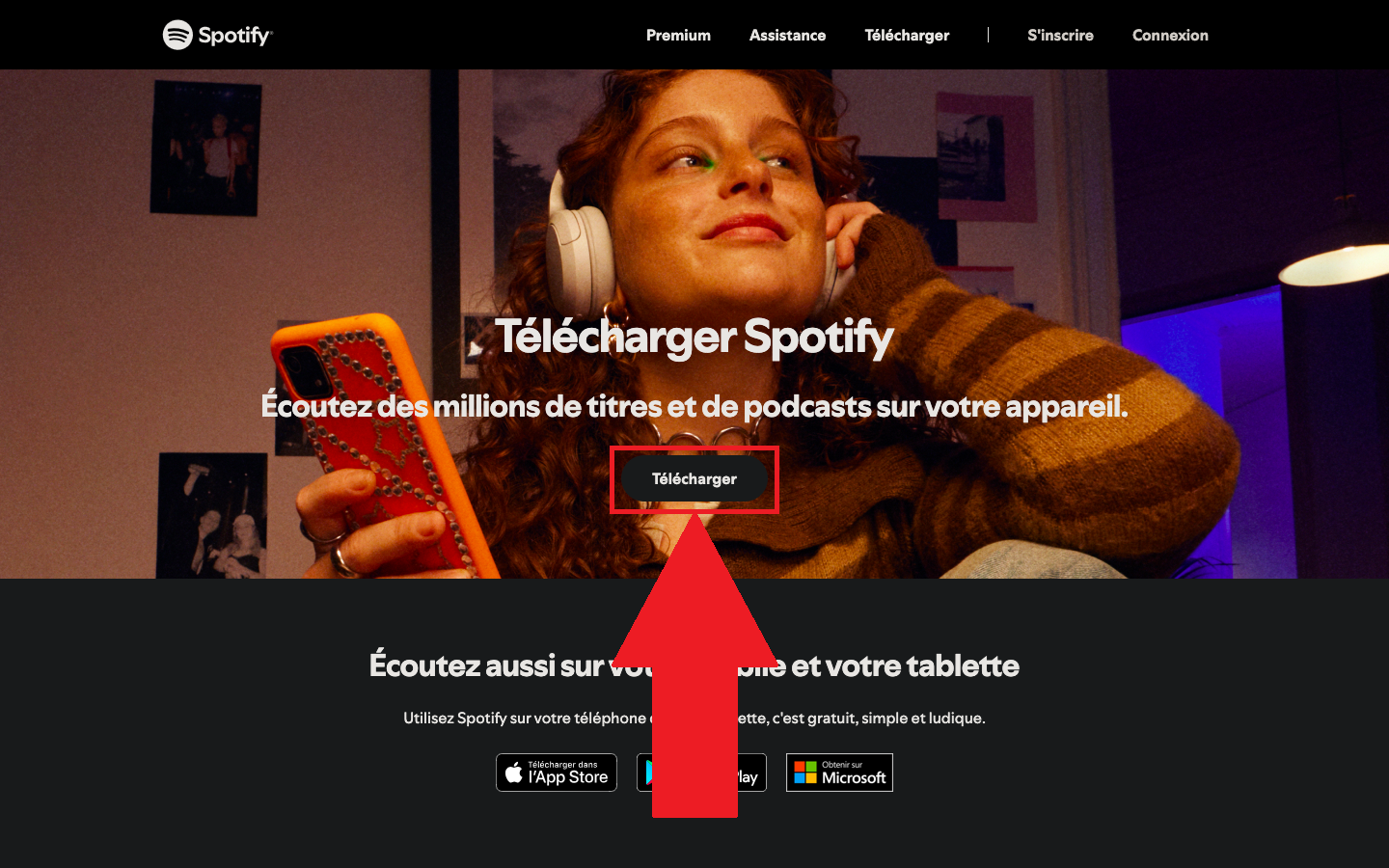
- Once you've been redirected to the new page, click again on «Download». The file will then be downloaded to your computer.
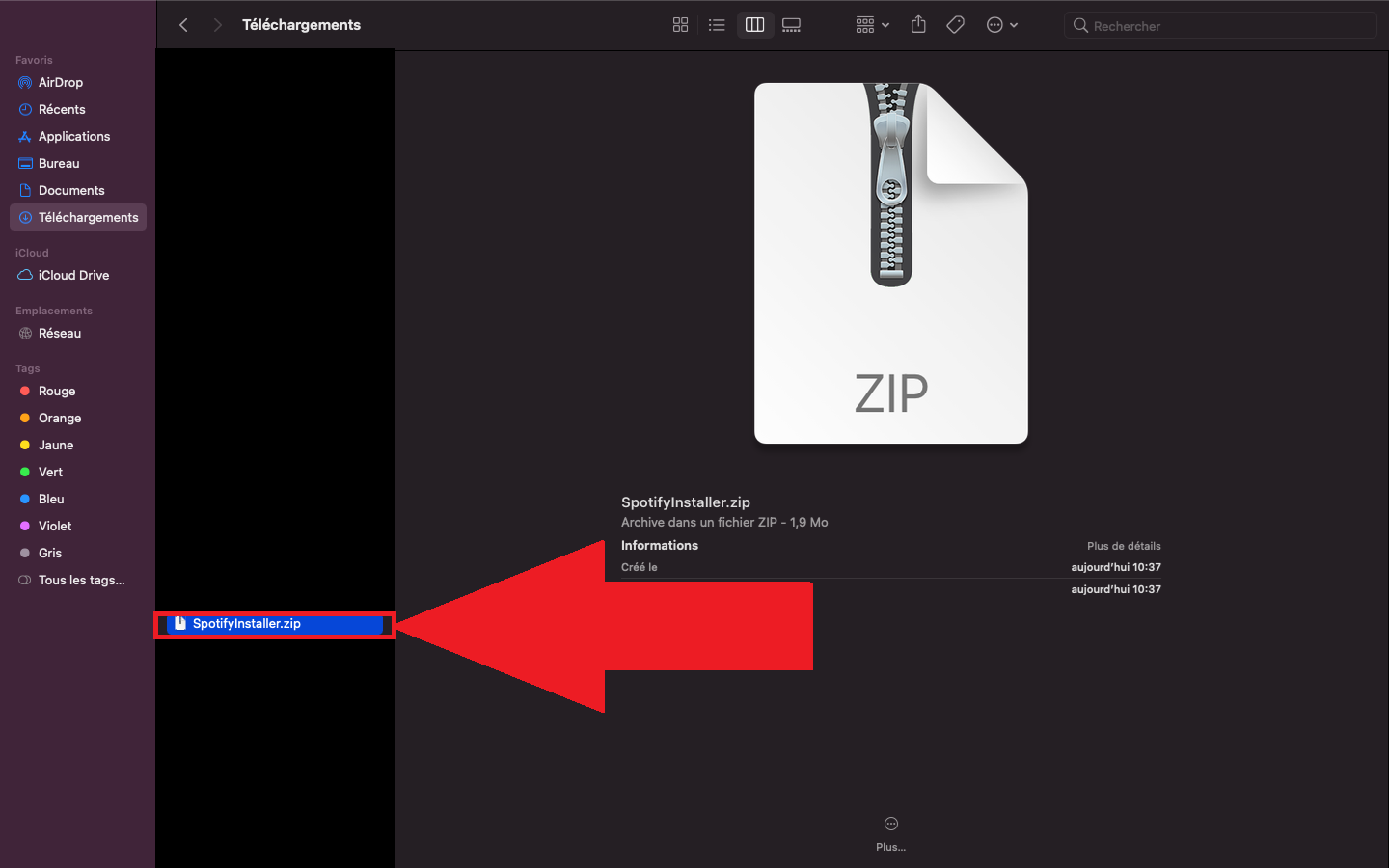
- In your Finder, unzip the file SpotifyInstaller.zip by double-clicking on it.
The download is complete. All you have to do now is start the installation to access the millions of securities, to podcasts and the artists available on the app.
Spotify has more than 675 million users worldwide: It is the most widely used music streaming platform, both on Mac than on Windows, android and iOS.
You can also listen to your music without installing anything via the web player of Spotify, right in your browser.
Check out how to download music on Spotify so you can listen to your songs even without an internet connection.
How do I install Spotify on a Mac?
The installation is simple. Here's how to do it:
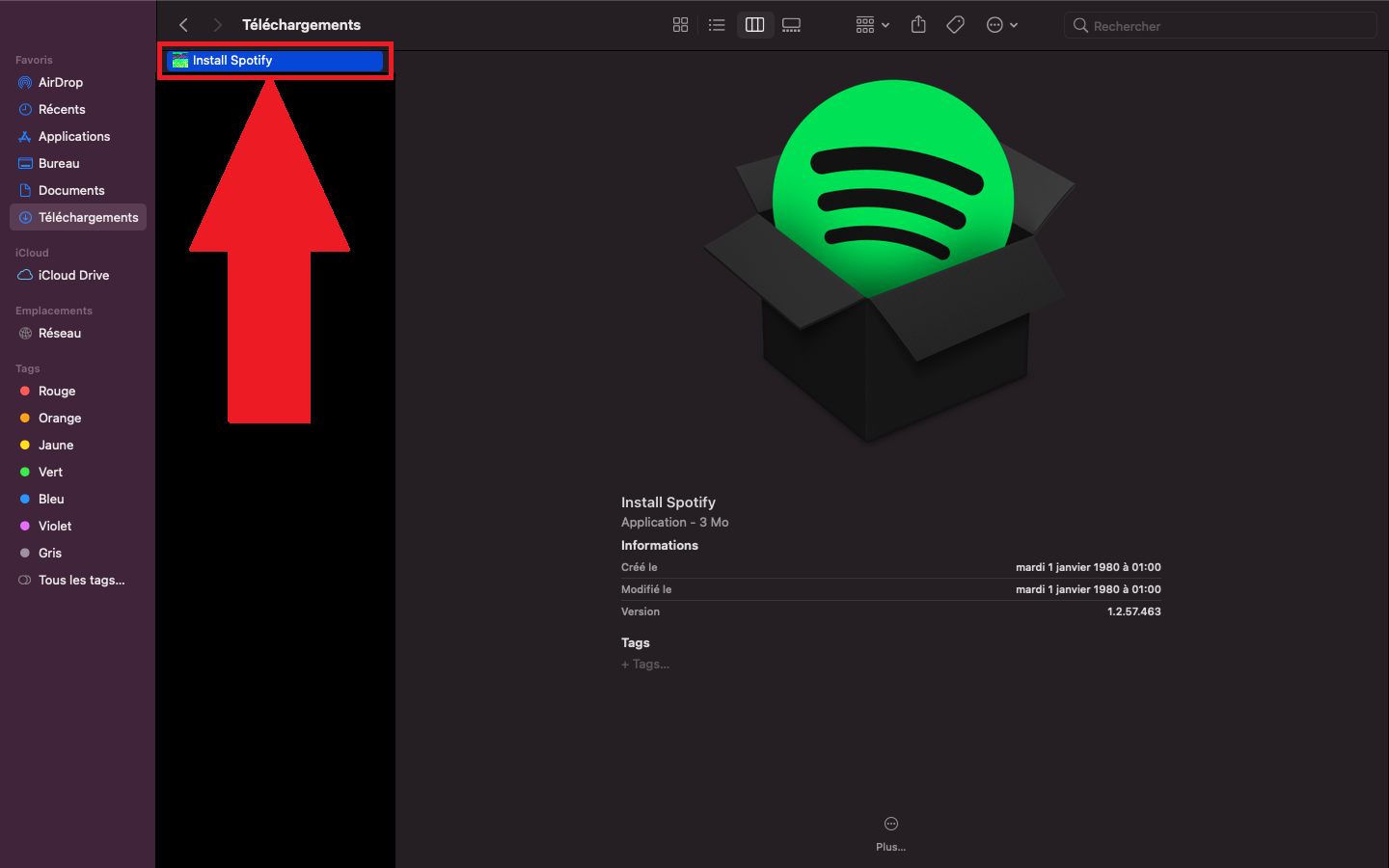
- Double-click the unzipped file named «Install Spotify».
- Press «Open» to confirm.
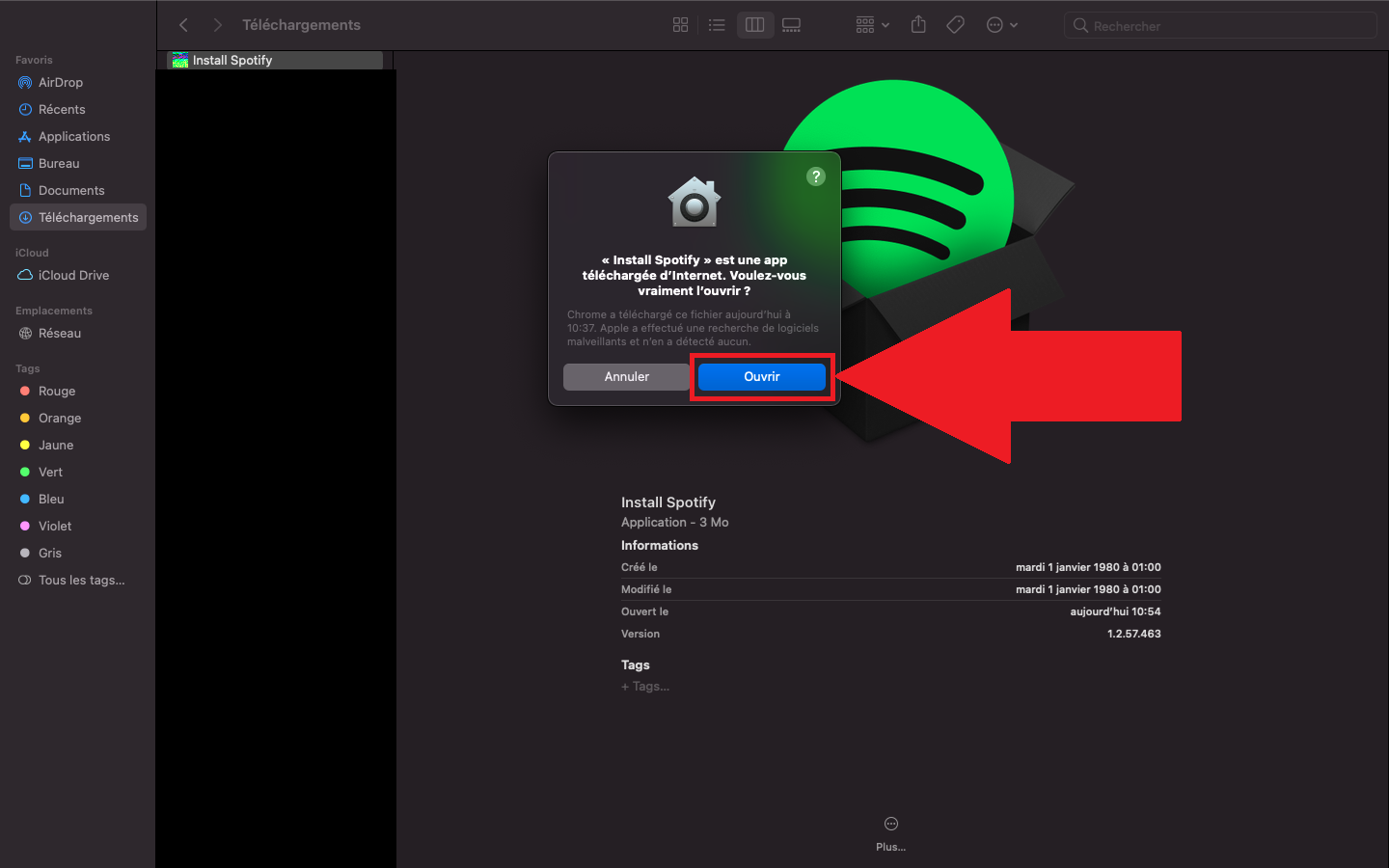
- L'The app is installed ! Open it and log in to your account, or create one free via your email address or your account Google.
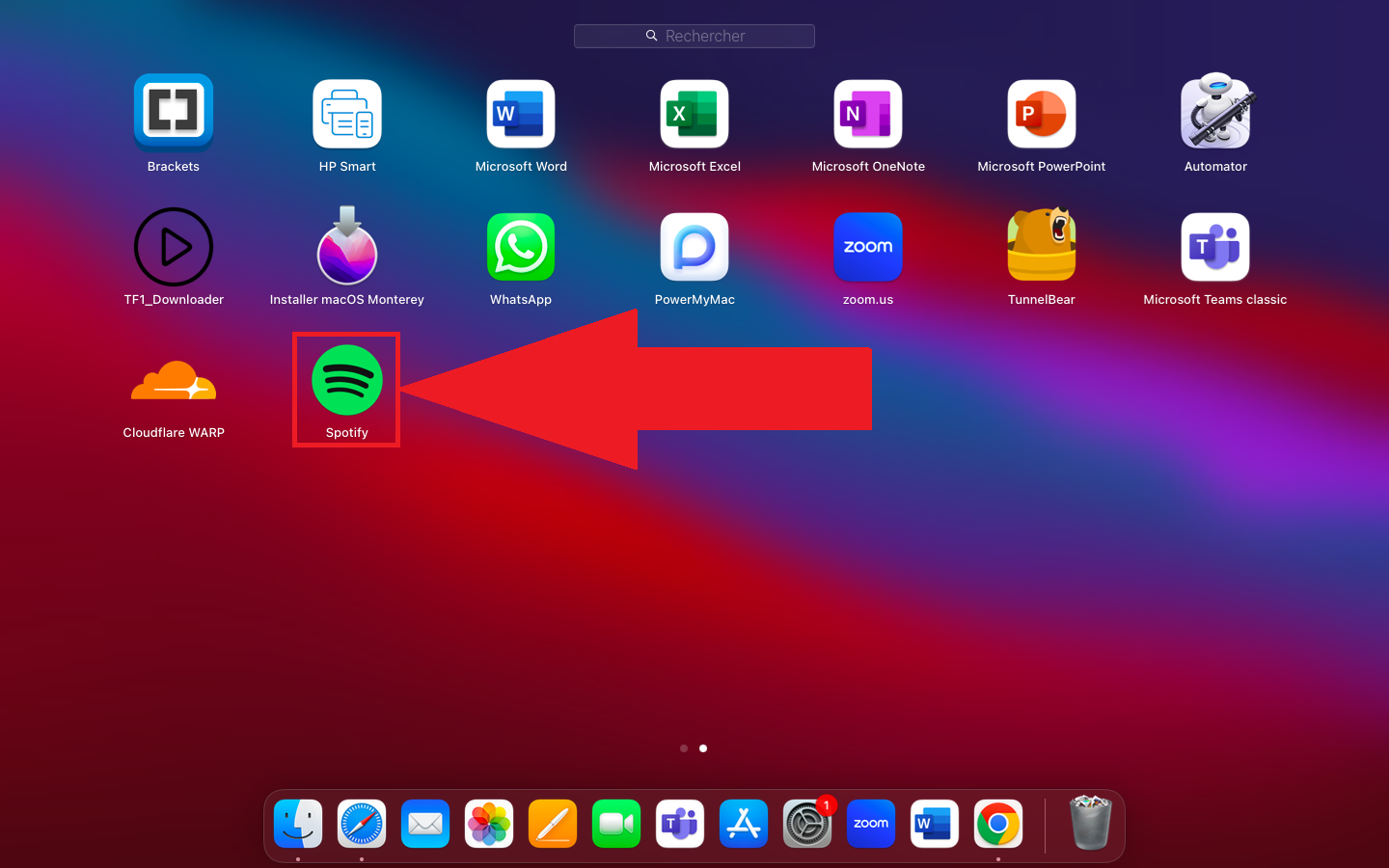
Once you're logged in, you can access your playlists and all the podcasts available. You can launch the reading directly from the app and listen to your favorite music on your Mac.
How much does Spotify Premium cost?
Beyond the version free of charge, Spotify offers a Premium formula paid subscription. You'll then enjoy ad-free listening, song downloads, and offline playback.
Here are the prices for the different subscription plans Spotify Premium in effect as of France to August 2026 :
| Packages | Price | Remarks |
| Premium Staff | 12.14/month | One account, for individual use. |
| Premium for Students | 7.07/month | For students only; proof of student status must be provided. |
| Premium Duo | 17.20 €/month | Two accounts for two people living at the same address. |
| Premium Family | 21.24/month | Up to six accounts for a single family. |
Prices are subject to change; be sure to check the current offers on the official website of Spotify. If the price seems high to you, find out how Pay Less for Spotify.
Why switch to the paid version of Spotify?
The version Premium offers several concrete advantages over the version free of charge, which is what prompts many users to take the plunge:
- A Listening Session without advertising between songs.
- The possibility of Download your music to listen to offline, without the internet.
- The freedom to choose the order of reading of your songs.
- Significantly better audio quality, up to 320 Kbps.
- The shared reading in real time with other people.
- Complete management of your queue reading.
There are several options available depending on your profile: Individual Premium, Duo, Family and Students. This way, you can choose the subscription that best suits your needs, whether you listen on a Mac, on android or on iOS.
Be sure to check out other practical tips, such as How to Delete Your Spotify History at the click of a button.







 FR
 RU
 EN
 ES
 IT
 DE
 ZH
 PT
 ID
 JA
 DA