Attention Opera users! Are you looking for a practical and effective browser extension for web scraping?
This article presents the Best web scraping extensions for Opera, and explains how to use them to effectively collect the data you are interested in.
| 🧩 Extensions | ⭐ Highlights | 🌈 For whom? |
|---|---|---|
| GrabzIt Web Scraping Assistant |
|
Non-technical and/or occasional users |
| AgentQL |
|
Users who already have basic knowledge of scraping |
| Web Scraper.io |
|
Beginners and advanced users |
Top 3 best Opera extensions for web scraping
1. GrabzIt Web Scraping Assistant

GrabzIt Web Scraping Assistant is an extension designed to simplify web scraping.
Thanks to its simple and accessible interface, it allows you to perform basic scraping tasks such as extracting text, images, tables, or links.
This is the ideal extension for non-expert users who want to easily collect data from web pages!
✅ Benefits
- Easy to use for simple tasks
- Suitable for beginners
❌ Disadvantages
- Fewer advanced features
- Lack of flexibility for more complex projects
2. AgentQL
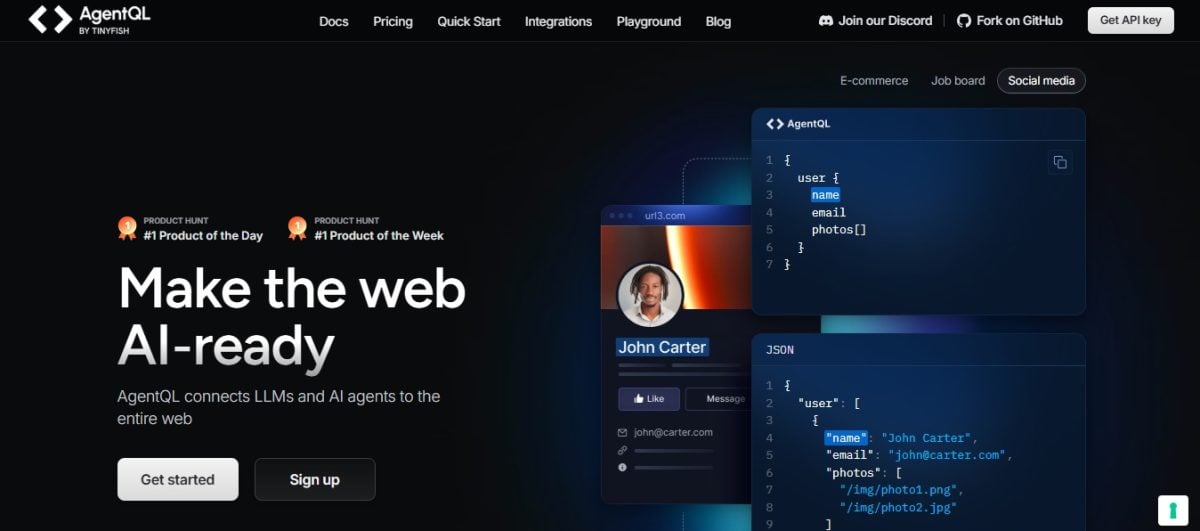
AgentQL is a scraping platform that allows you to extract and collect data. with the help of AI.
Thanks to artificial intelligence, its web scraping extension analyzes the structure of web pages and automates the extraction of relevant data. You will then be able to set up automatic tasks scraping with little effort.
✅ Benefits
- Automated scraping for non-technical users
- Save time with AI
❌ Disadvantages
- The accuracy of the extension may vary depending on the AI algorithms used.
- The extension relies heavily on artificial intelligence.
- Not suitable if you prefer a more controllable or manual solution
3. Web Scraper.io

Web Scraper.io is a advanced scraping extension, ideal for users with complex needs.
It is ideal for scraping sophisticated websites with pagination, pop-ups, etc. Thanks to its visual interface, you can create detailed scraping plans to organize and structure the data to be extracted. You can then export the collected data in various formats (CSV, JSON) with a single click.
✅ Benefits
- Very powerful and versatile with advanced features.
- Ideal for advanced users and scraping complex websites
❌ Disadvantages
- Requires some getting used to
- Can be intimidating for beginners to scraping
⚠️ Web Scraper.io is primarily designed for Google Chrome and Firefox, but you can use it on Opera thanks to an extension that allows you to add Google Chrome extensions.
How to choose the best web scraping extension on Opera for your needs?
Several criteria come into play: your needs, the features you are looking for, your knowledge/skills in scraping, but also your budget. Here is a small table to help you:
| Criteria | GrabzIt Web Scraping Assistant | AgentQL | Web Scraper.io |
|---|---|---|---|
| 💻 Ease of use | Very easy to use | Easy, automated | Complex at first |
| ⚙️ Features | Simple, basic extraction | Automation via AI | Advances, creation of sitemaps |
| 💸 Price | Free with paid options | Freemium plan, paid subscriptions | Free with paid options |
| 🌱 For beginners? | ✅ Yes | ✅ Yes | ❌ No |
| 🚀 For advanced users? | ❌ No | ❌ No | ✅ Yes |
- 👉 For beginners : Choose GrabzIt or AgentQL, which allow you to scrape on Opera with a single click.
- 👉 For advanced users: Web Scraper is the solution for your complex scraping needs.
How do I install and use a web scraper extension on Opera?
Most web scraping extensions are generally designed for a easy to useIn this article, we invite you to discover how to use the GrabzIt Web Scraping Assistant extension:
Step 1: Installing the extension
- 📌 Go to the Opera Addons from GrabzIt
- 📌 Click the "Add to Opera" button.
- 📌 Confirm the installation by clicking "Install."
Step 2: Using the extension
- 📌 Go to the webpage you want to scrape.
- 📌 Launch the extension by clicking on the GrabzIt icon in your toolbar (top left).
- 📌 An interface will appear.
- 📌 You can select the data to be collected there.
- 📌 Click on each item you want to extract.
- 📌 Then define your "scrape" data retrieval task.
- 📌 Once your configuration is complete, start the scraping process with a single click!
Then, once the extraction is complete, GrabzIt offers you the option toexport the extracted data in a format such as CSV or JSON. Simply select the desired format and click "Download" to save the data to your computer.
FAQs
Is web scraping legal?
The legality of web scraping depends on several factors: the type of data, how it is collected, and the purpose of the extraction. You will not face any repercussions if:
- 📌 You scrape public data uniquely
- 📌 You respect the terms of use of the site (TOS)
- 📌 You are not violating the privacy laws, intellectual property...
So before you start, always remember to check local laws and the Terms of Service of the site you are interested in.
What is the best web scraper for complex websites?
You can absolutely scrape complex websites with a browser extension.
👉 Web Scraper.io is one of the best options, as it is an extension specifically designed to manage scraping from these sites.
It's thanks to its visual interface that allows you to create complex sitemaps. You can then customize how the scraper detects and collects the desired elements.
👉 Otherwise, there are other advanced solutions for scraping complex websites:
- The web scraping tools to perform large-scale scraping while avoiding blockages
- The Python libraries (BeautifulSoup, etc.) to create your own custom scraper
Are there any security risks associated with using a web scraping extension?
⚠️ Some web scraping extensions may present safety risks :
- 🔓 Access to all your websites (messages, passwords, etc.)
- 📤 Leakage of your private data to an external server
- 🧪 Malicious code injected into the pages you visit (e.g., to steal your login credentials, etc.)
- ⚠️ Potentially malicious extension after an update
- 🐢 Your browser is running slowly or has a bug
💡 Fortunately, it is entirely possible to reduce these risks by taking precautions :
- 🔍 Read permissions and access requests carefully
- 🛒 Only download your extension from an official store (Opera Addons).
- 🗂️ Check user reviews and ratings
- 👀 Learn more about the extension developer
Then opt for a active and maintained extension by its developer. You can also use a different browser for your banking or email to protect your private data.
Why would I need a web scraping extension?
The web scraping extensions are useful for many applications!
- 📌 Market research: you can use them to retrieve the prices of competing products
- 📌 Job search: to collect job offers from several sites and organize them
- 📌 Academic studies: to gather data and information for your research
- 📌 Creation of lists and databases: to compile lists of contacts, restaurants, etc.
Are there alternatives to browser extensions for web scraping?
Do you need more powerful tools and features for your scraping project? Rest assured, there is no shortage of alternatives to browser extensions. Once again, we offer you:
- 👉 Web scraping tools: These are platforms that offer you a whole range of advanced features for quickly and easily scraping large amounts of data.
We highly recommend Bright Data, a comprehensive web scraping solution.
On the agenda: a variety of powerful proxies, tools to bypass blocks, powerful scraping APIs, and more. Visit our full review Bright Data for all the details!
- 👉 Programming libraries: the ideal solution if you want complete control over the scraping process.
the web scraping with Python allows you to, in particular,write your own scraping script to automatically extract accurate information from the websites of your choice.
How can I scrape a site that is protected by a password or login?
Web scraping extensions (on Opera and other browsers) cannot connect to a site on your behalf. You will therefore need to log in manually before you can scrape anything. Once that's done, the extension will then be able to collect the data you're interested in.
⚠️ Please note that extensions can only scrape what you see on the screen once you are logged in—nothing more. They therefore do not have access to additional or hidden information.
Web scraping extensions are nonetheless very useful and practical to extract valuable information about Opera!
Which one do you plan to use for your scraping projects? Do you know of any other Opera extensions that are worth checking out? Tell us everything in the comments.






![What are the best Switch shooting games? [Top 15]](https://www.alucare.fr/wp-content/uploads/2025/12/www.alucare.fr-quels-sont-les-meilleurs-jeux-de-tir-switch-top-15-Quels-sont-les-meilleurs-jeux-de-tir-Switch-Top-15-150x150.jpg)


 English