Amazon Prime Video is one of the most popular streaming platforms, attracting so many fans with its popular series.
So it doesn't take long to discover them, whether with friends or family, through the shared use of accounts. So here it is how many screens simultaneously on Prime Video.
First, we invite you to take a look at How much does Prime Video cost? by clicking on our article via the link.
Depending on the proposed catalog (films, series) and value for moneyIt's up to you to decide if you want to become one of their subscribers.
| 📺 Streaming platform | 🖵 Number of simultaneous screens | 🔎 Formula details |
| Amazon Prime Video | 3 | Up to 2 screens for the same content. |
| netflix | 1 à 4 | Depending on the subscription (Standard: 2, Premium: 4). |
| Disney+ | 4 | Included in the standard subscription. |
How many screens can be used simultaneously on Amazon Prime Video?
While using Amazon Prime Video, you will be able to " stream up to three videos simultaneously using the same Amazon account »as the platform indicates.
However, there is one restriction. It is only possible to broadcast the same video on up to two devices at the same time. Here's a small example to illustrate these rules:
- User A watch an episode of The Boys.
- User B watch an episode of Invincible.
- User C is watching an episode of Gen V.
In this case, there's no problem. However, if user C decides to watch The Boys, user B will have to wait for A or C to finish to access the series feed.
Finally, you should be aware that broadcast quality can be affected by the number of connected devices and the internet connection quality.
How do I share an Amazon Prime Video account?
As a preamble, you should know that Amazon does not support Amazon Prime Video account sharing. Like its competitors Netflix and Disney+, Prime Video is on a crusade against the method.
On the one hand, we see that the streaming platform enables create six profiles on a single account Amazon Prime Video.
But the idea that their holders reside at the same address as the account holder. If this is not the case, you are violating the terms of use.
As you can see, there's a bit of a limbo here. For the time being, sharing a Prime Video account involves send us your login details to a future member and create a profile.
How do I get Amazon Prime Video on multiple devices?
Here are the steps to follow in order to Amazon Prime Video on multiple devices and share it with your family and friends:
- Go to Amazon Prime Video.
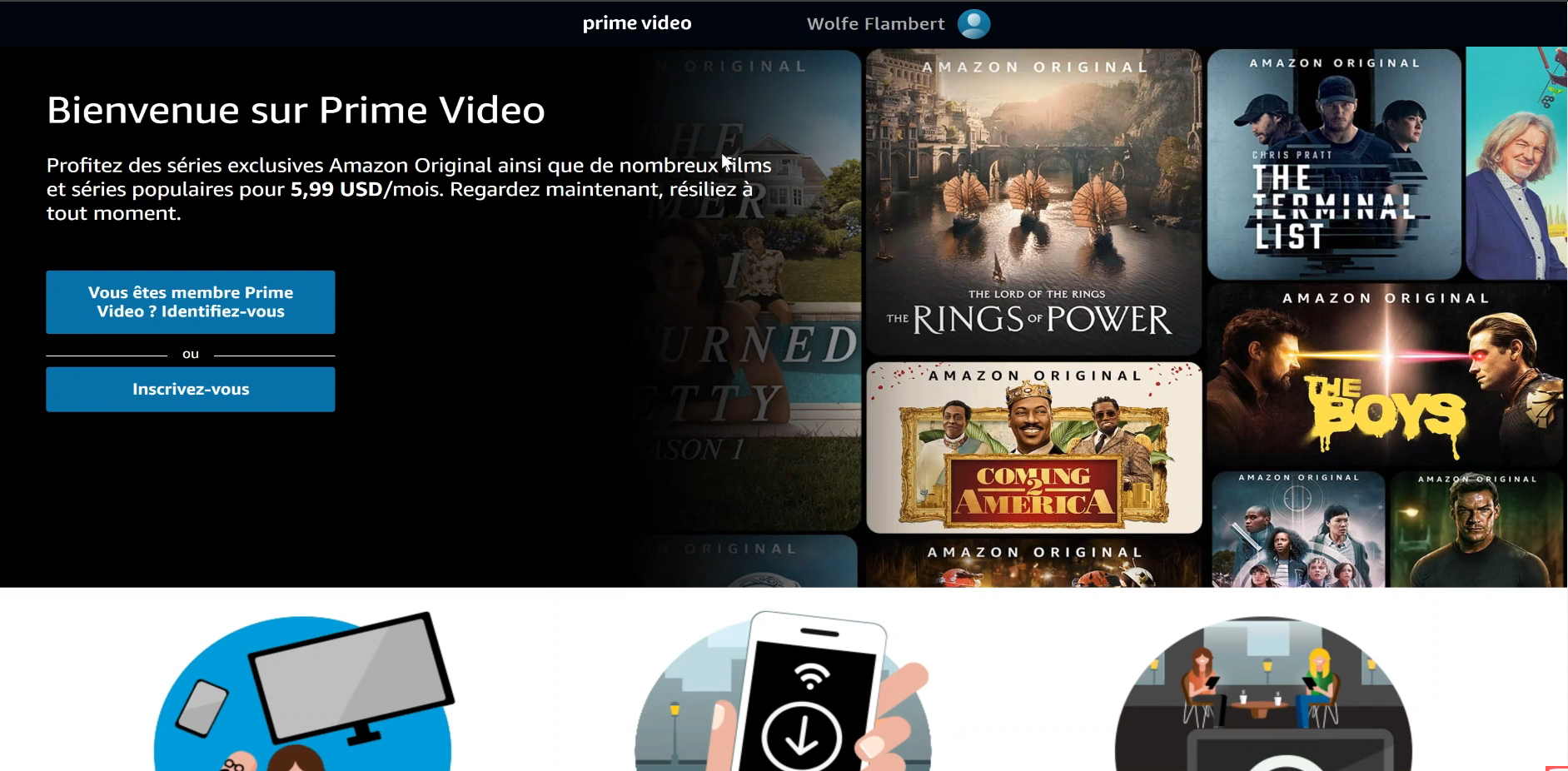
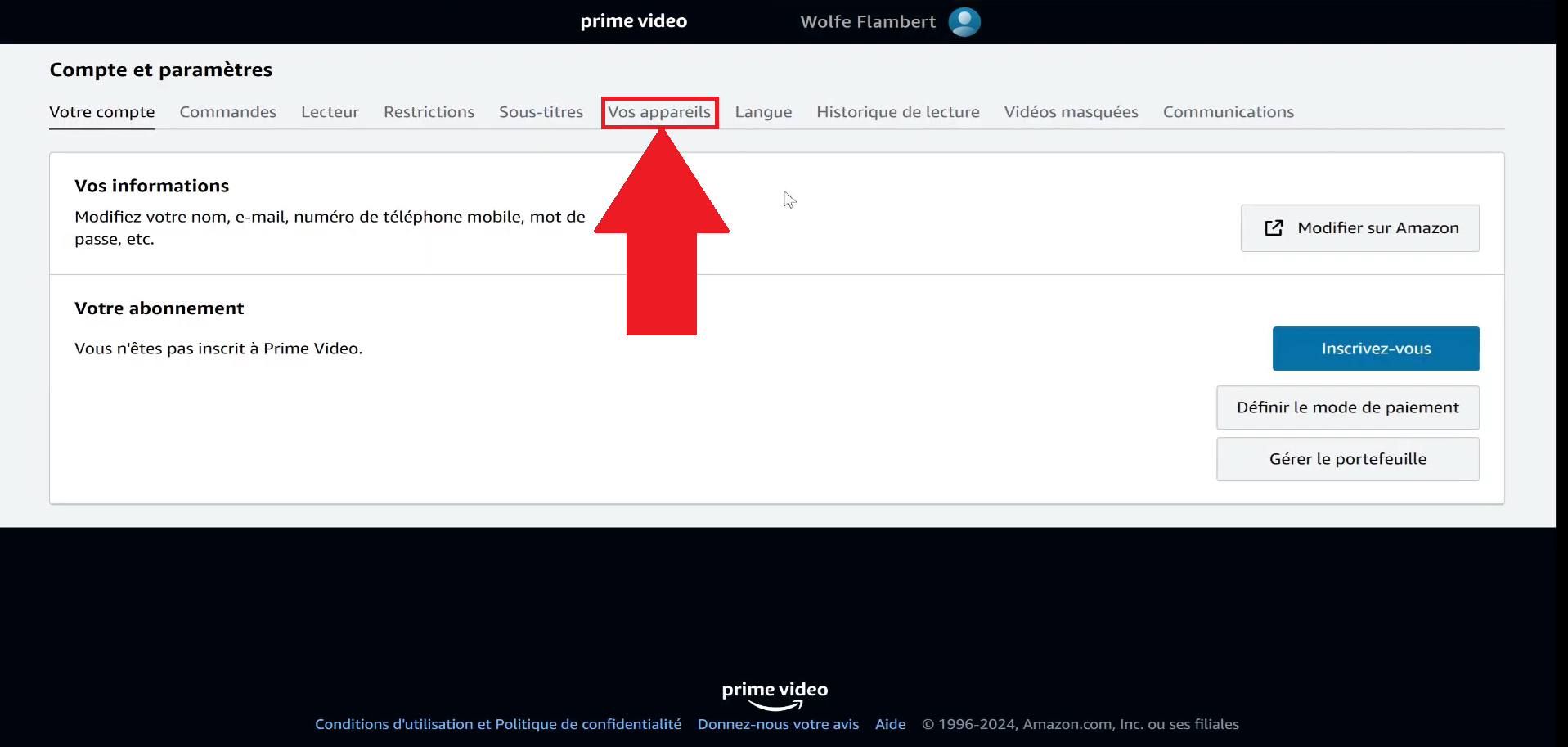
- On your profile, go to "Account and settings".

- Go to the "Your devices" category.
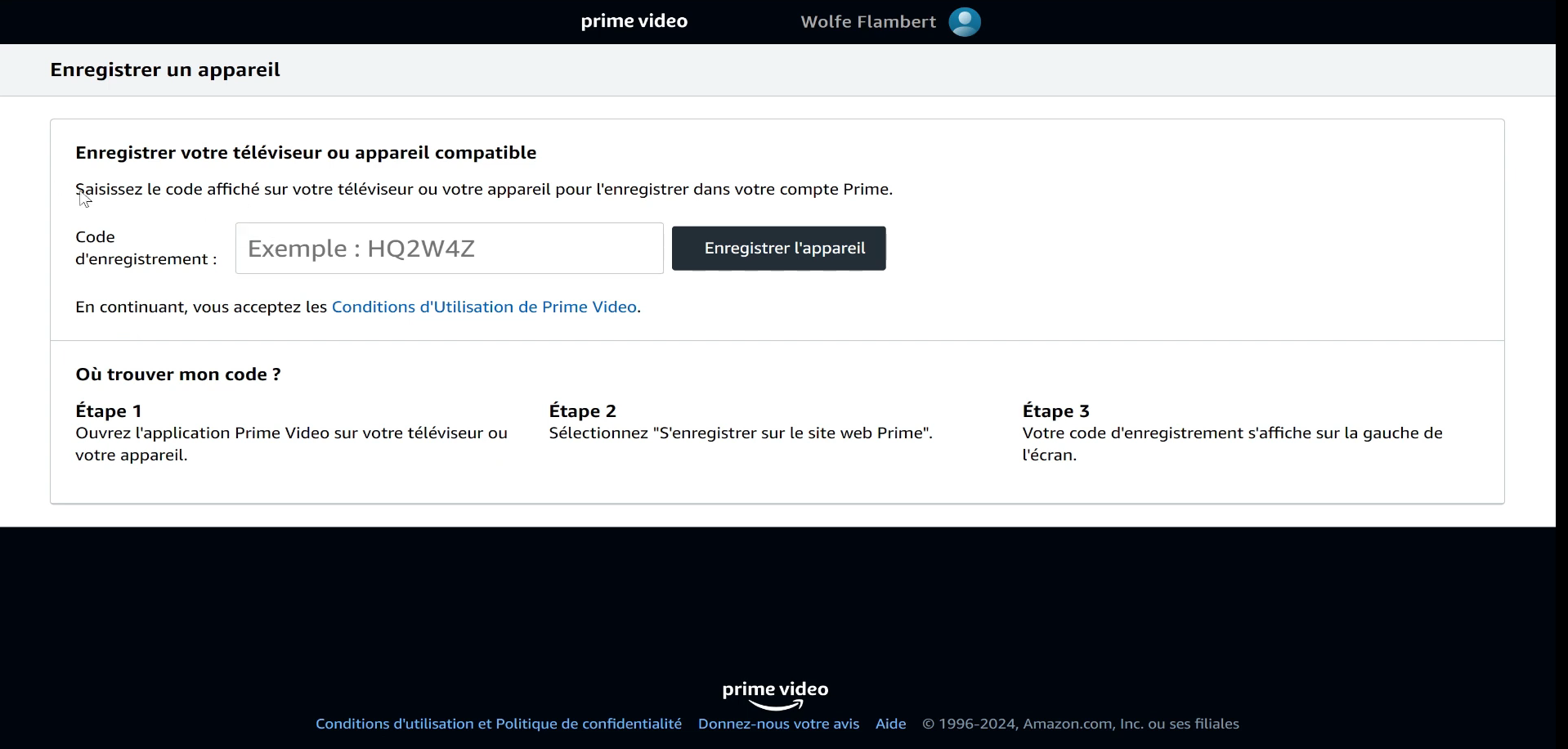
- Click on "Register a new device".

- Follow the instructions.
How to optimize the multiscreen experience on Amazon Prime?
Sometimes, your multi-screen usage may not be optimal due to a number of factors. So here are our tips for benefit from the best experience possible :
- Check your Internet connection and bandwidth. The better it is, the smoother the experience and pleasant.
- Use a wired connection (Ethernet) if possibleas it will be more stable than a wifi connection.
- Close bandwidth-hungry applications on other devices so that the majority is allocated to your Prime Video experience..
How much will Amazon Prime Video cost in 2025?
If you're not familiar with rates offered by Amazon Prime Video in 2025no problem! Here they are in a summary table:
| 🗒️ Subscription | 💰 Monthly rate | 💰 Annual fee | 🗣️ Remarks |
| Standard | 6,99 € | 69,90 € | If you add €1.99/month, you won't see any advertising. |
| Student | 3,49 € | 34,95 € | This offer is only available with a receipt. If you add €1.99/month, you won't see any advertising. |
FAQs
Can I share my Amazon Prime account with my family?
You can share your Amazon Prime Video account with your family. To do so, simply send a invitation link to the members in question (see below in the FAQ how to).
How many screens can watch Amazon Prime Video at the same time?
As we saw earlier in the article, a single Amazon account is capable of stream up to three videos at the same time.
However, there is one restriction. The same content cannot be viewed only on two devices at the same timeno more.
Does account sharing affect other Amazon Prime benefits (fast delivery, etc.)?
Share your Amazon Prime benefits, such as fast, free shipping, does not affect yours.
So you can have peace of mind: the people who benefit from these advantages through your account do not restrict your use service.
How can I share Amazon Prime benefits with a member of my household?
In order to share Amazon Prime benefits with a member of your householdYou'll need to send him an invitation link. Here's how to access it:
- Go to the Amazon website and log in.
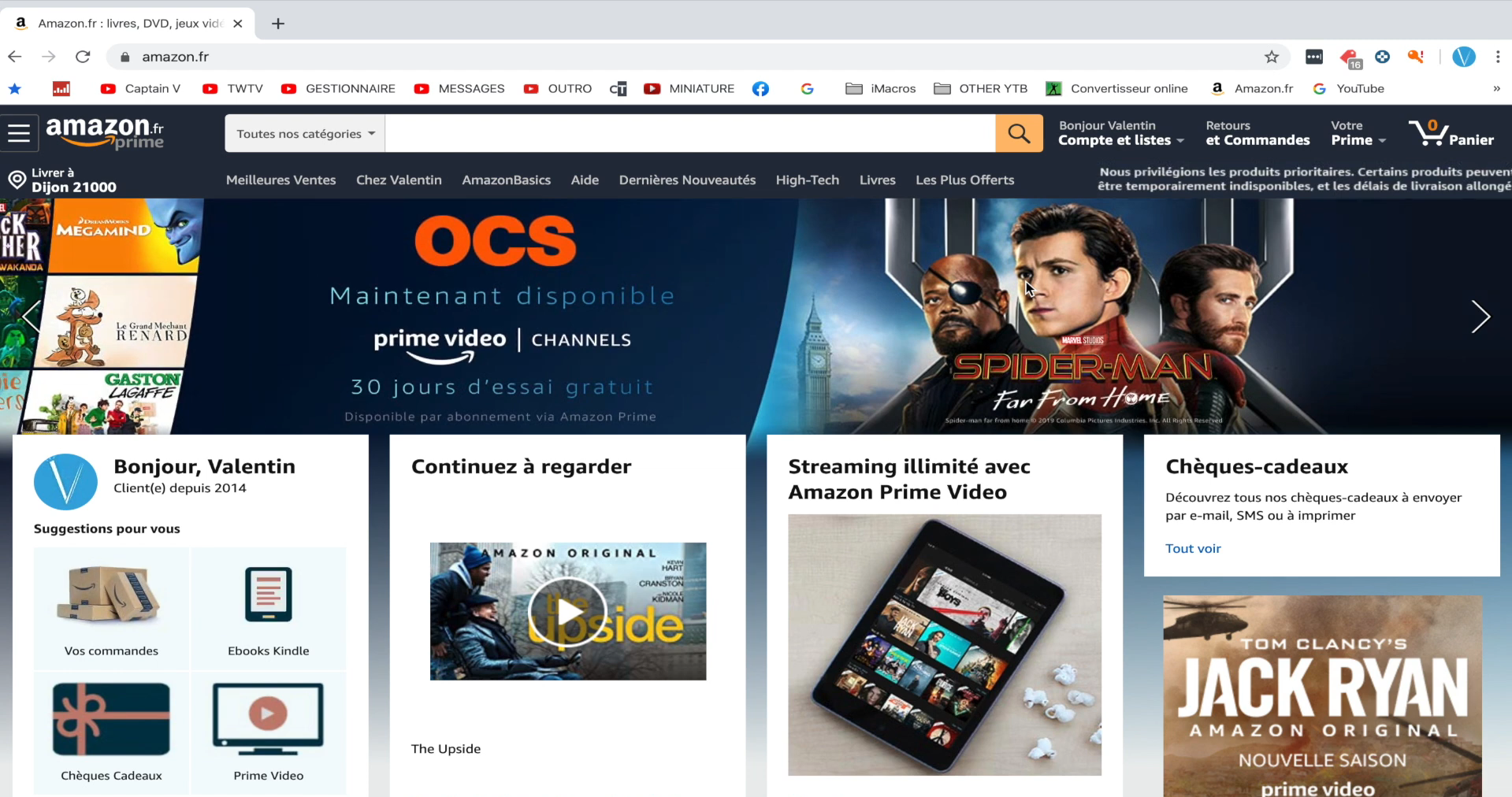
- Click on your account.
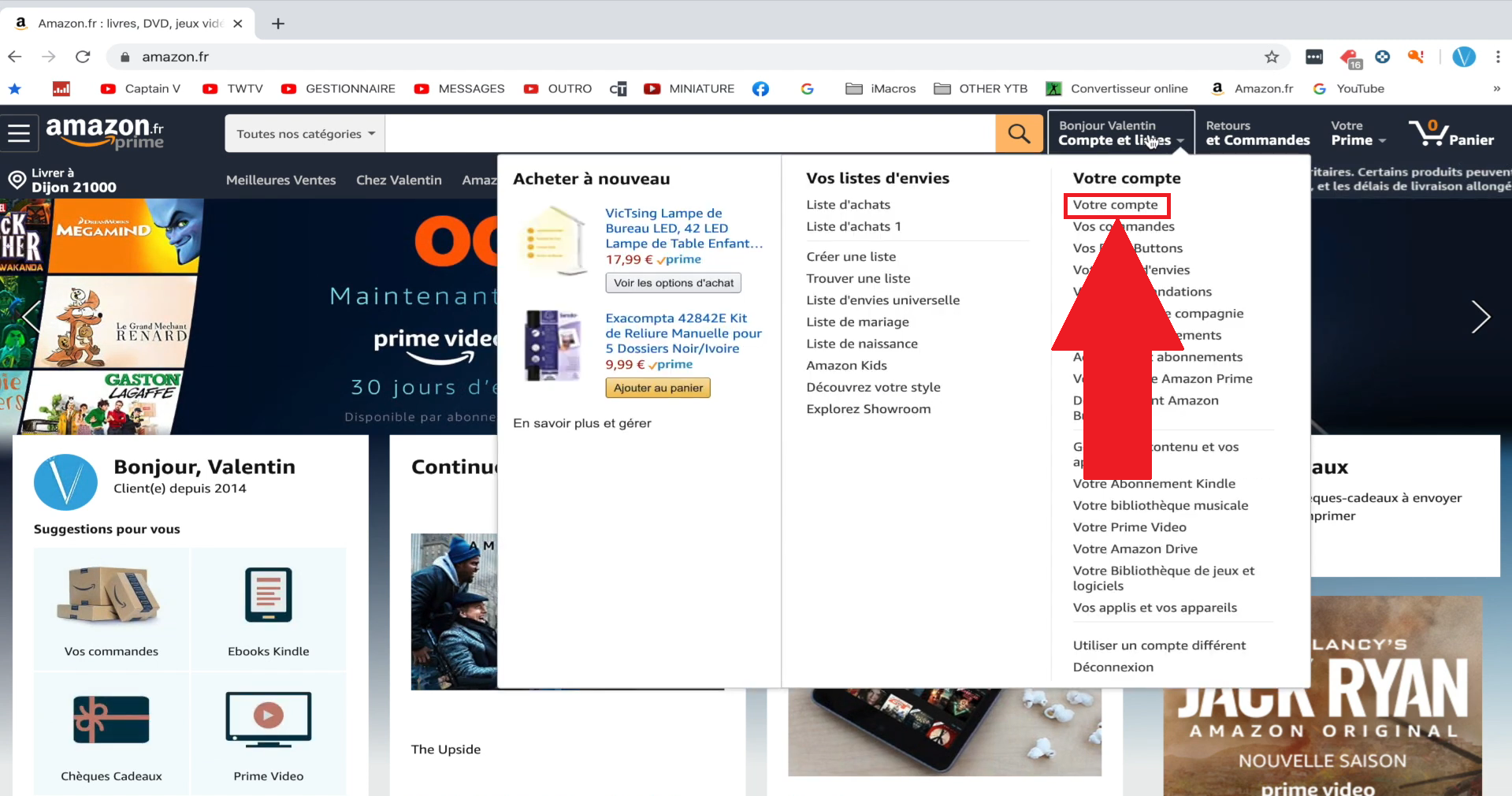
- Click on Prime.

- Scroll to the bottom until you see "Share your Amazon Prime benefits".

- Fill in the information and you're done!

Can I create user profiles on Amazon Prime Video?
Like its competitors Netflix and Disney+, Amazon Prime Video lets you create user profiles. You can create up to 6 profiles per accountwith restrictions for children.
What happens if I stop sharing my Prime benefits with someone?
If, for any reason, you stop sharing your Prime benefits with someone, that person will will no longer have access to advantageous services in question.
Can I share my Amazon Prime account if I have a Prime Student membership or a membership through a third-party partner?
Due to its nature and its reduced rate, an Amazon Prime student subscription is not eligible for benefit sharing. The same applies to subscriptions via a third-party partner.
Can I share my Amazon Prime account with friends or people who don't live in my household?
Theoretically, Amazon Prime account sharing is only available to members of the same householdas stipulated in its terms of use.
Nevertheless, some users use it with friends. If the practice works, it puts you outside the rules set by the platform.
Can I get free Netflix with Amazon Prime?
Insofar as Netflix and Amazon Prime are two totally independent and competing services, you won't have to worry about a lot. no free access to the first thanks to the second.
In a nutshell, Amazon Prime Video is setting up a simultaneous broadcast of three videos on a single account.
There is one small restriction: the same content can only be viewed on two screens at a time. So the third user will have to wait.









 English