It exists 4 types of rails in Minecraft : classic, sensor, propulsion, and trigger types. Each has its own recipe based on iron and its very distinct purpose.
Here's everything you need to know about making, finding, and using them.
Recipes for making rails on Minecraft
Before we move on to the detailed recipes, here's a quick overview of the 4 types of rails and their uses:
| Classic rails
|
|
| Detector tracks
|
|
| Propulsion rails
|
|
| Trigger rails
|
|


How to make classic rails on Minecraft?
To make any type of track, you'll need a craft table. For the classic rails, combines these two ingredients:
| 1 stick |  |
| 6 iron ingots |  |
Put your stick and your 6 iron ingots in the crafting grid, as shown in the image below. You get 16 standard rails all at once.

If you're short on iron, our guide explains how to make iron in Minecraft.
How to make sensor rails on Minecraft?
The sensor rails require one more ingredient than the classic versions: redstone powder. Here's what you need:
| 1 stone pressure plate |  |
| 1 redstone powder |  |
| 6 iron ingots | |
Arrange the materials on your crafting table as shown in the image to obtain 6 sensor rails :

How to make propulsion rails in Minecraft?
The propulsion rails are based on’gold rather than iron. Here are the materials you'll need:
| 1 stick | |
| 1 redstone powder | |
| 6 gold bars |  |
Arrange the materials exactly as shown in the image below to get 6 propulsion rails :

How to make trigger rails on Minecraft?
For the trigger rails, you'll need a redstone torch. If you don't know how to make one, check out our Guide to Torches Minecraft.
Here is the complete list of ingredients for making trigger rails:
| 2 sticks | |
| 1 redstone torch |  |
| 6 iron ingots | |
Arrange the materials on your crafting table as follows to obtain 6 trigger rails :

Where to find rails naturally on Minecraft?
Don't feel like making something? You can also find rails that have already been installed in the world, without crafting anything. Two structures naturally generate them:
- The abandoned mines : rails line the floor of the tunnels, sometimes beneath box cars.
- The wooded manors : You can find them in a specific room—the room with the ring of pumpkins.
Please note: only the classic rails appear in the wild. Sensor rails, propulsion rails, and trigger rails do not spawn in any structures, so you must make it yourself.
To retrieve them, any tool will do. However, you'll get the job done much faster with a pickaxe, especially when a long stretch of track runs through an entire mine.
How do I use the rails in Minecraft?
The rails are placed just like any other block: put them on the ground and they work right away. Place them next to each other to create a railroad track—they connect to each other.
To create a sloping track, arranges the rails in a stepped pattern. The trolley then moves up and down without any problems.

Classic rails
Only conventional rails can make a right-angle turn. So you can use it to make turns and change direction easily.

They are also the only ones that allow for turnouts, that is, an intersection where you choose your lane. Here's how to create one:
- Draw a straight line with your rails.
- Install two rails on each side, as shown in the illustration below.
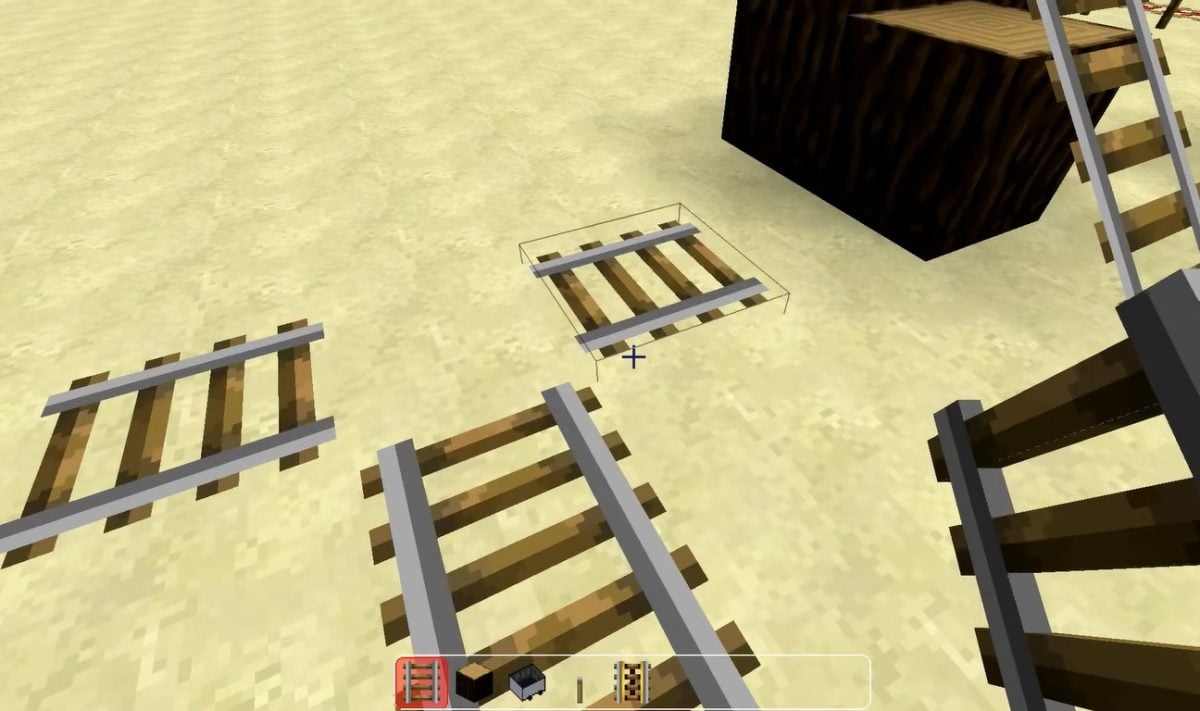
- Continue the straight line with an additional rail: it connects automatically on the right rail.
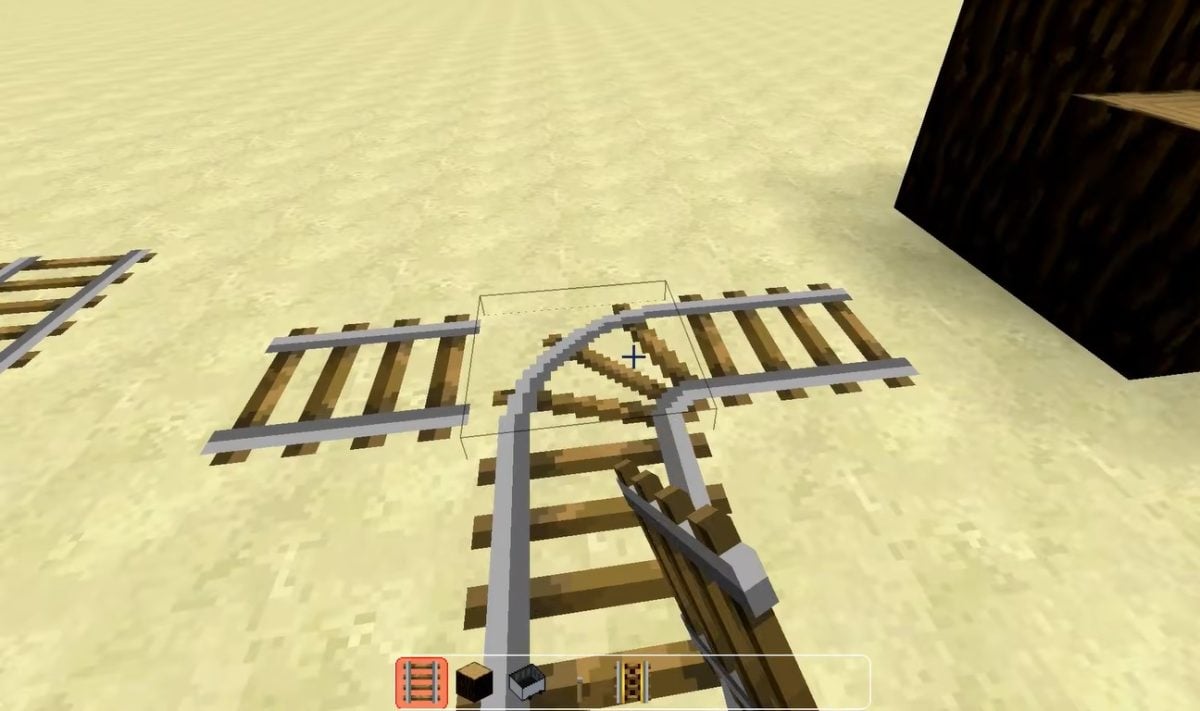
- Place a lever before the intersection point, then activate it to change rail side (left or right). At each intersection, this lever controls the direction.

Trigger rails
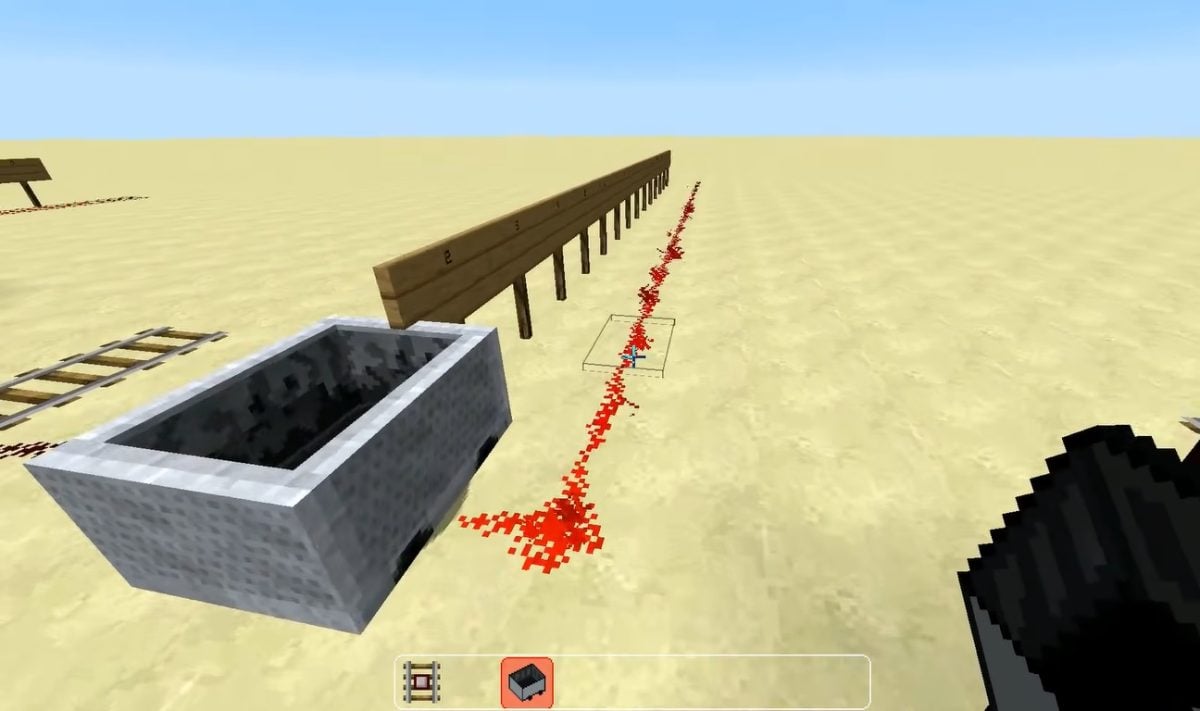
When a mine car When it passes over a trigger rail, the rail emits a Redstone power signal 15 in the immediately adjacent blocks. This current is then used to activate other mechanisms in a Redstone circuit : a door, a trap, a TNT cart, or a remote control.
Sensor and propulsion rails
To activate the mode on propulsion rails, place a redstone torch next to the railroad tracks. It is these tracks that give speed onto the railcar to transport it along the track.

Important : A powered source supplies up to 8 rails on each side, that is 17 rails in total (the rail at the source, plus 8 on each side). Beyond that, you need to install a new redstone torch to restart the propulsion system.
Explanatory video in French by Alucare, ideal complement to the page. View video (you can use YouTube's automatic translation)
![All about rails [tuto minecraft] [tuto minecraft] [tuto minecraft](https://www.alucare.fr/wp-content/cache/flying-press/d0dc2d05518abf46bad1a6eef8472faa.jpg)
Now that you've mastered all these tracks in Minecraft, whether it's building a railroad track, setting up a switch, or automating Redstone circuits—what project do you have in mind? Tell us all about it in the comments!








 English