Have you embarked on a major construction project on Minecraft? Have you built a beautiful house and now it's time to move on to designing your kitchen?
Whether you're building an oven, installing a trap door or constructing furniture, this comprehensive guide will help you... how to make a kitchen on Minecraft.
Explanatory video in French by Alucare, ideal complement to the page. View video (you can use YouTube's automatic translation)

Phase 1: Gather the necessary materials
Before starting work, start by gather the necessary materials to ensure that the work runs smoothly. Whatever you have in mind, this will help you stay focused and therefore complete your project more quickly!
In this guide you will find all the equipment you need to create a general kitchen on Minecraft. Essential elements include :
- The knobs and levers for handles and switches
- The hatches for cabinet doors
- The colored wool for decoration and color
- The shelves for storage...
And not forgetting everything you need for build kitchen furniture and equipment like the oven, fridge, stove or microwave. But how do you go about it?
Don't worry, we'll tell you all about it in this detailed tutorial!
Making buttons in Minecraft
Depending on your needs, you can make wooden or stone buttons for your kitchen.
- You need a wooden plank OR a block of stone
- Place the board or block in the Craft table
- Please note that you must place in the central square
- All other slots must be empty
- Then drag and drop your brand-new button in your inventory!
| Wooden knob | 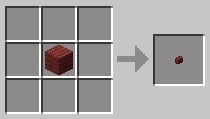 |
|---|---|
| Stone knob | 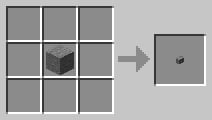 |
| Black stone knob | 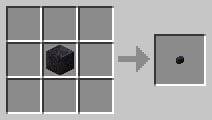 |
Creating kitchen hatches in Minecraft
Here again, you can create a wooden or iron trapdoor. It all depends on the style you have in mind!
- Gather 6 wooden planks OR 4 iron ingots
- Place materials on the Craft table
- You get your precious trapdoor in wood or iron!
- All you have to do is drag-and-drop into your inventory.
| Wooden trapdoor | 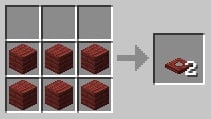 |
|---|---|
| Iron trapdoor | 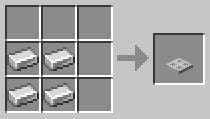 |
You can find the complete tutorial in our article How do I make a trapdoor in Minecraft?
Making colored wool in Minecraft
Wool is a block obtained from sheep. To collect it, simply shear a sheep with a pair of shears. Wool comes in white, gray, black, brown, and pink in its natural state.
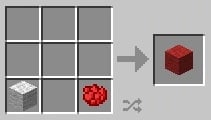
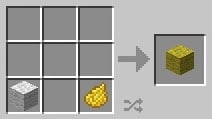
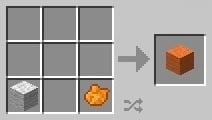
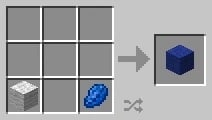
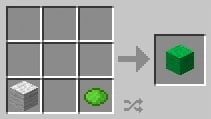
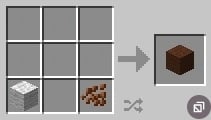
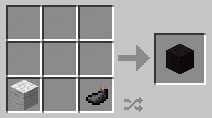
To get other colors, you need to dyeing wool blocks :
- You need white wool + dye.
| White wool + Rose petal | Red wool
|
| White wool + Dandelion petal | Yellow wool
|
| White wool + Orange dye | Orange wool
|
| White wool + Lapis lazuli | Blue wool
|
| White wool + lime green dye | Lime green wool
|
| White wool + Cocoa beans | Brown wool
|
| White wool + Ink pocket |
Black wool
|
Phase 2: Making a kitchen in Minecraft
In this guide, we'll show you how to manufacture kitchen equipment the most common: stove, oven, fridge, microwave, worktop...
But you can also Find inspiration on YouTube! Many enthusiastic gamers share tutorials in which they show how they built their Minecraft kitchen.
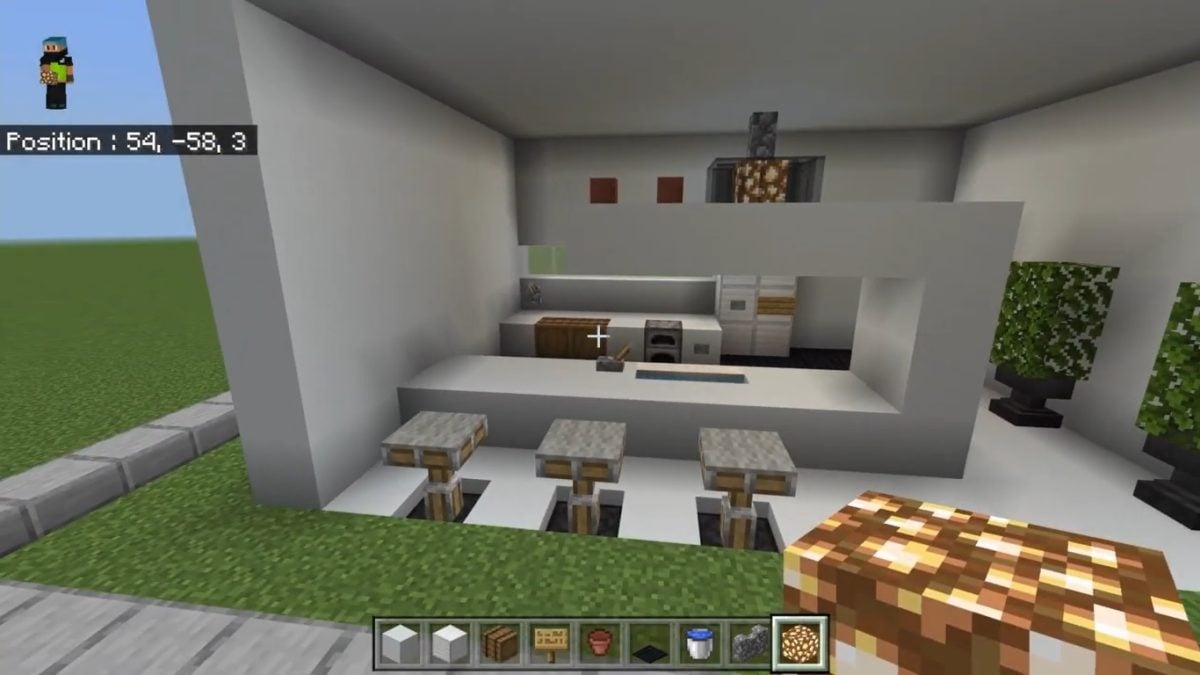
How to make a furnace on Minecraft?
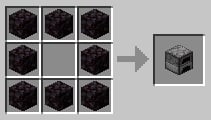
To make a stove with a slightly rustic style, it's very simple:
- You need 8 stone blocks
- Depending on your taste, you can opt for black rock or abyss stone blocks.
- Place the blocks in the Craft table
- It's necessary leave the middle box empty !
- Then you'll get your own stove!
|
 |
Otherwise, in Gautiers76's YouTube tutorial, the player had the idea ofuse campfires to build practical stoves in Minecraft! Here are the steps to follow:
- Place two campfires side by side

- Place a hatch in front of each fire
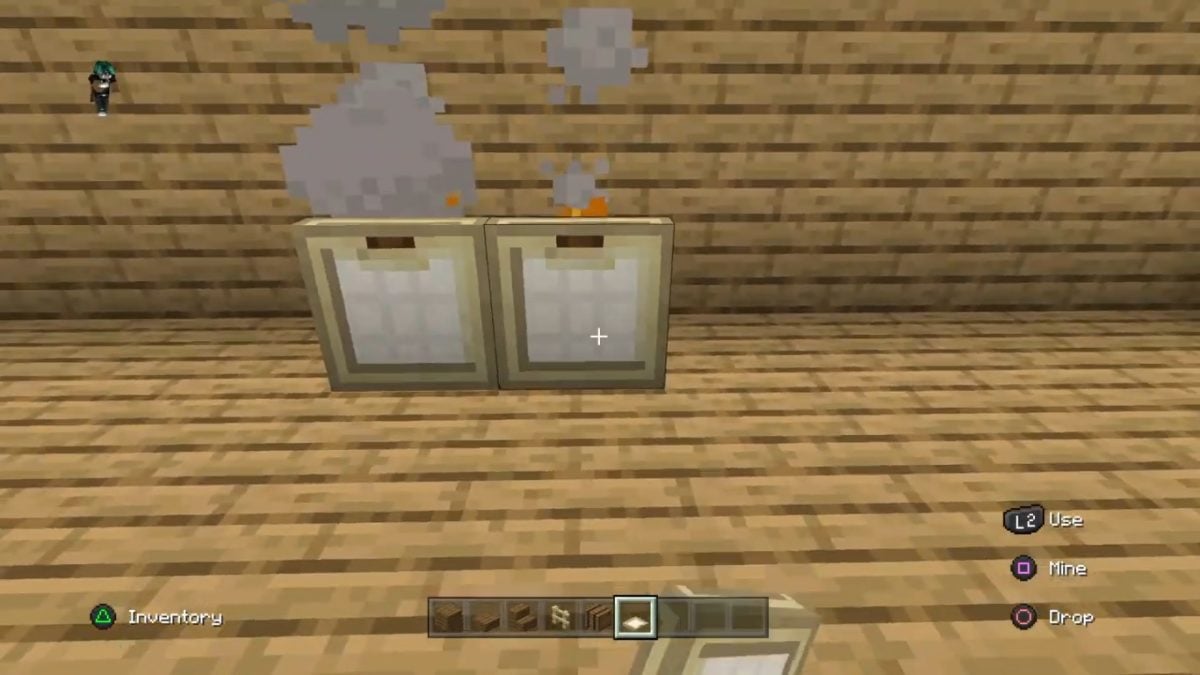
- Then place a block of wood on either side
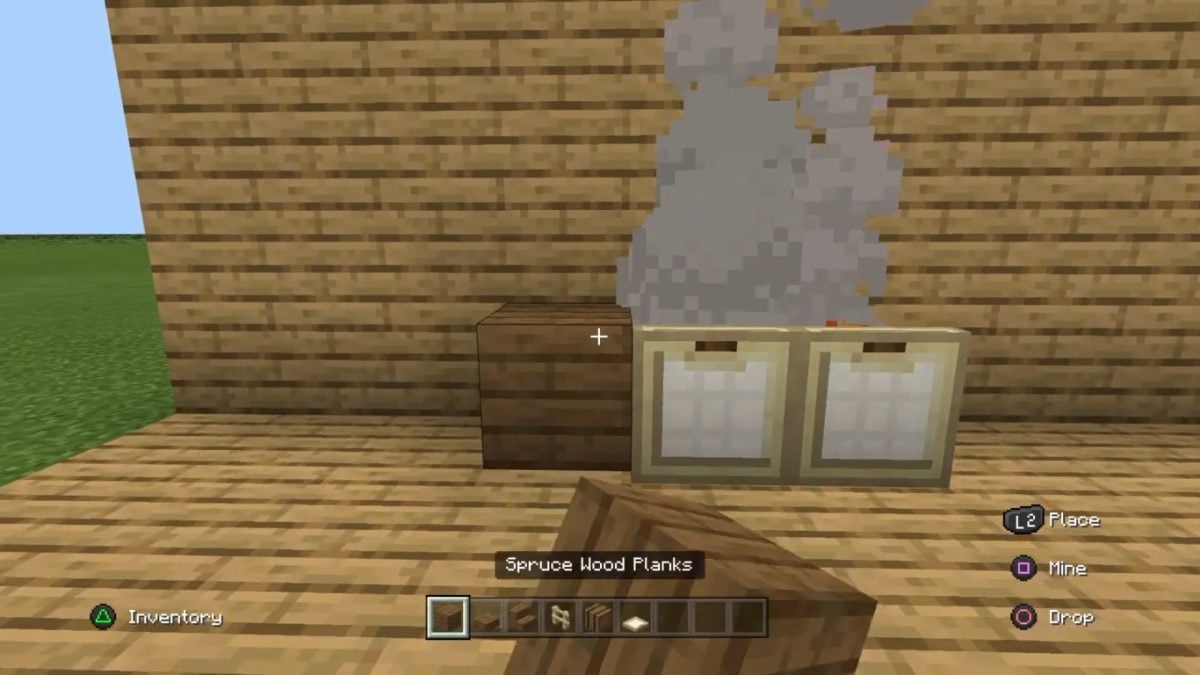
- Then place a block of wood on each of the campfires.

- Then lay rails on each block of wood.
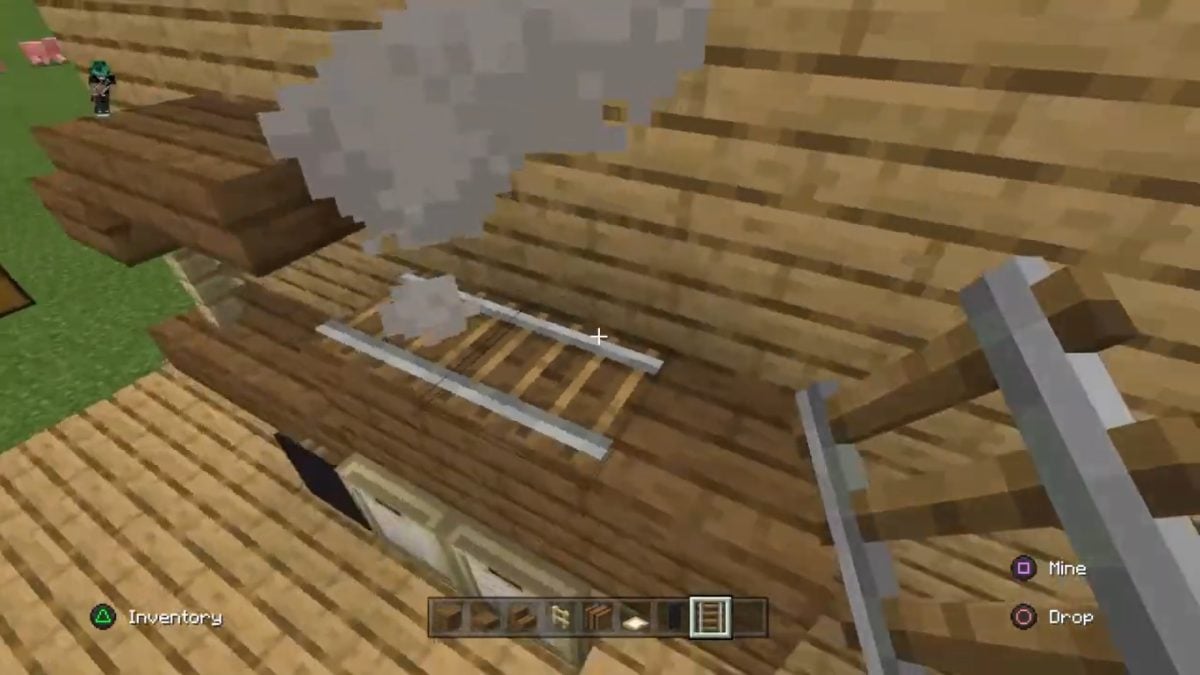
- Place a wagon on each rail
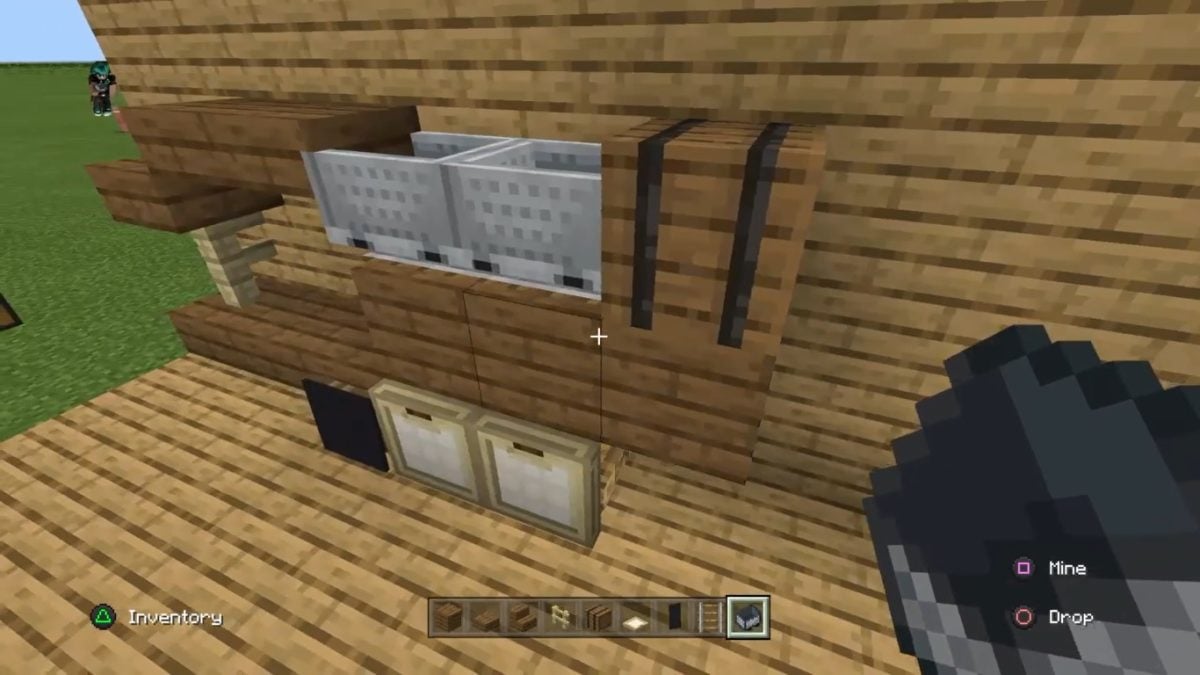
- Then break off the block of wood on top
The rail + wagon structure will automatically interlock with the campfires! The result: you'll have a stove that's both attractive and functional for simmering delicious meals in Minecraft.
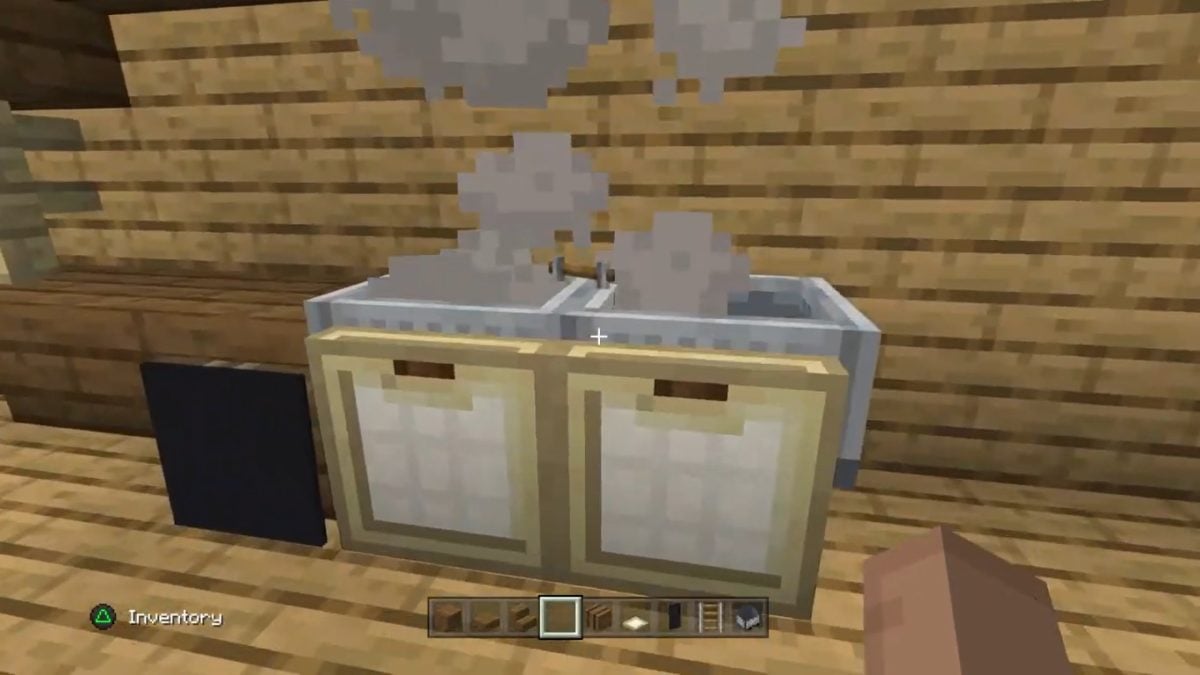
How to position the hatches in the kitchen on Minecraft?
You can use the hatches as cupboard and shelf doorsbut also for create decorative elements : a bar counter, stylish chairs and tables, a realistic sink...
Here's how to place trap doors:
- Go to your inventory to select a trapdoor
- Then make a right-click on the block where you wish to position the trap
- You can attach your trap to the top or bottom of the block.
- Once the trap has been placed, you can Open or close it with a right-click.
How to make a stove on Minecraft?
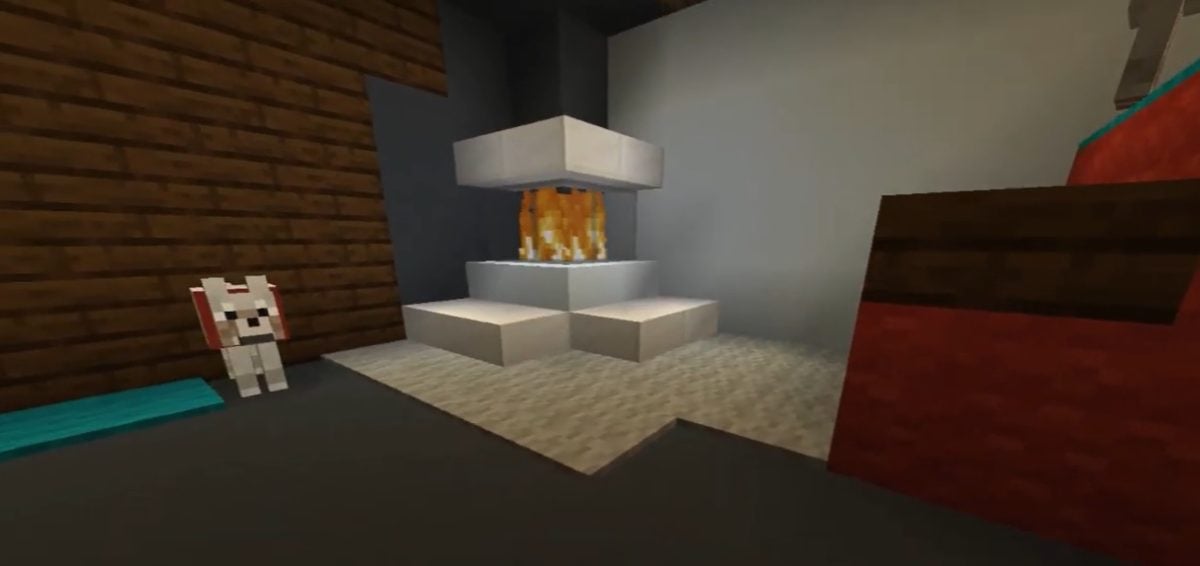
Since you already have a working stove, you can create a decorative stove with a wool block.
- Take a wool block (white, black or colored as you wish)
- Place it where you want to put your stove
- Then add a button at the front for the handle.
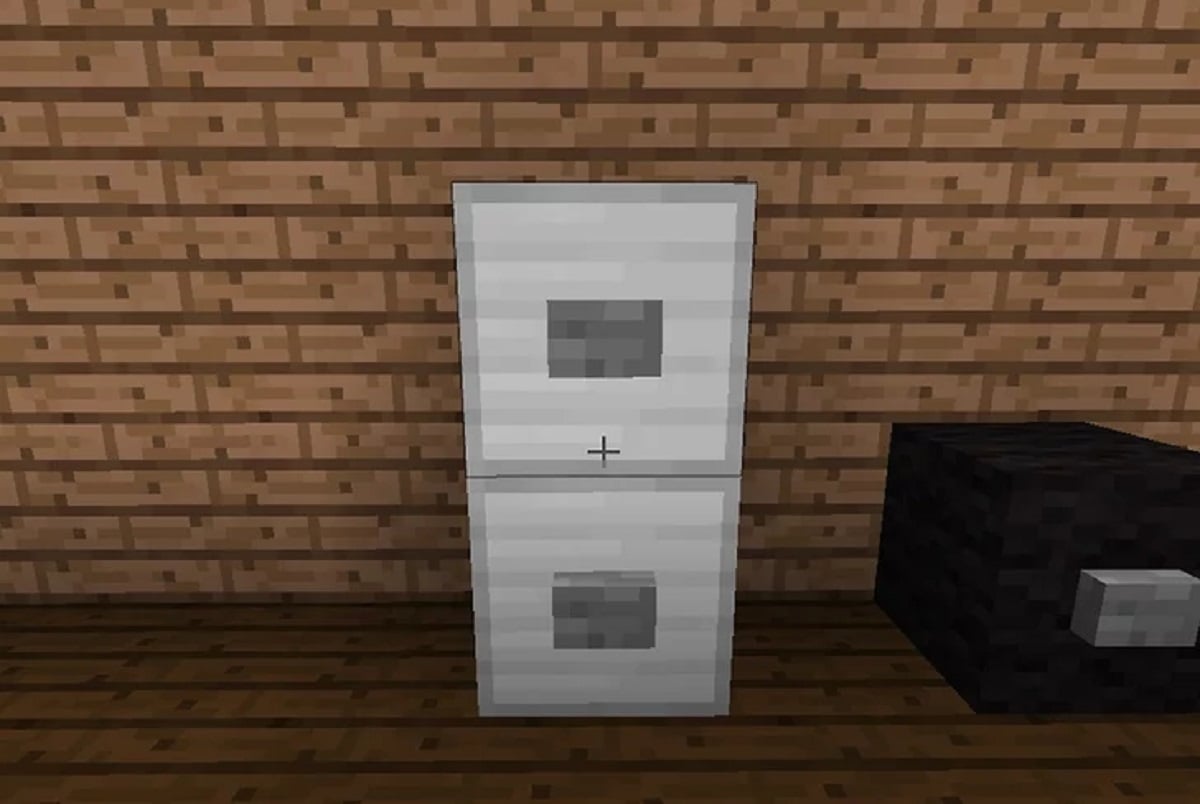
But if you want to build a modern, functional stoveYou'll find plenty of tutorials on YouTube. Many players like to share their creations on video, revealing step by step how they did it. You can use them as inspiration for your own creations!
How to make a fridge on Minecraft?
In Minecraft, refrigerators are mainly decorative items. There are several ways to make them! For example, you can create a very attractive one using a few gray concrete blocks. Here's how to do it:
- Take 6 grey concrete blocks
- Stack them two by two on top of each other
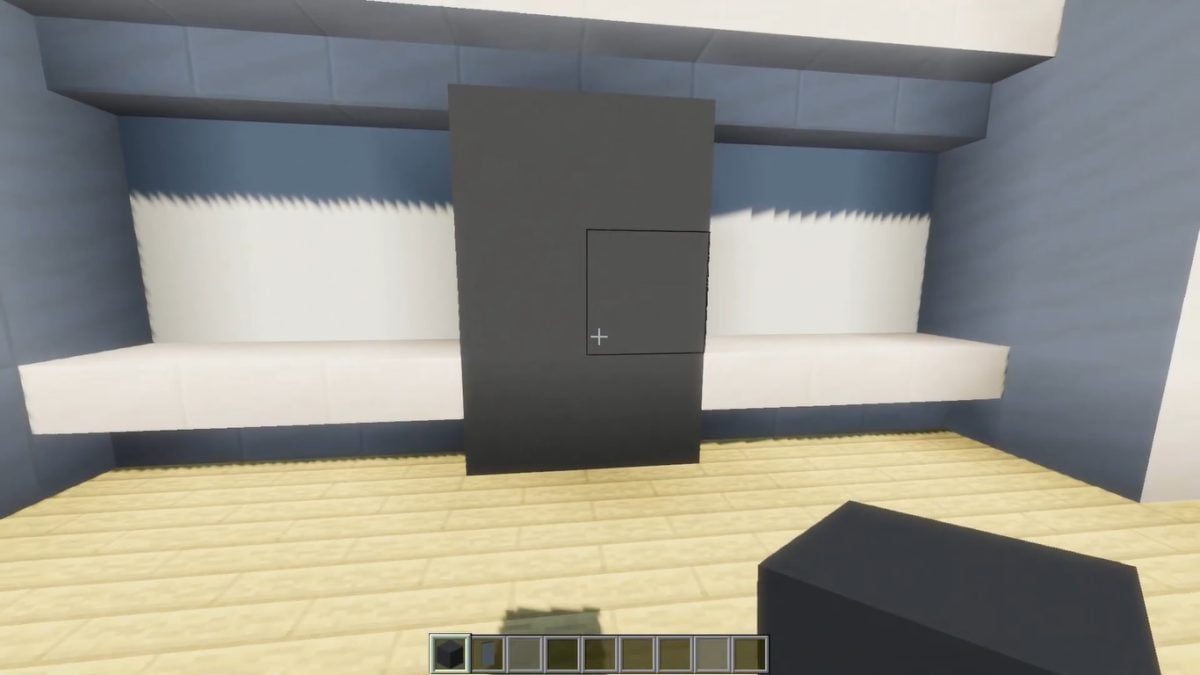
- Then take light grey glass
- Place it in the middle of the left-hand side of your fridge
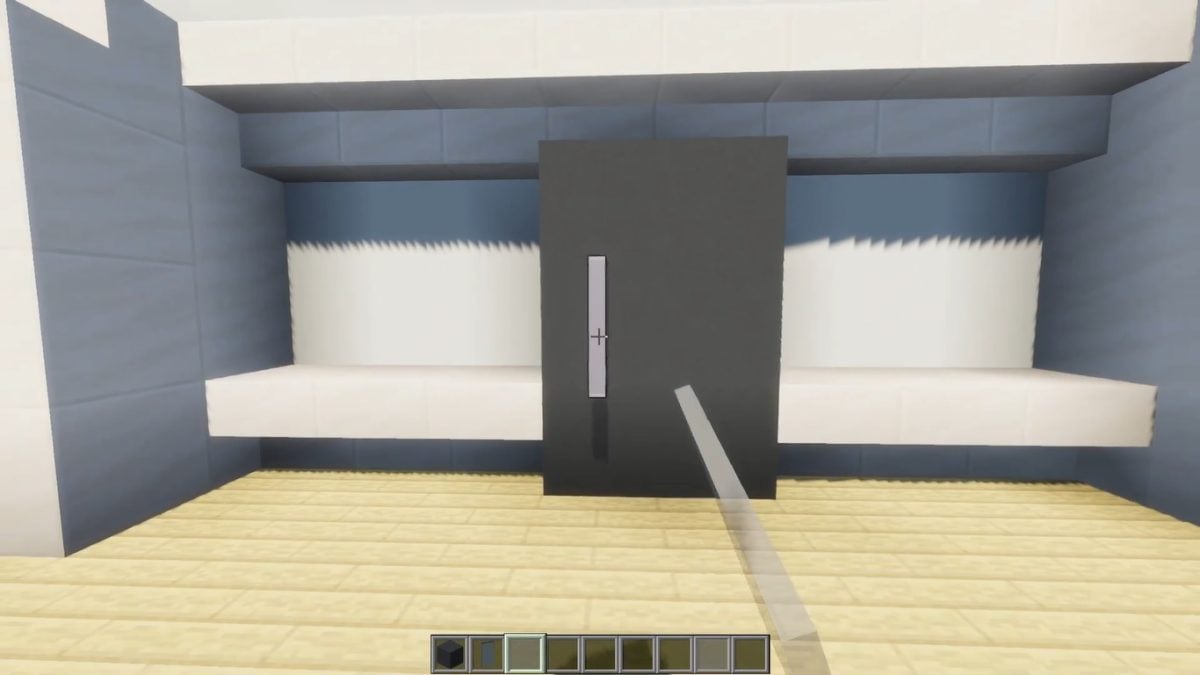
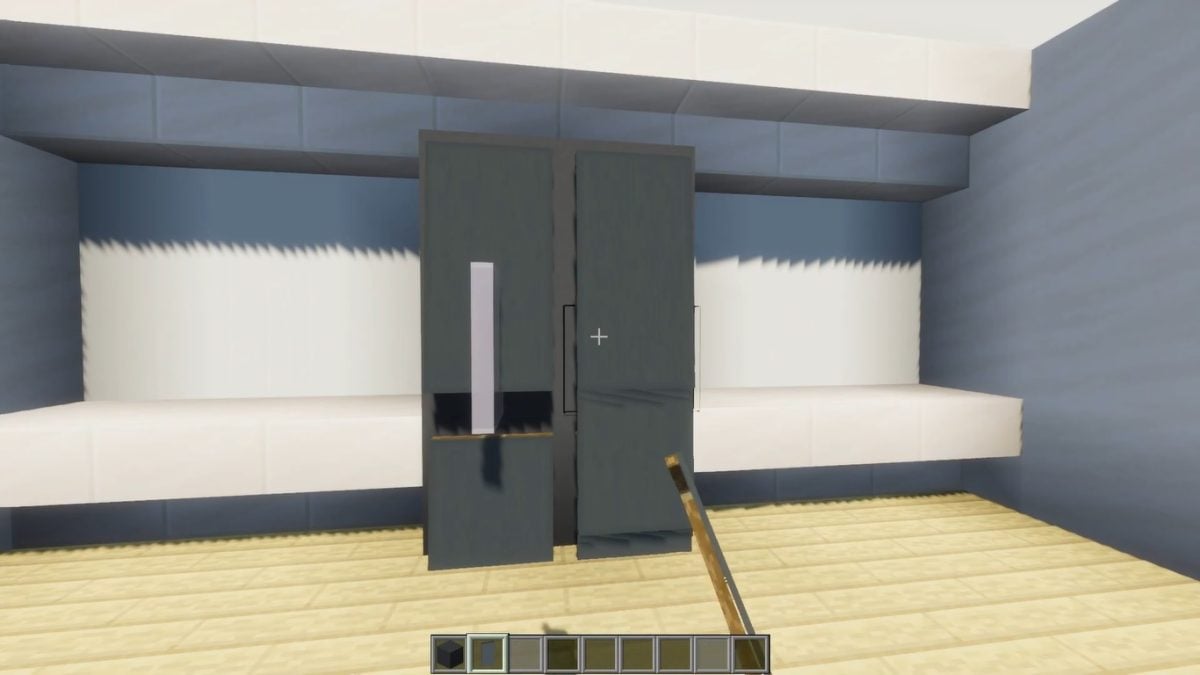
- Then take 5 gray banners
- Place them on your fridge to complete its look.
How to build worktops on Minecraft?
Depending on your taste, you can create your own worktop with :
| Regarding the white concrete blocks for a modern look | 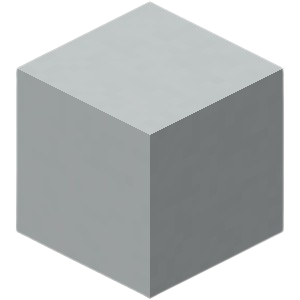 |
| Regarding the quartz blocks for elegant style | 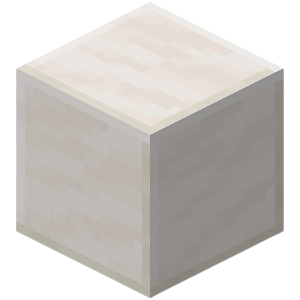 |
| Regarding the wooden blocks for a rustic look | 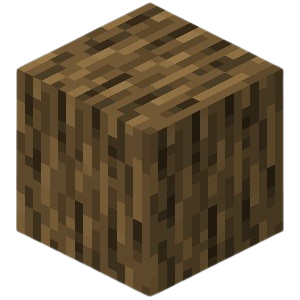 |
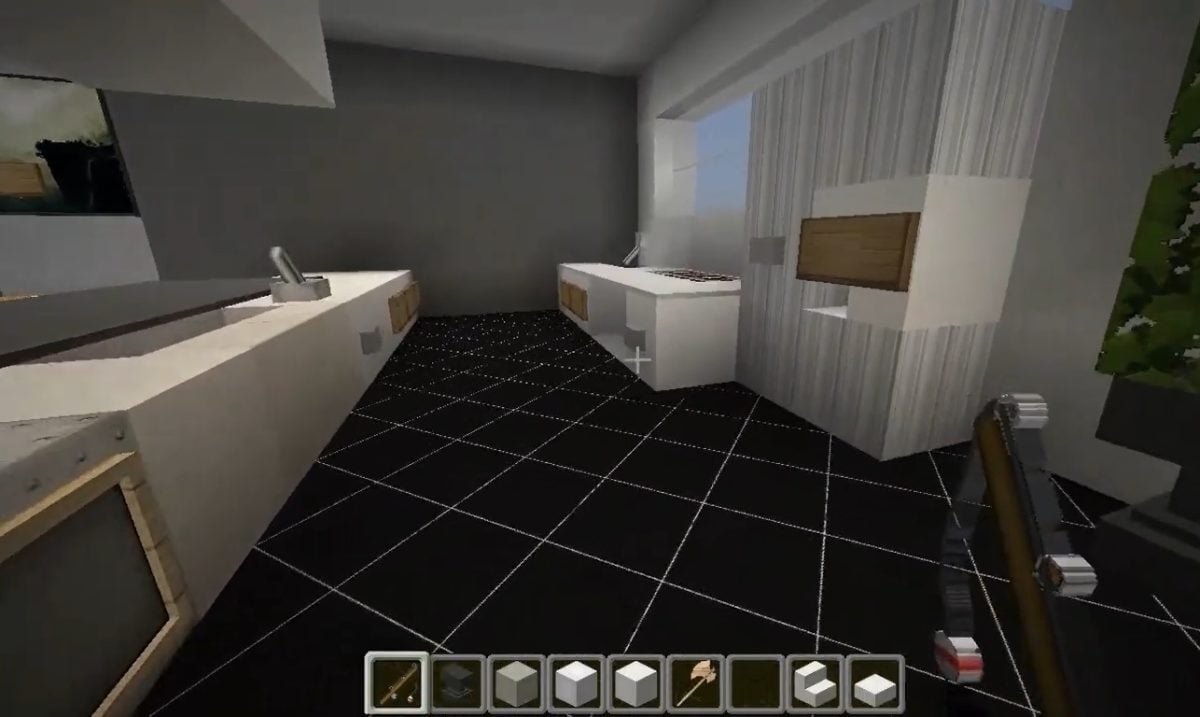
Alternatively, here's a simple worktop idea you could try for your Minecraft kitchen:
- Arrange the blocks to form a countertop
- Then add side hatches for closet doors.
How to make a microwave on Minecraft?
Like the stove, you can create a decorative microwave with a block of wool. Just :
- Place a wool block on the work surface
- Add a button for the handle.
It should be noted, however, that it is entirely possible to create a working microwave on Minecraft! Many players have come up with ingenious solutions to build one that actually works.
The process is more complex, but if you're up for the challenge, you can find some great ideas and tutorials on the channels of YouTubers Oximoz and WarthBlock.
How to build Minecraft kitchen furniture?
When it comes to creating tables and chairs, there's no shortage of simple ideas!
| 🍽️ TABLE | 🪑 CHAISE |
|---|---|
OR
|
OR
|
You can also decorate your kitchen floor with a tile effect or stick to a solid color. It all depends on the style you want to achieve! Feel free to add other decorative elements such as plants, flower pots, or even a small bookcase with cookbooks.
Now you know how to make a kitchen on MinecraftAll that's left is to give it a try! But first, make sure yoube in creative mode so you can build in peace. However, if you like a challenge, you can always stay in survival mode!
Don't know how to change your game mode? Don't panic, we've got the instructions in our Château Minecraft tutorial If you have any further questions, please feel free to ask us in the comments section.









 English