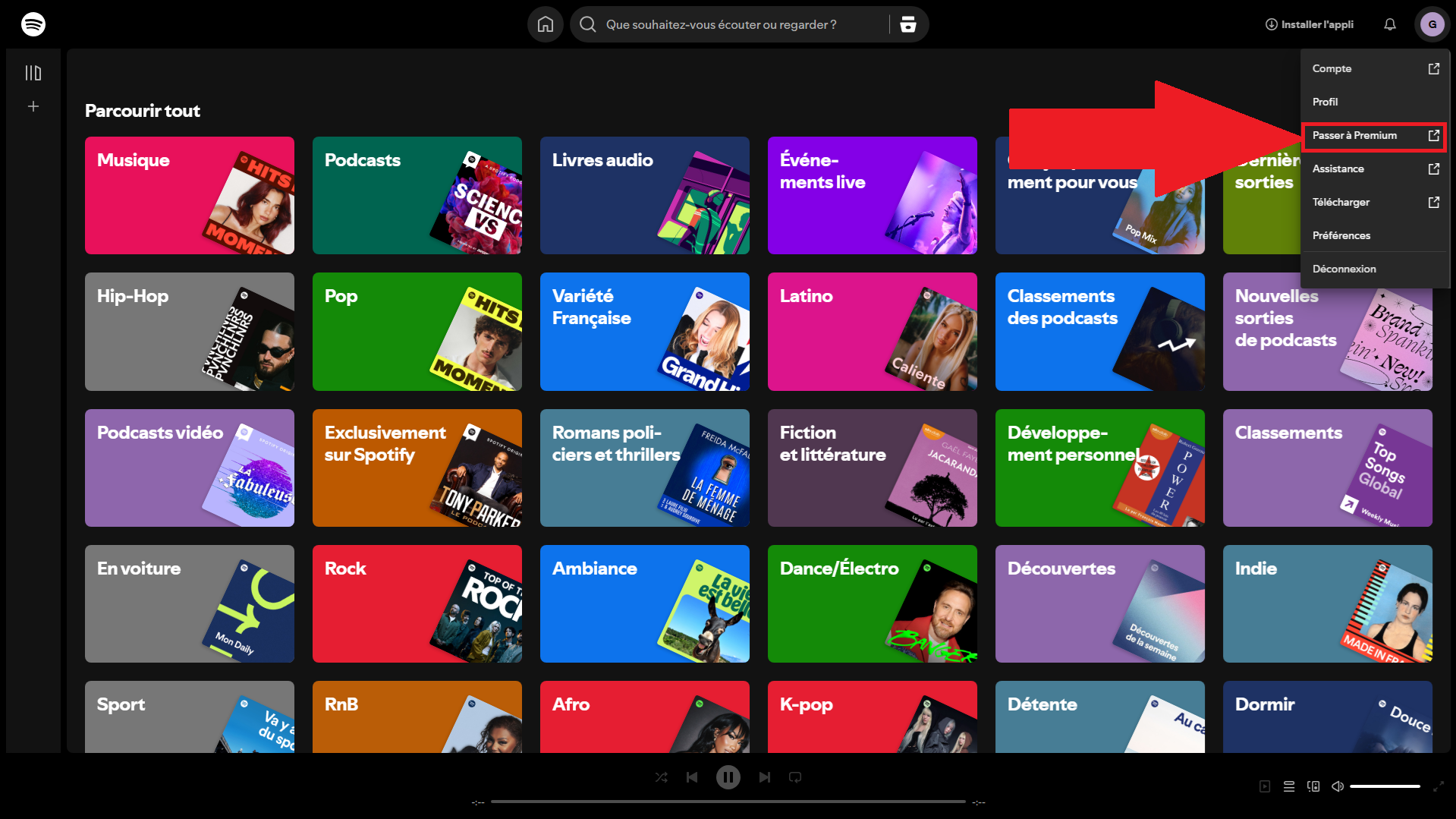
To subscribe to Spotify Premium, go to spotify.com, click on your profile then on «Upgrade to Premium». You choose your plan, your method of payment, and it's all taken care of in less than two minutes.
On iPhone, you can also sign up directly in the app, without going through the’App Store. Further down, you'll also find information on how to pay for your subscription cheaper.
How do I subscribe to Spotify Premium?
The package Premium Staff is billed 11.12/month (price as of July 2026; please check at Spotify). This is the subscription that gives you the best audio quality, ad-free and offline.
To sign up from your computer, follow these steps:
- Go to the web player at Spotify, log in, then click on your profile at top right.

- Click the option «Upgrade to Premium».
- Click on «View all subscriptions» to compare the plans.
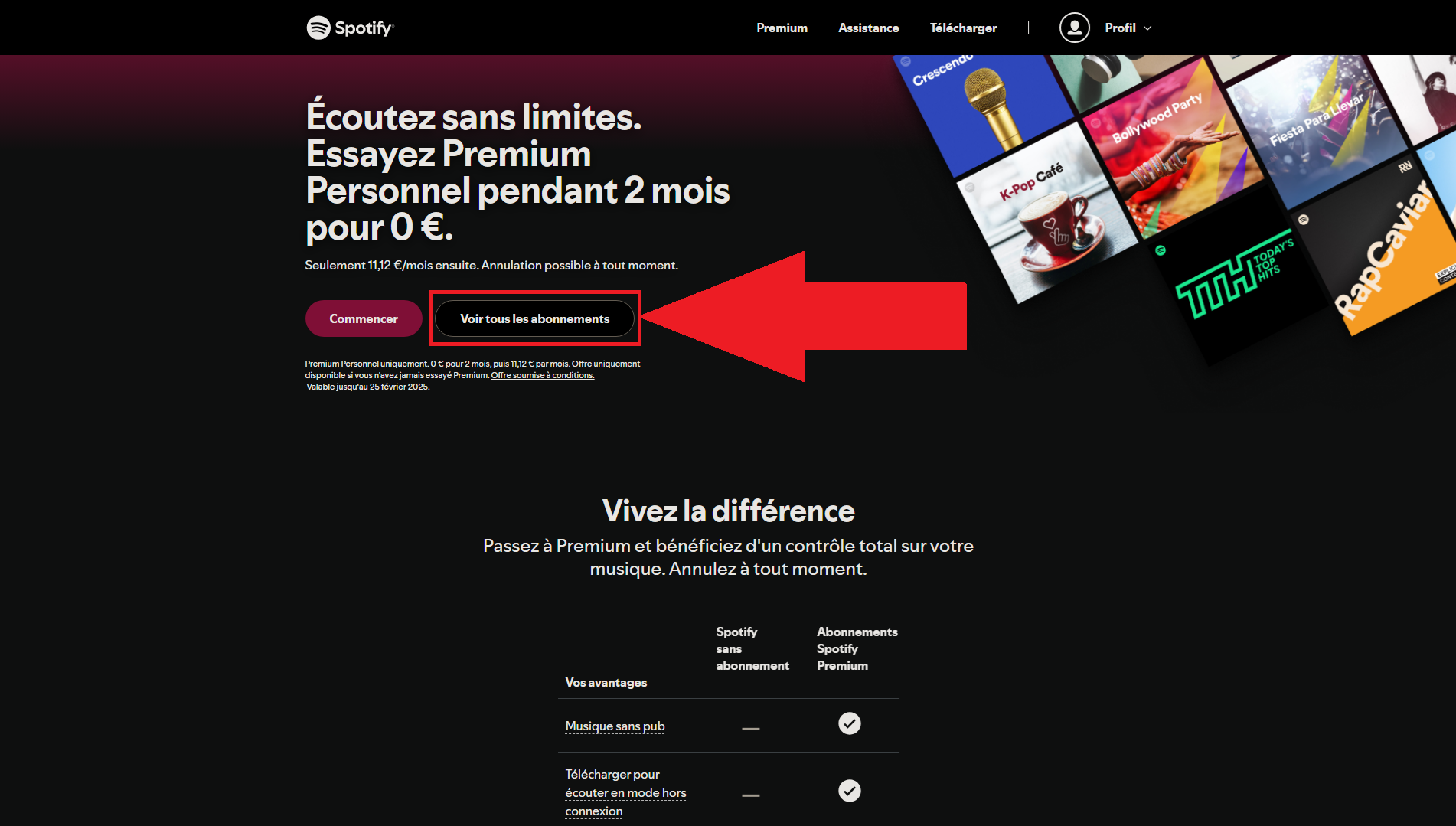
- Select the package that's right for you: Staff, Duo, Family Where Students.

- Choose your method of payment (map, PayPal or gift card Spotify), then click "Submit.".

- It's all set: enjoy Spotify Premium on all your devices.
How do I subscribe to Spotify Premium on the app?
You can Subscribe directly from the appon Android as on iPhone. On iPhone, it had been stalled for a long time due to restrictions on’Apple.
Since the new European rules (the DMA) that took effect in 2024 in France and in the EU, the app iOS takes you directly to the payment page for Spotify, without going through the’App Store. You can also go through the website since Safari and follow the same steps as on a PC.
Here's how to do it from the app Android :
- Open the app Spotify on your phone.
- At the bottom, go to the section «Premium».
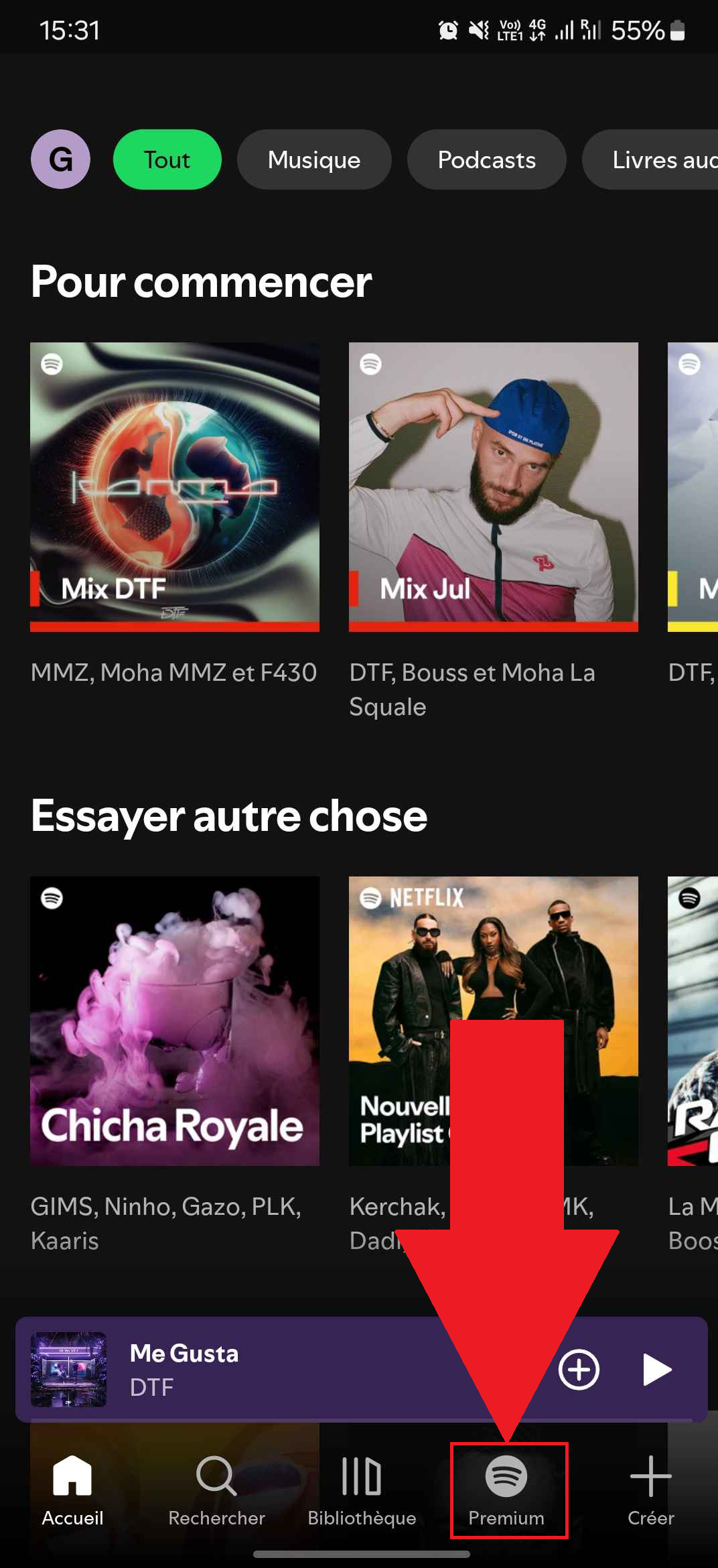
- Press "Getting started.

- Choose the’subscription that's right for you (Individual, Duo, Family, or Students), select your method of payment and valid.

- Make the most of your account Spotify Premium !
How much does a Spotify subscription cost?
Spotify offers four Premium plans, from individual accounts to plans for the whole household. Here are the rates observed in July 2026 (Check on the website at Spotify, prices change regularly).
| Formula | Price | Who is it for? |
|---|---|---|
| Spotify Staff | €0 for 2 months, then 11.12 €/month | 1 account, 1 stream at a time |
| Spotify Students | €0 for 1 month, then €6.06/month | 1 account; student status must be verified |
| Spotify Duo | 15.17/month | 2 accounts, same address |
| Spotify Family | 18.21/month | Up to 6 accounts, same household |
The package Staff allows only’one track at a time : If you play music on your phone, it stops playing on your PC. The subscription Students is the cheapest.
the Duo creates 2 separate accounts for two people sharing the same address, each with its own playlists and feed. The Family allows 6 household members for each person to have their own account Spotify Premium.
Each member listens independently. Everyone must share the same address : Spotify checks it.
Side payment, you can choose between:
- Credit or debit card
- Gift Cards Spotify
- PayPal
- Apple Pay, Google Pay and Samsung Pay
- Cash (available only in certain countries)
Once you've signed up for your subscription, the Premium benefits are activated immediately. To learn more, find out how download music from Spotify.
How do you change your Spotify subscription?
Do you want to switch to a different plan (Switch to Duo, Family, or go back to Premium Personal)? You can do it in just a few clicks from your account Spotify.
- Go to the website of Spotify and click on your profile at top right.
- Open the section "Account.
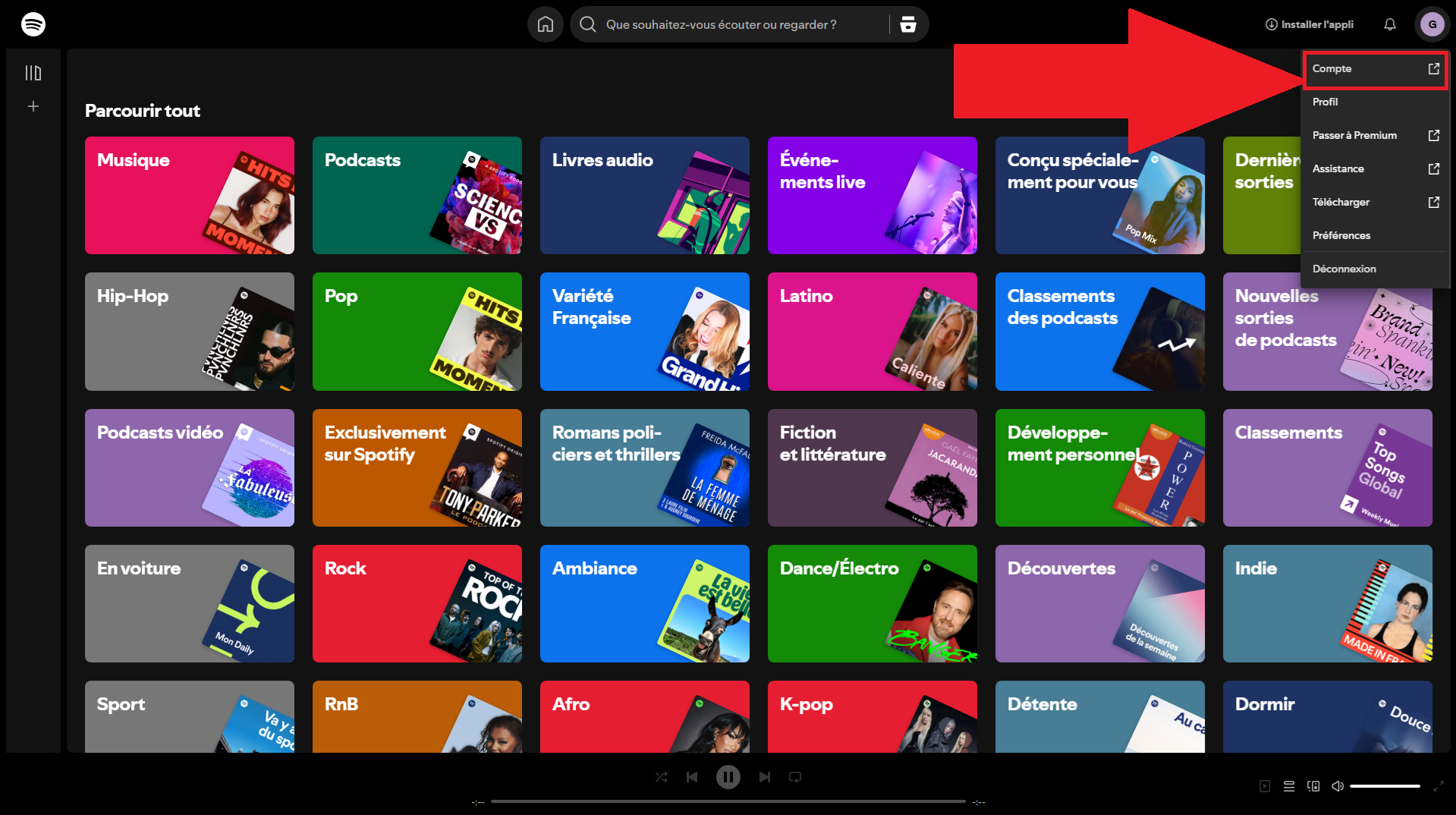
- Click on «Manage Your Subscription».
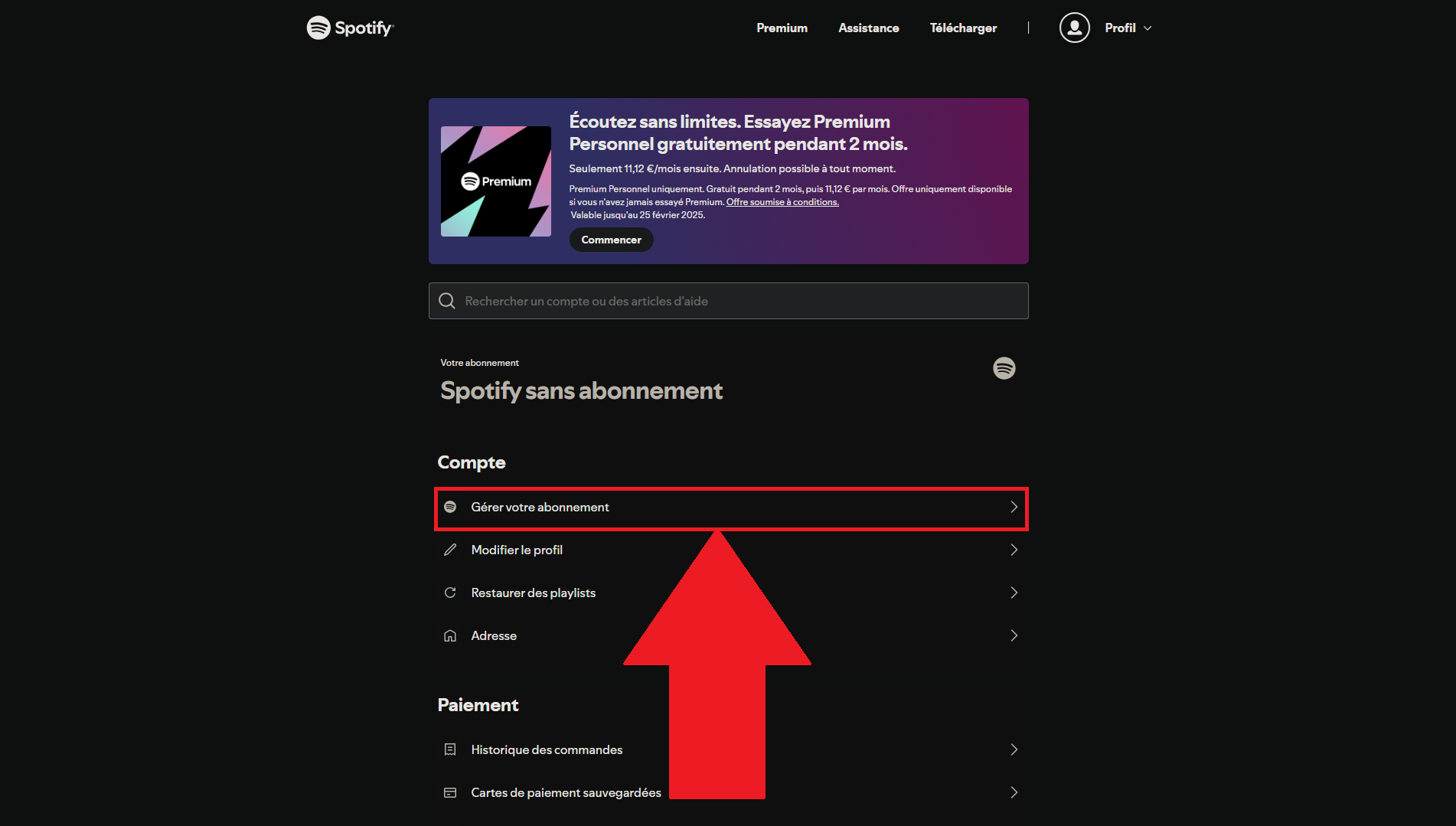
- Click on «Change Your Subscription» and select the formula you want.
Your subscription is updated immediately. If you switch plans right after a free trial, notes that the payment is charged immediately, as specified Spotify.
You went through a partner (cell phone carrier, internet service provider, modem, etc.)? The steps are different. In this case, you need to:
- to cancel your subscription directly on the relevant partner's website.
- Wait until the version is updated free of charge of Spotify.
- Next, subscribe to the formula of your choice from your account.
You cannot change or cancel an offer that has been billed by a partner since Spotify : Everything is handled directly at his place.
FAQs
What are the advantages of Spotify Premium over the free version?
Switch to Spotify Premium unlocks several benefits compared to the free version:
- A ad-free listening, continuously
- the offline download of your songs, to listen to without connection internet
- The freedom to choose the order of your songs
- A audio quality much higher (up to 320 Kbps)
- The Real-time group reading with other people
- Managing your read queue
- Access to the catalog complete with Spotify, without restriction
Can I try Spotify Premium for free before subscribing?
Spotify invites you to Try Premium for free before you subscribe. The plan Staff gives two-month trial period, the package Students (for students only) provides one month.
You'll need to enter your bank details To start the trial, be sure to’cancel before the end if you don't want to be charged.
Can I cancel my Spotify subscription?
You can Cancel your subscription at Spotify Premium at any time. Here's how:
- Go to the website of Spotify and click on your profile.
- Open the section "Account.
- Click on «Manage Your Subscription».
- Select «Cancel Subscription» and follow the instructions.
Can I use Spotify Premium on several devices?
Yes, Spotify Premium runs on all your devices, and the transition is seamless between PC, web browser, and mobile app.
Be careful with the package Staff : Simultaneous listening is not available (see the plan chart for details).
To listen with others at the same time, you'll need the plan Duo Where Family. The package Family allows each family member to listen at the same time, independently.
How can I get a cheaper Spotify subscription?
Streaming service prices keep going up. Check out our tips for pay Spotify cheaper.








 English