Whether in audiobooks, explanatory videos, or podcasts, the voice-over must be effective in transporting its audience to another world, conveying ideas, and even evoking emotions.
In this article, we invite you to discover how to record a voice in two ways:
1. Create a voiceover using an AI voice generator
Artificial intelligence has become a a true ally in many areas. Narration is part of this, and AI offers effective tools for creating realistic, high-quality narrator voices.
You will find many AI voice generators allowing you to convert text to speech in just a few clicks.
Which AI voice generators should you choose?
These tools give you access to a wide range of voices for your projects. You can choose the voice-over that best suits your content and audience. Among the AI voice generators available, here are a few examples:
- Synthesys stands out for its expressive voices and voice cloning capabilities, which allow it to reproduce a person's voice.

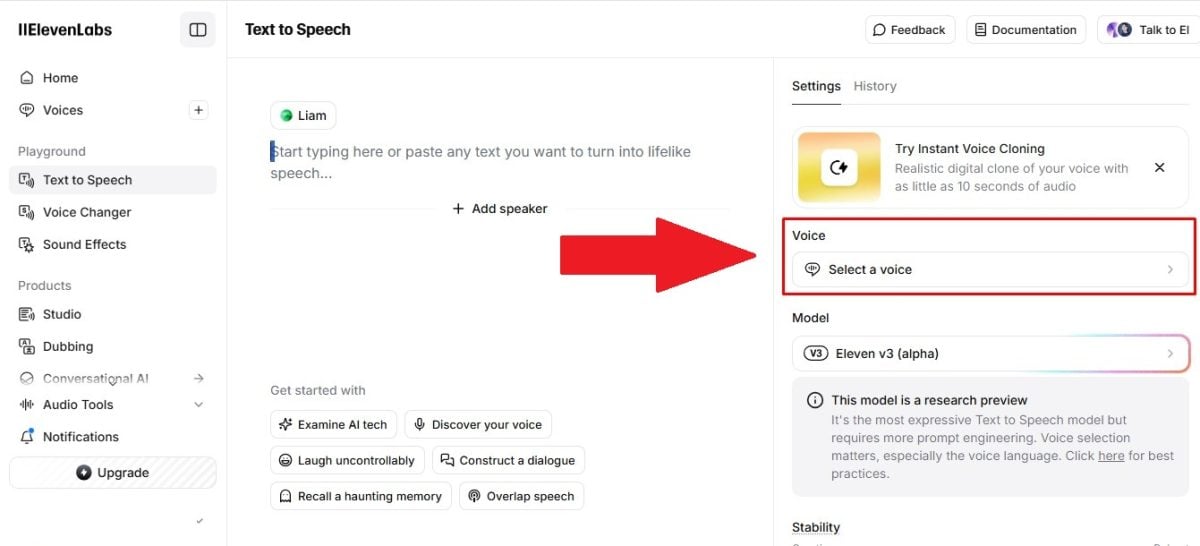
- Elevenlabs offers a wide range of realistic and customizable voices with advanced pronunciation and intonation control options. Using the voice-over generator on this platform is very easy.

- Lovo.ai, meanwhile, offers an intuitive interface and a variety of high-quality voices, ideal for videos and presentations.
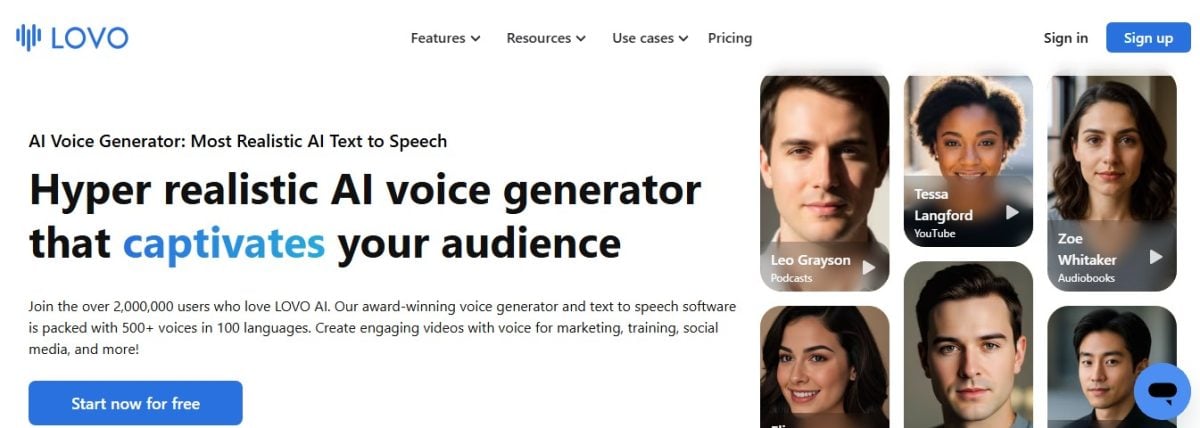
In depending on your project and your audience, You will easily find the voice-over generator you need on the market.
How to use AI speech synthesis software?
The way speech synthesis software works is almost always the same, despite the fact that the interfaces are different. Here are the steps you will often need to follow to convert your text to audio :
- Copy and paste your text on the platform.

- Choose the voice, the tone and sound with which you want the text to be read.
What elements should an AI voice generator be used for?
Here are a few examples of use an AI voice generator. Please note that this list is not exhaustive.
| 🗣️ Element | 📋 Details |
|---|---|
| Online training or learning materials |
It is possible toadd audio to your online course materials. |
| Dubbing plugin | Some tools offer the option of adding a feature that plugin on Google Slides, for example.
After adding a audio file To a presentation, it is possible to add sound that will play automatically at a certain point. |
| Explanatory videos to be published on YouTube | An AI voice generator can be used to create audio content to be included in the explanatory videos.
The dubbing These tools are becoming increasingly sophisticated and professional, making the video appealing. |
| Advertisements and commercials | Use the AI voice generator to create advertising and spots ideal for targeting a specific audience. |
| Telephony | You can also use the AI voice generator for professional voiceovers of IVR systems as well as phone messages. |
| Podcasts and audiobooks | It is becoming easier to create podcasts and audiobooks with the help of speech synthesis software.
With this type of tool, you can create more content. engaging. |
How to choose and customize a narrator voice?
If you want to use a voice-over generator, you must choose a voice that suits your message and your audience. To help you with this process, we invite you to follow these tips:
Select a voice suitable for narration

Ask yourself good questions in order to choose the AI voice that matches the style and tone of your text:
- Imagine the ideal voice-over for your content. Is she warm and friendly? Serious and professional? Or dramatic and captivating?
- Who is your target audience?YOU ? A young and dynamic voice will be more suitable for an audience of teenagers, while a more mature and composed voice will be more appropriate for a professional audience.
- Try different voiceovers to find the one that best suits your needs. Most AI voice generators on the market offer a sample of available voices.
Adjust the settings for the TTS (Text To Speech) tool
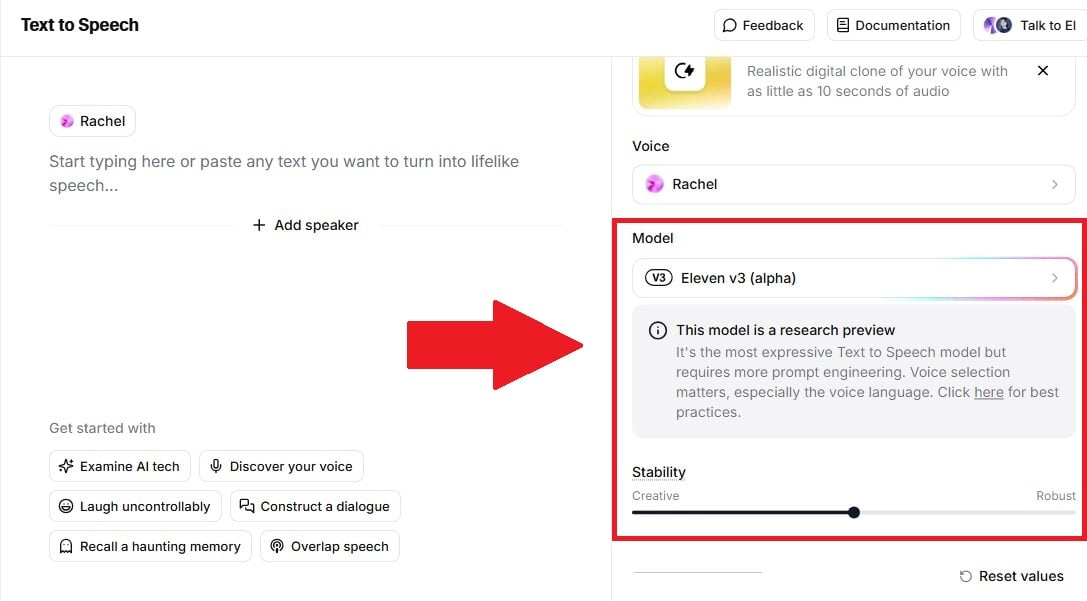
Once you have chosen the AI voice for your project, you can improve its characteristics using the TTS tool settings.
- Pronunciation settings: Refine the pronunciation of words, especially for proper nouns or technical terms.
- Speed adjustment: Speed up or slow down the voiceover to match the pace of your narration.
- Intonation adjustment: Modify the intonation of the AI voice to create interrogative, exclamatory, or expressive sentences.
When you make these settings for your text-to-speech tool, be careful to do not modify the voice-over too much, as this could make it seem too artificial.
Explore options for creating custom voices for a unique sound

Due to the large number of possibilities on the market, Some AI voice generators offer advanced options. in order to create customized voiceovers:
- Voice cloning: Reproduce the voice of a captivating person, ideal for audiobooks or educational content.
- Adding emotions: Incorporate emotions such as joy, sadness, or anger into the voice-over.
- The creation of hybrid voices: Combine different voices to create a unique and original sound.
Remember that your narrator's voice is an important part of your content. We therefore recommend that you take your time to carefully choose and customize the AI voice, in order to create a captivating experience for your audience.
How can you integrate AI voice into your project?
Bringing your video, podcast, or e-learning projects to life is possible thanks to a voice-over generator.
As long as your narrator's voice is of high quality, you will be able to enrich your content and captivate your audience. Here it is a few tips To help you effectively integrate an AI voice into your project:
Synchronize voice-over with visual or textual content
- Divide your content into clear and distinct sections to facilitate synchronization of the generated voice with the corresponding textual or visual elements.
- Write a clear and concise script. Indeed, the AI voice must keep pace with your text. It is therefore in your best interest to keep it fluid and accurate.
- Use video or audio editing tools in order to precisely synchronize the voice with the visual or textual elements.
Create fluid and captivating storytelling with AI
- Vary the pace and intonation of the voice-over. to avoid monotony and keep your audience engaged.
- Add pauses and silences to structure your narrative and give rhythm to your speech.
- Use transitions between different sections of your content to create a smooth and consistent narrative.
Avoiding common pitfalls in speech synthesis
- Pay attention to the pronunciation of words. Indeed, the voice generated by AI may have difficulty pronouncing certain words. It is therefore important to check and correct any errors.
- Avoid overly long or complex sentences. We recommend using short, concise sentences, as they are easier for AI and your audience to understand.
- Use natural, conversational language. The voice of your AI narrator should sound natural, even human-like, rather than robotic. To achieve this, it is best to avoid overly formal or technical language.
By following these tips, you will be able to integrate AI voice professionally. Also, don't forget to test and adjust your narrative to achieve the best result possible to create a narrator's voice using AI.
What are the advantages and limitations of AI-powered speech synthesis?
| ✔️ Benefits | ❌ Disadvantages |
| Wide choice of voices and styles | Lack of nuance and authenticity in certain voices |
| Speed terms of use | Required training to master the tools |
| Flexibility for customization | May require adjustments to achieve optimal results |
| Possibility of clone existing voices | Variable quality depending on the tools and voices |
| Accessibility for everyone | Potential costs for heavy-duty use |
AI voice generators therefore offer a practical solution to create high-quality narrator voices.
However, these tools are not perfect, and we advise you to consider their limitations before choose the AI voice generator that best suits your needs and your personal budget.
2. Create a voice-over without AI

Even though AI voice generators offer practical solutions for creating voiceovers, develop your own storytelling skills has many advantages, namely:
- Authenticity and personality: Your voice will convey your emotions and passion with unmatched authenticity.
- Total control: You control every aspect of your voice, from tone to intonation, for narration that is perfectly suited to your content.
- Flexibility and adaptability: You can adapt to different styles and genres of storytelling, allowing for great versatility.
- Personal satisfaction: The feeling of having created an engaging and captivating narrative with your own voice provides unparalleled satisfaction.
Ready to get started? Here are a few tips to guide you:
Learn professional dubbing and narration techniques
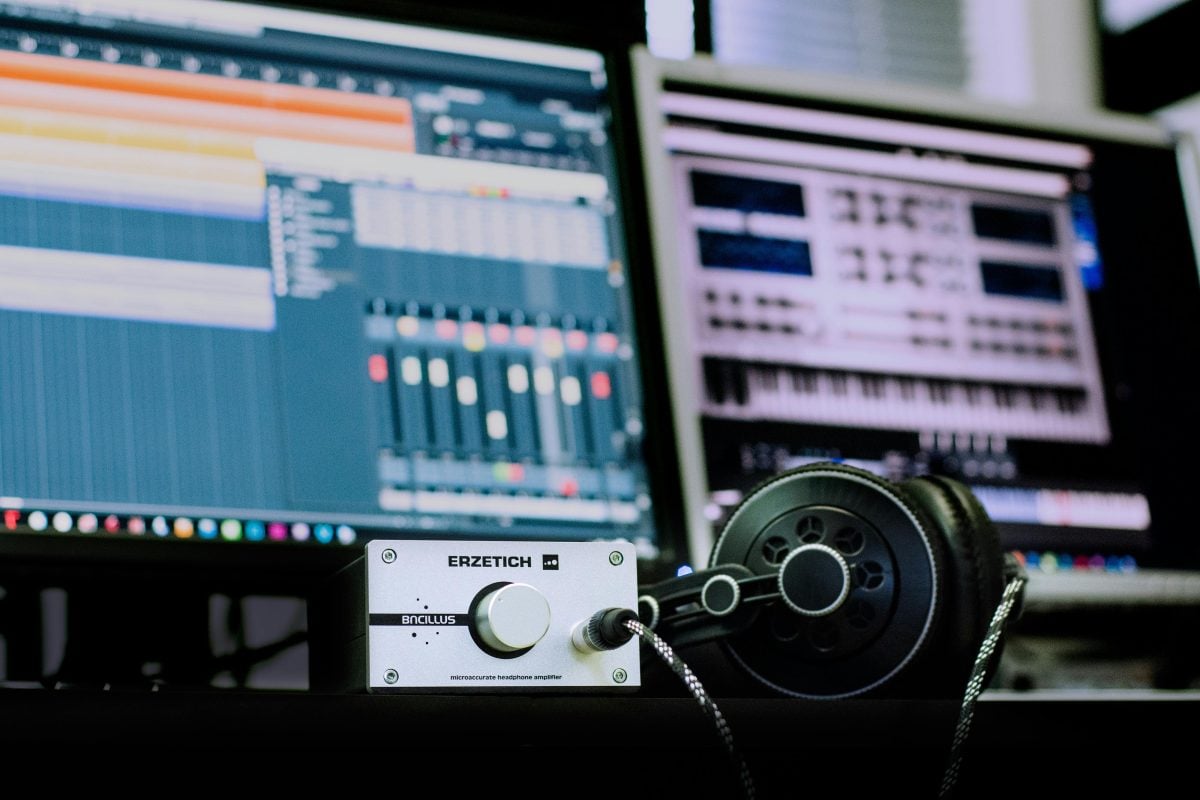
- Take training courses provided by voice coaches or narration professionals.
- Search for resources online, such as tutorials, articles, and even videos on how to become a narrator.
- Practice exercises to improve your diction, breathing, and vocal control.
Discover our article on Dorothée Pousséo, if you would like to know more about this voice actress's career.
Practice and perfect your narration voice
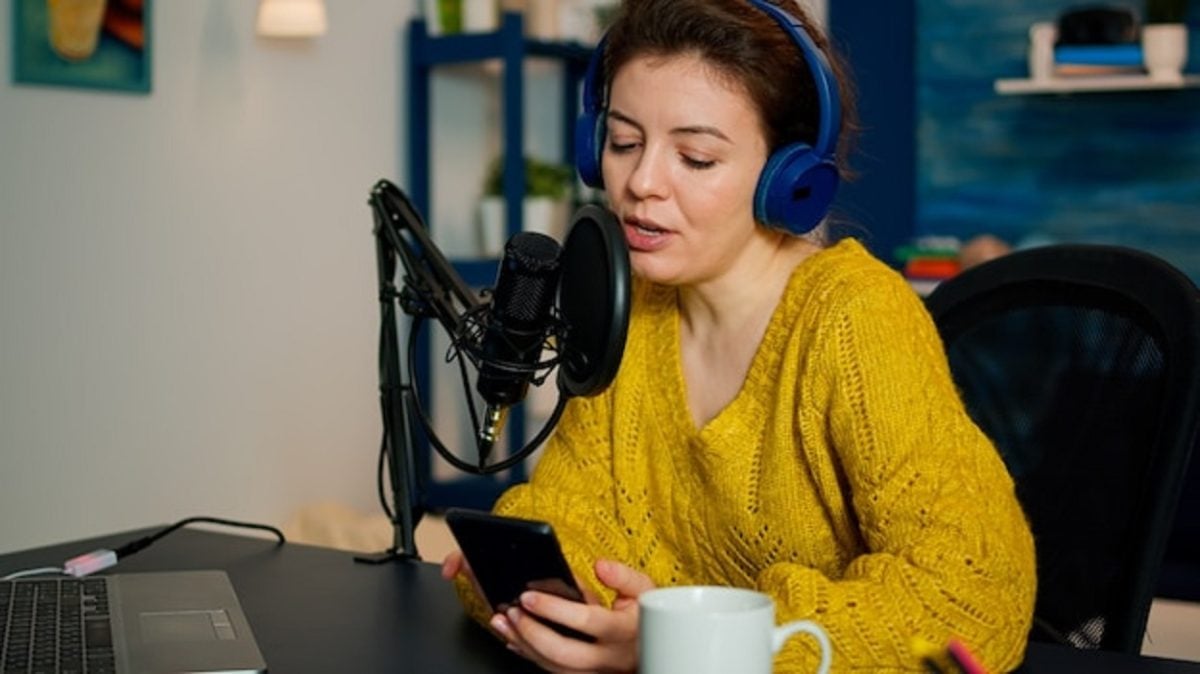
- Read aloud regularly by varying the texts and styles.
- Record yourself and listen to your voice to identify areas for improvement.
- Participate in auditions or volunteer projects to gain experience in real-life situations.
Create your own home recording studio

- Create a quiet space with good acoustics.
- Invest in a quality microphone and audio recording software.
- Learn the basics of audio editing and mixing to achieve professional sound quality.
We understand that developing a narrator voice without AI takes time, patience, and perseverance. But there are many rewards : personal satisfaction, a unique voice, and a rewarding career in the field of narration.
With practice and passion, you will be able to develop a captivating and authentic narrative voice, which will make all the difference to your projects.
So, go ahead and unleash the potential of your voice !
FAQs
Do you have commercial rights to AI-generated voices?
Yes. You have commercial rights on the voices generated on the platforms mentioned above, as well as other AI. It is thus possible to generate revenue from the audio files obtained.
What are the differences between voice synthesizers and voice cloning?
Visit what sets apart voice cloning speech synthesis:
- Voice synthesizers or TTS (Text to Speech) tools convert your text into speech.
- Voice cloning tools reproduce the voices of certain people. They are mainly used in animation and video games.
In conclusion :
- You can use AI and utilize a speech synthesis software to convert text into speech or audio.
- It is also possible to convert text to audio yourself by having a few tools at your disposal.
The first option is ideal if you are comfortable with computer tools and you want to save time when creating voiceovers.
The second option is ideal for obtaining authentic content and a more natural sound in your audio.
More content is available on our page. AI, please feel free to consult them. If you have any questions, the comment area is open.








 English