Fall Guys is both cross-platform and cross-playon computer, PS4, PS5, Xbox One, Xbox Series X and nintendo-switch. Your progress syncs across all platforms, and you can play with your friends no matter what console they're using.
The only requirement: link your account Epic Games.
Is Fall Guys Cross-Platform compatible?
Yes, Fall Guys is fine Cross-Platform, that is to say cross-platform. "Cross-Platform" refers to a game available on multiple platforms, where your progress is carried over from one console to the next.
the Cross-Play, on the other hand, lets you play in a team with friends on different platforms. Fall Guys offers both.
So you can start a session on computer in the morning and pick it up again in the evening at your PlayStation or your Switch, without losing anything. Your costumes, your Kudos and your progress this season is still tied to your account Epic Games across all platforms.
Important tip: Pair your account Epic Games as soon as you first part.
You can check the official details on the Fall Guys website.
How to play Fall Guys Cross-Platform?
To keep your progress On all your platforms, you need to Link your account Fall Guys to an account Epic Games. Here are the steps to follow.
- Spear Fall Guys on your console (in this case, on PlayStation).
- Log in to your account Epic Games, or create one if you don't have one yet.
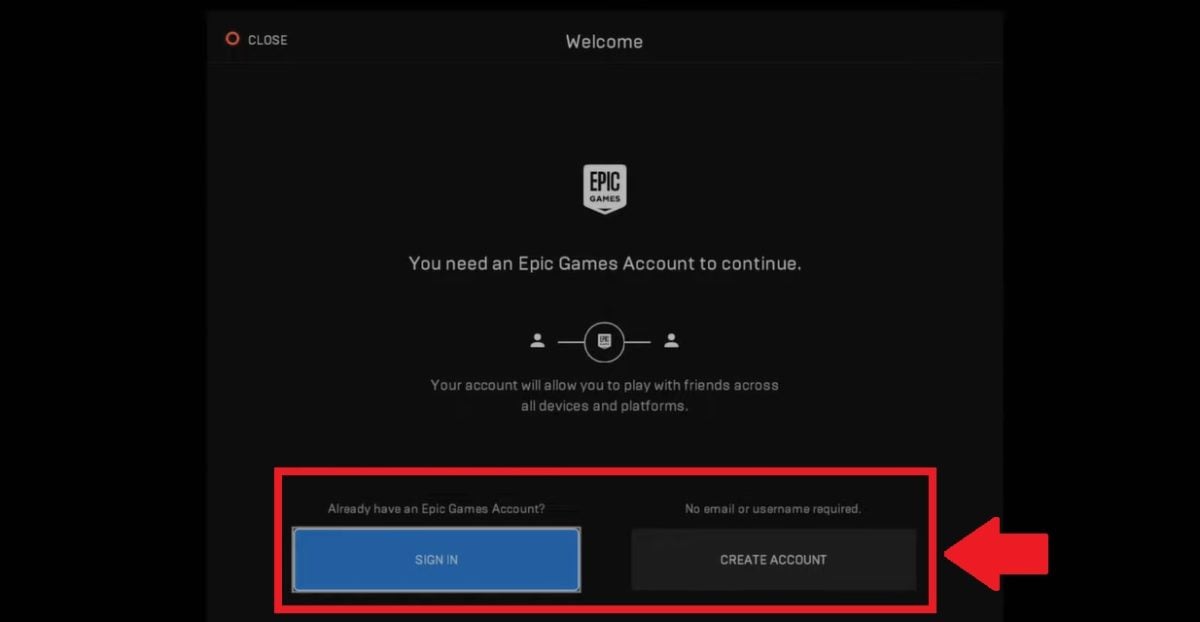
- A The code appears on the screen if you already have an account.

- Type this code into www.epicgames.com/activate, then go back to your console.

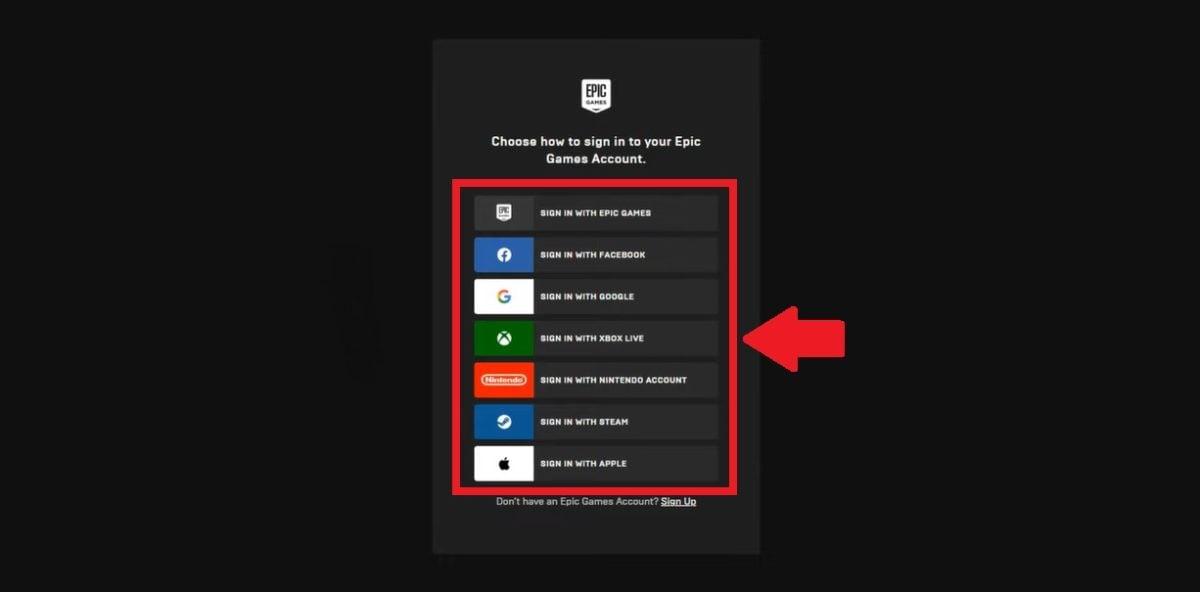
- Select the account that you want to pair with your account Epic Games.
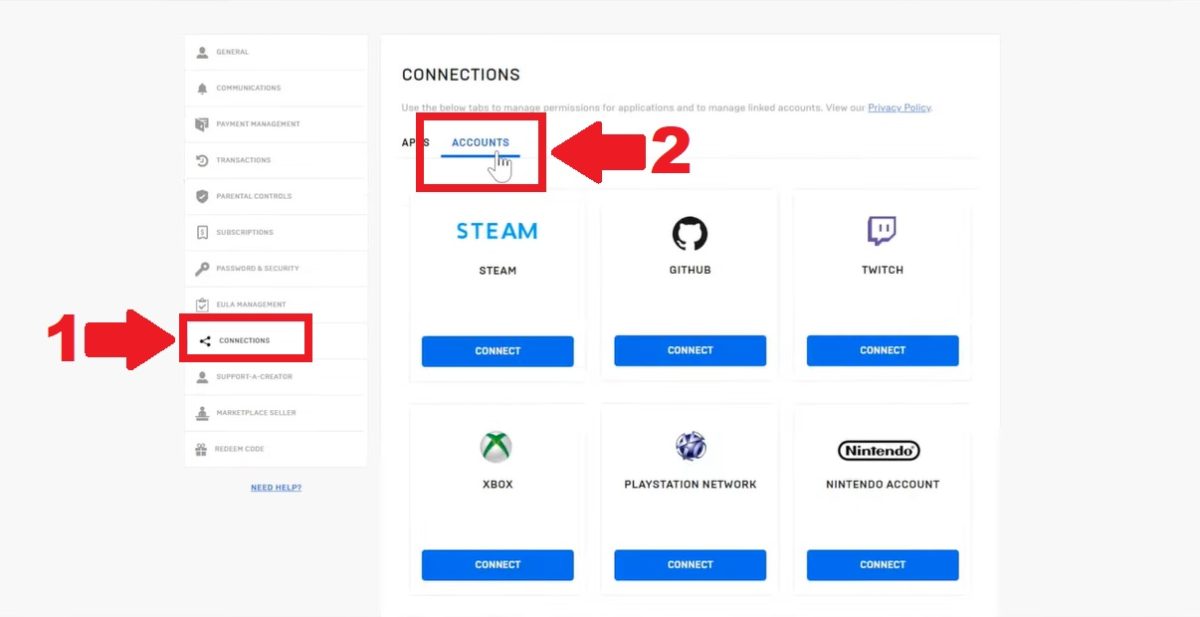
- On the interface Epic Games, go to the section Connections.
- Click the tab Account.
- Select the platforms you want to connect, then click Connect.
Can Fall Guys be played in Cross-Play?
Yes, Fall Guys is quite playable in Cross-Play. One player out of computer can join a game with friends on PlayStation, Xbox Where Switch, and vice versa, with no platform restrictions.
How do I activate Cross-Play in Fall Guys?
the Cross-Play is available on all of the following platforms:
- PC (via Steam or theEpic Games Blind)
- Nintendo Switch
- PlayStation 4
- PlayStation 5
- Xbox One
- Xbox Series X
Activation is done directly in the game settings, in two quick steps.
Step 1: Enable Cross-Play in the settings.
- Open the menu “SETTINGS”, in the upper-right corner of the interface.

- Select the menu “OPTIONS”.
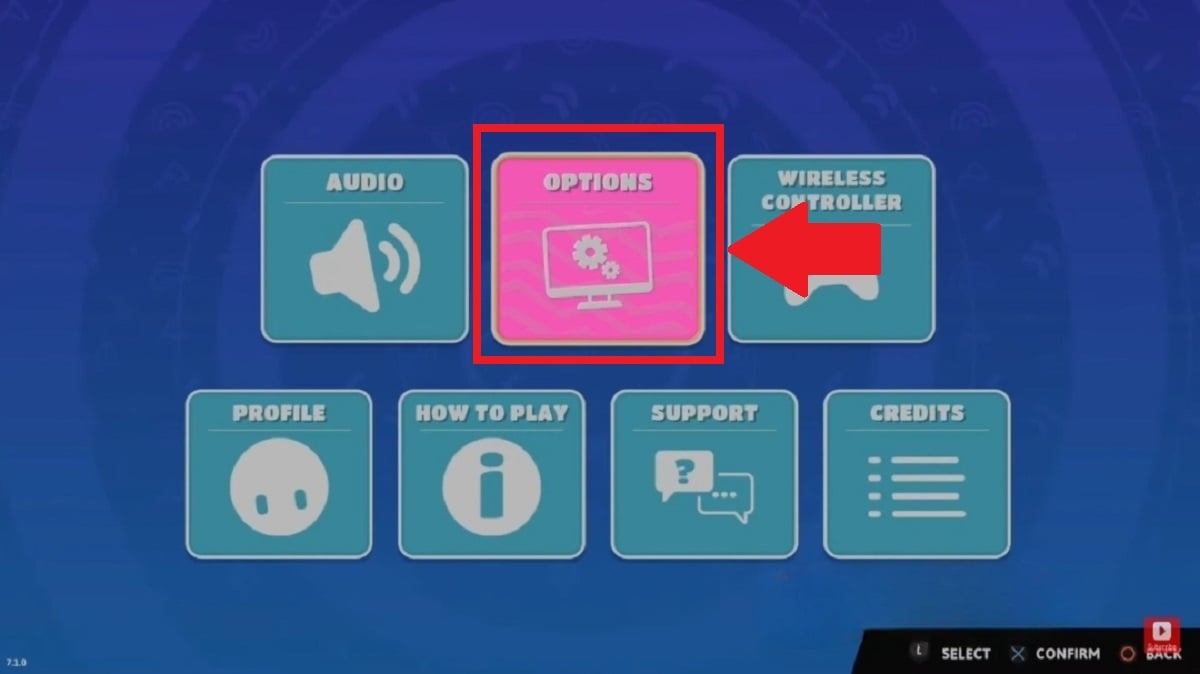
- Select the option “CROSS-PLATFORM” and switch it to ON mode.

Step 2: Add your friends on other consoles.
- Access your friends list.
- In the search bar, type in the username of the friend you want to add.
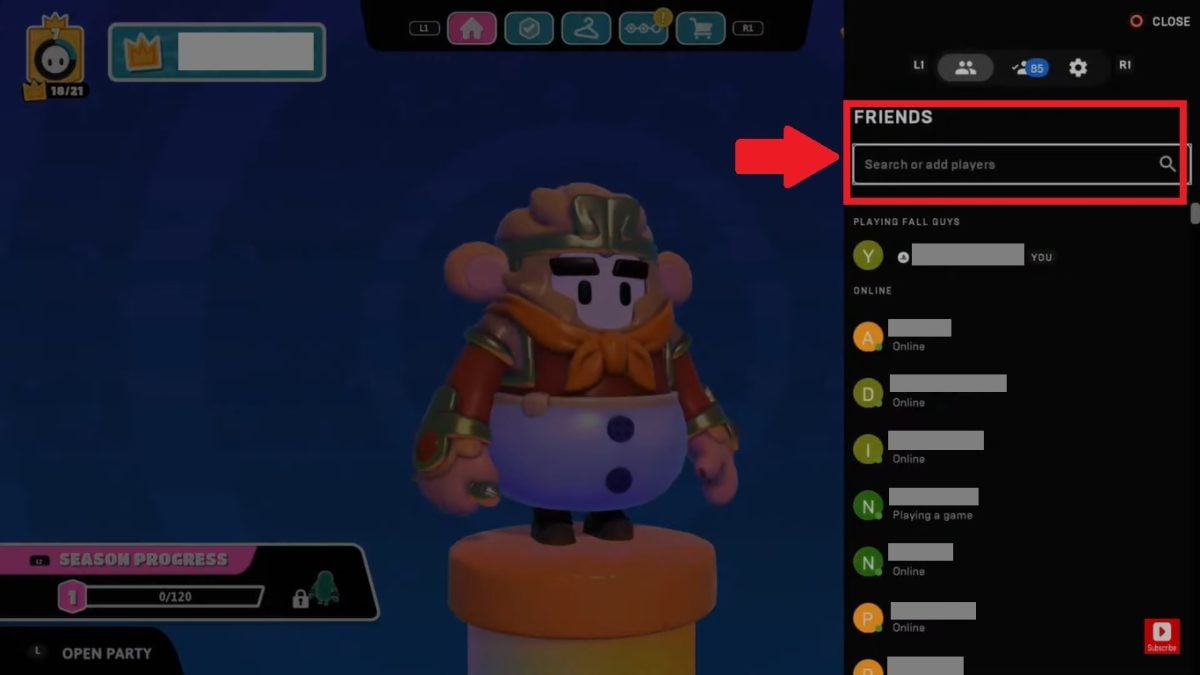
- Send him a friend request.
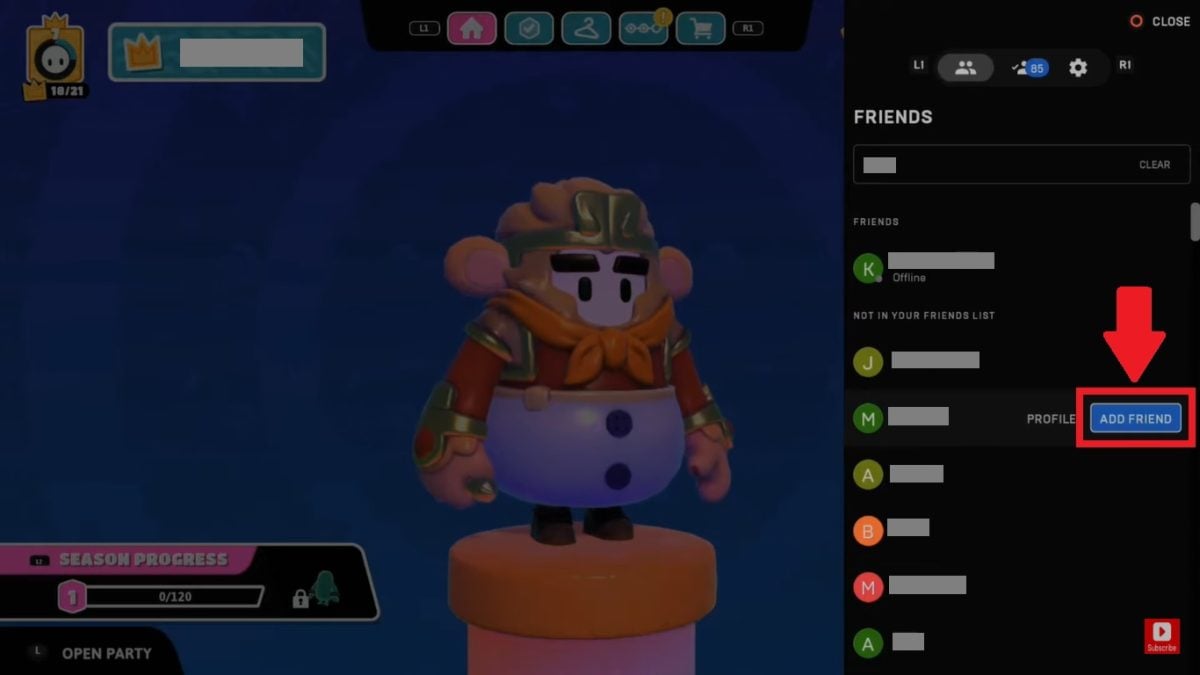
Once the request accepted, you can invite your friend to a lobby and play together, no matter what platform you're on.
FAQs
Can I play Fall Guys on my cell phone?
Fall Guys is currently Not available on mobile : The iOS and Android versions have been removed from the app stores.
Check out the Fall Guys official website to stay updated on any upcoming announcements.
Is it possible to play Fall Guys from a PC with a PS5 player?
Yes, the Cross-Play of Fall Guys allows players on computer and PS5 to play together without any restrictions. All you have to do is invite your friend to your lobby from your friends list Epic Games. You can then sew the sleeves of the Blunderdome side by side, regardless of which platform each person uses.
Is it possible to transfer my progress to another platform?
Yes. By linking your account Epic Games, you keep your progress, your costumes, your Kudos and all your unlocked items across all platforms, regardless of the current season. When you merge your accounts, be sure to choose your main profile : Select the most advanced account so you don't miss anything.
For more details, see the Fall Guys official website.
To learn more with other practical guides on the same topic:








 English