"Among Us" is indeed cross-platform : You can play with your friends even if you're not on the same platform. computer, mobile, Nintendo Switch, PlayStation and Xbox can easily be included in the same section.

Is Among Us cross-platform?
Among Us is a online multiplayer game where crew members perform tasks aboard a spaceship while imposters try to eliminate them. The answer is yes: the This cross-platform game is available on all devices, without exception.
Specifically, you can start a game with your friends from any of these devices:
- computer (Steam and Epic Games Store)
- Nintendo Switch
- PlayStation 4 and 5
- Xbox One and Series X|S
- iOS
- Android
All combinations work. A player mobile can compete against a friend on computer, and an owner of Nintendo Switch can join a game started from a Xbox.
Don't have the game yet? Among Us is free on iOS and Android (with ads during the games), and paid on all other platforms. It is also included in the Xbox Game Pass. Here are the approximate rates:
| Platforms | Price |
|---|---|
| PC (Steam) | about €4.99 |
| PC (Epic Games Store) | about €4.99 |
| Android and iOS | Free (with ads) |
| PlayStation 4 and 5 | about 3.99 € |
| Xbox | about 4.99 € (included in the Xbox Game Pass) |
| Nintendo Switch | about 4.29 € |
These prices may vary depending on promotions and your region. Be sure to check the exact price at the time of purchase.
How can I play Among Us cross-play?
Good news: the Cross-play is enabled by default in Among Us. No need to dig through the settings on your devices or consoles—you can start a cross-platform game right away from any device.
Here's how to host a game:
- Spear Among Us on your device.
- In the main menu, select the ONLINE MODE (Online).
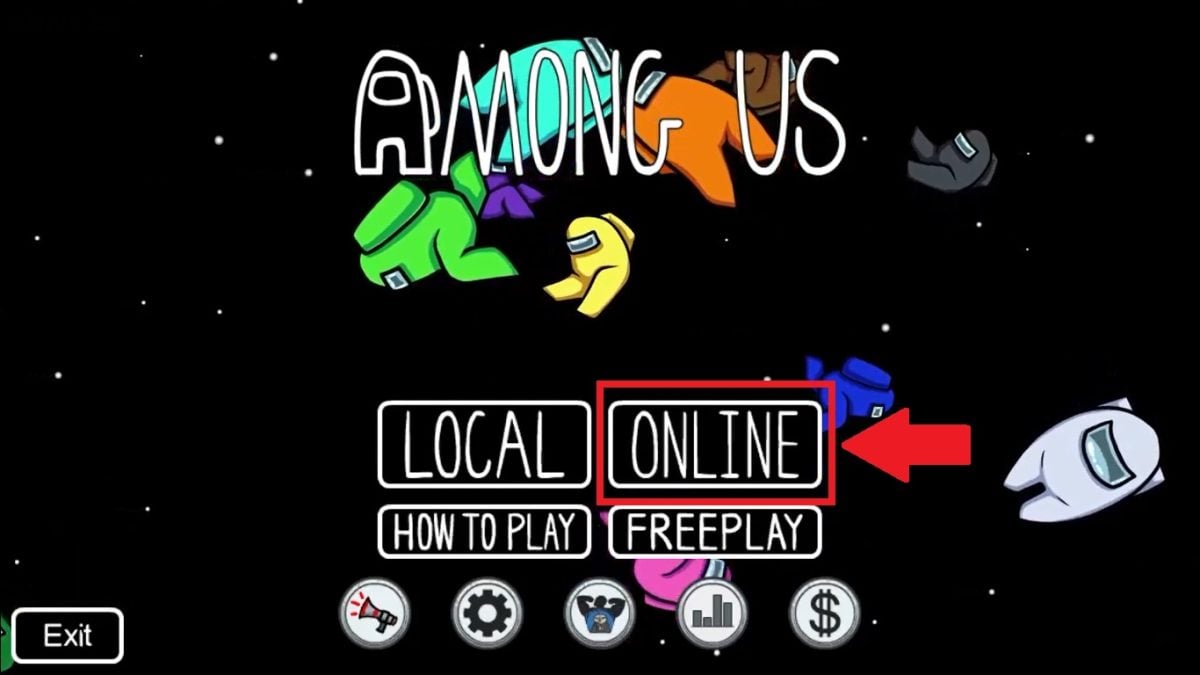
- Click on CREATE A GAME under the "Host" option (Host).
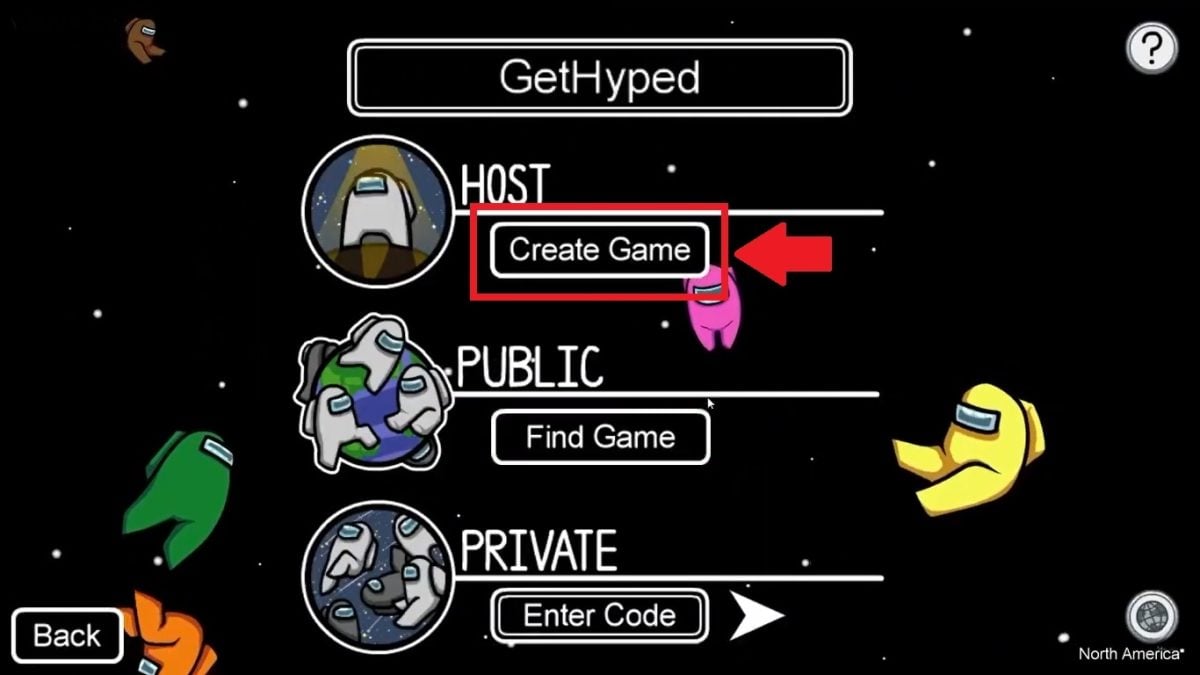
- Customize the game to your liking: card, number of players, imposters, cat's tongue.
- Click on CONFIRM.
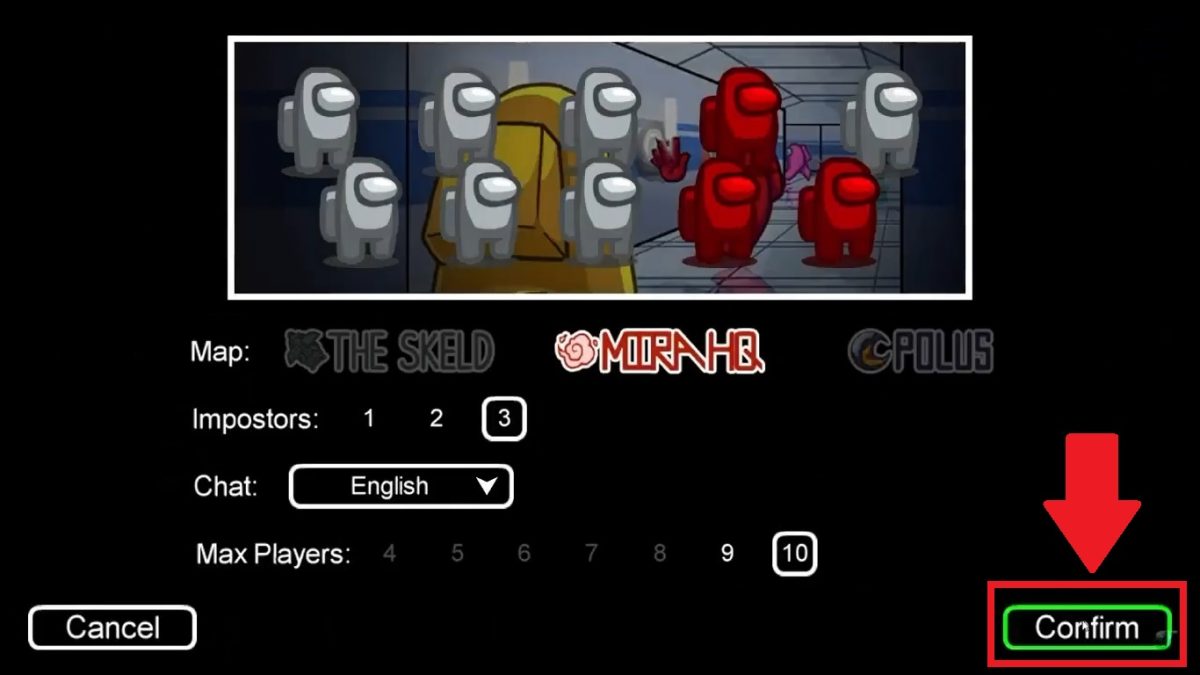
- A The code appears at the bottom of the screen as soon as your character is in the waiting area.
- Share this code with your friends so they can join the game from their devices.
- Once everyone has arrived, click on START to start the game.

Are you joining a friend's game? Select ENTER CODE under the "Private" option (Private), enter the numbers, then click OK (Go) to join the game.
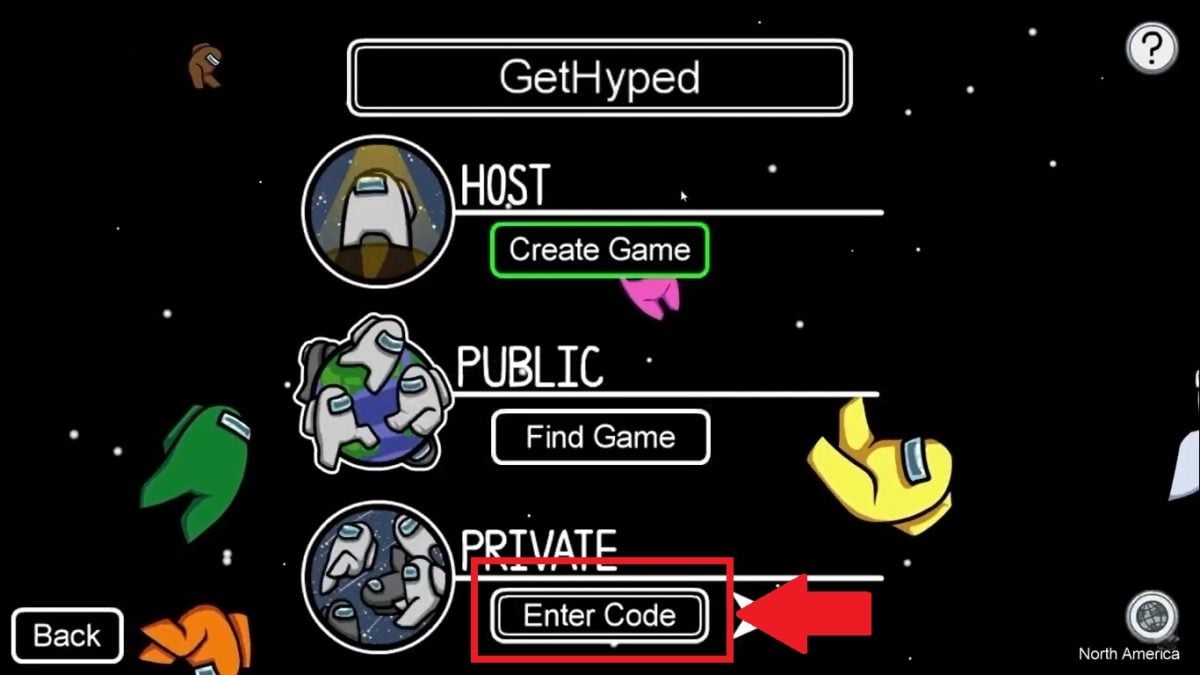
If you want to play with voice chat on a PC, here's how How to Talk in Among Us in our comprehensive guide.
One important point to keep in mind: All players must be connected to the same regional network. If the game is hosted on Europe, each participant must select the Europe server. You can change regions by clicking on the small planet-shaped icon in the main menu.

Now you know everything you need to start games with friends on all platforms and consoles. Any questions? Let us know in the comments.
You can also check out our list of multiplatform games to discover other titles to try out with your loved ones.








 FR
 RU
 EN
 ES
 IT
 DE
 ZH
 PT
 ID
 JA
 DA