Find The Simpsons on Roblox: Find the Family in 6 Steps

Author :

React :

Comment

In Find The Simpsons on Roblox, the family Simpson is locked behind a refrigerator.

To open it, you have to collect hidden objects in Springfield. Here's exactly where to find them.

BONUS: Enjoy Robux at a discounted price for your future purchases:

Get Robux down to -40%!

How to Find Your Family Simpson in Roblox Find the Simpsons ?

Before you can collect the family Simpson, you must defrost the refrigerator from their home.

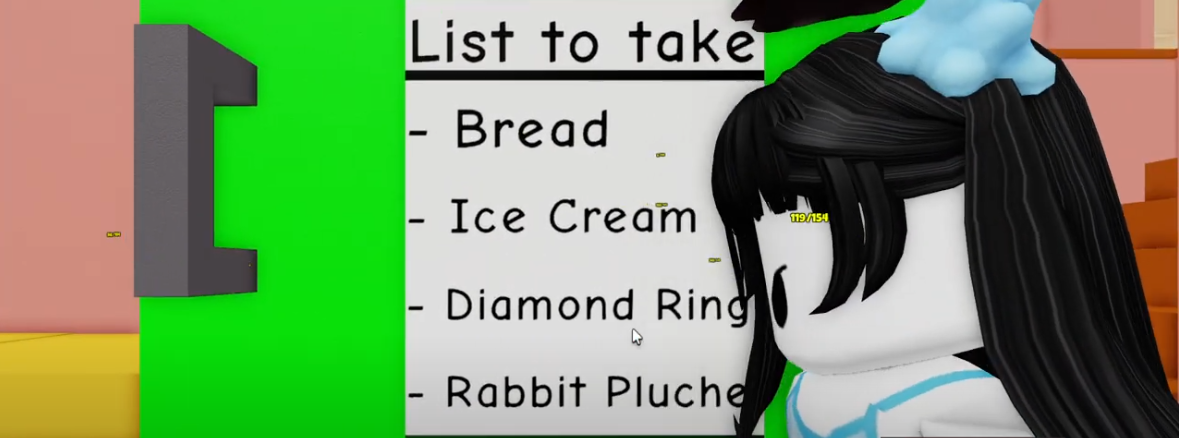
The shopping list displayed there calls for 4 items definition:

  • bread; ;
  • ice; ;
  • the diamond ring; ;
  • the stuffed rabbit.
The four items you need to collect to unlock the refrigerator in *Find The Simpsons* on Roblox
The four items you need to collect to unlock the refrigerator in *Find The Simpsons* on Roblox ©Antonin for Alucare.fr

Step 1: It all begins at the family home Simpson

Go to the House of the Simpson and take the stairs to the first floor. There you'll find a the alarm goes off at 7:00 a.m..
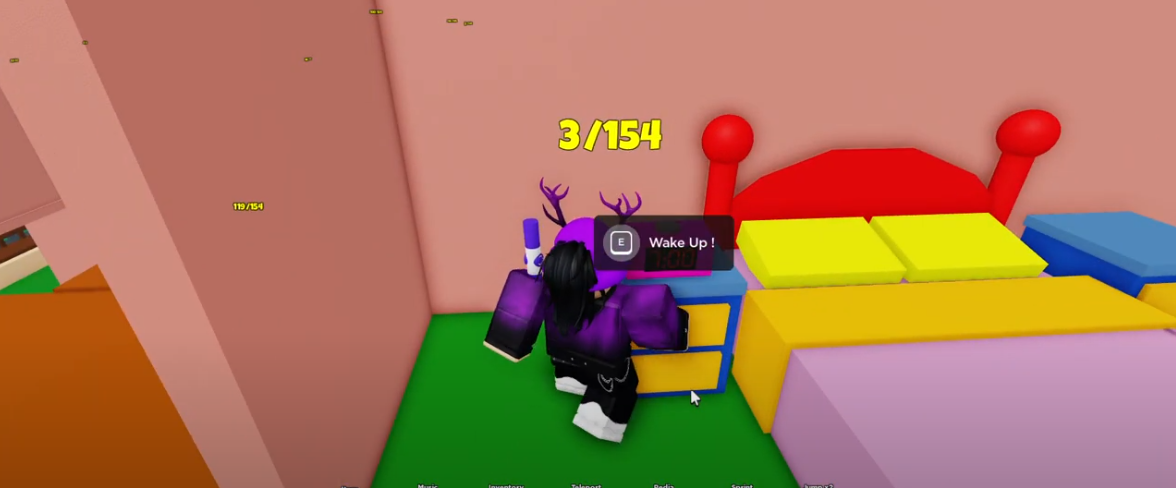
Waking up in the upstairs bedroom of the Simpsons' house in Roblox
Waking up in the upstairs bedroom of the Simpsons' house in Roblox ©Antonin for Alucare.fr

Step 2: Retrieve the stuffed rabbit

Direction Springfield Elementary School.

Springfield Elementary School in "Find The Simpsons" on Roblox
Springfield Elementary School in "Find The Simpsons" on Roblox ©Antonin for Alucare.fr

the stuffed rabbit is sitting on one of the benches inside.

A stuffed rabbit on a bench at Springfield Elementary School in Roblox
Plush bunny on a bench at Springfield Elementary School in Roblox ©Antonin for Alucare.fr

Step 3: recovering the bread

Next, go to Moe’s Bar, the iconic bar in Springfield.

Entrance to Moe's Bar in "Find The Simpsons" on Roblox
Entrance to Moe’s Bar in “Find The Simpsons” on Roblox ©Antonin for Alucare.fr

the bread is hidden behind the armchairs, in the right corner from the bar.

Bread hidden behind the chairs in the back of Moe's Bar
Bread hidden behind the chairs in the back of Moe’s Bar ©Antonin for Alucare.fr

Step 4: Recover the ice

Go to the blind, the grocery store in Springfield.
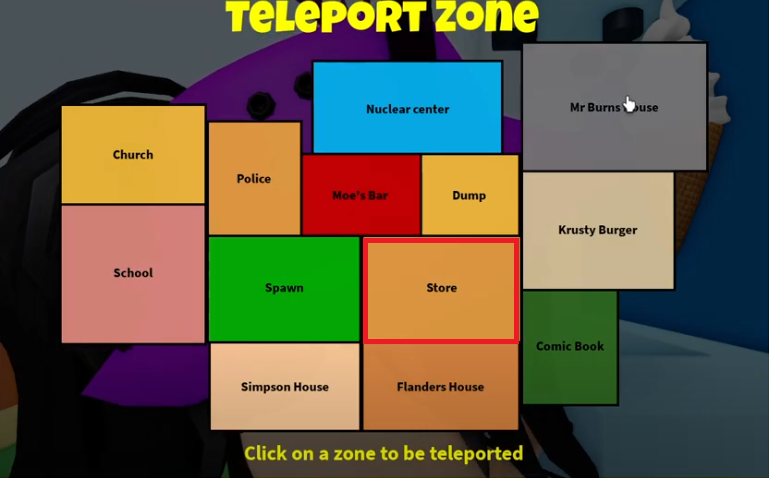
Storefront in *Find The Simpsons* on Roblox
Storefront in "Find The Simpsons" on Roblox ©Antonin for Alucare.fr

Go into the store and buy a ice directly at the register.
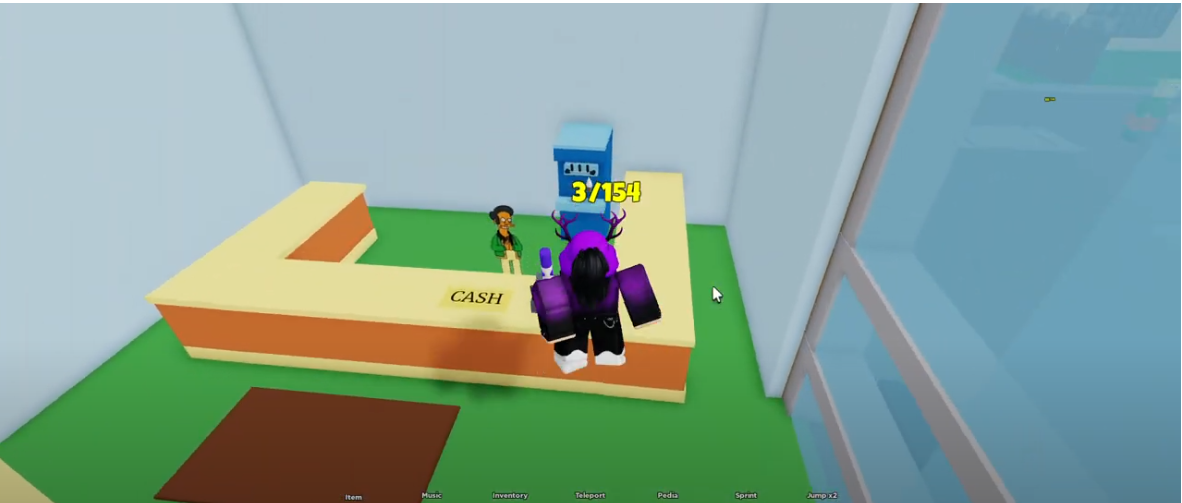
Buying an ice cream at the store checkout in Roblox
Buying ice cream at the store checkout in Roblox ©Antonin for Alucare.fr

Step 5: Recovering the diamond ring

Let's head to the house of Mr Burns.
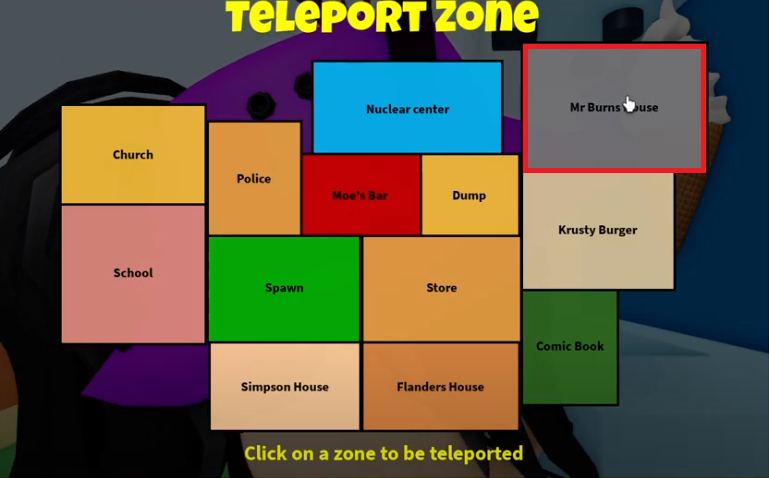
Mr. Burns' Mansion in "Find The Simpsons" on Roblox
Mr. Burns' Mansion in "Find The Simpsons" on Roblox ©Antonin for Alucare.fr

In the garden, the diamond ring is located at top of the fountain.

Diamond ring at the top of the fountain in Mr. Burns' garden
Diamond ring atop the fountain in Mr. Burns' garden ©Antonin for Alucare.fr

Step 6: Find the family Simpson

Once you've 4 items in his pocket, he goes back to the House of the Simpson.

Back to the Simpsons' house to unblock the refrigerator
Back to the Simpsons' house to unblock the refrigerator ©Antonin for Alucare.fr

In the kitchen, Ice Cream Homer appears behind the refrigerator as soon as the list is complete.

Homer Ice Cream character unlocked behind the refrigerator in *The Simpsons*
Homer Ice Cream character unlocked behind the Simpsons' refrigerator ©Antonin for Alucare.fr

Then cross the blocks of ice, which get bigger and bigger the higher you go.
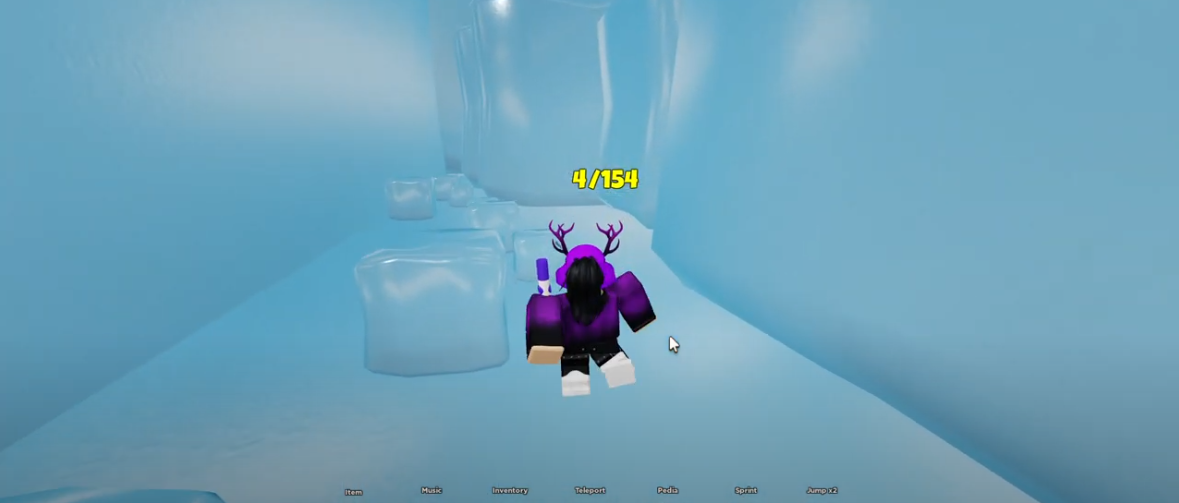
Ice Block Obstacle Course to Complete in "Find The Simpsons" on Roblox
Ice block obstacle course to navigate in *Find The Simpsons* on Roblox ©Antonin for Alucare.fr

At the top of the course, you'll finally find the family Simpson in its entirety.

The Simpson Family Found at the Top of the Course in Roblox
The Simpson family found at the top of the course in Roblox ©Antonin for Alucare.fr

Do you want to read the rest of the guide? Find The Simpsons ? Let us know in the comments!

Find The Simpsons : Character Gallery

Find The Simpsons hides the hundreds of characters all over Springfield.

Each Simpson "spotted" is added to your collection, and the goal is to track them all down: the family Simpson, supporting characters, iconic objects.

Some players also share codes and tips on forums or social media for unlocking bonuses.

If you want to explore this with some good company, check out the best games Roblox among friends.

To avoid going in circles in Find The Simpsons, here are the strategies that work:

  • Visit the iconic sites of Springfield : the house of Homer, school, or the local store.
  • Interact with the scenery : Some characters only appear after you activate an object or open a door.
  • Solve the little puzzles : Following a specific path or completing a minigame often triggers a Simpson.
  • Search every nook and cranny : Many blend into the background, so zoom in when something looks off.
  • Follow the visual clues : Sometimes the game hints at the location of a hiding spot.
  • Explore with other players to compare your finds and save time. A video guide can also help you locate characters near their hiding spots.

Don't have the game yet? You can Download Roblox for free on a PC in just a few minutes.

BONUS: Enjoy Robux at a discounted price for your future purchases:

Get Robux down to -40%!

👍Your opinion
The article is informative
The article is objective
The article answers my question
Content up to date
🔍 Found any errors? Tell us where!

Found this helpful? Share it with a friend!

This content is originally in French (See the editor just below.). It has been translated and proofread in various languages using Deepl and/or the Google Translate API to offer help in as many countries as possible. This translation costs us several thousand euros a month. If it's not 100% perfect, please leave a comment for us to fix. If you're interested in proofreading and improving the quality of translated articles, don't hesitate to send us an e-mail via the contact form!
We appreciate your feedback to improve our content. If you would like to suggest improvements, please use our contact form or leave a comment below. Your feedback always help us to improve the quality of our website Alucare.fr


Alucare is an free independent media. Support us by adding us to your Google News favorites:

Post a comment on the discussion forum

Roblox

Released on : 1 September 2006

Developed by : Roblox Corporation

Edited by : Roblox Corporation

Available on : PC, Mac, Linux, Android, iOS, Xbox

Genres : Platform, RPG, MMORPG, Multiplayer

Get Robux down to -40%!