Do you want to locate a phone ? If it's yours, Google and Apple offer tools for free geolocation services to Find a lost or stolen device.
If it's your minor child's, there are apps designed specifically for that. However, It is illegal in France to track an adult without their consent, punishable under Article 226-1 of the Penal Code (up to one year in prison and A fine of 45,000 euros).
There are therefore two possible scenarios:
- Did you lose your phone, or was it stolen? : Use the free native tools. On android, It is Localiser mon appareil of Google. On iOS, It is Localiser ofApple.
- Do you want to monitor your minor child's phone? : apps like mSpy Where EyeZy offer more comprehensive follow-up in a setting family and legal.
Full disclosure:
Paid solutions require a physical access on the phone you want to monitor for installation (at least once on Android). None of them can track a phone without prior setup. Always start with the free tools listed below.
1. Use your device's native applications
All the major manufacturers have integrated tracking system directly on their smartphones. These native tools are used to find your own phone lost or stolen, free of charge, from any other connected device.
These methods work because the cell phone is linked to your account Google Where iCloud.
For a minor, you can also go through a Declared parental controls.
"Google Find My Device on an Android device
To locate a phone remotely at Android, the simplest solution is called Google Find My Device.
This service is entirely free and provided directly by Google.
Here's what you need to know about this built-in functionality :
| Find My Device | Features |
|---|---|
| Free? | Yes |
| Consent from a third party? | No, because the device is linked to your own account Google |
| Function | Display the exact location (or the most recent known) on the cell phone |
| Prerequisites |
|
To Find a Lost Device with Find My Device, follow these steps:
- Go to the Google Find My Device website: https://www.google.com/android/find/ using your browser.

- Log in to your Google account if you haven't already.
- From the list of devices displayed, click on the phone to locate.
- You can access the exact position, or at the last known location if the cell phone is no longer connected to the Internet.
In practice, the service provides the same results as Google Maps to locate a device on a map. The location data The locations displayed correspond to the last location saved on your Android smartphone.
"Find My" on an iOS device
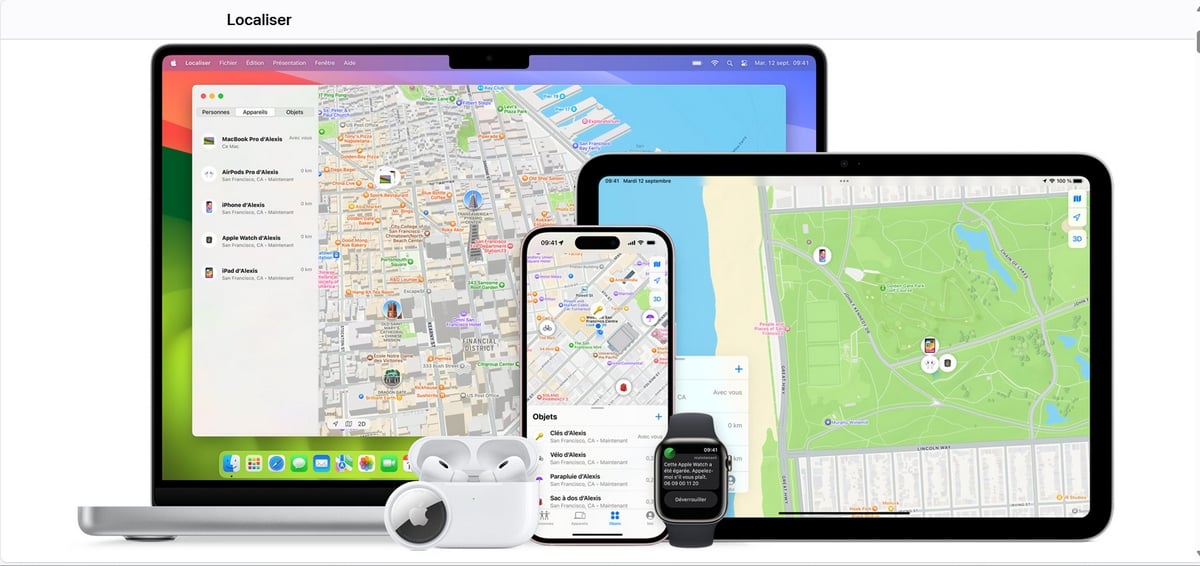
Side Apple, the equivalent is called Find My (or «Localize» in French). It is a free service built into all iPhone at iOS.
| Find My | Features |
|---|---|
| Free? | Yes |
| Consent from a third party? | No, because the device is linked to your own account iCloud |
| Is the phone turned off? | The last known location remains accessible even if the device is no longer connected to the Internet |
| Function | Exact position or last known position of the aircraft |
| Prerequisites |
|
A notable advantage over Android : Find My can display the position of a phone disconnected from the Internet, thanks to the other devices Apple nearby.
To find your cell phone:
- Go directly to iCloud.com/find and log in with your credentials.
- Open the section "Devices.
- Select the phone you want to locate to view its location on the map.
- Click the tab «Plans» to see the exact location of the device.
2. Locate a phone with GEOfinder.mobi

GEOfinder.mobi is an online service that allows you to Find a person using their phone number. It works with all types of cell phones, Android and iPhone.
Let's be clear about one thing: it's not not an invisible solution. The person receives a Visible SMS containing a link. She must click on it and confirm the position sharing so that location tracking can start. Without this click, no data is transmitted. The only discreet aspect: she sees the message, but doesn't know who sent it.
Also note: GEOfinder is not free. It offers a trial version at 1 $ for one day.
| 📍 GEOfinder.mobi | ▶️ Features |
|---|---|
| Free? | No. Trial version: 1 $ for one day. |
| Is consent required? | Yes. The person must click on the SMS link to confirm the position sharing. |
| Discreet? | No. The recipient sees the text message but doesn't know who sent it. |
| Function | View an aircraft's location after clicking the link that was sent. |
| Prerequisites | The phone number to be traced. |
To use it, follow these steps:
- Create your own account on the official GEOfinder.mobi website.
- Enter the phone number to locate.
- Choose the message to be sent along with the clickable link.
- The platform send the text message to the targeted cell phone.
- The person validates the position sharing by clicking on the link.
- You will then have access to the location data the smartphone's location on a map.
Create a GEOfinder.mobi account 🖊️
If the person does not click on the link, nothing geolocation is not possible with this method. The following solutions may be better suited to your situation.
3. Track a Phone Discreetly with mSpy
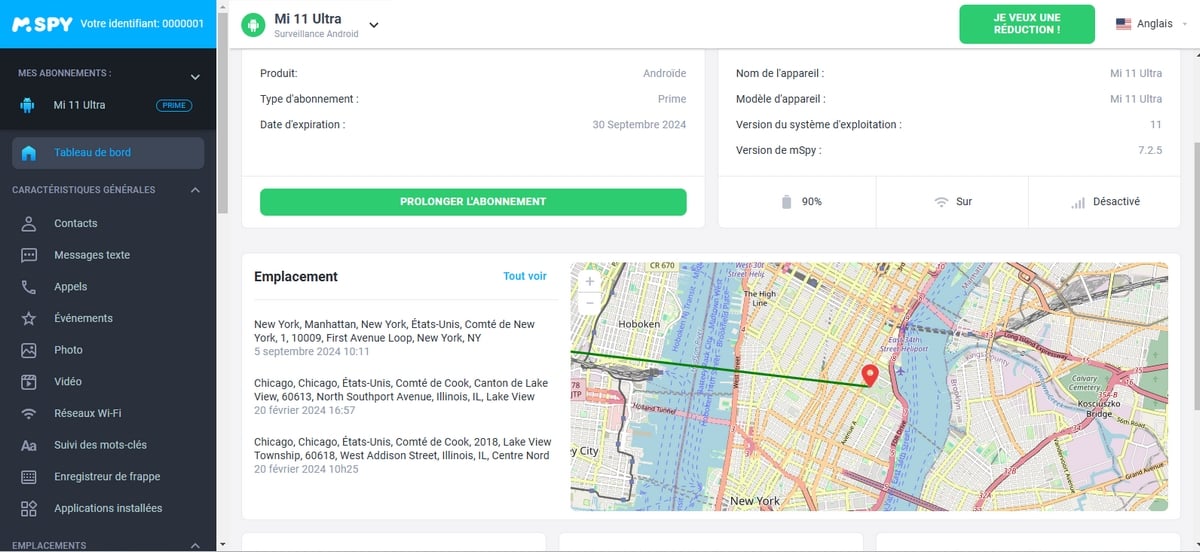
mSpy is software for parental control which gives you access to the real-time location not only your phone, but also your messages and apps, from an online dashboard.
Parents use it mainly to track their child's phone in a setting family-oriented, with the option to define safe zones and to receive an alert as soon as the child leaves the area.
mSpy is not an anonymous solution. You need to install the app on the’target device in advance. It's a tool for parental monitoring, not a way to track an adult discreetly without his consent.
The GPS data The information collected applies legally only to your minor children or to a person who has given their explicit consent.
| mSpy | Features |
|---|---|
| Free? | No, but you can discover mSpy for free here. |
| Consent / Legal Framework | Yes. Legal only in parental control of a minor, or with the person’s explicit consent. |
| Compatibility | Android and iOS (iPhone) |
| Functionality | Go to the location of the target device |
| Prerequisites | The app must be installed beforehand (physical access on Android, iCloud credentials on iPhone) |
To get started, create your account:
- Choose the’mSpy subscription tailored to your needs.
- Install mSpy on the Android or iPhone device you want to monitor.
- Then follow the position at any time from your dashboard.
4. Track a phone with EyeZy without having direct access to it
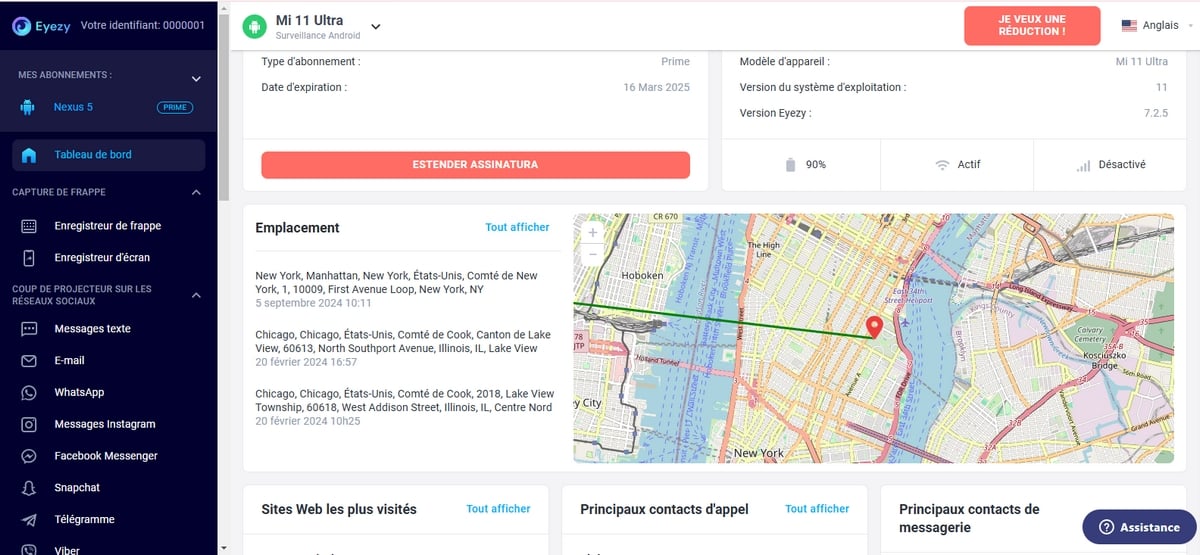
EyeZy uses the GPS data the smartphone to show its location on a map in real time. This is a parental control application an idea to help parents know where their minors in a setting family-oriented.
As mSpy, it needs to be installed first on the cell phone to be tracked. It does not work remotely on an unknown device and cannot be installed as a tracer invisible without access to the device.
| EyeZy | Features |
|---|---|
| Free? | No, but you can discover EyeZy free of charge here. |
| Access to a phone? | Yes. On android, physical access is required. On iPhone (iOS), iCloud credentials may be sufficient. |
| Legal consent? | Required. Explicit Agreement for an adult, Declared parental controls for a child. |
| Compatibility | All smartphones, both Android and Apple |
| Functionality | Access to location data of the monitored device |
How to Use EyeZy to Locate a Smartphone
Location tracking can be set up in a few simple steps once the app is installed on the relevant Android or iPhone device.
- Create your own EyeZy account via this button :
- Choose the’EyeZy subscription that's right for you.
- Install the app on the phone (physical access required on Android).
- Check out the position the device at any time from your dashboard.
Are you still trying to decide between these options for find or locate a phone ? Do you have a question about how to use them or their legal framework? Leave a comment, and we'll get back to you.







 FR
FR  RU
RU  EN
EN  ES
ES  IT
IT  DE
DE  ZH
ZH  PT
PT  ID
ID  JA
JA  DA
DA
I was just looking for ways to locate a phone for free in case of loss. Thanks for this very detailed article!
I can't locate someone on facebook, could you please clarify this?
Hello,
You say it's a free site!
Except that the subscription is at € 19.99 per month!
Where is the free in there?….
We have just updated the article, unfortunately the other sites that we talked about before (which had no virus), then became applications with viruses or other malware to make money on your back . Some blocked your phone data for a ransom of 500€. Others were selling your personal information from your phone and if there were -18 things contact your relatives. I think talking about software at €3 per use or €10 or €20 per month is better than a virus or a message to your daughter saying: Your father is watching this porn movie or sending this type of dirty message to your mother.
I recommend! Thanks