On Netflix, you change the video quality since the Your account settings or directly while playing the file. The procedure varies depending on the device you're using.
Explanatory video in French by Alucare, ideal complement to the page. View video (you can use YouTube's automatic translation)

How do I change the video quality on Netflix?
The process for changing the quality varies slightly depending on whether you're using a browser, a mobile device, or a TV.
Here's how to proceed in each case.
Change the video quality in the playback settings
This is the universal method: it applies to all your devices at the same time. Follow these steps:
- Open the’application Netflix or visit the website.
- Click on the’profile icon in the upper-right corner of your screen.

- Click on "Account.".
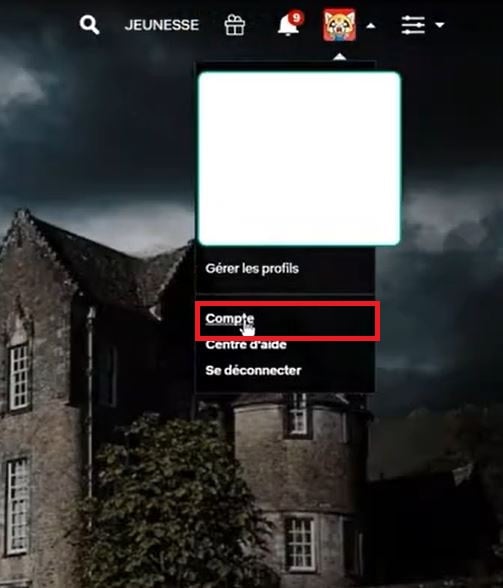
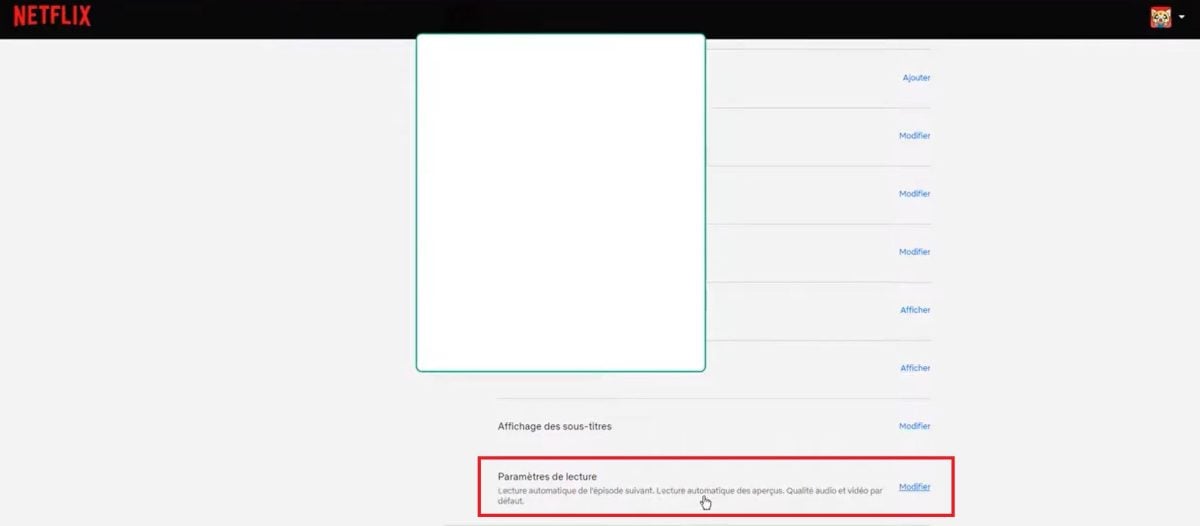
- Scroll to the bottom of the page, choose the profile that matches yours, and select Playback Settings, then Edit.
- A window will appear showing the different quality options. Choose the one that works for you, then click To register to implement the change.
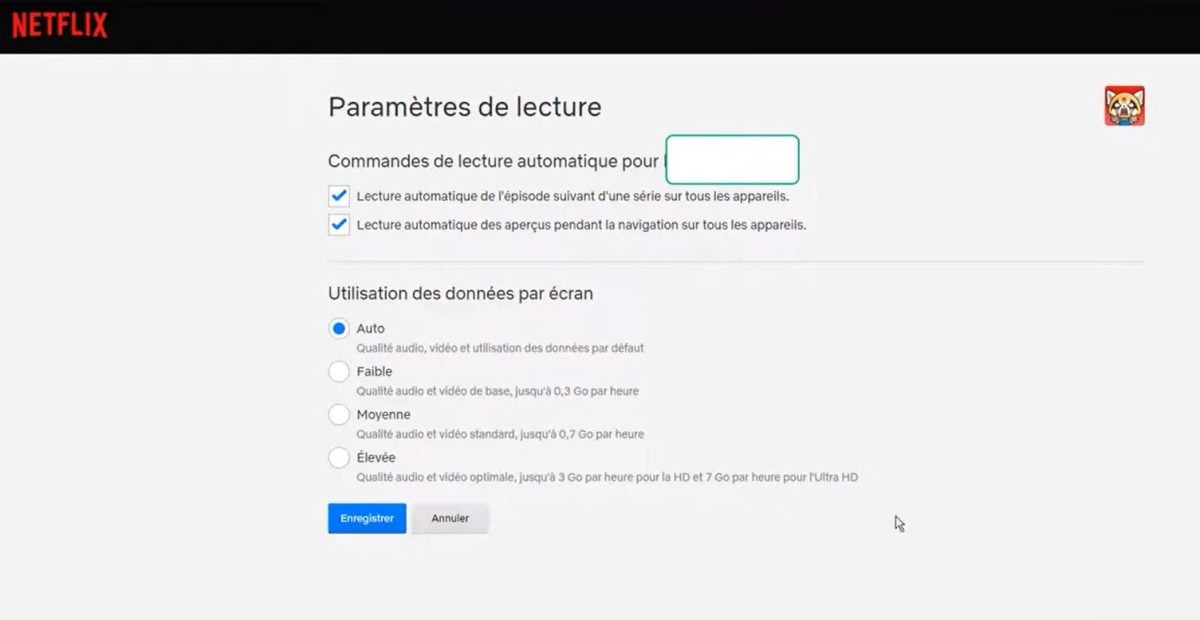
This setting is saved to your account.
In a browser (Windows or Mac computer)
On a computer, there is no quality button directly in the player. The resolution adjusts automatically based on your connection and your settings. profile.
To set it manually, go to Account > Profile > Reading Settings, as described above.
On mobile (iOS/Android)
On a smartphone or tablet, open the’application Netflix and go to My Netflix (bottom right).
Touch the your profile name at the top to access the application settings. You can then adjust the streaming quality separately depending on whether you're mobile network or in Wi-Fi.
You can also take this opportunity to change the language of the interface from that same menu.
On Smart TVs and Apple TV
On Smart TV, the application Netflix does not offer a built-in quality menu. You can adjust the settings from your account on netflix.com, via the Playback Settings of the profile. The 4K Ultra HD is primarily reserved for subscribers Premium and a compatible TV.
For downloads
If you download movies and TV shows to watch them offline, you can also choose their quality to save space. Go to My Netflix > Profile Name > App Settings > Download Quality. There are two options available:
- Standard : less storage used.
- High : better image quality, but higher data usage.
Explanatory video in French by Alucare, ideal complement to the page. View video (you can use YouTube's automatic translation)

Once you've made these settings, you can watch your videos in the quality you selected.
To learn more, check out our article on how to download movies and series on Netflix.









 English