How to activate and have the Interpreter Code on ChatGPT?

Author :

React :

Comment

In this tutorial we will see how to activate the Interpreter code on ChatGPT plus.

Image illustration for our article "How to activate and get the Code Interpreter on ChatGPT".
Illustration de l’étape pour activer et avoir le Code Interpreter sur ChatGPT. Source : Alucare.fr

Envie d’en apprendre plus sur l’IA avec une formation qui est mis à jour en continu ?
(C’est une formation que j’ai suivi et que je recommande, tu me retrouvera sur le discord privé !)

Discover AI Revolution of Impact IM

1 = Have Chat GPT +

Tout d’abord, il vous faut l’abonnement à 20$ par mois, sans ça vous ne pouvez pas accéder aux bêtas de Chat GPT.


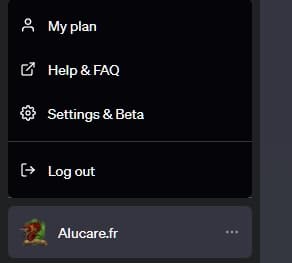
2 = Go to your CHATGPT profile settings:

Cela se situe en bas à gauche de l’écran :

ChatGPT User Menu

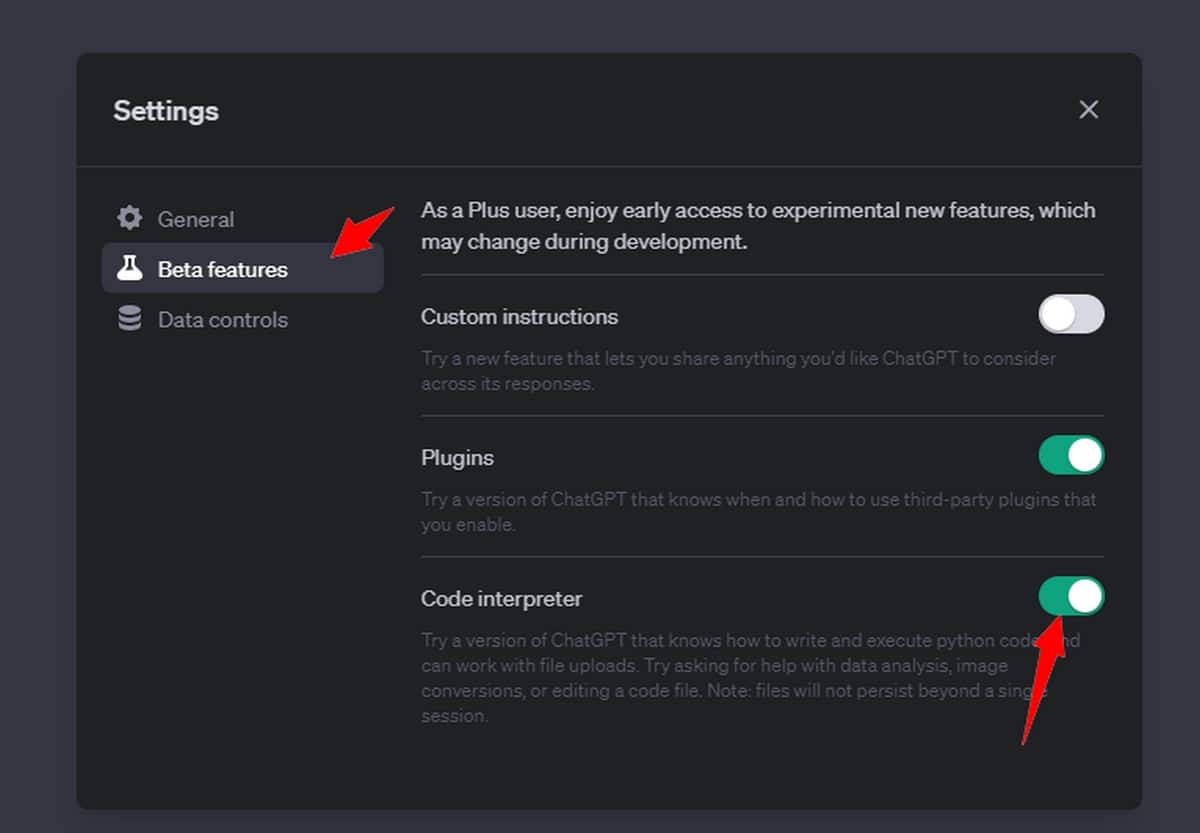
3 = Activer l’option : Code Interpreter

Aller dans Beta Features et sélectionner Code Interpreter. (Il n’est pas disponible pour tous les comptes donc retester dans quelque jour si ce n’est pas le cas pour vous)

chatGPT settings for interpreter code

4 = Create a new chat:

Now start a new chat, taking GPT-4 and clicking on Code Interpreter.
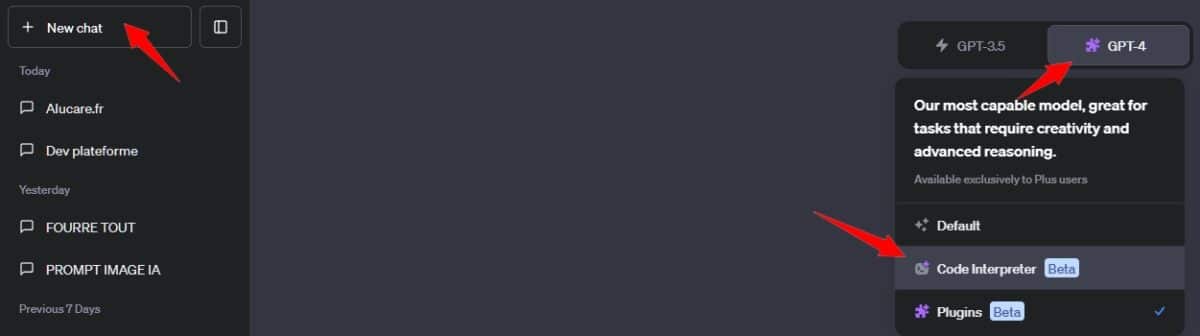
Add code interpreter plugin in chat gpt

5 = Test Interpreter code:

Now you can upload files!

You will be able to generate graphics and everything you need!

Discover AI Revolution of Impact IM

Found this helpful? Share it with a friend!

This content is originally in French (See the editor just below.). It has been translated and proofread in various languages using Deepl and/or the Google Translate API to offer help in as many countries as possible. This translation costs us several thousand euros a month. If it's not 100% perfect, please leave a comment for us to fix. If you're interested in proofreading and improving the quality of translated articles, don't hesitate to send us an e-mail via the contact form!
We appreciate your feedback to improve our content. If you would like to suggest improvements, please use our contact form or leave a comment below. Your feedback always help us to improve the quality of our website Alucare.fr


Alucare is an free independent media. Support us by adding us to your Google News favorites:

Post a comment on the discussion forum