Code Interpreter allows ChatGPT to perform Python code, to analyze your files and to generate graphics automatically.
Since 2024, there's nothing left to enable in the settings: the feature is built right into GPT-4o, under the name Advanced Data Analysis.
All you need is a self-pay (ChatGPT Plus, Team, or Enterprise) to use the Code Interpreter fully.

Want to learn more about AI with a course that’s constantly updated?
(This is a course I took and would recommend—you can find me on the private Discord server!)
Discover AI Revolution of Impact IM
1. Have ChatGPT Plus
The first requirement is to have a paid subscription. the Code Interpreter is reserved for packages ChatGPT Plus (approximately 20 $ per month), Team and Enterprise.
With the free version, access to this code interpreter remains very limited, if not nonexistent.
Once you've subscribed, there's nothing else you need to do in terms of settings. OpenAI has integrated the feature directly into GPT-4o : You can import files and launch a data analysis as soon as a new conversation begins.
2. Go to your ChatGPT profile settings
Open ChatGPT, then find your account name at the bottom left of the screen. Clicking on it brings up the menu for settings.
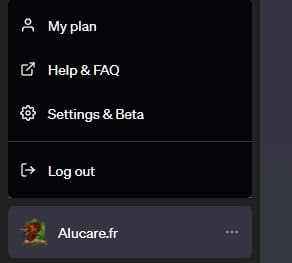
This step was once used to manually activate the Code Interpreter from the beta settings. Today, if you're a subscriber ChatGPT Plus, Team, or Enterprise—you no longer need to go through this menu.
3. Enable the Code Interpreter option
Since 2024, you no longer need to enable the Code Interpreter manually. The feature is directly integrated into GPT-4o, without having to navigate through the menus.
Before this update, you had to open the settings From your account, go to “Beta Features” then check the box Code Interpreter.
This option was subsequently renamed “Advanced Data Analysis“ by OpenAI, before being incorporated into the default model.
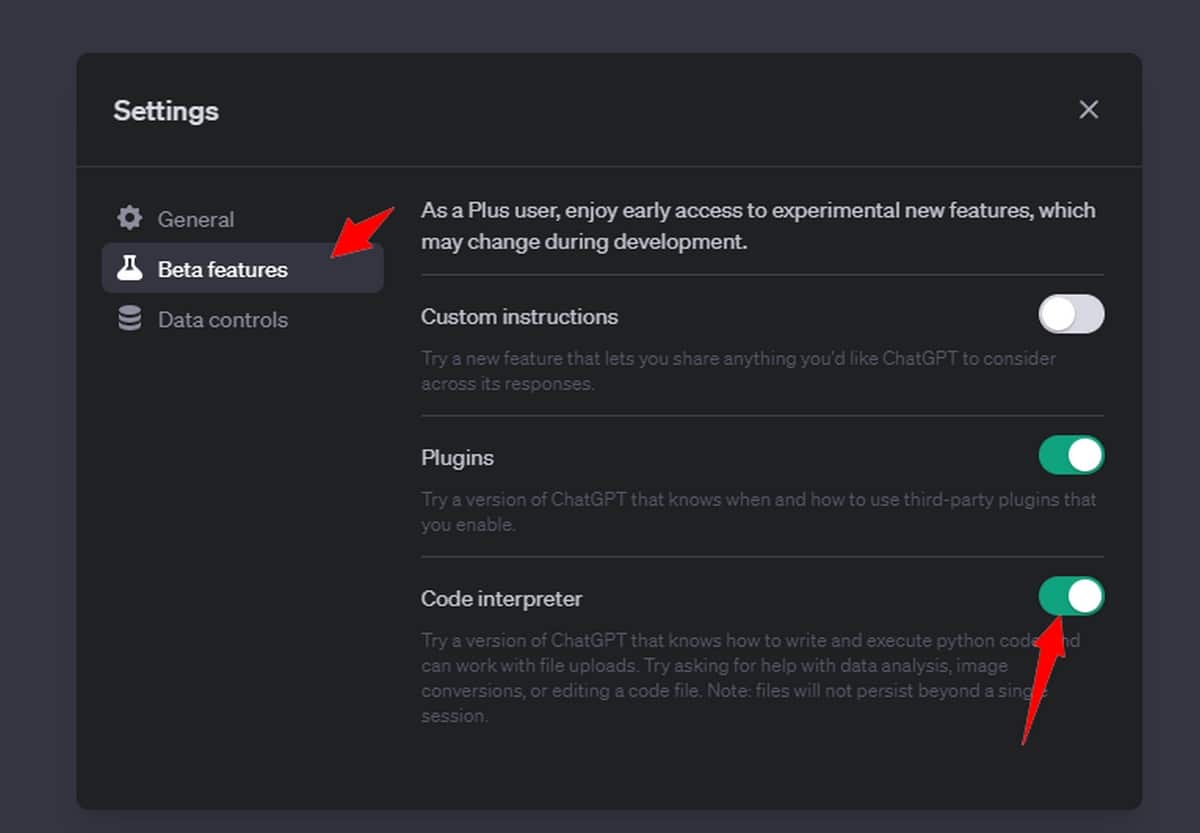
With a paid account, the’data analysis is already available. In the free version, access is still limited: it switches to a GPT-4 model To use the Code Interpreter without restriction.
4. Create a new chat
Launch a new conversation in ChatGPT and select the template GPT-4 (Where GPT-4o (in recent versions). The’code interpreter is already active: you can import your files and request a data analysis immediately.
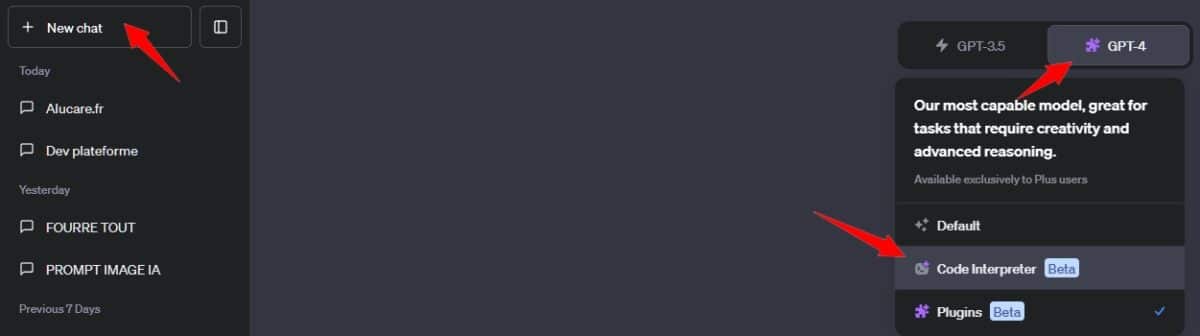
5. Test the Code Interpreter
In your conversation, import a file by clicking the attachment icon. ChatGPT then executes Python code in the background to analyze your data and respond to your request.
Here are three practical use cases to help you get started with the Code Interpreter.
Analyze a CSV file
Import a CSV file sales, then type this prompt: “Analyze this file and give me the key figures by month.” L'code interpreter reads your set of data, calculates the statistics and sends you a structured response. It's a data analysis quickly, without even opening a spreadsheet.
Generate a chart
Then ask: “Create a chart showing monthly sales.” the Code Interpreter produces a clear visualization based on your data. You can fine-tune the result in the same session: change the colors, switch from a curve to bars, all without having to start from scratch.
Converting and Working with Files
The tool can also convert a file from one format to another. You can ask it to extract the text from a PDF, to clean a CSV file or merge multiple files. At the end, it offers you a file ready to download.
Limits to Keep in Mind
the Code Interpreter of ChatGPT is powerful, but it has real limitations:
- He has no internet access while your data is being analyzed.
- The file size imports are limited.
- Some file formats are not supported.
- Never send a sensitive or confidential data in the tool.
Use the Code Interpreter of ChatGPT remains one of the most powerful features of this artificial intelligence for users who regularly work with data.
Whether it's to analyze a CSV file, generate graphics or handle documents, the’data analysis assisted by ChatGPT truly changes the way we process information.








 English