You're wondering how add a link on the social media platform Instagram? Adding links on Instagram allows users to be more tactical and generate more traffic!
In this article, find out how to post links on Instagram, notably :
- In your stories,
- In your bio,
- In your real life and publications.
Explanatory video in French by Alucare, ideal complement to the page. View video (you can use YouTube's automatic translation)

How do I add a link on Instagram?
instagram does not to place links directly on a post, but there are several ways in which you can freely add links to this platform.
This circumvents the impossibility of click directly on URLs from certain popular social networks and redirect it directly to a site, blog or other medium you'd like your followers to discover.
1. Put a link in your Instagram bio
You can add a link in the biography section of your profile. It can link to your website, your blog, your YouTube channel, etc.
To do this :
- Access your Instagram profile,
- Press "Modify profile" ;

- then click on the Links,

- Add the link in this URL section and choose the title that suits you best

- Then click on Completed to register it

2. Put a link in your Instagram stories
If you have a business or verified account, you can add links to Stories.
- You need to import a story content on the Instagram platform from the + button or swipe right from your news feed

- Once in the story, click on the Sticker in the top navigation bar,
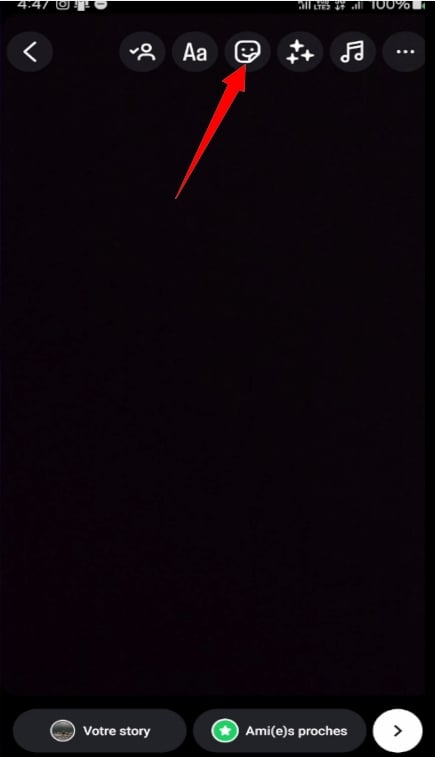
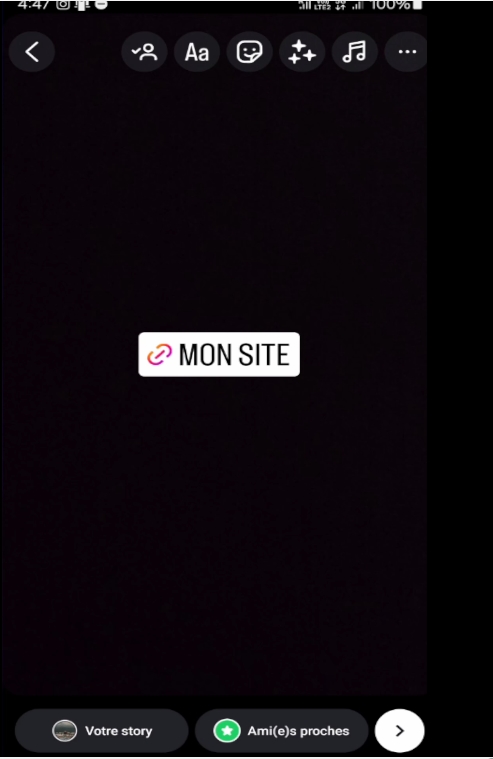
- To add your link, click on the " " sticker. Link »,

- Insert the link in the URL section and its title in the Sticker title, then click on ". Completed ".

- Discover the different colors available by placing the sticker on your story and pressing it.
Instagram continues to provide new features on Instagram. In fact, it's now possible to see someone's latest Instagram followers. You'll even be able to see who can see who's following you and who's viewing your Instagram post or story.
3. Add a link to your publication
Know that not possible insert clickable links directly into the captions of your publications.
However, it is still possible to share a link in your publication caption. There are several ways of doing this.
- A first approach is to use link shortenersYou can also use other free tools on the web, such as Bitly, to share URLs that your subscribers can easily copy and paste. You can also use other free tools on the web.
- The second method consists of provide clear guidelines to people reading the captions of your publications, directing them to your profile where they can access the link in your biography.
4. Insert a link in a real Instagram
Similarly, it is not possible to add a clickable link to Instagram Reels.
Links on Instagram are an effective way for you to develop your brand, of multiply your sales and of generate more traffic and increase the number of your prospects. In fact, there are several possibilities, so all you have to do is choose the one that suits you best.
For more Instagram tips, you may also be interested in this article: How to hack an Instagram account?







 English