One of the most widely used software packages today, Microsoft Word remains a must-have. The tool is used by millions and millions of users for writing both academic and professional content.
This office application, available on Windows, Mac, and Android, can be expensive unless you follow our guide to price reduction.

So, as a preamble, let us first ask ourselves the following question: is it possible tobuy Word alone? If so, at what price? Here's everything you need to know about paying less for Word.
Can I buy Word alone?
To give you a quick answer : no, it's no longer possible purchase the Word office application individually via the official Microsoft website.
Unlike its colleague Microsoft Excel, which is always sold with a stand-alone version, Word is available only in Microsoft Office package (via Microsoft Office 365 subscription). This includes PowerPoint, Outlook and OneNote.

We also invite you to read our article on how to pay Excel lessto find out everything you need to know about purchasing it separately from the other applications in the Microsoft Office package.
In any case, to benefit from a Word license with secure 100% activation, download and installation, you'll need to subscribe to a Microsoft Office 365 subscription Where buy a product key grouping together the applications in the Office pack, including Word.
How much does a Microsoft subscription with Office cost?
As we saw above, buying Word independently is no longer possible. So, let's take a look at the price of a office pack subscription via this summary table:
| Software | License type | Price |
| Microsoft 365 Personal | Monthly subscription | 10/month |
| Microsoft 365 Personal | Annual subscription | 99/year |
| Microsoft 365 Home | Up to 6 users | 129/year |
| Microsoft 365 Business Basic | For companies, web version | From €5.60/month |
| Microsoft 365 Business Std. | Word + Outlook + Excel + PowerPoint | From €11.70/month |
Each Office subscription above will give you access to Microsoft softwarefrom Word and Excel to Outlook, PowerPoint and One Note. All this, on multiple devices (PC, Mac, Android) with a secure account and an activated official license.
How to pay less for Word in 2025?
1. Get Microsoft Office 365 with GamsGo
First of all, you need to know that the best way to get Microsoft Word at a reduced price is to go through a Microsoft Office 365 subscriptionwhich gives you access to all Office applications (Excel, PowerPoint, One Note, Outlook, etc.) on your various devices (Windows, Mac, Android, etc.).
However, if official prices make you cringe, you can use subscription sharing like GamsGo to achieve this. As a reminder, GamsGo is an online website that connects users so that they can together pay a subscription to an online service.
Here are the steps to follow acquire Microsoft Office 365 via this site:
- Register on the GamsGo website.
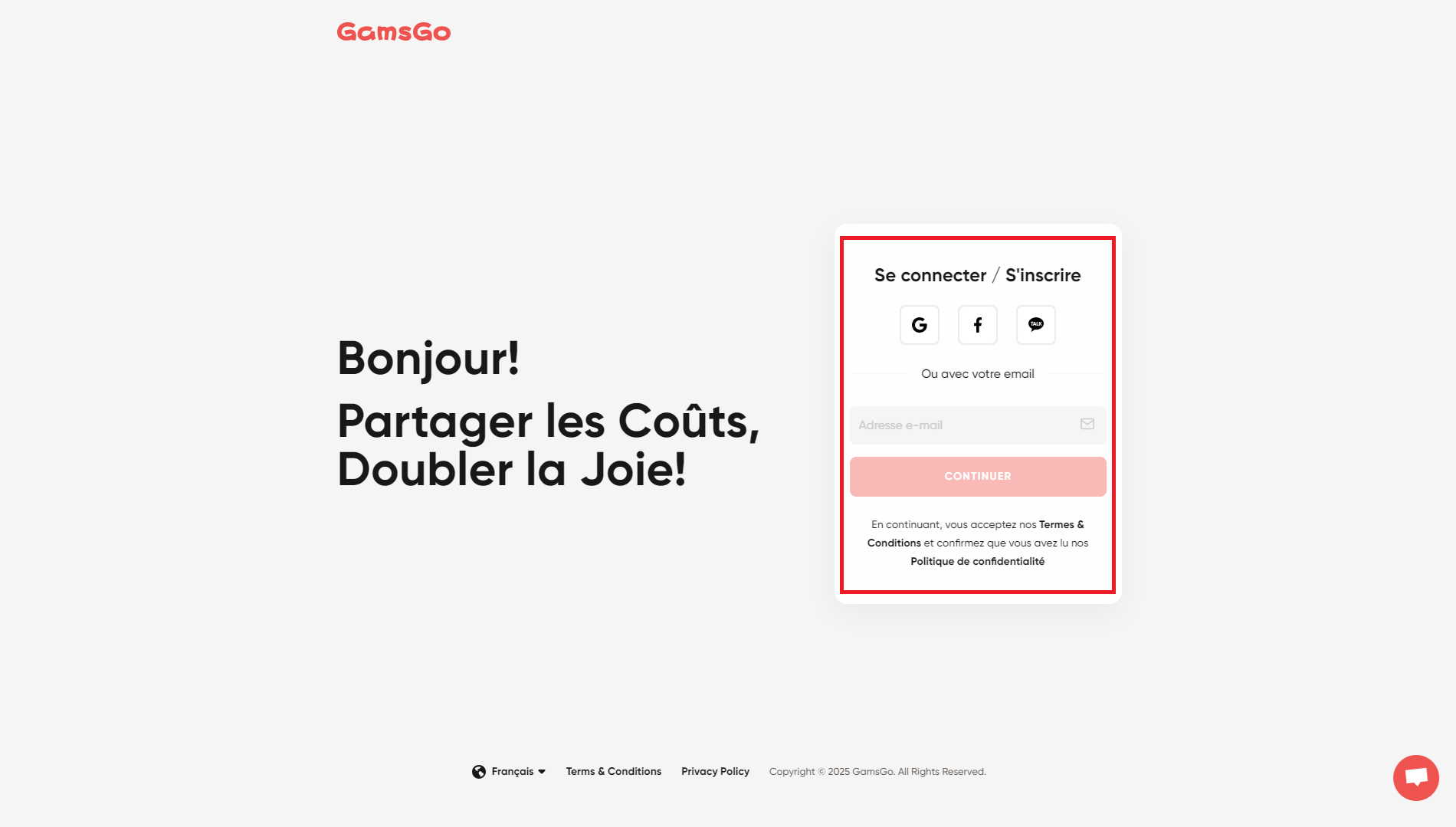
- On the home page, select Office 365, then "Buy now".

- Choose your subscription package (3 or 6 months).
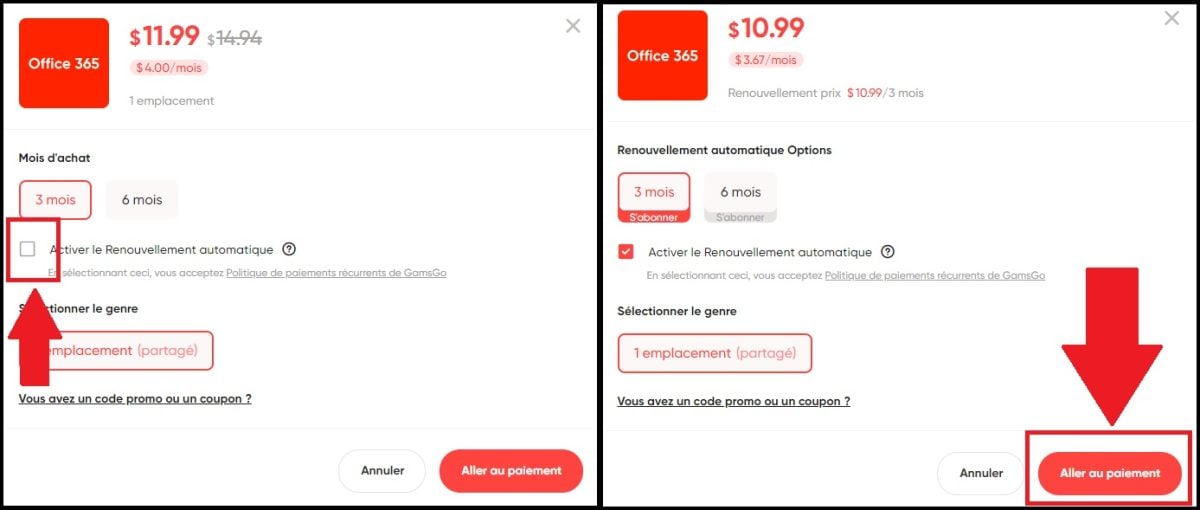
- Complete the transaction after choosing your payment method.
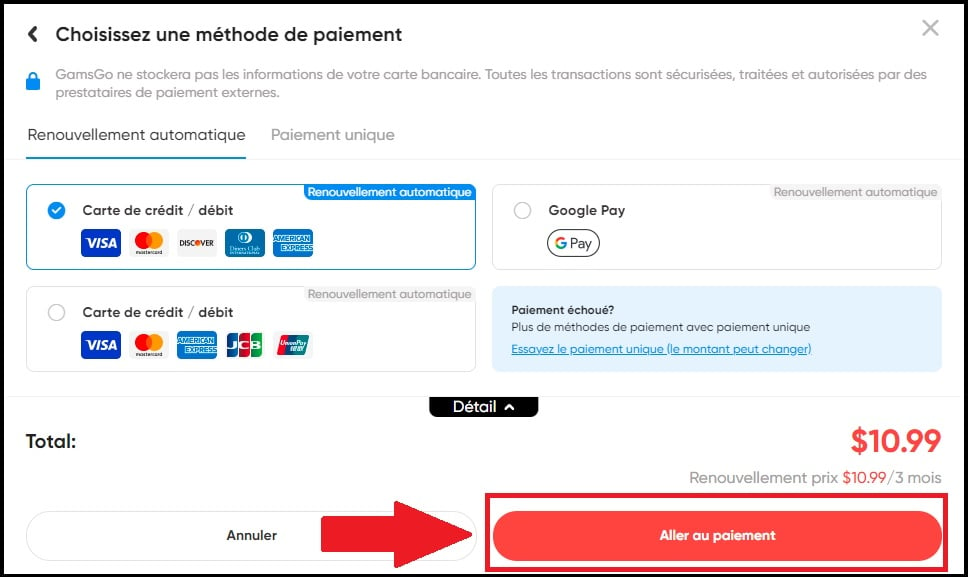
- Enjoy your Microsoft Office 365 subscription for less!
And if you'd like to find out more about the platform, take a look at our reviews of GamsGo by clicking on this link.
2. Buy a cheap Word activation key
On the other hand, you can opt for purchase of an activation key. The latter is a unique code made up of numbers and letters, which activates software (Office 365) or an operating system (Windows, macOS).
It's a safety measure for your equipment which enables them to check the authenticity of your license to avoid counterfeiting. You can choose between several online platforms to obtain one at an affordable price.
The two best-known are Amazon and Cdiscountwith delivery of your license activation key almost instantaneous. Then simply activate, download and install Microsoft Office 365 on your device.
3. Use the free version of Word
Finally, if your future use of Word does not justify its purchase, you can use its free online version made available by Microsoft! Nothing could be simpler:
- Go to the Microsoft 365 site and create an account.

- Click on "Access Word".
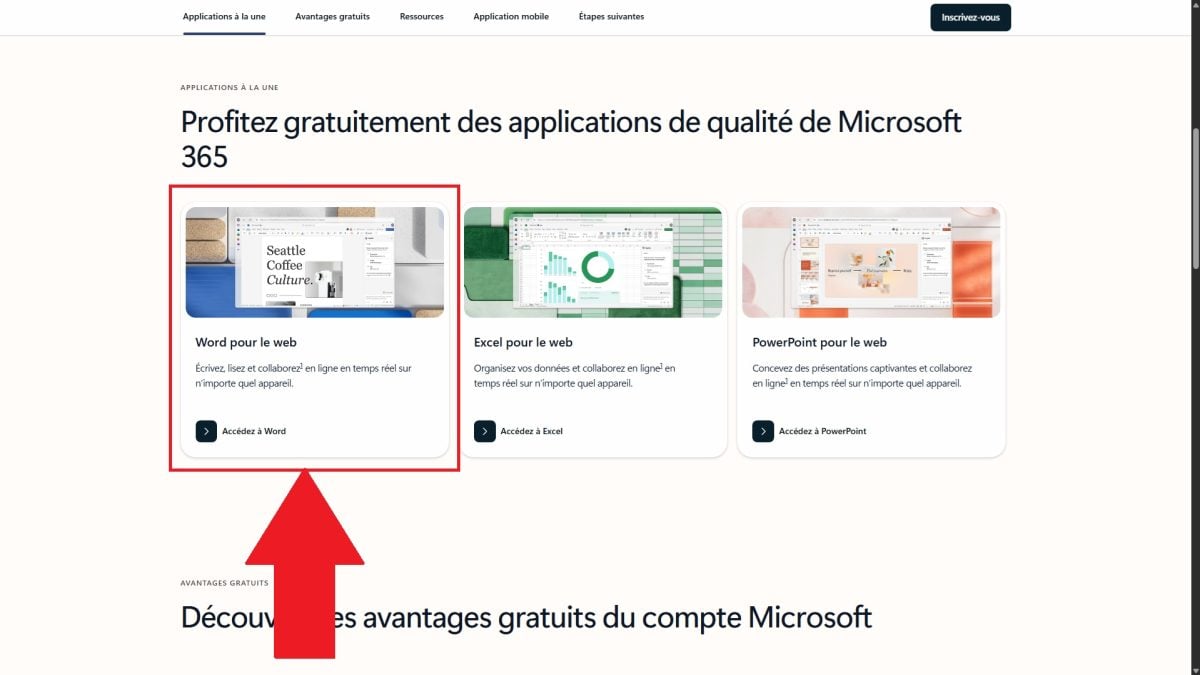
- Create a new document.
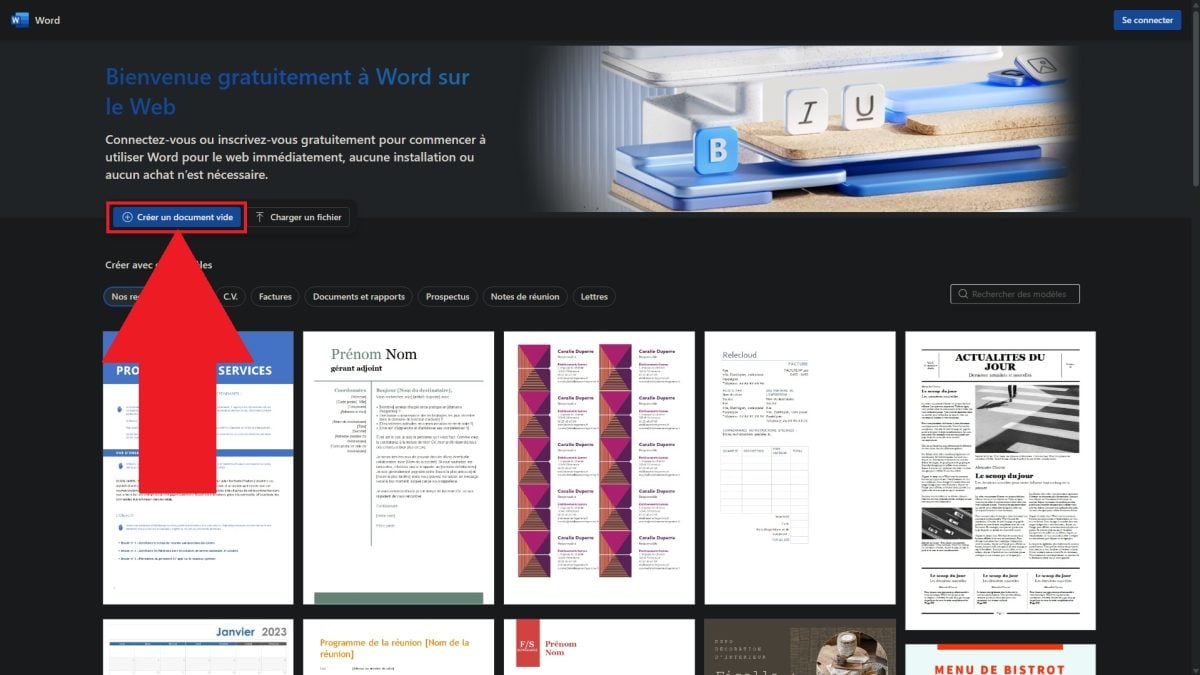
- Take advantage of our free online software!
Naturally, this version of the application is limited functionality. Nonetheless, for simple, quick and unobtrusive use, it's more than enough.
Microsoft Word office application no longer available for purchase without an Office 365 subscription. Alternatives exist to get it on your Windows, Mac or Android devices without breaking the bank.
At the same time, we have also dedicated an entire article to how to obtain Microsoft Office 365 cheaper. Feel free to click on the link to find out more.
Whether you share a subscription with GamsGo, buy a discounted activation key on reseller sites, or use the free online version, you'll find the right solution for you. a solution tailored to your needs and your budget.










 English