Snoopreport at the best price
- Personal 6,99 $
- Small Business 19,99 $
- Professional 69,99 $
In brief
Positives
- Competitive prices
- Intuitive interface
- No installation required
- Real-time unsubscribe notifications
Negative points
- Impossible to use on private accounts
How to find out who has unfollow on Instagram ?
We're going to show you some simple methods for discovering people who unsubscribed to your Insta account in this article.
Discover the tool we offer in this context:
1. Using Snoopreport
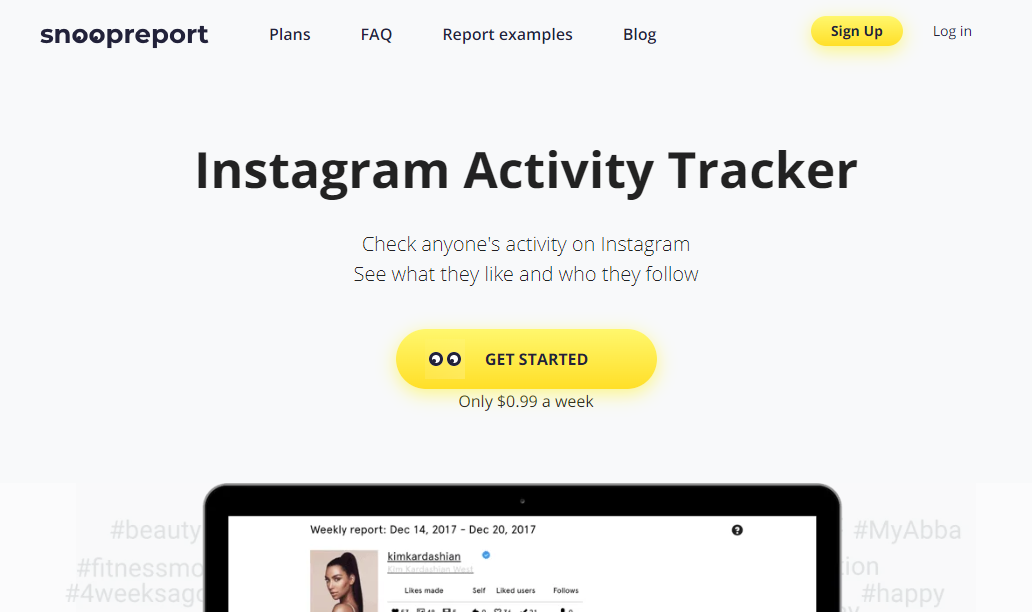
To see who has unfollowed your Instagram account, we recommend using third-party apps such as Snoopreport. This is a tool complete and you can even follow other people's activities on it.
Snoopreport offers interesting features, even ifit is not 100% perfect %. We recommend it if you have a small Instagram account, but beyond 10,000 followers, it works a little less well.
Here's how utiliser Snoopreport :
- Press the " Get Started " on Snoopreport's main page.

Get started button on Snoopreport. Mia for Alucare.fr - Register at on the site to discover unsubscribes on Instagram.

Register on Snoopreport. Mia for Alucare.fr - Choose from plans available.
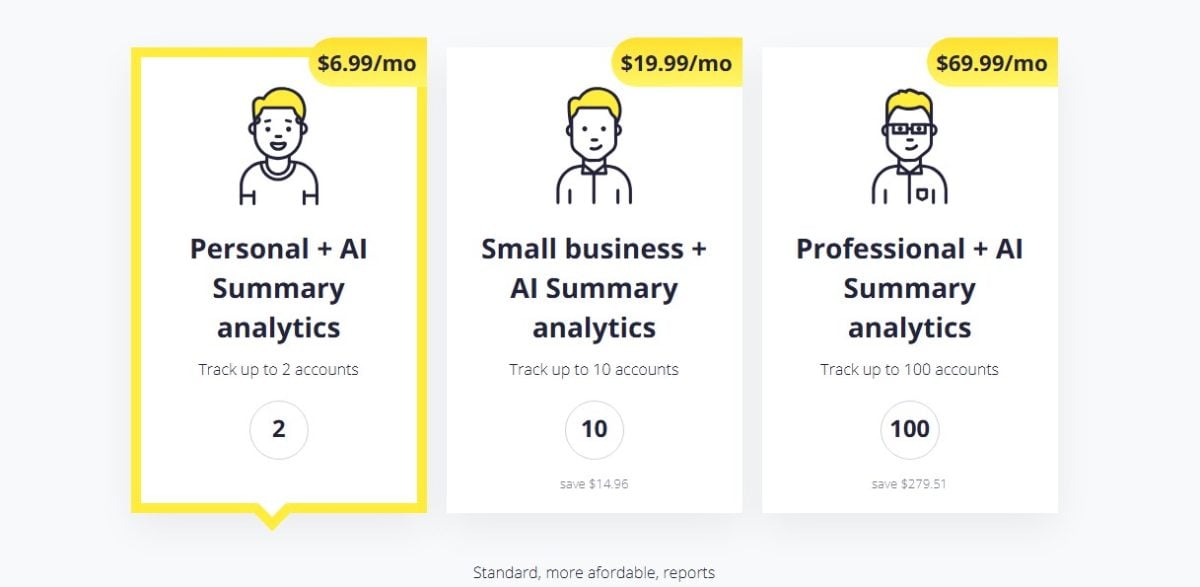
Formulas available on Snoopreport. Mia for Alucare.fr - Add Insta account on which you need to view unsubscribes.

Add an account to view unsubscribes on Snoopreport. ©Mia for Alucare.fr
Have many users unsubscribed from your account and is this becoming a problem for your profile? You can buy Instagram followers on reliable sites to boost your online presence.
2. Check on Instagram
For those who prefer a visual tutorial, here's a quick video that shows you how to manually check if someone is still following you and how to use a tool to track your unsubscribes :
Explanatory video in French by Alucare, ideal complement to the page. View video (you can use YouTube's automatic translation)

The first method consists of check your follower count regularly. For example, if today you have 574 followers and tomorrow you drop to 573, it means that someone has unfollowed you. unfollow on Instagram, but you don't know who.
One technique when you don't have many followers is to list all your followers to remember who they are, when they followed you, etc.
This is a recommended method. if you have twenty or even 100 followersbut beyond that, it will be more complicated.
To discover the accounts that have stopped following you :
- First, launch the Instagram app or go to the Instagram website and check your subscriber list and if the people who were usually there are no longer there, it means they have unfollowed your Instagram account.

See unsubscribes on your Instagram account. ©Mia for Alucare.fr - To be sure, search for the name of one of the people in the Instagram search bar and check the section. Follow-up on their profile. If your name does not appear at the top of the list, the person has actually unsubscribed from your account.
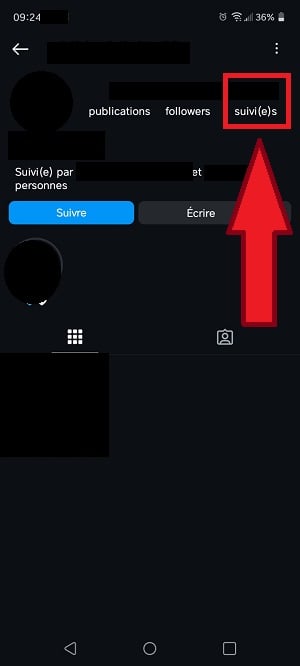
See if someone is no longer following you on Instagram. ©Mia for Alucare.fr
Here are the advantages and disadvantages of this approach:
| ✅ Benefits | ❌ Disadvantages |
|---|---|
|
|
Opt for a safe and reliable service with Snoopreport:
See the unfollow on my Insta account with Snoopreport 👓
FAQs
Why do some people unsubscribe?
There are many reasons why your followers might unsubscribe your account :
- the lack of visibility your account.
- The automatic cleaning Instagram.
- The closures account.
- Regarding the irregular publications and in small quantities.
- A non-qualitative content.
- the lack of interaction with your followers on Instagram.
- The inconsistencies on your account and content.
- Regarding the legends untreated.
- The hashtags not optimized.
- The “shadowban " or restricting the visibility of your account by Instagram.
How can I prevent organic subscribers from unsubscribing?
Organic subscribers are people who have only recently started following you. They are mainly interested in your content or your personality, as well as in the what you show on Instagram.
The ideal approach is to keep these individuals on your subscriber list to encourage engagement, especially if you are an influencer. Here are a few tips to get there:
| ⭐ Board | ℹ️ Details |
|---|---|
| Doing Direct regularly on Instagram |
|
| Staying active on social networks |
|
| Discuss with your followers |
|
Are you notified if someone unsubscribes from your Instagram account?
No, You are not notified when someone unsubscribes from your account. This is because it is a private action by a user, and Instagram tends to protect the privacy of its customers.
Informing you of such a case would therefore amount to violate the privacy policy in force on the platform.
However, you can use a third-party application such as Snoopreport to receive notifications about people who have unfollowed you on Instagram.
To access Snoopreport :
Access Snoopreport to view unsubscribes 👁️
Why should you care about unfollows on your Instagram account?
People who have unsubscribed from your Instagram account could have been your customers if you use Insta professionally. It is necessary to take an interest in it in order to analyze their Instagram accounts. An in-depth study of unsubscribes on your account can save your business.
- Indeed, if a follower unsubscribes, it is because something about your account displeased him.
- In other words, the content you post on Instagram does not meet their expectations.
It is thus possible toadjust your marketing strategy based on data obtained from analyzing unfollows on Instagram. You can then add more interesting posts that target the right audience. to your profile.
Why avoid free apps to find out about unfollow Instagram?
Another way to find out about unsubscribes is to download a free application that will check the number of unsubscribes. unfollow on Instagram for you, but we do not recommend this method at all.
Indeed:
- All applications have very poor marks.
- Opinions are more than on Reddit.
As a reminder, Reddit is a platform where you can ask questions and get answers.
- Most users on Reddit advise you to check unsubscriptions manually.
- Others put you in custody regarding the “shadowban” and the ban related to the use of free third-party applications on Instagram.
These bans can be explained by the fact that applications for verifying unfollow instagram resell data, log into the account doing whatever they want, etc.
We explain the term shadowban and other common Insta expressions in more detail in our article focused on Instagram glossary.
Attention : An Instagram account banned or permanently deleted, you do not retrieve it So don't try free apps designed to check Instagram unfollows.
To benefit from a reliable tool:
See Insta unsubscribes with Snoopreport ☑
Voilà! Now you have all the tips to find out who's no longer following you on Instagram.
- You can use Instagram's free search method to find out who has unfollowed your account. However, this can be time-consuming and difficult, especially if a lot of people have stopped following you on Instagram.
- The ideal solution is to use Snoopreport to easily find out which users have unfollowed your Instagram account.
Follow our latest articles on the social network Insta on our page instagramIf you have any questions, feel free to leave a comment!








 English