Are you looking for hits What's trending on Instagram right now? Here are the Most Popular Songs in Reels in July 2026, ranked by the number of Reels posted with each song, and how to spot upcoming trends yourself.
Want to find some good music for your Instagram Reels without worrying about copyright?
🎵Finding the perfect music for my Instagram Stories🎵
On the other hand, if you want to track a specific Instagram account, here’s a tool you can use to follow trends and see what each account has to offer on this platform.
To track an Insta account discreetly :
⏭️Tracking an Instagram account with Snoopreport⏮️

What are some popular songs to use in Instagram Reels in 2026?
- Please Please Please, Sabrina Carpenter (+476K Reels) : the perfect sound for a GRWM. It's one of the most shared audio clips right now.
- The Girl, So Confusing (version with Lorde), Charli XCX (+7.2K Reels) : this remix of Lorde It works with any type of content—shopping, behind-the-scenes, or before-and-after.
- Gimme! Gimme! Gimme! (A Man After Midnight), Abba (+180K Reels) : A cheerful tune, perfect for a vacation or travel video. A pop classic that never goes out of style.
- Chihiro (gravagerz remix), Billie Eilish (+88.6K Reels) : perfect if you want to share your point of view or film a DIY video.
- Lovin On Me, Jack Harlow (~343K Reels) : works very well with a more mature audience, but isn't suitable for all brands.
- The Cat From Ipanema, j1gggs (~24.4K Reels) : a catchy, fun track that works with almost any content.
- Unwritten, Natasha Bedingfield (~130K Reels) : A must-have, perfect for sharing an inspiring message with your community.
You can also choose from songs that became popular earlier this year:
- Monaco, Bad Bunny
- What Love Is, Zimmer90
- Dance With Me, Alex Blue
- There’s Nothing Too Good for My Baby, Ben Bernie Orchestra
To find more great songs for your Instagram Reels:
🎼Music ideas for my real Instagram🎼
How do you choose music for your Instagram Reels?
Add a sound You can create your reel in just a few seconds using the app, without any external tools. Here's the step-by-step guide.
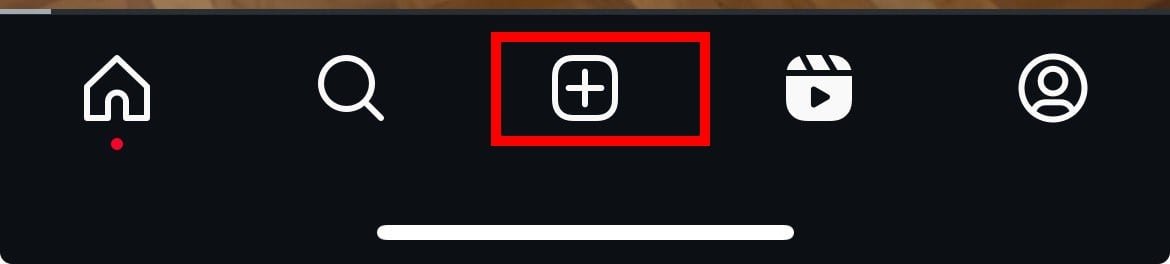
- Press the + button in the center of the screen, then open the Instagram camera. Scroll the menu to the right until you reach the section Reels.

- While creating your video, tap the Audio button located at the top of the screen.
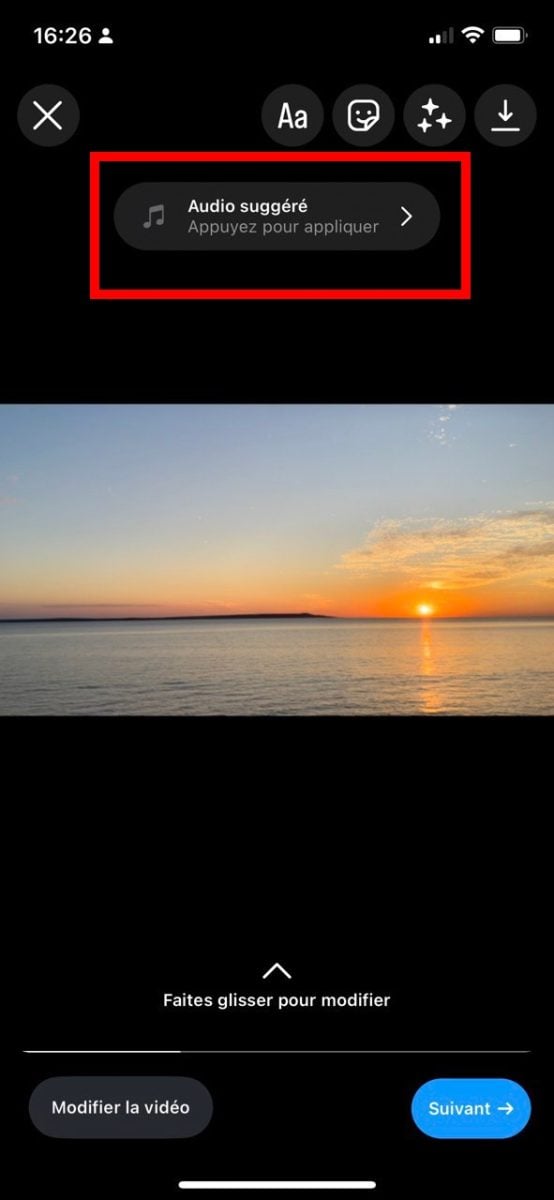
- If the Audio button is still unavailable, slowly rewind the video until the editing options appear at the bottom.

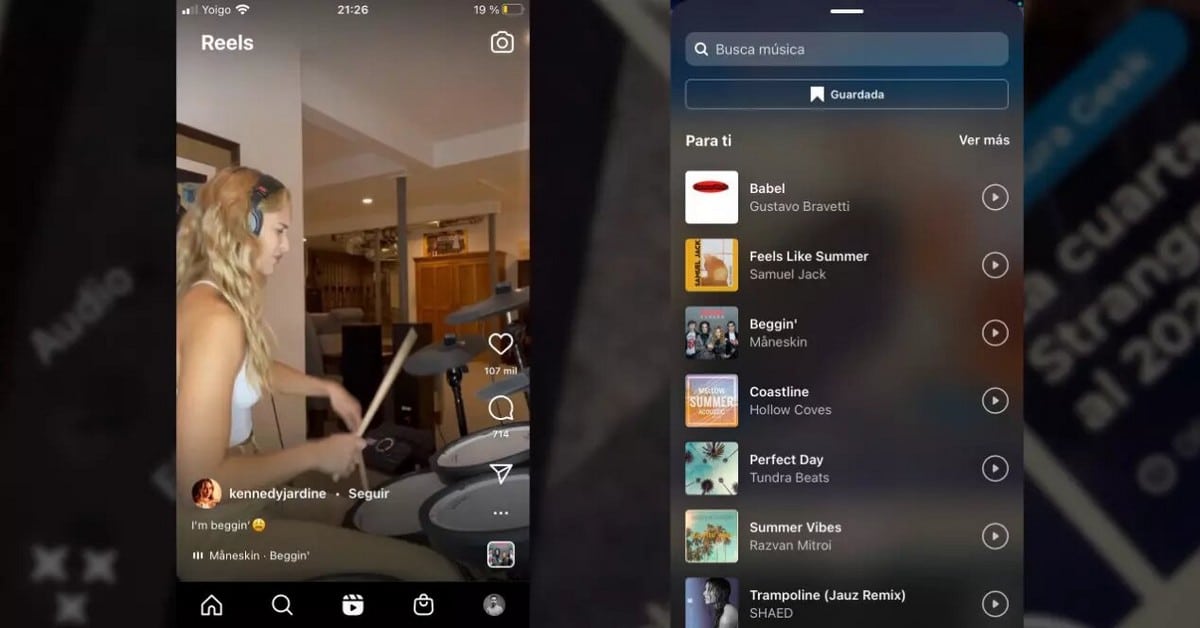
- Browse the lists of original music and audio tracks, or Search for a title directly precise enough to add it to your reality.
Why can't I add music to my Reels?
If the music feature is not available in your country, so you won't be able to use it on Instagram Reels. The reason is simple: each country has its own Music Licensing Rules.
In that case, you can switch to a business account, which provides access to a library tailored to brands.
Where can I find trending music to use on Instagram?
Choosing the right music is often what makes all the difference when it comes to visibility. Here are the best ways to discover the hottest sounds of the moment.
Watch other people's Reels
The simplest method is still to check out the Reels posted by others creators. By scrolling through your feed regularly, you'll quickly spot the songs that come up most often.
Use Tokboard
Tokboard is a tool that tracks the tracks most frequently used by creators. It primarily tracks trends on TikTok, but it also covers Instagram Reels.
In practical terms, you open the chart, spot the songs that are climbing, and then look them up in the audio library from Instagram. It's a great source of inspiration for predicting what's going to be a hit.
Follow Popular Accounts
The idea is to identify the songs that have already been adopted by the major accounts for your topic. You identify trending sounds before they flood social media.
To analyze the activity of a specific account, there is a dedicated app:
👀See followers of an Instagram account with SnoopReport👀
Join a private group
Another handy way to stay up to date on trends is to join a private group where creators share their tips. You can write to contact@alucare.fr to join our private group and get more tips.
Use EpidemicSound music
To stand out and avoid any copyright issues, you can choose from the music offered by EpidemicSound. It is a platform for royalty-free music, ready to use for your Reels, Stories, and live streams.
🎶EpidemicSound's best music selections🎶
Instagram reals: how do they work?
The Real Instagram are short videos. You can add music, effects, and filters to them right from the app.
To post a Reel, just follow these simple steps:
- Open Instagram on your phone.
- Press the’(+) icon at top right.
- Select the option Reel in the drop-down menu.
- Record a new clip or import a video you've already recorded.
- Add your effects, then choose a trendy sound to add rhythm to your content.
The choice of music carries a lot of weight, because the’algorithm gives more visibility to Reels that use popular sounds of the moment. Note: the tab Audio is not always available for business accounts, due to music rights restrictions. The more engagement your Reels generate, the more your visibility climbs onto the platform.







 English