Your PS4 controller Is the battery dead? Plug it in micro-USB on your console, your PC, or a 5V AC charger. You can also go through a charging station or a portable battery.
We detail the 5 Methods to recharge your joystick DualShock 4 right below it.
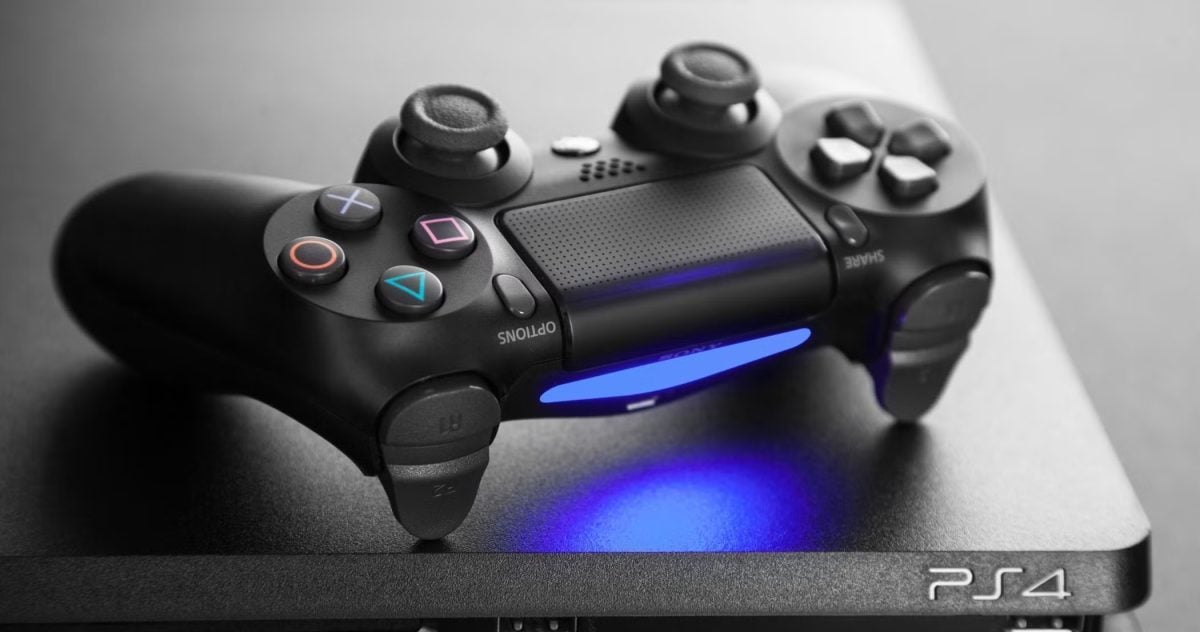
1. Charging your PS4 controller from the mains
You can definitely recharge your PS4 controller into a wall outlet using a wall charger. The DualShock 4 comes with a micro-USB cable, but without a power supply.
Don't panic : A simple phone charger works just fine.
Plug the micro-USB cable into the charger, then into your controller, and then light bar begins to flash to indicate that charging is in progress.
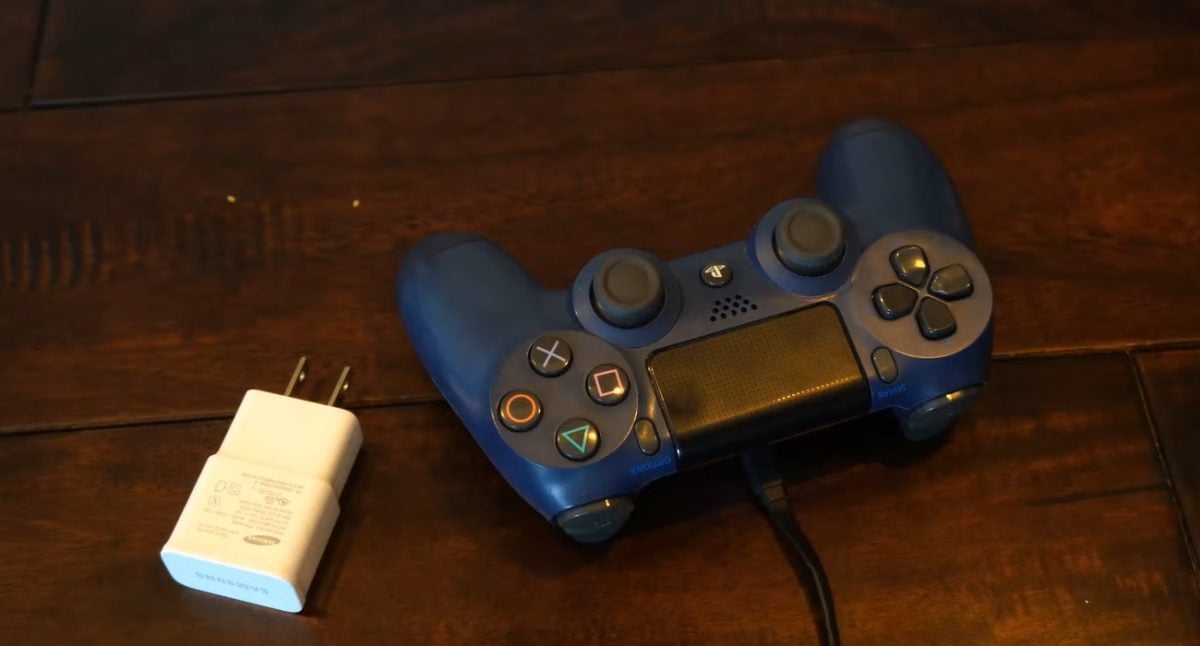
How do you choose the right charger for your controller?
Not all AC adapters are created equal when it comes to charging your PlayStation controller. Here are the things to check before plugging it in:
- Choose a charger that provides a 5-volt output (5V), the voltage recommended by Sony for the DualShock 4.
- Aim for a current of 800 mA to 2 A, ideal for stable loading.
- Avoid fast chargers : they may damage the battery in the long term.
- Choose a certified charger to avoid any power supply issues.
- A charger Samsung For example, it's a good choice—reliable and easy to find.
| BENEFITS | DISADVANTAGES |
|---|---|
| A simple and inexpensive solution. You can buy a charger Samsung from 20 euros. | You can't always play while it's charging, unless you have a very long USB cable or a wall outlet near your TV. |
2. Charging your PS4 controller on PC
You can also Connect your PS4 controller to your PC to recharge it. This is a handy solution when your console is turned off or in use. All you have to do is use the micro-USB cable included using the controller, to connect it to a USB port Unplug it from your computer, and charging will start automatically.
The light bar It flashes while charging, then stays steady once the battery is fully charged.
| BENEFITS | DISADVANTAGES |
|---|---|
| A simple and free of charge, with no additional purchase required. The USB cable The controller included with the game is directly compatible with computers. | You can't play comfortably during the recharge, unless you use a very long USB cable. |
3. Charging your PS4 controller directly on the console
You can top up your PS4 controller on your PlayStation 4 by using the USB cable included. With this method, you can choose between two options:
- On console on
- On console in sleep mode
| BENEFITS | DISADVANTAGES |
|---|---|
| A simple, free solution. The USB cable The included unit is compatible with the PS4 console. | The process is the same as recharging on a PC: see the table above for the limits. |
Charging your controller on a switched-on console
You can Charge your PS4 controller while the console is turned on, and you can even keep playing at the same time. Just plug the micro-USB cable between the controller and the USB port from the console.
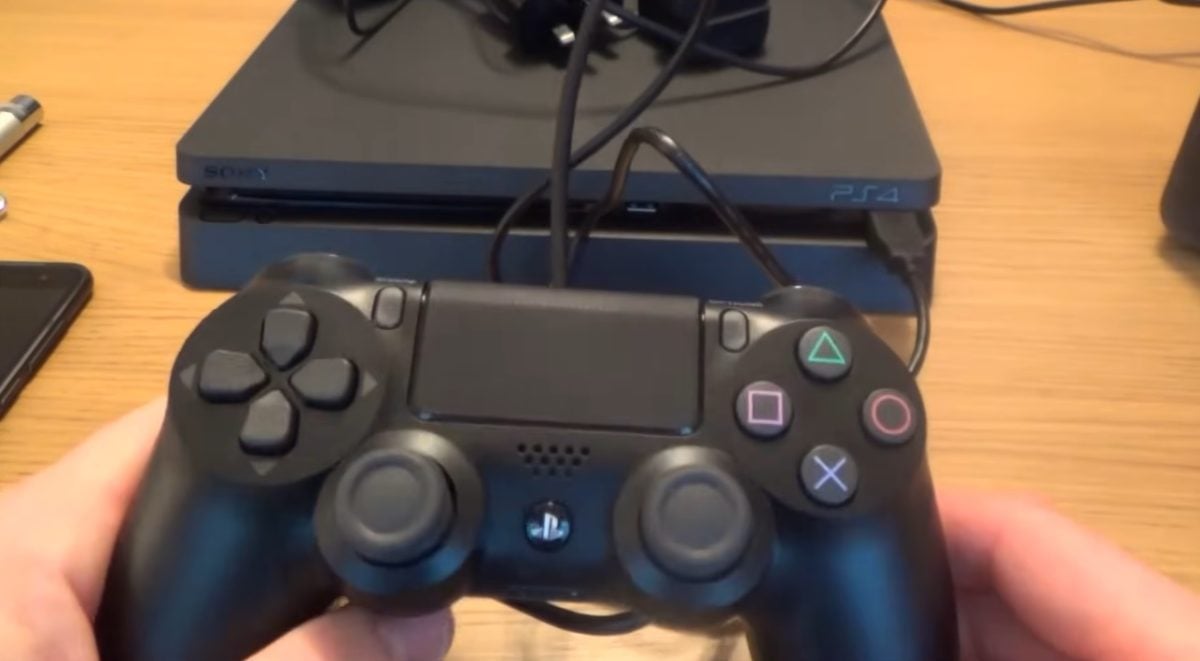
Charging Your Controller on a Console in Sleep Mode
You can also charge your controller on a PlayStation 4 in sleep mode. The console remains in standby mode, but it continues to supply power to the USB ports. Note: This setting is not enabled by default. Here's how to configure it:
- Go to the’home screen on your PS4.
- Select Settings.
- Then Power management parameters.

- Choose Define functions available in idle mode.
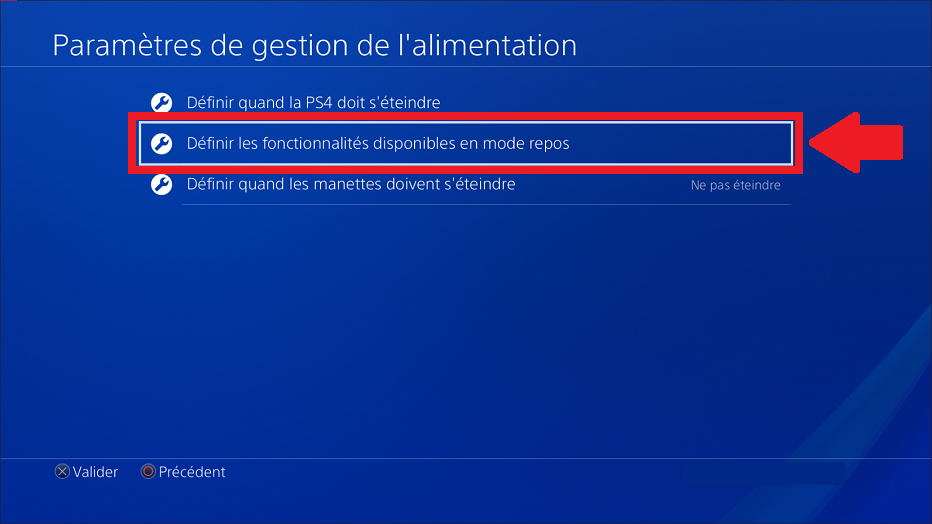
- Checkmark Supply power to USB ports.
- Select the option 3 hours (Where Still (if you want a charge with no time limit).
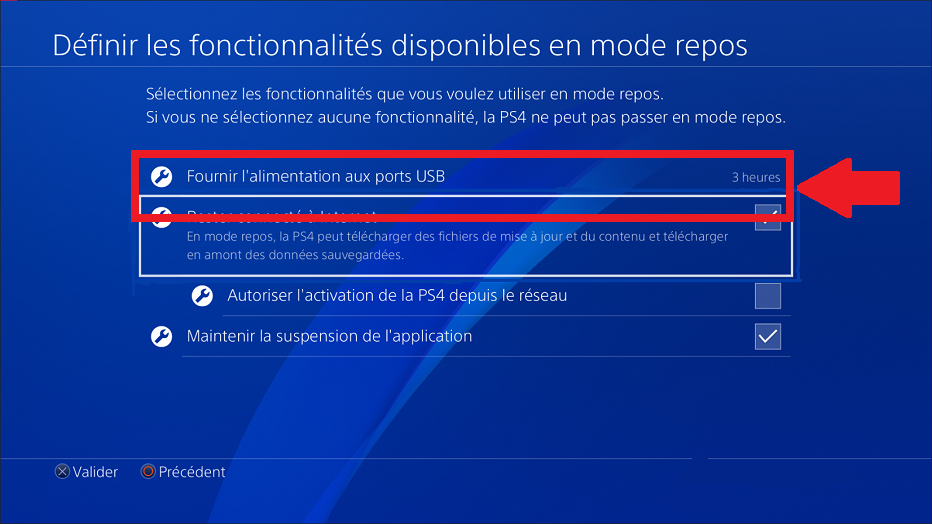
Once you've made this adjustment, hold down the PS button Hold down the controller button for a few seconds, then select Put into sleep mode in the quick menu.
You can also press the power button of your PlayStation 4 for more than one second: it automatically switches to standby mode, indicated by a beep.
Your controller will then charge slowly via the USB cable.
4. Charging your PS4 controller with a dedicated charging station
There are charging stations designed specifically for controllers DualShock 4. Sony offers its own, but third-party models sold on Amazon are often more affordable and just as effective.
This is the practical choice if you want to keep your gaming space tidy without having to fiddle with the cable every time.
To buy one from another brand:
Best dedicated charging station
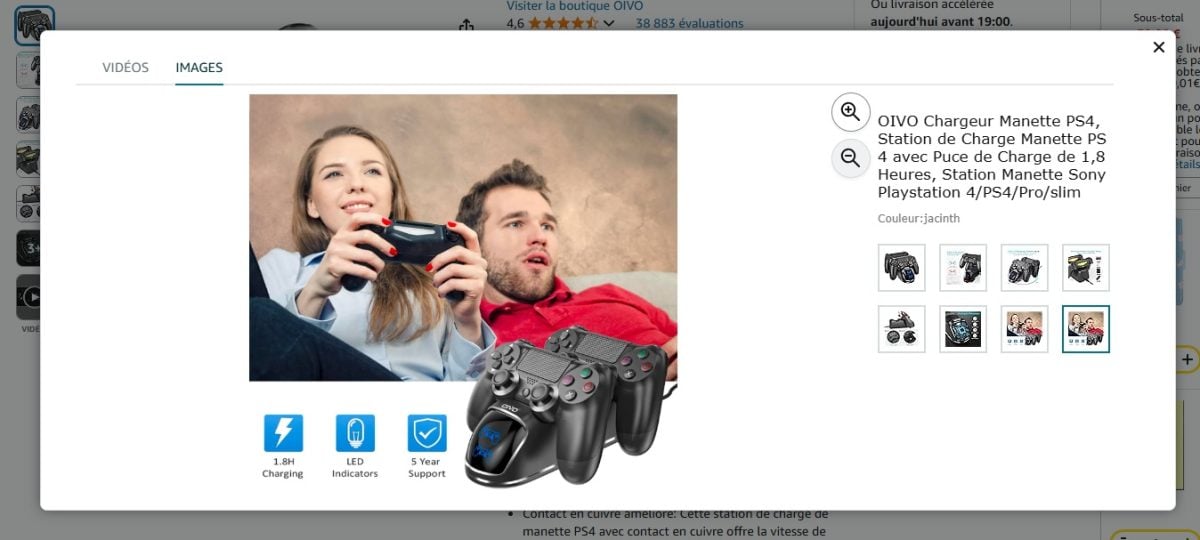
Here's how to charge your controller with a charging station :
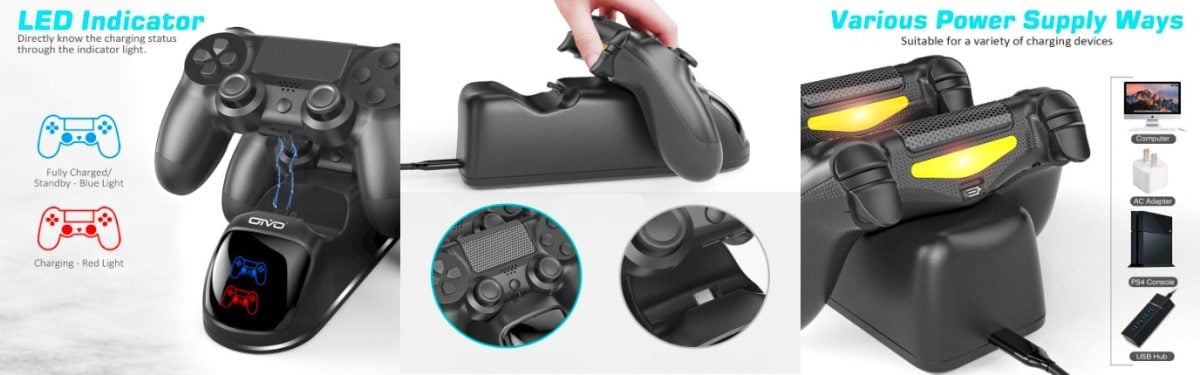
- Plug in the station to an outlet via the USB cable provided. Note: Some stations may also be pre-loaded, which lets you charge your controllers without plugging the device into an outlet.
- Put down your controller onto the station, making sure the connectors are properly aligned. A click confirms that they are locked together.
- The joystick light bar flashes while charging, then turns off automatically once the controller is fully charged. Lift it to remove it.
| BENEFITS | DISADVANTAGES |
|---|---|
| Some stations are loading multiple controllers at the same time | Additional expense (account 20 to 30 euros) |
5. Charging your PS4 controller with a portable battery
You can also use an external battery to charge your PS4 controller without plugging it into an outlet. Some connect via a USB cable, while others…’snap right onto the controller via the micro-USB port to allow you to play while charging.


| BENEFITS | DISADVANTAGES |
|---|---|
| Solution practical and space-saving, perfect for when you're on the go. You can even play while charging. | An additional purchase to plan for (account between 25 and 40 euros) |
FAQs
Which cables are compatible for charging my controller?
You can use any micro-USB cable to charge your PS4 controller.
The controllers DualShock 4 have a micro-USB port, a widely used connector, so compatibility is generally not an issue.
How do I know whether my PS4 controller is charged or discharged?
To check battery level on your controller DualShock 4, turn on your PS4 and start a game. Then hold down the button HOME (the key PS) on the controller.
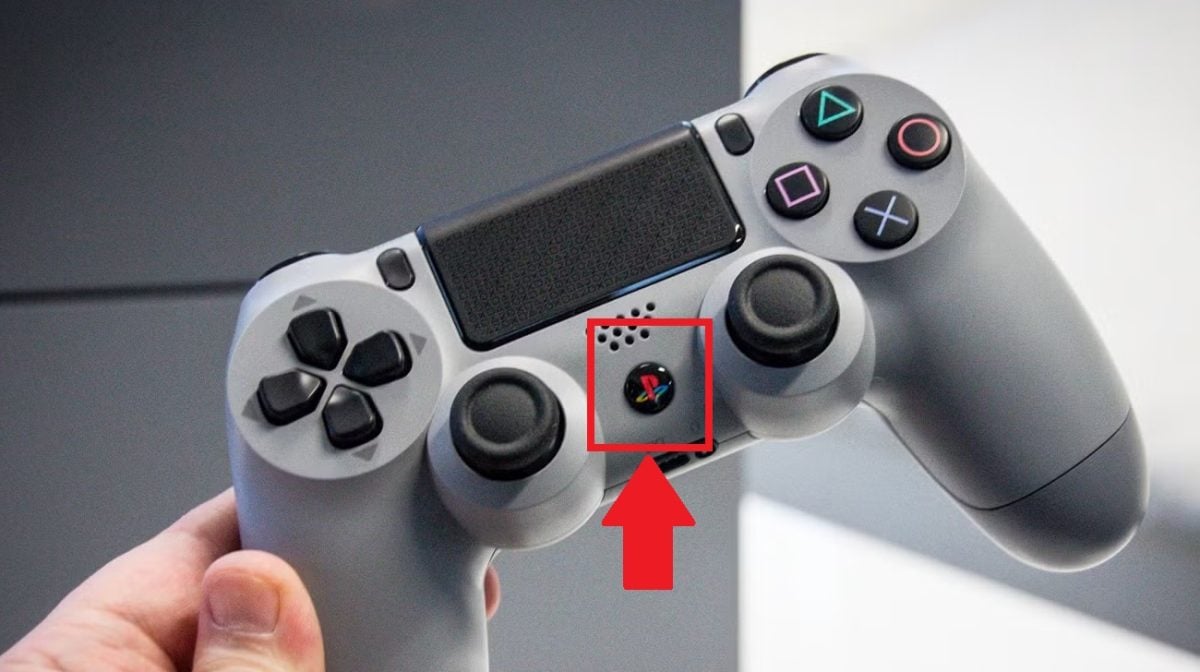
the quick menu appears on the screen. Locate the’battery icon in the upper-left corner: when the three bars are filled, your controller is charged.

How can I check that my PS4 controller is charging correctly?
The process is the same as when checking the battery level. Press and hold the button HOME and observes the’battery icon in the corner of the screen:
- Whether the icon is blinking (The bars are moving.) Your controller is charging.
- If the three bars are fixed, the controller is fully charged.
How long does it take to charge my PS4 controller?
It's necessary about 2 to 3 hours to fully charge your PS4 controller. The charging time remains roughly the same whether you use the sector, your computer, the console or a charging station.
For more articles on PlayStation :








 FR
FR  RU
RU  EN
EN  ES
ES  IT
IT  DE
DE  ZH
ZH  PT
PT  ID
ID  JA
JA  DA
DA