In Project Zomboid, your main enemies are zombies ! If you're a beginner, the easiest way to get started is to protect is to take refuge in an enclosed space such as a house or garage, but these places are still not completely safe. Browse this article and find out how to better barricade your base and survive longer!
Here are the 3 types of barricades which you can build on doors and windows in Project Zomboid :
| 🎮 Barricade type | 🔨 Materials required |
 Wooden barricade |
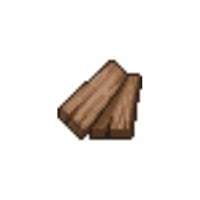

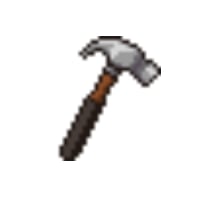
|
 Metal barricade |
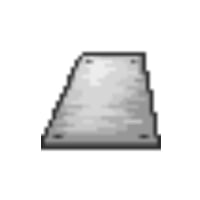
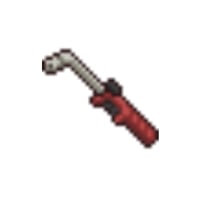

|
 Metal barricade |
|
The barricades in Project Zomboid are the means of protection the most effective way to openings, it prevents zombies from seeing inside your survival area, and if they try to force their way in, it will hold them back long enough for you to get around them to kill them or flee...
Step 1: Gather the tools you need to build a barricade
To barricade a door or window, you'll need to gather several ingredients and have a tool with which to build it. Each barricade requires a different tool, depending on its basic material, and all according to actual logic.
Here is the list of tools needed to create barricades:
- Hammer: This is the tool used to make wooden barricades, and is mostly found in places where there are hammers (hangars, metal workshops, blacksmiths, factories, building stores).
- Saw : It's the tool for transforming logs or furniture into planks and building wooden barricades. Its preferred locations are numerous (bedrooms, wardrobe factories, stores, kitchens...).
- Welding mask : This is one of the two tools you need to build a metal barricade. It is most likely to be found in garages, sheds and tool stores.
- Flashlight : This is the other essential tool for creating a metal barricade. You're likely to find it in metal workshops or metal warehouses.
IMPORTANT: Percentage chances of appearance increase if there are many zombies around the location.
Step 2: Find the ingredients to create a barricade
Once you've found your hammer or flashlight for your barricades, you'll need to the ingredients to make them, the raw materials that you find in crates or that you have to make yourself from another object.
Here are the different ingredients needed to build barricades:
- Wooden board : Wooden planks are used to build wooden barricades, and one is needed for each barricade. Up to a maximum of four planks can be used to block a window or door. To obtain them, you can use the saw with logs, or find planks by breaking down doors, rummaging through cupboards, garages, sheds...
- Nails: Nails are mainly used to build barricades, and are easily obtained by dismantling furniture. The higher your carpentry skill, the more nails you can collect. You can also find them in sheds, factories and hardware stores.
- Metal plate : Metal plate is the main ingredient in a metal barricade. Finding metal plates is simple: rummage through sheds, metal factories, metal warehouses and garages.
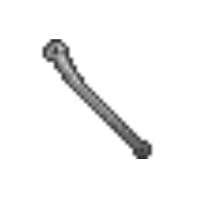
- Metal bar : Metal bars are a great resource for building metal bar barricades, but they're also a great weapon to start your adventure with. They're also easy to find, as they can be found all over the buildings.
Step 3: Create a barricade in Project Zomboid
Once you've acquired the essential tools for barricade as well as the materials to build them, return to your base and we'll help you with this little tutorial:
- First step: Right-click on a window or on a door with materials and tools in your inventory

- Step 2: Barricade the opening and repeat the operation several times to complete the barricade
You have seen throughout this article how building barricades in Project Zomboid, with which materials and where to find them. The barricades are very important to keep a safe base and protect against zombie attacks. This is one of first steps when you settle down somewhere.
If you want to improve your gaming experience, discover how to add a mod to Project Zomboid or what are the best mods by clicking on these links!










 English