Imagine being able to communicate with your voice in Among Us ! But how? Find out in this article how to do it with Crewlink !
BONUS: How do you change your nickname before speaking?
Before you join a game and start chatting, it's important to have a recognizable nickname. Here's a quick tutorial on how to change your name on mobile and PC:
Explanatory video in French by Alucare, ideal complement to the page. View video (you can use YouTube's automatic translation)

By the end of this tutorial, you will be able to :
- To use the mod Crewlink to talk to other players with the nearby voice chat,
- Of configure this mod for a better experience in Among Us !
Explanatory video in French by Alucare, ideal complement to the page. View video (you can use YouTube's automatic translation)

1. Install Crewlink
Before we begin our tutorial, we should note that Crewlink is a mod tiers which allows players to’Among Us to use proximity voice chat.
With Crewlink, you can talk to other players when you are close to them, and that is why the closer they get, the louder their voices will be.
With this mod, you can also develop the best strategies to easily communicate with your teammates, as long as they are close to you! And why not take advantage of this to completing efficiently as an impostor?!
⚠️ Prerequisites for using the Crewlink mod:
- Have a Windows system on your PC.
To install Crewlink proximity voice chat on your PC, follow the steps below:
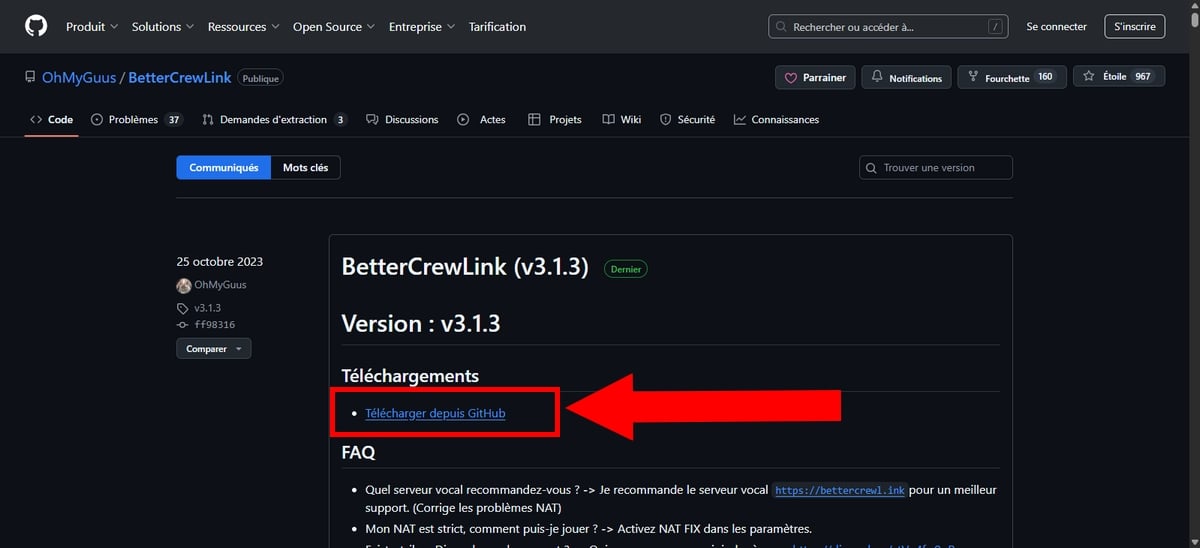
- Meeting on Github to download the Crewlink mod,
- Then in the Download (Download), click on the link Download from Github,
- On the arrow icon at the top, you will see the download progress.,

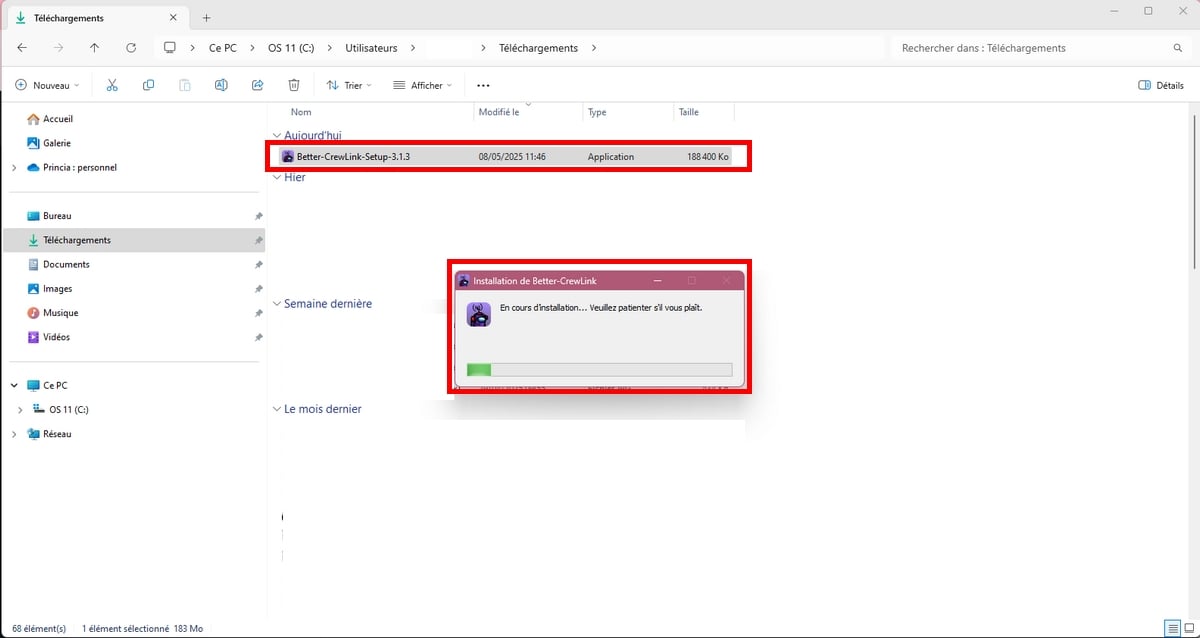
- Once downloaded, double-click on the Crewlink installation file in your file Download to start installing it on your device,
- See also..: Among Us is Cross platform ?
2. Set up Crewlink to talk on Among Us
Once the installation is complete, you can now proceed to the Crewlink configuration !
- To do this, open the Crewlink app.
- Click on thegear icon at the top left of Crewlink to open the settings menu.
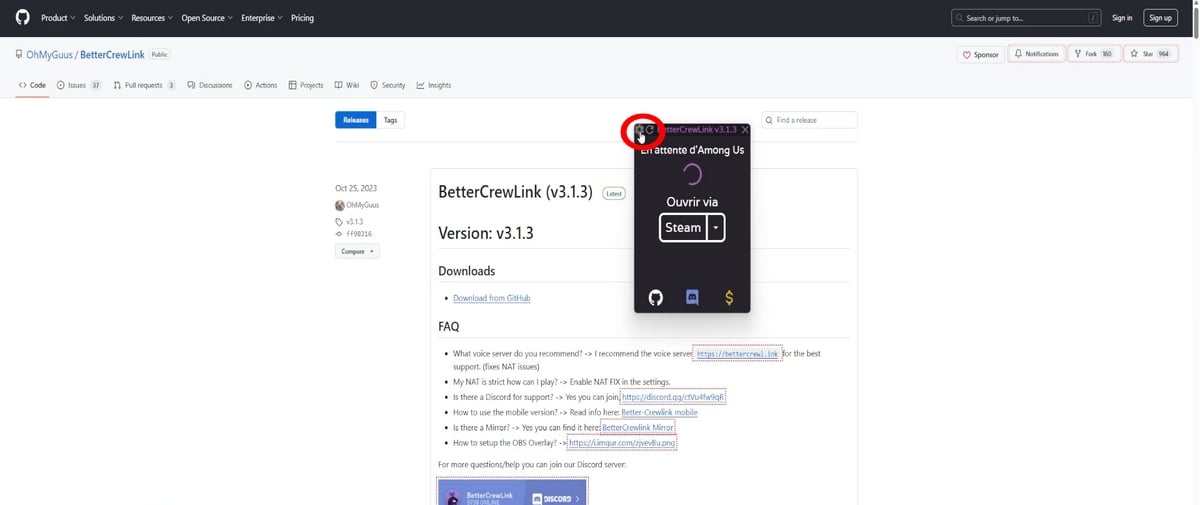
- Then you can customize settings :
| ⚙️ Crewlink configuration | 😉 Tips |
|---|---|
| Voice chat distance in the lobby |
|
| Audio |
|
| Test audio output |
|
| Microphone volume |
|
| Microphone sensitivity |
|
| Overall volume |
|
| For keyboard shortcuts |
But of course, you can change the letters as you like. |
| Overlay |
|
| NAT compatibility |
|
| Beta/Debug |
|
| Change language |
|
| In the event of mishandling |
|
- Once the adjustments have been made, simply exit the parameters to save changes.
3. Open Crewlink to launch Among Us
- Now you can open the mod and launch the game directly from Crewlink. To do so, simply click on Open the game to open Among Us with the local chat !
- Finally, join a game and add more fun to your game by talking to nearby players in Among Us !
FAQs
Can I get Crewlink on my mobile (iOS/Android)?
No. The mod is available exclusively on PC (Windows).
Is Crewlink free?
Yes, the mod is entirely free.
How do I activate nearby chat with Crewlink?
You must follow the stages mentioned in this article to activate nearby chat in Among Us. However, please note that if your friends are not using Crewlink on their PCyou can't argue with them!









 English