You wish improve poor-quality video, blurry, or noisy, but you don't know which software to use? HitPaw VikPea is the solution you need!
Let's discover together all you need to know About HitPaw VikPea, how to use it to improve the quality of your videos with AI, and who the software is aimed at.
What is HitPaw VikPea?

HitPaw VikPea is a video processing software which uses artificial intelligence to improve and optimize video quality. Thanks to advanced algorithms, it can transform low-resolution videos into high-definition masterpieces, up to 8K.
Since its launch in 2022, HitPaw VikPea has enabled millions of users toenhance their films and videos instantly thanks to AI.
What are the main features of HitPaw VikPea?

HitPaw VikPea offers interesting, automated featuresThe main ones are :
AI improvement
It's the the heart of the software. With a single click, AI analyzes and improves the overall quality of your video. It can:
- Increase resolution,
- Color enhancement,
- Restore old footage.
If you are a content creator, you can use this feature to improve the quality of your videos YouTube, TikTok, or Instagram. By giving them a more professional look, you will improve audience engagement.

Do you have old family videos recorded with low-quality camcorders? HitPaw VikPea can bring those precious memories back to life by enhancing their clarity and color.
If you have standard-definition (SD) or high-definition (HD) videos that you would like to watch on a 4K or 8K television setThis feature allows you to scale them without significant loss of quality.
Scroll down video
Defloutage, orimproved sharpness, focuses on improving the clarity and detail of videos that may appear blurry or lack definition.
If your camera has had trouble focusing, this feature can help bring details into sharper focus and make it easier for you to focus. improve the overall clarity of the image.

For videos where fine details are important, such as nature or architecture videos, deblurring can accentuate contours and make textures more visible.
HitPaw VikPea even offers a dedicated template to refine faces and restore expressions in a natural way.
Video interpolation
For smoother motion, HitPaw VikPea can increase the frame rate of your videos. Video interpolation increases the number of frames per second (FPS) of your video.
For fast-action scenes in sports, a higher frame rate can make the much smoother, more pleasing movement.

If you want create a slow-motion effect (slow motion) From a video with a standard frame rate, video interpolation can generate the additional frames needed for smooth, jerk-free slow motion.
With HitPaw VikPea, you can improve your gameplay recordings to present your skills with exceptional fluidity.
Video denoising
Thanks to its general denoising model, HitPaw VikPea effectively eliminates grain and visual artifacts. This feature is particularly useful for restoration of old videos or those shot in low light.
Note that cameras tend to produce noisy images in low-light conditions. The denoising feature on HitPaw VikPea can clean up these videos for a cleaner, more professional look.

Recordings from old VHS tapes or other analog formats can have a lot of noise. This feature can also help to clean these videos during digitization.
Video repair
Beyond improvement, HitPaw VikPea can repair damaged video files or corrupted to bring them back to life.
Video files can sometimes become corrupted when transferring them from a memory card or external hard drive. With HitPaw VikPeait is possible to recover these files.
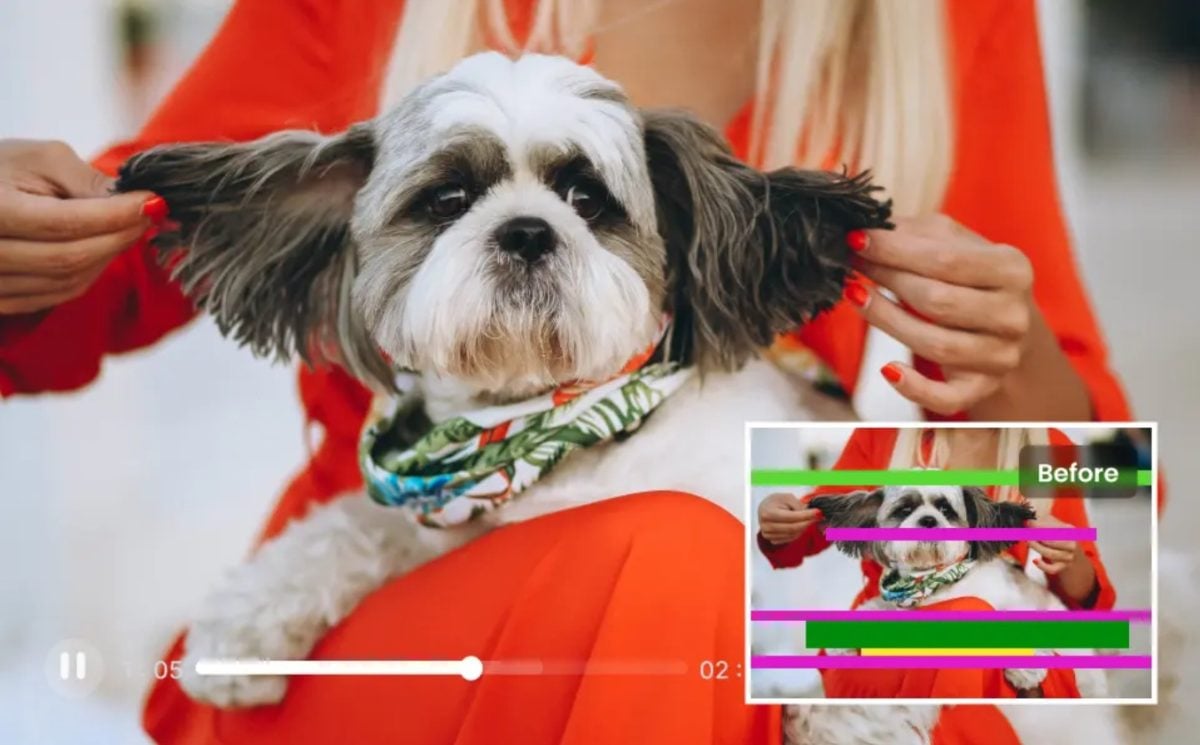
If a video shows reading difficultiesThe repair function can attempt to resolve problems such as frozen images, out-of-sync sound or codec errors.
Removing the video background
This feature uses AI to isolate a subject from its background, without the need for a green screen.
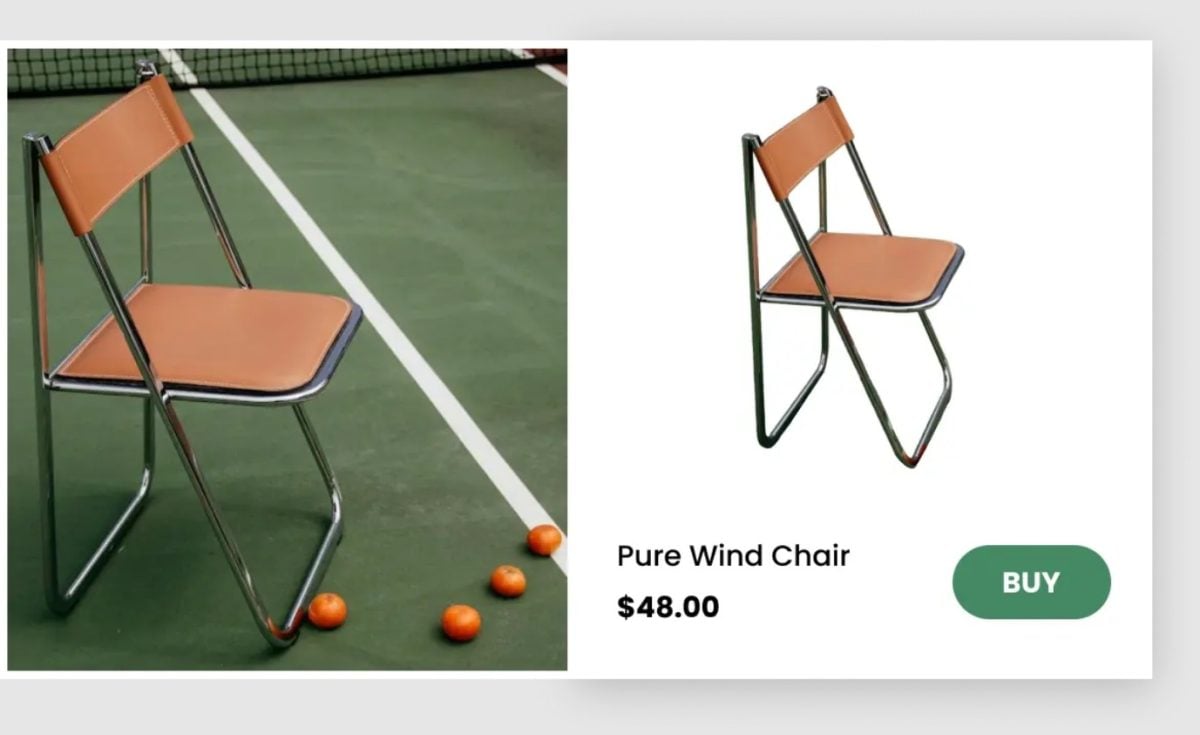
You can remove the background from a video of yourself and replace it with an image or another video.

This feature is very useful for presentations, online courses, or green screen-style videos without the need for a physical green screen.
In addition to its main functions, HitPaw VikPea is a software that offers additional features such as colorizing black & white videos. You can also enhance multiple files simultaneously with batch processing.
How to use HitPaw VikPea?
One of HitPaw VikPea's greatest strengths is its simplicity. To enhance your videos, follow the steps below:
- Start the software: Download the software from the official website, then install HitPaw VikPea on your PC to launch it.
- Import your video : Import the video you want to enhance from the software's home page.

- Select the AI model: Select the AI model that best suits your needs.
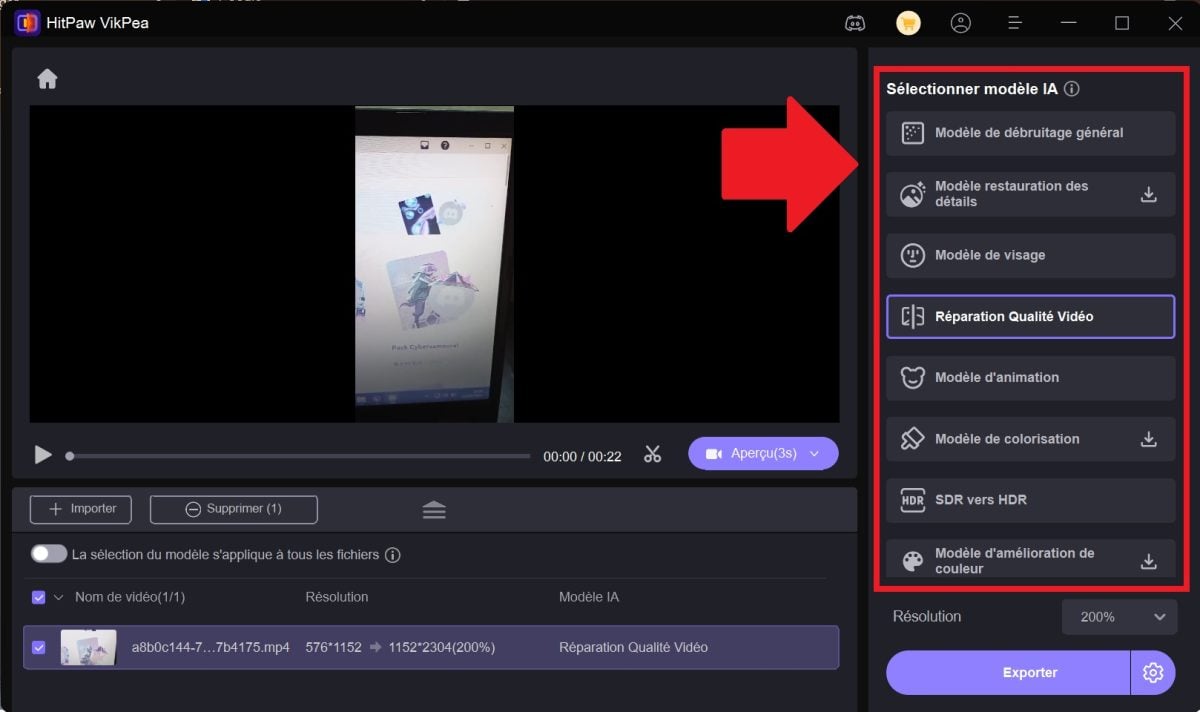
- Preview the result: You can preview the enhancement without any watermarks to ensure that the result meets your expectations.

- Export your video : Once you are satisfied, simply export the enhanced video in the format of your choice.

What are the technical specifications of HitPaw VikPea?
As for the software's technical specifications, here they are key facts :
| Features | Windows | Mac |
|---|---|---|
| Operating system | Windows 11/10 (64-bit) | macOS 10.15 or later |
| Processor (CPU) | Intel i3 4th generation or AMD Ryzen 3 equivalent or higher | Intel i3 4th generation or Apple M1 equivalent or higher |
| Disk space | 2 GB or more of free space | 2 GB or more of free space |
| Random Access Memory (RAM) | 8 GB or more | 8 GB or more |
| Graphics card (GPU) | NVIDIA GTX 950 or AMD Radeon 460 equivalent or higher | Intel UHD 630 or Apple M1 equivalent or higher |
| OpenGL | 3.3 or higher | 3.3 or higher |
| DirectX | Release 12 | – |
| Screen | 1366*768 or higher | 1366*768 or higher |
Remark : Please note that AI video enhancement can be resource-intensive. A powerful computer is recommended to reduce processing times.
Who can benefit from HitPaw VikPea?
HitPaw VikPea is aimed at a wide audience, including:
- Content creators and videographers to improve the quality of their productions and offer professional content to their audience.
- Marketin professionalsg and communications to create compelling advertising videos.
- Archivists and historians to restore and preserve old video archives.
Generally speaking, HitPaw VikPea does not require any special skills. This means that it is designed to be accessible to all.
So don't hesitate to use this software to simply improve the quality of your home videoslike family heirlooms.
To conclude, HitPaw VikPea is an essential solution for anyone who wants to enhance a video.
It is the ideal tool for give your videos a second life, whether personal or professional.
Need to enlarge an image? HitPaw offers software considered to be the best image enlarger.









 English
Nude