Keypoints
- Spying via WhatsApp web or other device Using WhatsApp Web or linking the target device to another phone allows you to read messages and track activity on WhatsApp without installing spy software.
- Specific monitoring applications Software such as Umobix, KidsGuard and FamilyTime offer in-depth WhatsApp monitoring, including messages, calls and online activity, for a subscription fee.
- Legality and ethics of espionage Spying on someone's WhatsApp without their consent is illegal and ethically reprehensible, with risks of privacy violations and loss of trust.
WhatsApp is one of the most popular applications for keep in touch with friends and family. Also used for business purposes, it is one of the leaders in instant messaging.
But this notoriety sometimes attracts the curiosity of certain users, who do not hesitate to resort to certain practices in order to spy on someone's WhatsApp without access to the target phone. The practices used can be paid for, but it's not impossible to find ways of doing it for free.
Before getting into the heart of the matter, I would like to remind you that using spyware or simply spying on someone's WhatsApp without their consent is illegal, especially if it is done with malicious intent.
In some cases, it is not uncommon for parents to use this type of application to monitor their children to ensure their safety. In other cases, some users start to spy on their partners' WhatsApp to find out who they're talking to. Whether you want to keep your child safe or clear up doubts in your relationship, I'll show you how to spy on WhatsApp without access to the free target phone.
Using another phone to monitor the target's WhatsApp account
If you don't particularly want to use spyware or any other monitoring application, there are two methods for reading someone's WhatsApp messages. Not only are they free, but you also don't run the risk of affecting the application's functionality. To give you an overview, here are two techniques you should know about for spying on a WhatsApp account:
Via WhatsApp web
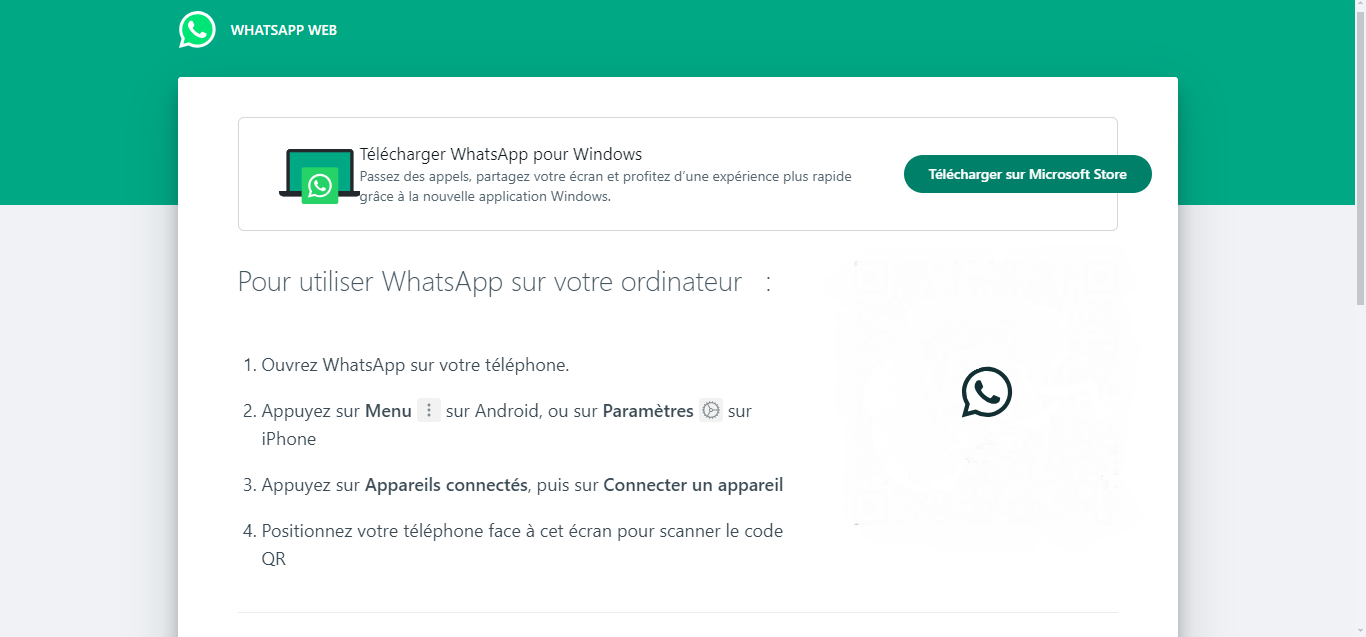
With WhatsApp web, you can connect to your account from a browser. This means you can track your WhatsApp activity and discussions from the website. To do this, you'll need to follow the steps below:
- Open WhatsApp web on your computer.
- Scan your QR CodeYou can find it in the app's "Settings" next to your profile picture.
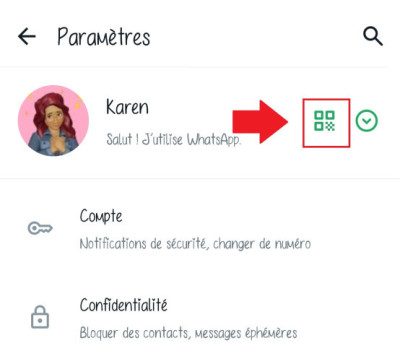
If you follow this method, you will theoretically be able to access someone else's WhatsApp web account. Please note that you do not need to have the owner's phone in your possession to scan their QR code. It can be scanned from any camera, including that of another phone or tablet.
Although this method may seem simple and easy to implement, I would like to inform you that certain conditions must be met so that scanning the QR code gives access to the relevant WhatsApp Web :
- Account owner's cell phone must be connected to the Internet.
- The QR code is unique to each session and expires when the user logs out of WhatsApp Web.
Therefore, even if you manage to scan another user's QR code without their phone, it is unlikely that you will be able to access their WhatsApp Web account without their consent or knowledge. It is important to note that the account owner can see the devices connected to their WhatsApp, which means that they can remotely disconnect any devices if they suspect something is wrong.
By linking the target device to another cell phone
The second method involves linking the device of the person you want to monitor to your cell phone. This will allow you to read WhatsApp messages, but also to observe their activity on the app. Unlike the previous method, you must have access to the person's phone in order to link their WhatsApp account to another device.
Here are the steps to follow:
- Get another phone to download and install WhatsApp.
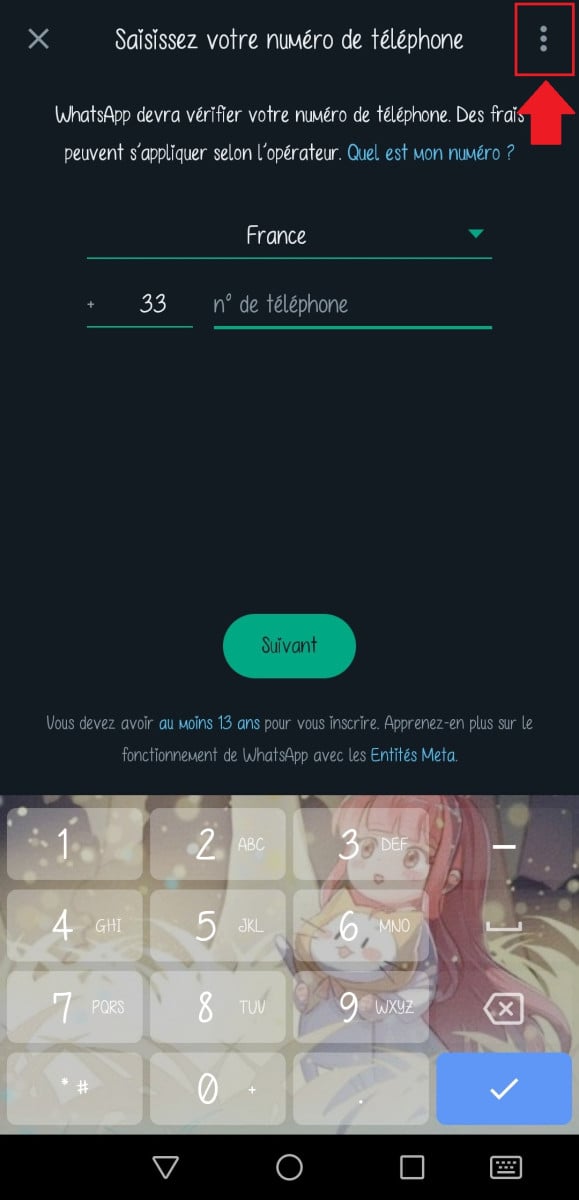
- Launch the application, then click on the three vertical dots.
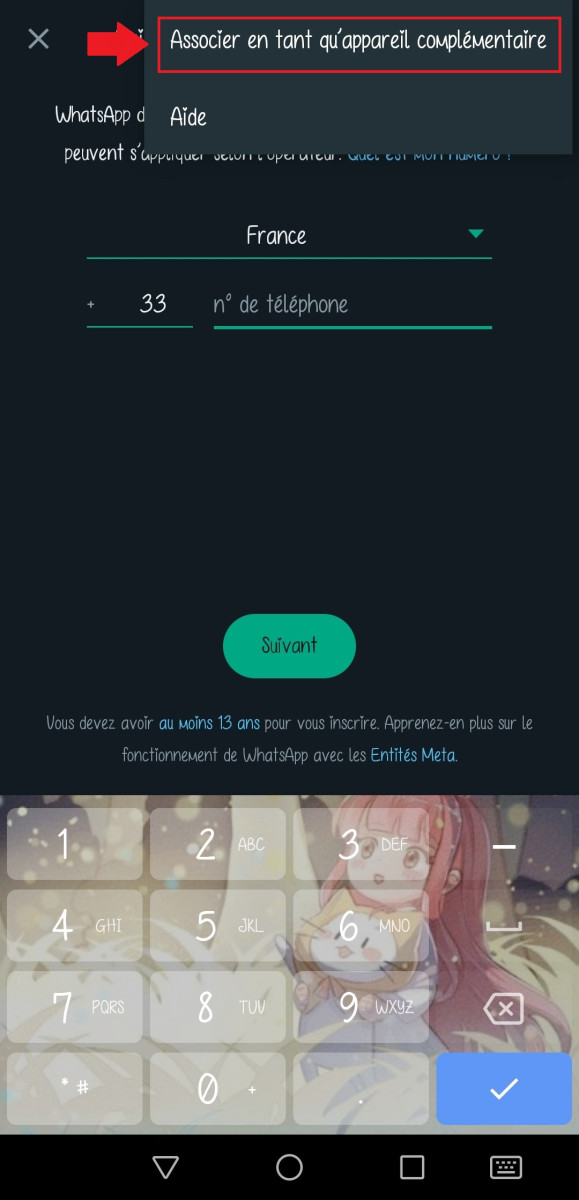
- Tap “Link a device” or “Pair as a secondary device.”.
- Scan the QR Code to connect to your WhatsApp account.
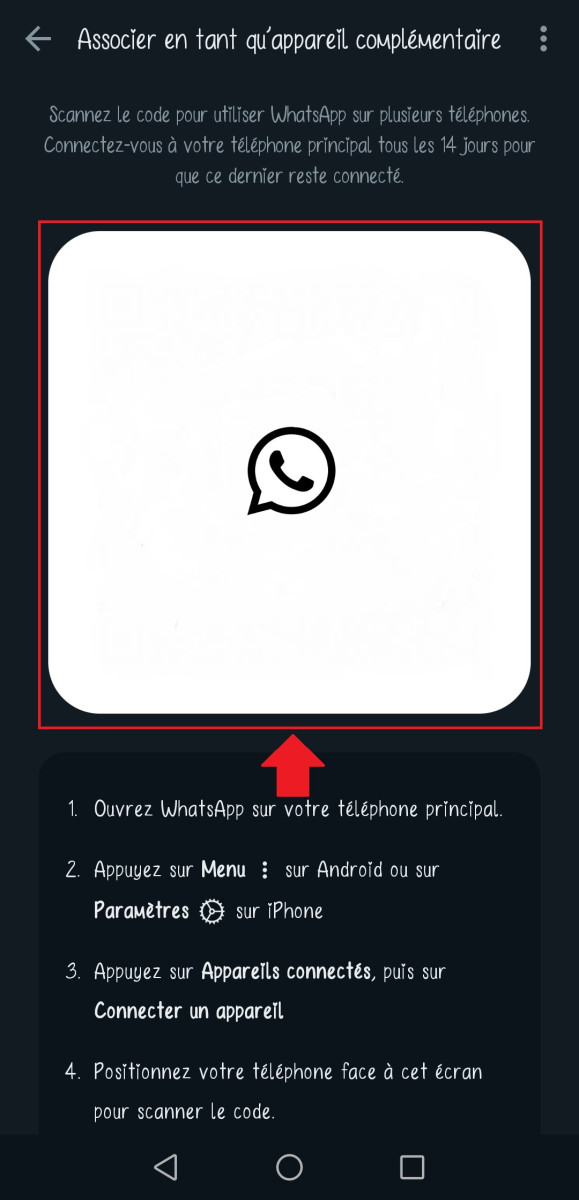
By doing so, you will be able to link a loved one's WhatsApp to your cell phone. However, you will need to meet certain conditions for monitoring to work:
- You have to access to the person's telephone.
- You have to know your phone number, as it is necessary to link the device to the WhatsApp account.
- Just like the previous method, the person being monitored must be connected to the Internet.
Once all these conditions are met, you can link someone's WhatsApp to your device. But as I mentioned earlier, linking someone else's device to yours WhatsApp without her consent is a violation of his privacy.
If you're worried about your child's safety on WhatsApp, or if you have doubts about your partner, there's always to share your concerns with them and talk to them openly. That way, you'll be less likely to lose their trust, and you'll respect their privacy.
Using applications to monitor WhatsApp activity remotely
Nowadays, WhatsApp is an essential messaging app for many people. But like other popular apps, its widespread use raises questions about security and parental control. In addition to the free methods I've shown you previously, there are apps that allow you to monitor WhatsApp activity remotely.
Unlike the free methods I've shown you, these applications generally work. by installing spyware on the smartphone someone's. Depending on the software, it records the user's activities, such as WhatsApp messages, voice calls, shared photos and videos, etc. The collected data is then transferred to an online dashboard which will be accessible to you from any device.
Here are a few examples of WhatsApp monitoring applications:
Umobix

Umobix is a spyware which reads WhatsApp messages and monitors activity in real time.
To take advantage of the services offered, you must follow these steps before accessing the dashboard:
- Create an Umobix login.
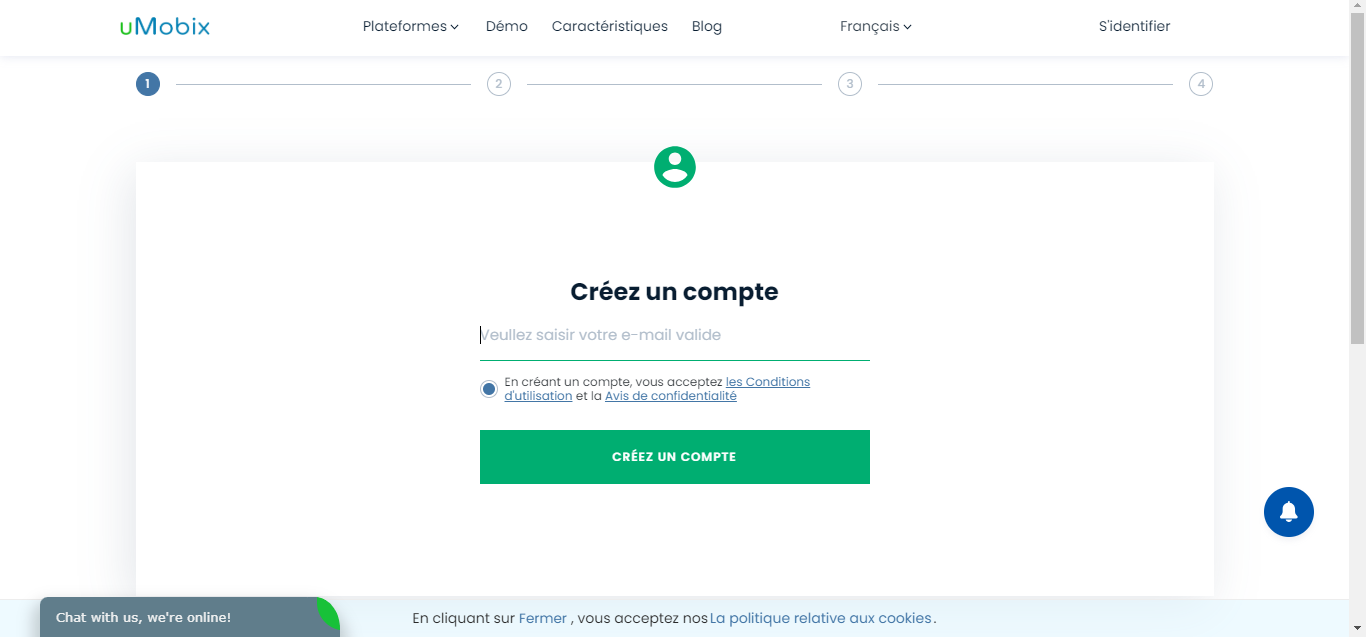
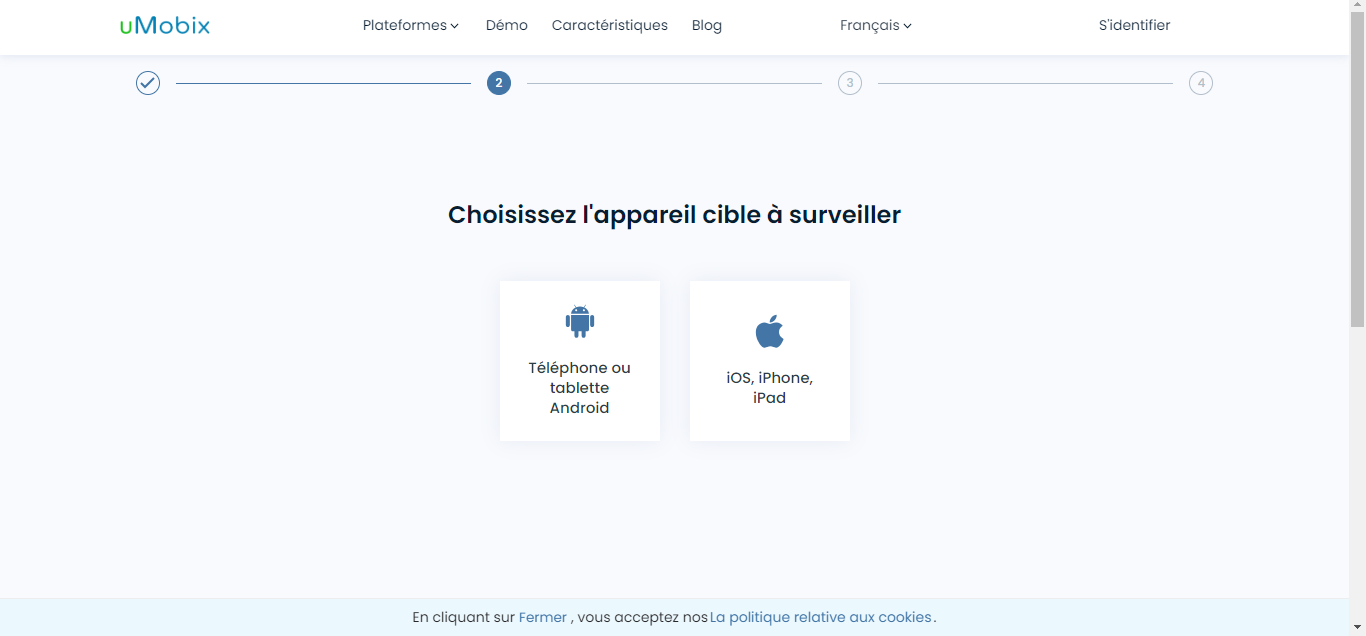
- Select the target device to monitor.
- Choose your subscription.

To find out if Umobix is the right spyware for you, we recommend that you take into account its positive and negative pointsA demo is available on the website's home page if you would like to get an idea of what the interface looks like. However, if you want to try out Umobix's features, you will need to log in and choose a subscription plan.
| ✅ Umobix benefits | ❌ Umobix disadvantages |
|
|
Please feel free to consult our detailed review on using Umobix to find out why this surveillance software is so popular with parents.
KidsGuard
KidsGuard is a parental control application which allows you to monitor your children's activity on their mobile devices. It offers a wide range of features to help you keep your children safe online, including:
- Location tracking : You can see where your child is in real time and view his or her location history.
- Call and SMS monitoring : You can read your child's text messages and see who they are calling and who is calling them.
- Blocking applications and websites : You can block applications and websites that you consider inappropriate for your child.
- Screen time limit: You can set screen time limits for individual apps or for your child's entire device.
- Remote screenshot: You can take remote screenshots of your child's screen to see what they are doing.
If you are not yet familiar with this parental control app, I invite you to visit its website before downloading the app.
- start with find out more about KidsGuard WhatsApp.
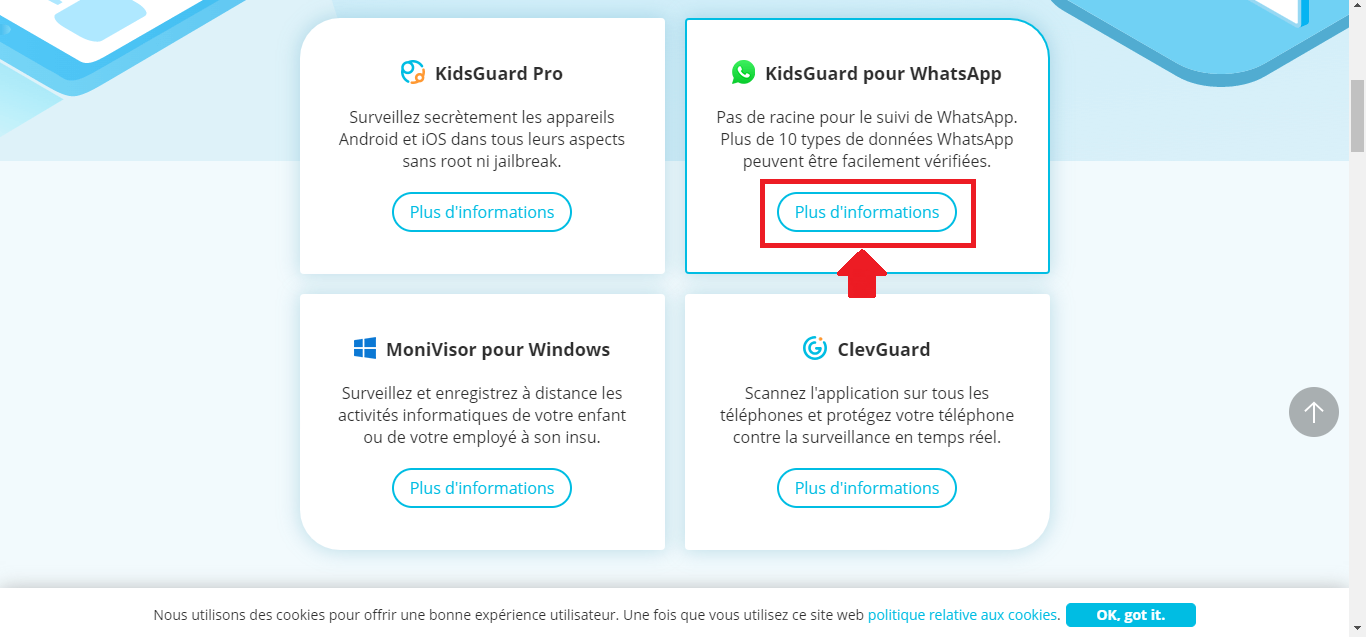
- Access information about KidsGuard for WhatsApp.
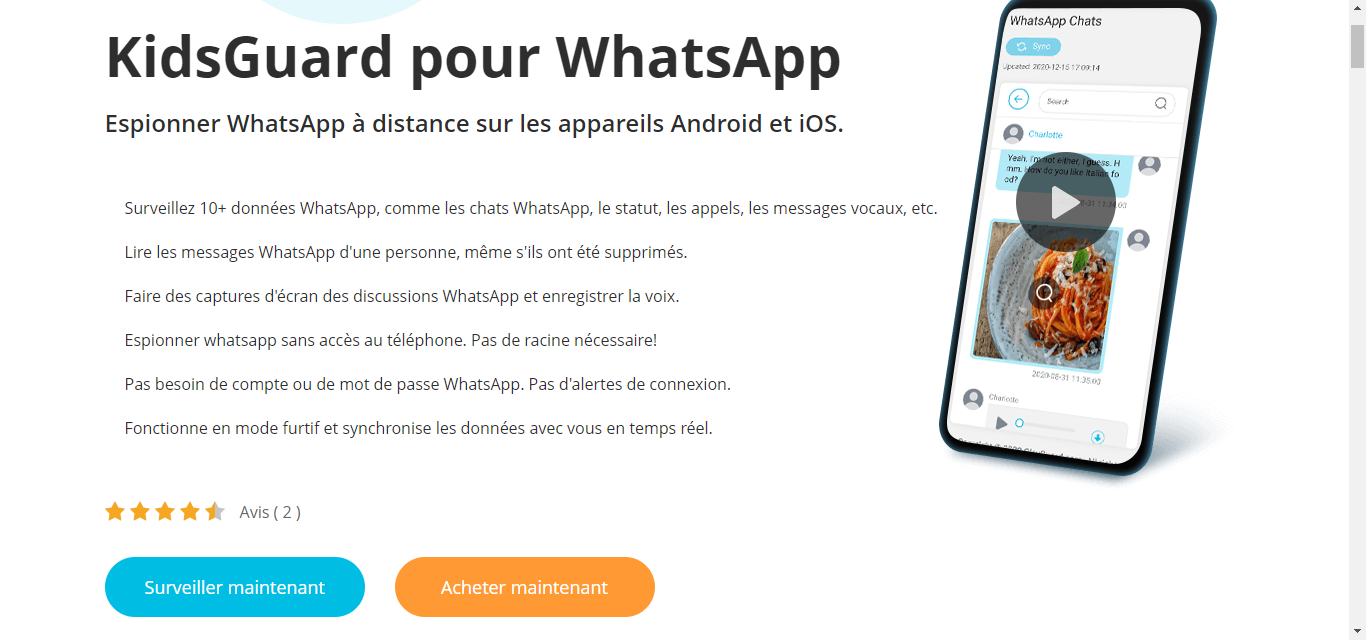
- To test functionality, Press "Monitor Now" to access a demo. dashboard.
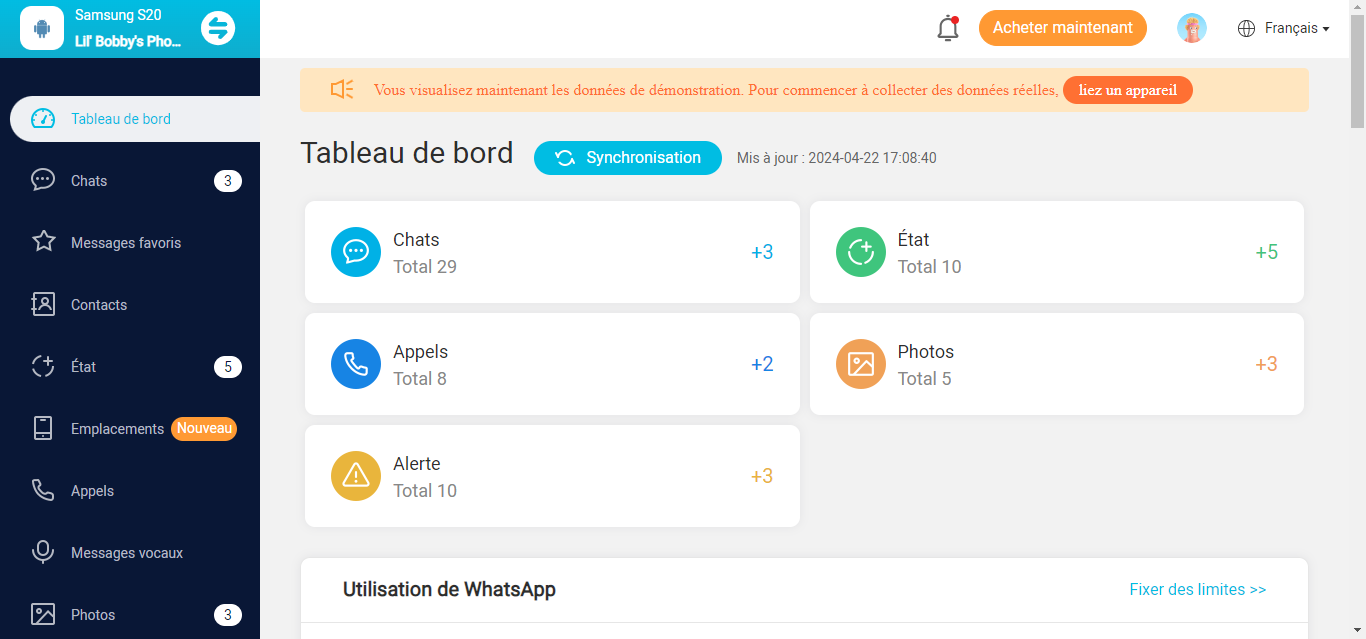
- If you are convinced by KidsGuard WhatsApp, Click on "Buy Now" to discover the subscription plans..

KidsGuard works in installing an app on your child's deviceOnce the app is installed, you can create an account and start monitoring your child's activity on WhatsApp.
| ✅ KidsGuard benefits | ❌ KidsGuard disadvantages |
|
|
KidsGuard is a valuable tool for parents who want to keep their children safe online. However, it is important to weigh up the pros and cons before deciding whether this application is right for you.
FamilyTime
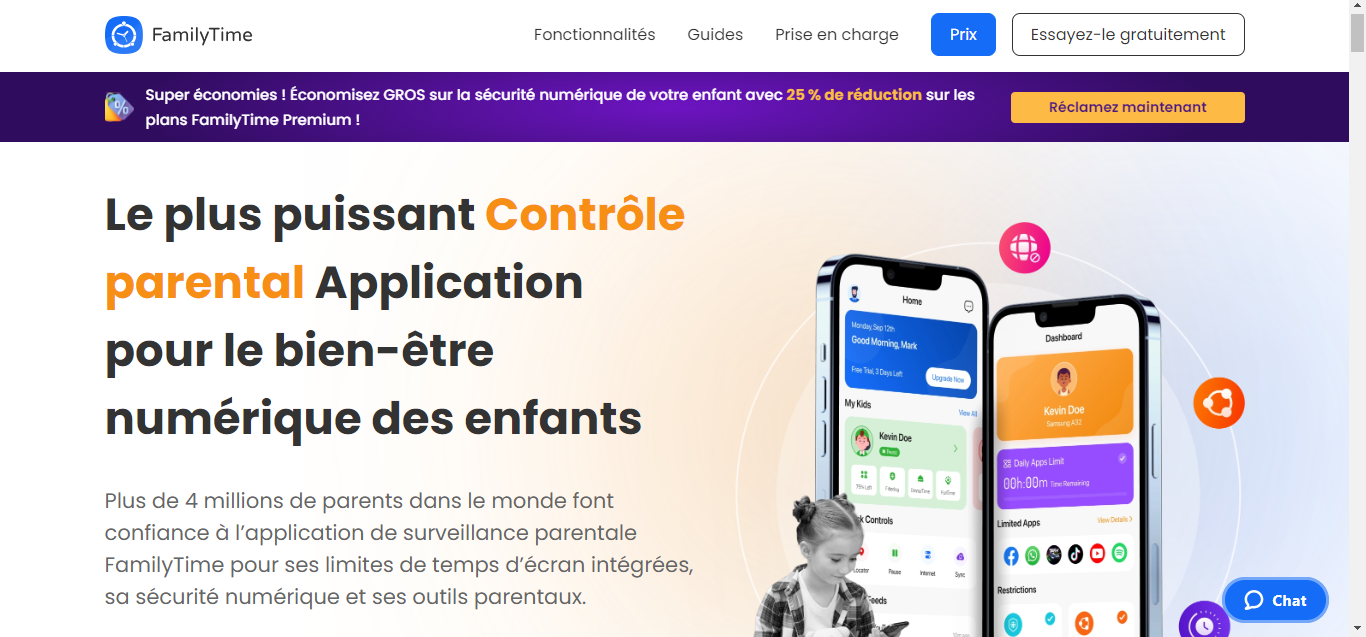
FamilyTime is a parental control application which allows parents to manage their children's screen time, track their location, block apps, and manage phone usage.
It works by installing an app on the child's phone and a dashboard app on the parent's phone. To discover the features of FamilyTime, you will need to choose the subscription that suits you :
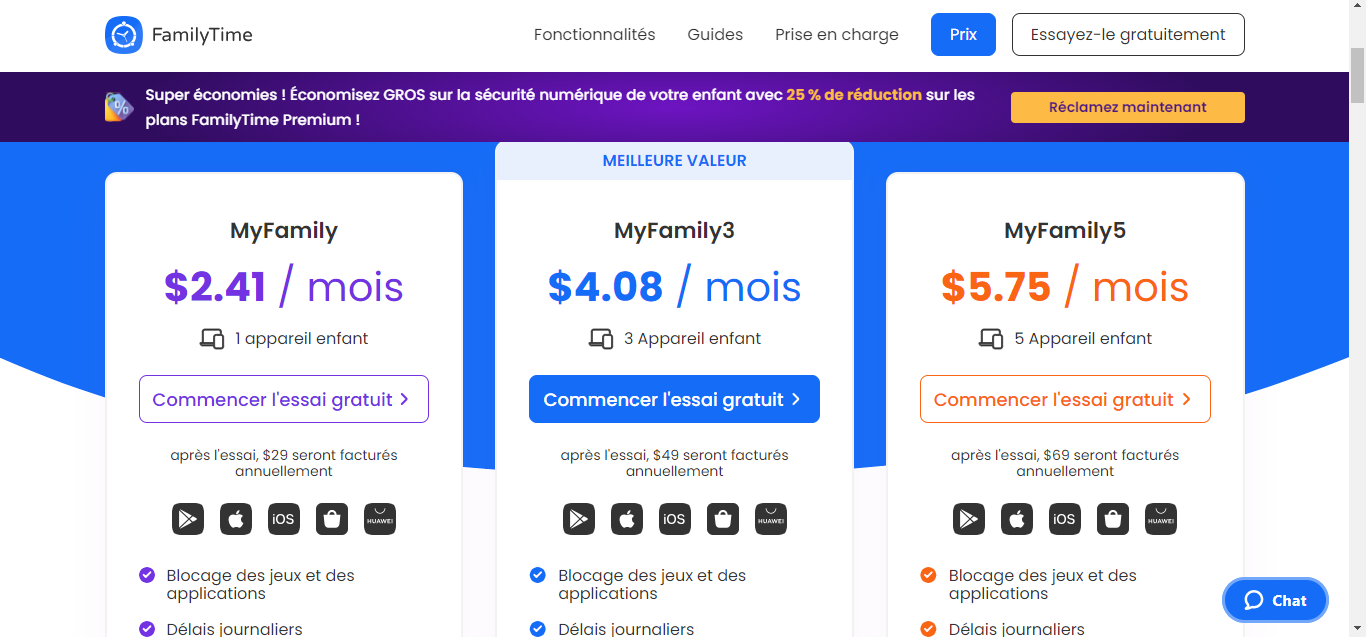
Once the applications have been installed, parents can create an account and add their children. They can then define restrictions for screen time, block apps, track their children's location, and much more. Here is an overview of the features you will have depending on your subscription:
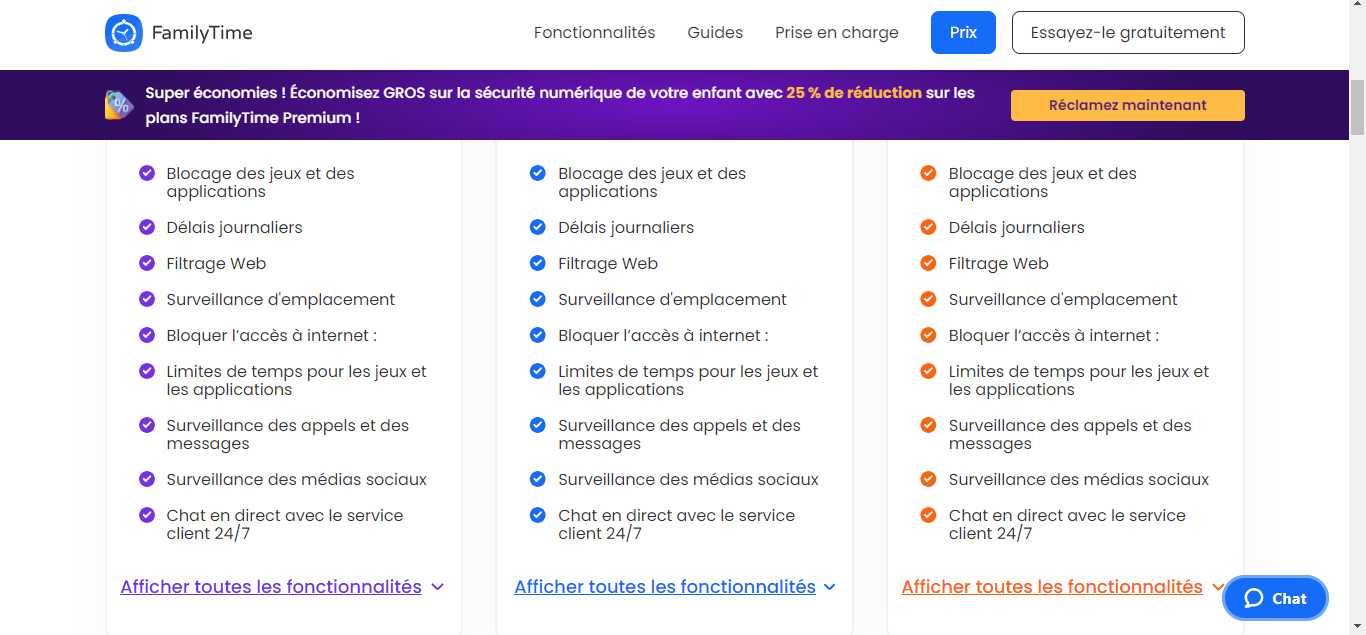
FamilyTime is a powerful tool that can helping parents manage their children's screen time, track their location, and monitor their online activity. However, it is important to weigh the pros and cons of the app before using it.
| ✅ FamilyTime benefits | ❌ Disadvantages of FamilyTime |
|
|
Why spy on a WhatsApp account?
Nowadays, WhatsApp has become an essential communication tool for millions of users around the world. This application allows you to keep in touch with family and friendsand share important moments in everyday life.
However, the use of WhatsApp can also raise concerns, particularly among parents and couples. That's why some people are turning to free or paid solutions to spy on a loved one's WhatsApp. But why?
Parents' motivations
As a parent myself, I sometimes worry about the dangers my children might encounter on the internet, and WhatsApp is no exception. This app allows users to communicate easily with anyonewithout necessarily knowing their real identity.
So here are some valid reasons why parents might want to spy on their children's WhatsApp accounts:
- Protect them from cyberbullying and dangerous content: Children can be victims of harassment, threats, or intimidation on WhatsApp. In addition, they may be exposed to violent content, adult videos or films (prohibited for those under 18), or illegal content. By monitoring their conversations, parents can detect these dangers and intervene in time.
- Monitor time spent on the app: WhatsApp can be highly addictive, especially for young people. By monitoring our children's activity on the app, we can ensure that they don't spend too much time in front of their screens and that they devote time to other activities.
- Ensuring they spend time with caring people: Our children can befriend people they don't really know on WhatsApp. By monitoring their conversations, we can ensure that they are not associating with people with bad intentions.
Partners' motivations
In some couples, monitoring each other's WhatsApp account can be a sensitive issue. However, there are situations where it may be considered justified:
- Suspected infidelity: If you have doubts about your partner's fidelity, you may be tempted to spy on their WhatsApp account to find out for sure.
- Protection against online hazards : Just like children, adults can also be victims of cyberbullying, threats, or intimidation on WhatsApp. By monitoring your partner's account, you can help protect them from these dangers.
- Communication failure : If communication between two people is difficult or non-existent, spying on their WhatsApp account can be seen as a way to better understand the other person's thoughts and feelings.
Before using spy software or installing a monitoring application on a loved one's phone, it is important to consider the potential consequences and discuss it with the person concerned. As I mentioned, spying on someone on WhatsApp is a violation of privacy and should only be considered as a last resort, or even in exceptional situations.










 English